Could your Cricut skills become a wedding business? See Cricut wedding projects to make and sell.
A wedding invitation can cost more to mail simply because of the way it is decorated. In the United States, details such as wax seals, ribbons and strings can make an envelope non-machinable, resulting in additional postage.
This is one reason wedding stationery involves more than choosing beautiful paper and lettering; every detail must also be practical to send and handle.
That attention to detail creates opportunities for Cricut makers. Couples need personalised stationery, ceremony accessories, reception displays and keepsakes, but they also want products that fit their wedding theme and serve a purpose.
With the right materials and designs, you can turn these needs into products worth offering to wedding customers. Here are 25 Cricut wedding projects to make and sell, with ideas that go beyond ordinary decorations.
Christmas is a great time to offer personalised gifts and festive products. Get ideas from these 30 Cricut Projects to Make and Sell for Christmas.
Cricut Wedding Projects
1. Custom Invitation Belly Bands
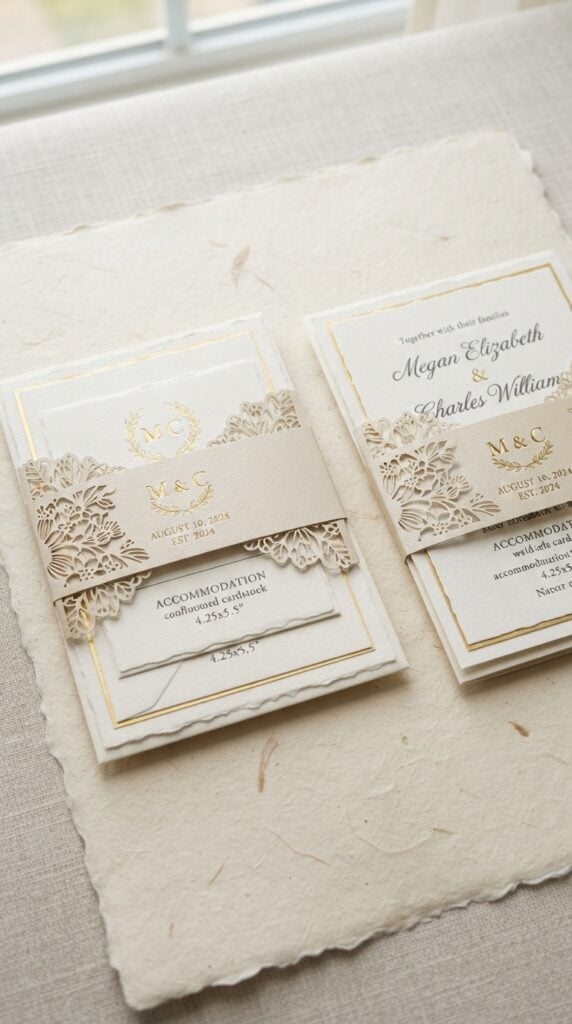
Sometimes, the smallest detail can make a wedding invitation feel more special.
Couples often send several pieces together, including the main invitation, RSVP card and accommodation details. A personalised belly band keeps these pieces neatly together while giving the invitation a finished appearance.
Use your Cricut to cut cardstock or vellum strips featuring the couple’s names, initials, wedding date or a simple floral design.
You can offer different colours and finishes to match customers’ invitation themes. Since invitation sizes and insert quantities vary, measure the assembled cards before cutting the bands.
For your business, this is a useful add-on product. Customers who already have their invitations can order personalised bands to give their stationery a coordinated look without replacing the entire invitation suite.
Want to create products without spending much on supplies? These 29 Cricut Projects You Can Make For Under $5 And Sell For More show what’s possible on a small budget.
2. Die-Cut Envelope Liners
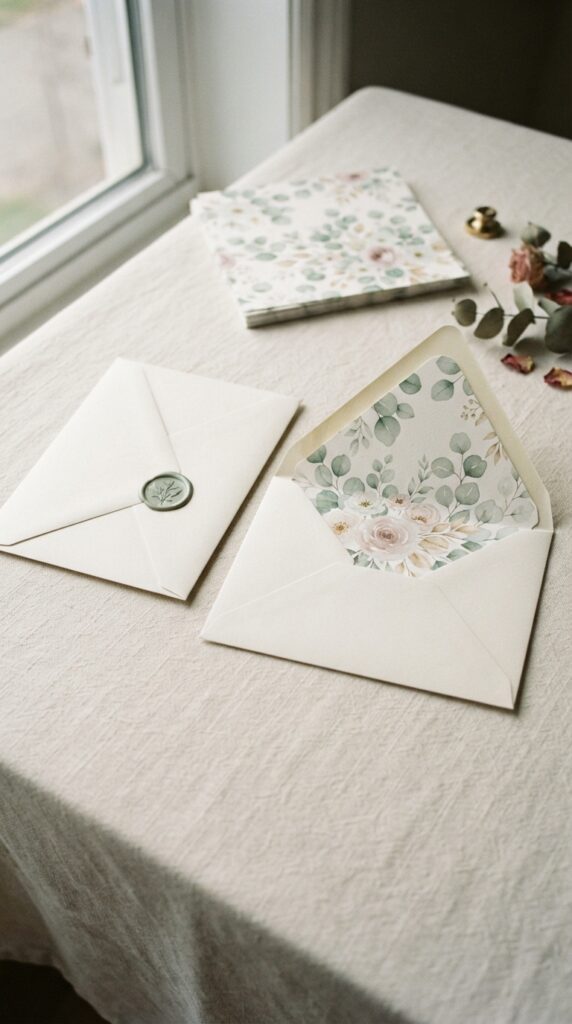
The envelope is often the first part of a wedding invitation that guests see, even before they read the invitation itself.
A decorative liner adds a personal touch when the envelope is opened and gives the stationery a more coordinated appearance.
Use your Cricut to cut liners from patterned paper, vellum or other suitable lightweight paper. You can create floral designs, elegant borders, monograms or patterns inspired by the wedding colours.
Offer liners in different sizes to fit common envelope styles, but always measure the actual envelope before cutting.
For your business, sell these as individual upgrades or as part of a matching invitation package. Couples can choose a design that complements their invitations without having to replace their existing envelopes.
Some crafts leave more room for profit than others. See these 27 Cricut Projects With High Profit Margins for ideas to consider.
3. Personalised RSVP and Meal-Choice Cards
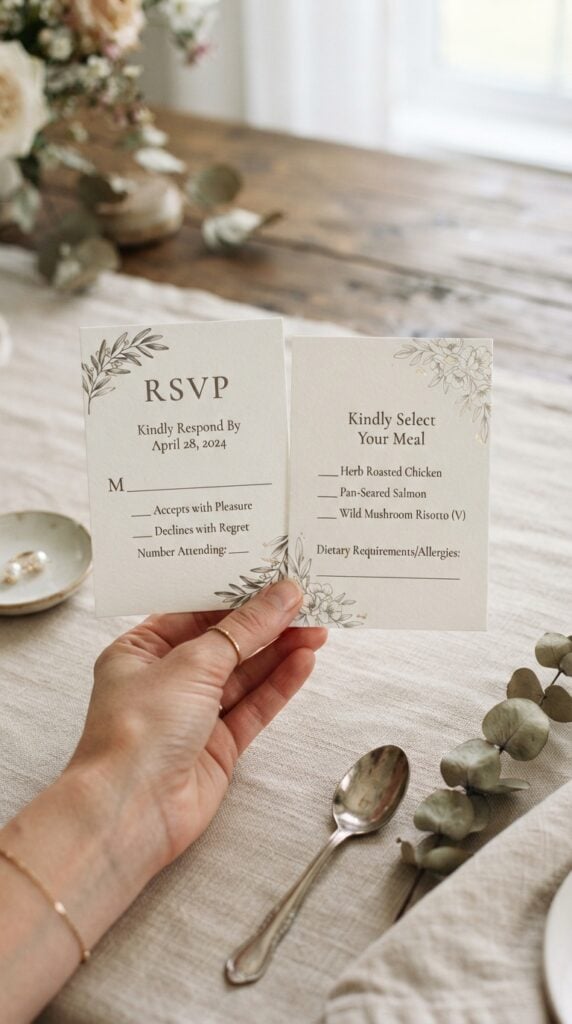
Getting an accurate guest count is important when couples are arranging catering, seating and other reception details.
RSVP cards give invited guests a convenient way to confirm whether they will attend and provide information the couple needs before the wedding.
Create personalised cards with the couple’s names, response deadline and spaces for guests to indicate attendance.
Where the caterer offers meal choices, include clearly labelled options and enough room for guests to select their preferences. You can also provide a separate dietary-requirements field where appropriate.
Offer matching designs in different cardstock colours and sizes. This is a good product to sell alongside wedding invitations, particularly to couples who want their stationery to have a consistent appearance.
Remember that the wording and meal options should be approved by the couple before printing.
Starting a Cricut business? These 23 Easy Cricut Crafts To Sell For Beginners can help you choose your first products.
4. Custom Wedding Ceremony Programmes
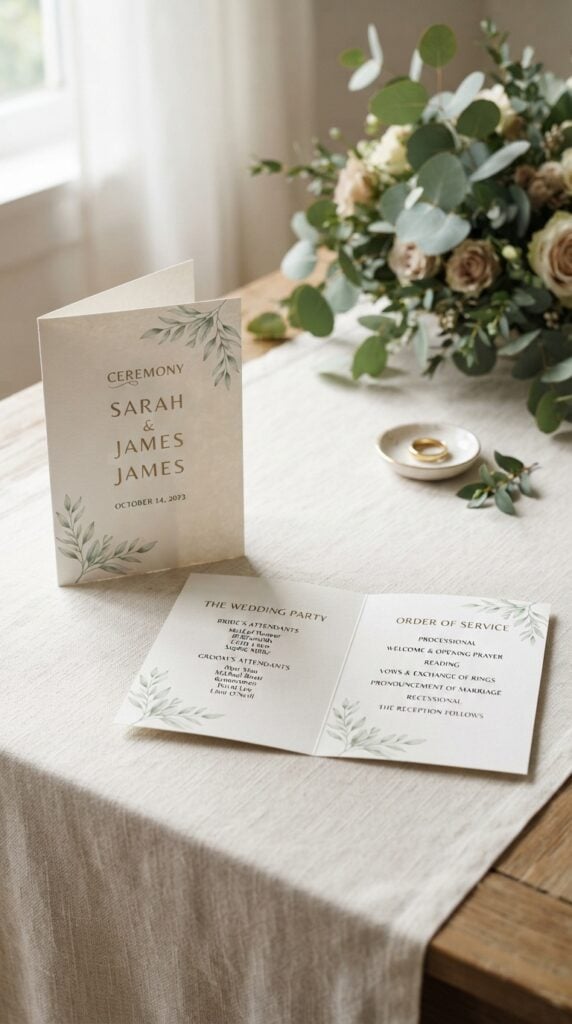
Guests may not know everyone participating in a wedding ceremony or understand the order of events, especially when the celebration includes particular readings, cultural traditions or religious elements.
A ceremony programme gives them something to follow and helps them understand what is happening.
Use your Cricut to create single-sheet or folded programmes with the couple’s names, wedding date, ceremony schedule and names of the wedding party.
Depending on the couple’s preferences, you can include readings, musical selections, acknowledgements and other relevant details.
Offer simple paper programmes as well as designs with decorative cardstock covers or layered lettering.
For larger orders, make sure the layout is easy to read and that the finished programme can accommodate all the information without looking overcrowded.
Personalised details can make everyday items more appealing. Find inspiration in these 21 Personalized Cricut Items People Actually Buy.
5. Personalised Vow Book Covers
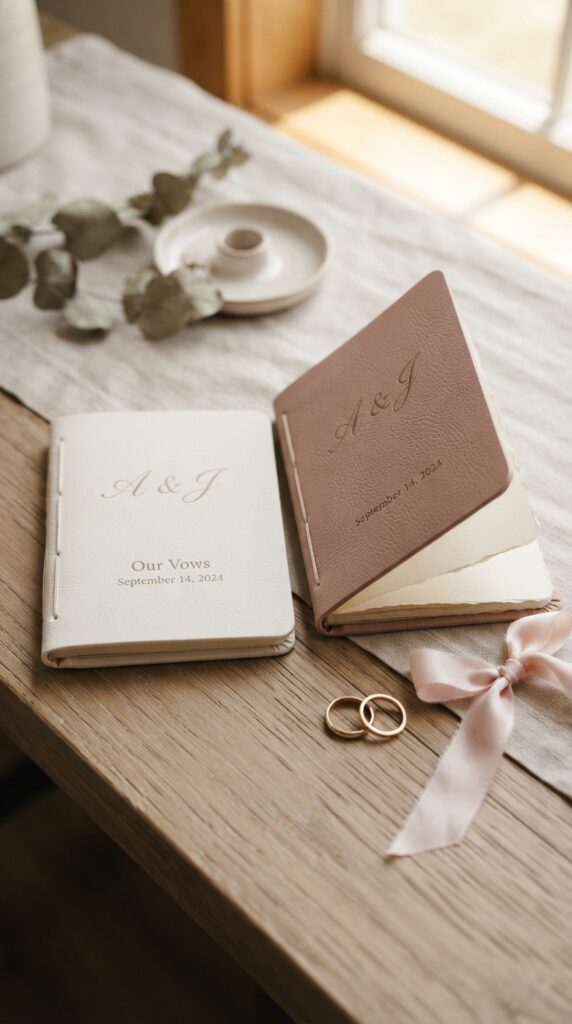
Wedding vows are words couples often want to keep long after the celebration. Personalised vow books give them a place to write their promises, read from during the ceremony and preserve as a keepsake afterwards.
Create matching covers for two small notebooks using compatible faux leather, cardstock or suitable book-cover blanks.
Add the couple’s initials, names, wedding date or a short inscription using an appropriate Cricut cutting or writing technique. You can offer different cover colours and lettering styles while keeping the designs coordinated.
For a wedding business, sell the covers with suitable blank notebooks or offer complete matching vow books.
Make sure the material is compatible with your Cricut machine and test the design before producing multiple copies.
Need products that catch shoppers’ attention at a market? These 20 Cricut Products to Sell at Craft Fairs are worth exploring.
6. Reserved Seating Chair Tags
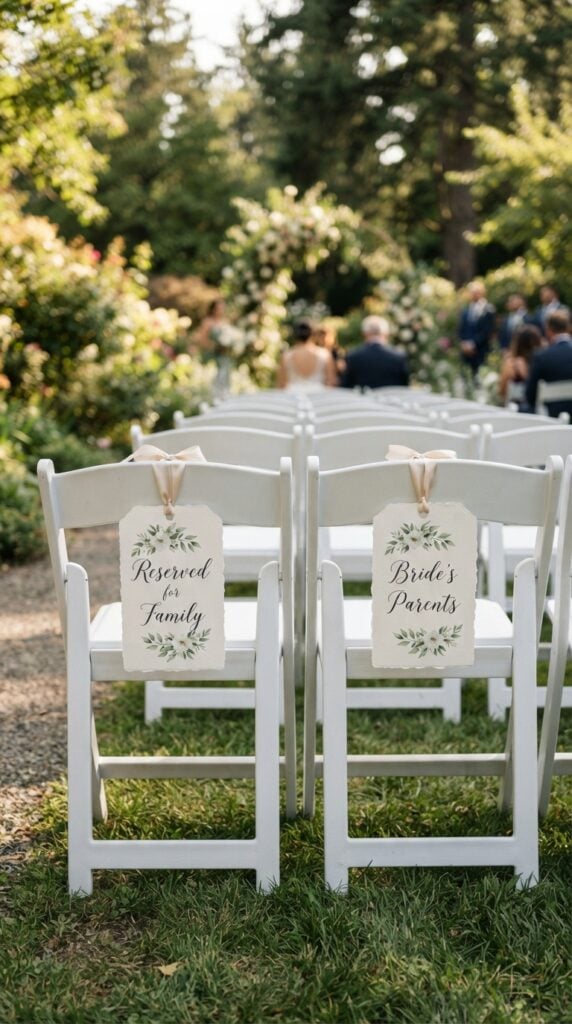
Some wedding guests have seats that need to be arranged in advance, particularly close family members, grandparents, the officiant and people who may need easier access to the ceremony area.
Reserved seating tags help communicate these arrangements without requiring someone to direct every guest to their seat.
Use your Cricut to cut personalised cardstock tags with wording such as “Reserved for Family”, “Bride’s Parents” or “Groom’s Parents”.
You can also create individual tags with names or small decorative details that match the wedding stationery. Attach them to suitable chair covers or chair backs using ribbon or another secure fastening method.
For your business, offer these in coordinated sets so couples can order tags for both sides of the family. Provide different wording options because family seating arrangements vary between weddings.
You can make creative projects without expensive supplies. See these 29 Cricut Projects for Beginners Using Dollar Store Items.
7. Aisle Chair Decorations
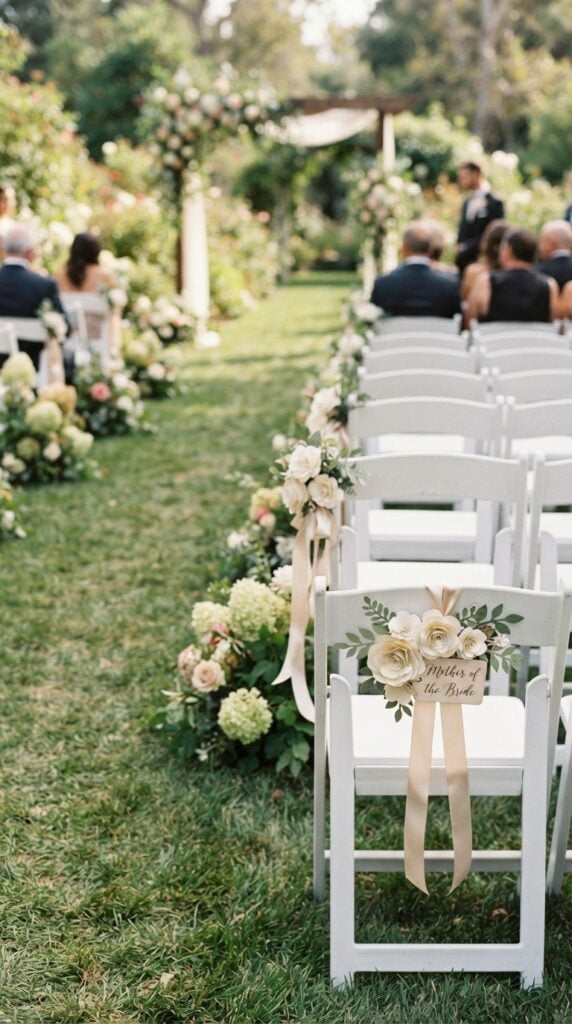
The chairs along the wedding aisle offer another opportunity for couples to incorporate their wedding colours and personal details into the ceremony.
Rather than decorating every chair, some couples may prefer to highlight the first few rows or reserve particular decorations for family seating.
Create personalised chair decorations using cardstock, layered paper flowers or compatible faux leather.
Designs can feature the couple’s initials, a small floral arrangement or wording such as “Mother of the Bride” and “Mother of the Groom”. You can also make decorative hanging shapes that complement the aisle flowers.
Consider selling these in matching pairs or small sets, with ribbon included for attachment.
Before accepting an order, establish whether the venue permits decorations on its chairs and what fastening methods are allowed. This helps prevent damage to rented furniture.
Want to earn from your Cricut without renting a shop? These 35 Profitable Cricut Projects You Can Make From Home offer ideas to get started.
8. Personalised Ring Bearer Boxes
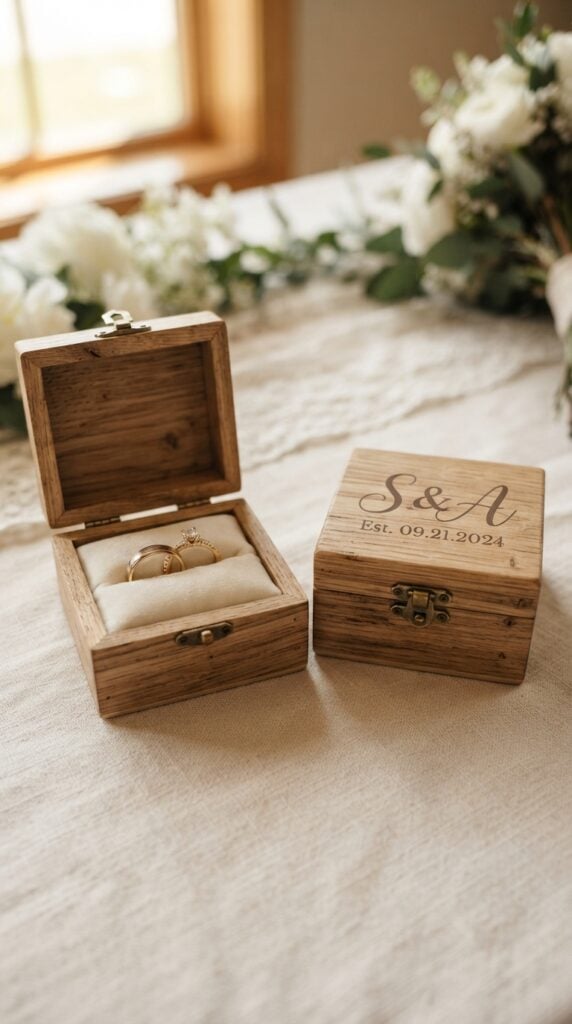
The wedding rings are small, but they carry considerable meaning for the couple. A personalised ring box gives the ring bearer somewhere to carry them safely during the ceremony and provides the couple with a keepsake afterwards.
Purchase suitable wooden ring boxes and use your Cricut to add the couple’s initials, wedding date or a small decorative motif with adhesive vinyl.
You can offer different finishes and lettering styles, including designs that match the wedding’s overall stationery.
A useful selling option is to provide separate designs for rustic, minimalist and traditional weddings.
Pay attention to the inside of the box as well. It should have a suitable cushion or insert to hold the rings securely rather than allowing them to move around during transport.
Remember that the Cricut personalises the purchased box; the machine does not make the wooden box itself. Test vinyl adhesion on the chosen finish before preparing customer orders.
Not sure what products people might buy? Take a look at these 33 Cricut Projects That Actually Sell Well.
9. Flower Girl Basket Name Tags
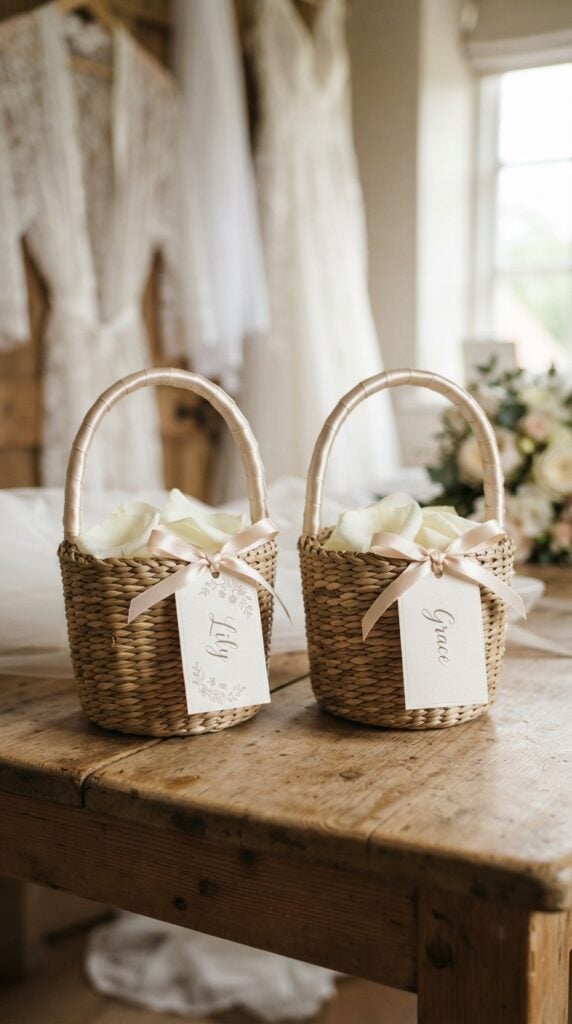
When children are part of a wedding procession, personalised details can make their roles feel more special.
A name tag attached to a flower girl basket is a simple way to identify each child’s basket while adding a coordinated detail to their wedding outfit.
Use your Cricut to cut names, initials or small floral designs from cardstock or compatible faux leather. Attach the finished tags to suitable baskets with ribbon.
You can also offer matching tags for multiple flower girls, with each child’s name displayed in the same design.
For your business, offer the tags separately or as part of a flower girl accessory package.
Ask customers about the basket dimensions and handle style before preparing the tags so that the finished pieces fit properly without interfering with how the baskets are carried.
Interested in selling beyond your local market? These 33 Best Cricut Projects to Make and Sell Online can help you find products for your online shop.
10. Personalised Bouquet Ribbon Wraps
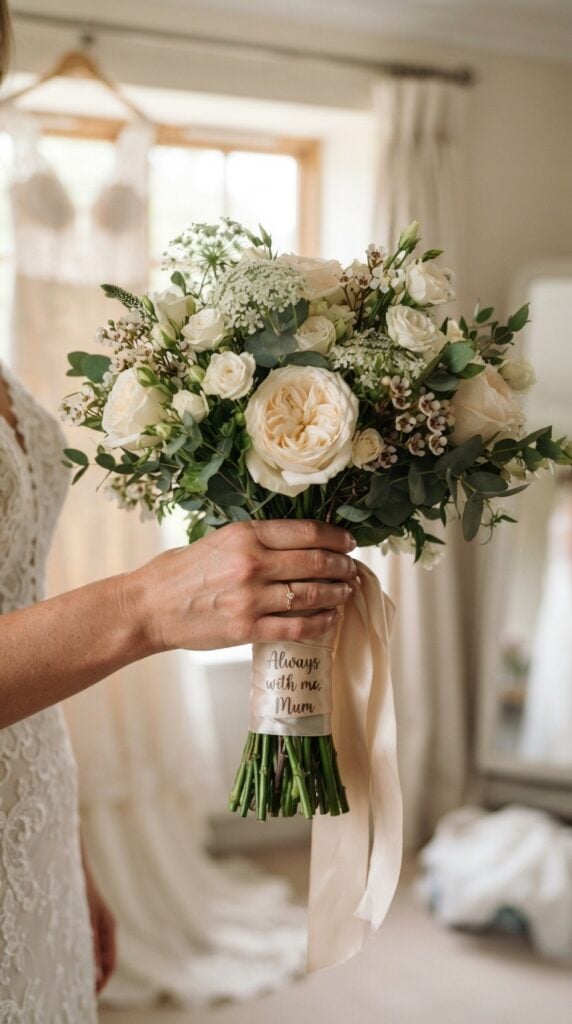
A bridal bouquet can hold sentimental details beyond the flowers themselves. Some brides choose to include a message from a parent, a wedding date or a few meaningful words on the ribbon wrapped around the bouquet handle.
Create personalised ribbon wraps using compatible heat-transfer vinyl and suitable ribbon or fabric. Your Cricut cuts the lettering or design, which can then be transferred using the appropriate heat settings.
Offer options such as the couple’s initials, a short message, a wedding date or a handwritten note from a loved one.
This product also creates an opportunity to serve customers looking for a memorial detail, such as a message remembering a family member who has passed away.
For a professional finish, test the transfer on the exact ribbon material before making the customer’s order.
Satin, polyester and other fabrics can respond differently to heat, so follow the transfer manufacturer’s instructions rather than assuming one temperature works for every ribbon.
Need more products to add to your small business? These 31 Easy Cricut Projects to Make and Sell for Extra Money offer more ideas.
11. Personalised Wedding Seating Charts
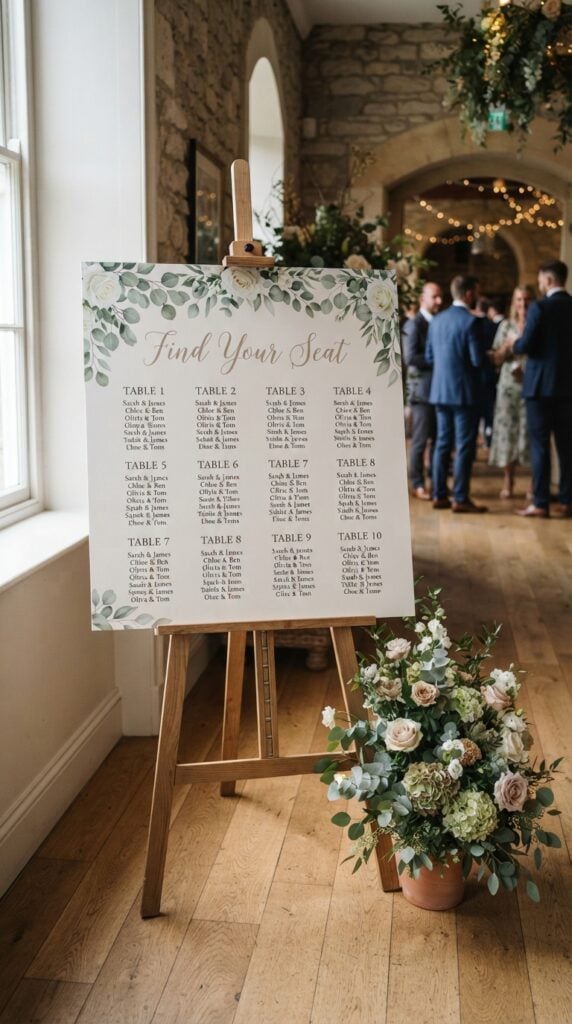
Imagine guests arriving at a reception and having to search through several tables to find their assigned seats.
A clearly arranged seating chart makes this process easier by showing guests where they will be seated before they enter the dining area.
Create a seating chart using a suitable display board or sign blank, then use your Cricut to cut the headings, table numbers and decorative lettering from adhesive vinyl. The couple supplies the final guest list and table assignments, which you arrange in a readable layout.
You can offer alphabetical layouts, where guests find their names and corresponding table numbers, or table-by-table arrangements that group guests under their assigned tables.
For a business, offer different chart sizes and layouts depending on the guest count. Larger weddings may require more space and a multi-panel design.
Always request the final approved guest list before production because last-minute name changes can mean redoing part of the chart.
Make everyday spaces easier to manage with these 27 Easy Cricut Projects for Organizing Your Home.
12. Individual Escort Cards
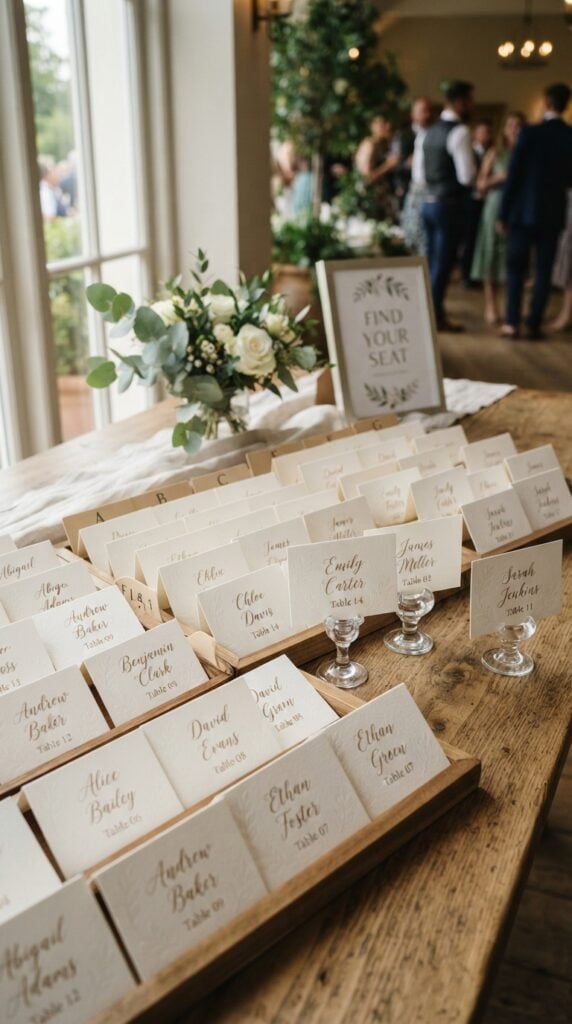
Not every couple wants one large seating chart at the reception entrance. Individual escort cards provide another way to direct guests to their assigned tables. Each card displays a guest’s name alongside the table number they should visit.
Use your Cricut to cut and personalise small cardstock cards, adding decorative borders, initials or subtle wedding motifs.
You can arrange them alphabetically for easier searching or create different designs to match the reception stationery.
One detail worth considering is the display method. Cards can be placed in rows on a table, arranged in holders or attached to a suitable display board. Offer the cards with optional holders or a matching display arrangement.
Unlike place cards, escort cards tell guests which table to find, not which individual seat to occupy. This distinction is important when explaining the product to customers.
From useful labels to personalised accessories, these 25 Easy Cricut Projects for Your Kitchen offer plenty of kitchen inspiration.
13. Custom Place Cards with Guest Names
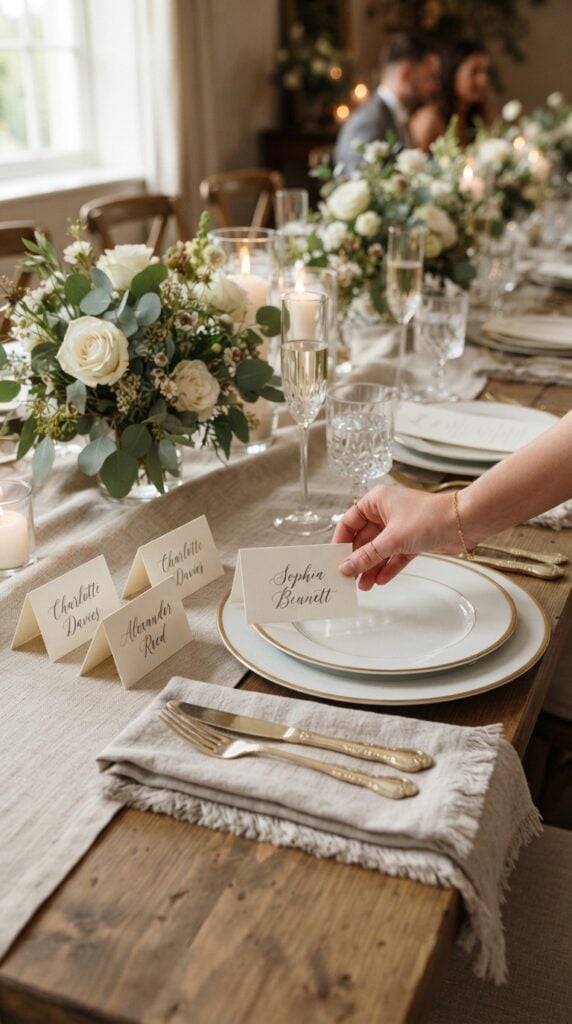
Once guests reach their assigned tables, they may still need to know which particular seat is theirs. Place cards solve this by displaying each guest’s name at their designated position.
Cut individual cards from cardstock and personalise them with guests’ names using Cricut lettering, drawing or compatible foil-transfer techniques.
You can create folded tent cards that stand on their own or flat cards designed to sit on plates, napkins or beside table settings.
Offer customers the option of ordering a complete set with consistent typography and colours. Since every guest has a different name, request a properly checked guest list and confirm the spelling before cutting or writing the cards.
For sellers, this is a good product to offer in quantities because couples may need one for every seated guest. Make sure your pricing accounts for the individual personalisation involved.
Have leftover vinyl or cardstock? Put it to good use with these 23 Cricut Projects You Can Make with Scrap Materials.
14. Personalised Table Name and Number Cards
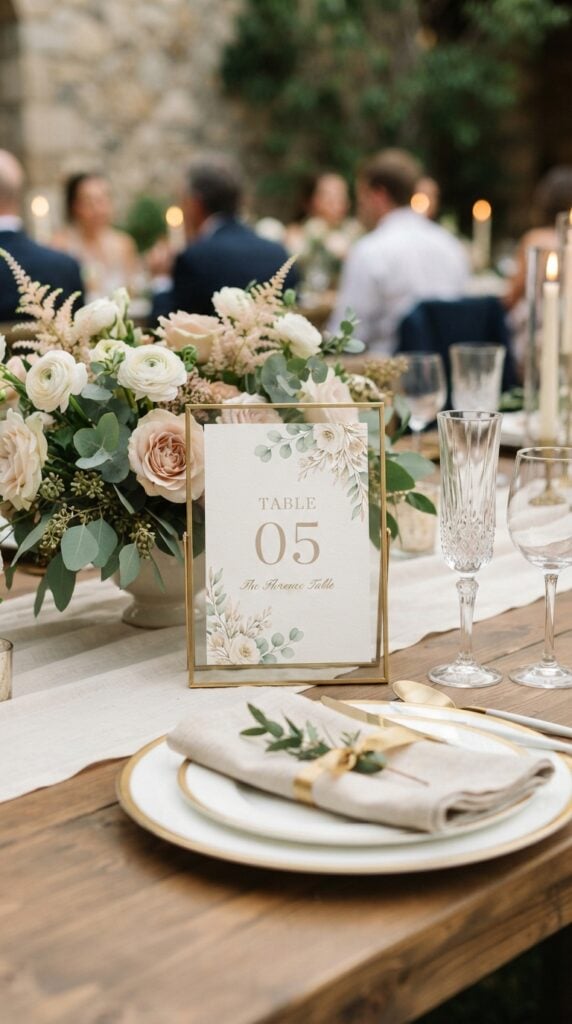
Table numbers help guests and catering staff identify different reception tables, but some couples prefer names that have a personal connection rather than ordinary numbers.
Create table identifiers inspired by places the couple has travelled to, favourite destinations, meaningful dates or shared interests.
For example, a couple who met while studying abroad might name their tables after cities they have visited together.
Use your Cricut to cut the lettering from cardstock or adhesive vinyl and apply it to suitable display blanks, photo frames or table-number holders. You can also offer layered cardstock designs for customers who prefer a freestanding paper display.
The important business opportunity is the personalisation. Sell a complete matching set rather than individual designs with unrelated styles.
Confirm the number of reception tables before quoting so customers receive the correct quantity.
Give your next celebration a personal touch with these 20 Easy Cricut Projects for Birthdays and Parties.
15. Custom Wedding Menu Cards
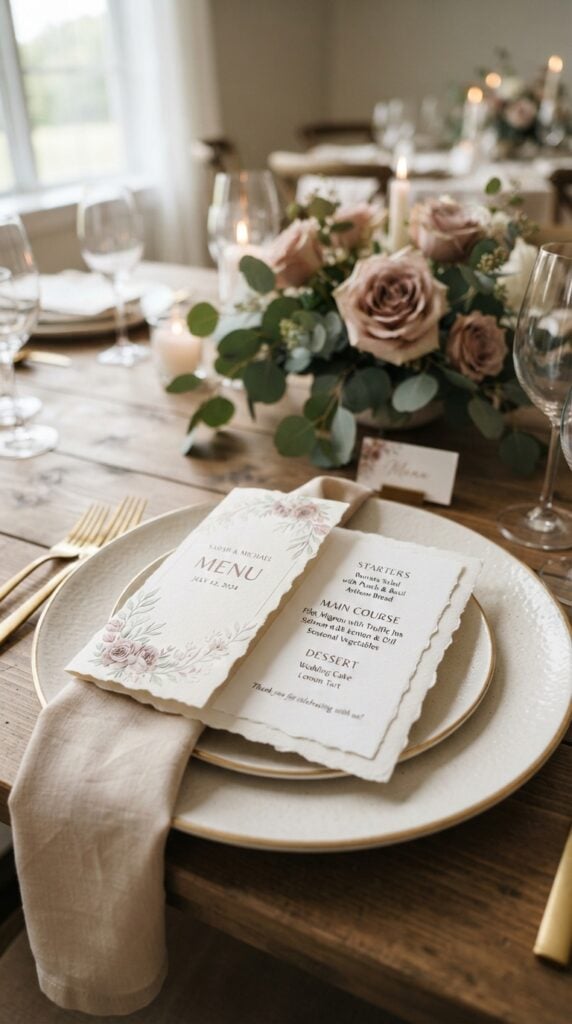
Guests often want to know what will be served before their meals arrive, especially when the reception offers several courses or different meal selections. A printed menu card provides this information and can become part of the table setting.
Use your Cricut to create decorative cardstock menu covers, cut-out borders or layered lettering.
The actual menu wording can be printed separately and attached to the decorative design. Include the meal courses, drinks or other details supplied by the couple or caterer.
You can offer individual menus for each guest, one shared menu per table or larger menu displays for buffet-style receptions. This gives customers choices based on their catering arrangements and budget.
For a business, matching menu cards with place cards and table identifiers creates an opportunity to sell a coordinated reception stationery package.
A thoughtful handmade present can make someone’s day. Find your next idea in these 31 Easy Cricut Projects for Gifts.
16. Buffet Dietary Information Labels
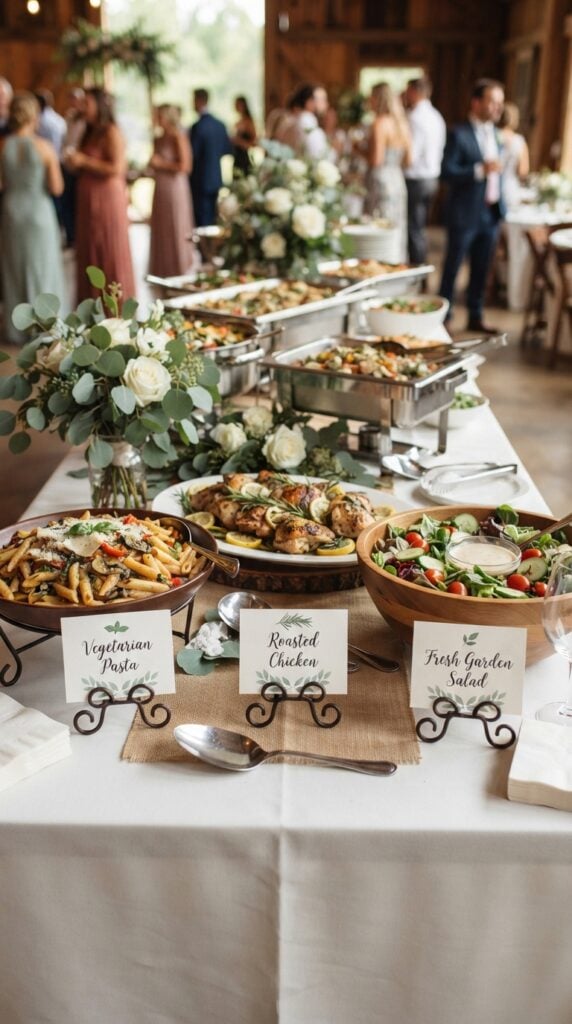
At weddings with buffet catering, guests may need to check which dishes are vegetarian, vegan or prepared without particular ingredients.
Clearly displayed food labels help them make informed choices without having to ask about every dish.
Create small cardstock display cards with space for the dish name and dietary information provided by the caterer.
You can also offer separate labels for different food stations, including starters, main dishes, desserts and drinks.
A useful selling angle is to offer reusable display holders with replaceable paper inserts. Caterers or event planners can then change the wording for different events without purchasing an entirely new set of holders.
Know this: Never independently label a dish gluten-free, nut-free or allergen-free based on its appearance or the couple’s assumptions.
The caterer must verify the ingredients and relevant preparation arrangements. A Cricut-made label communicates supplied information; it does not certify food safety.
Looking for creative projects a teenage girl would enjoy? These 30 Cute Cricut Projects for Teen Girls are worth a look.
17. Wedding Venue Directional Signs
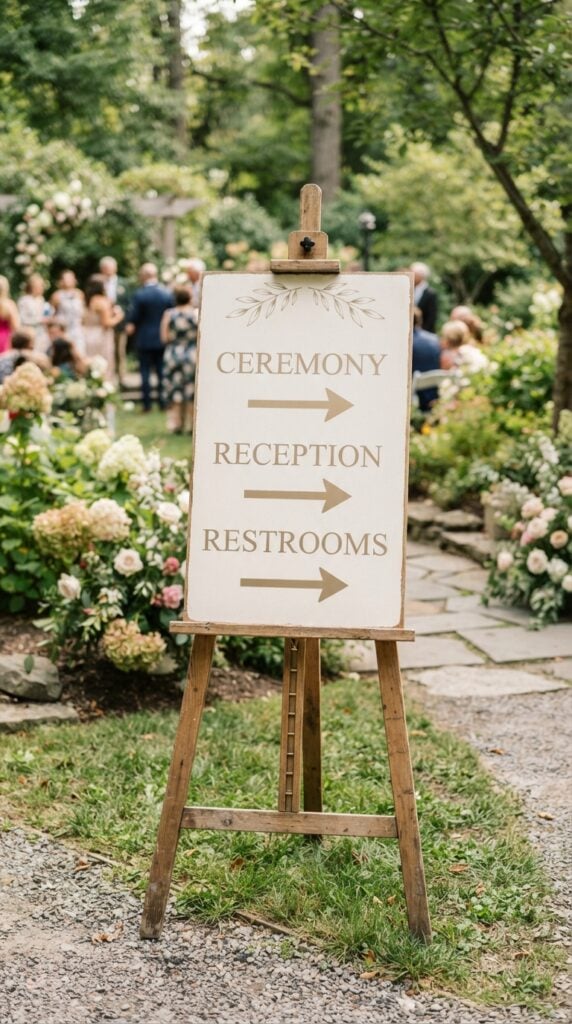
A beautiful wedding venue can still leave guests confused when the ceremony, reception, restrooms and parking areas are in different locations. Directional signs help guests move around the venue without repeatedly asking staff where to go.
Use your Cricut to cut clear lettering and arrows from adhesive vinyl, then apply them to suitable purchased sign boards or display surfaces.
You can create separate signs for the ceremony entrance, reception area, restrooms, parking, gift table and other locations relevant to the venue.
Offer a matching set in the couple’s chosen wedding colours and lettering style. For outdoor weddings, ask about the display location and weather conditions before recommending materials or finishes.
From a selling perspective, offer signs individually as well as in coordinated venue packages. Keep the wording short and the lettering easy to read from a distance.
Decorative script may look attractive up close but can make directional information difficult to understand.
Plain walls and accessories offer plenty of room for creativity. Try these 29 Easy Cricut Projects for Home Decor.
18. Personalised Wedding Bar Menu Displays
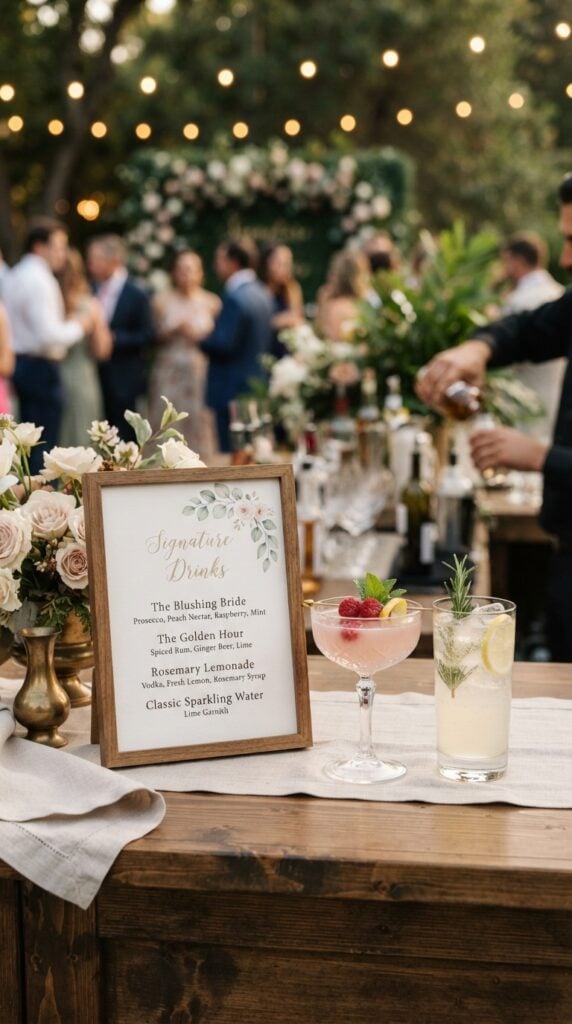
When couples choose signature drinks for their reception, guests may not know what each drink contains or which refreshments are available. A personalised bar menu gives them the information in one place.
Create small tabletop menu displays or larger bar signs featuring the couple’s names, drink selections and short descriptions.
Your Cricut can cut decorative headings, lettering and illustrations from compatible vinyl or cardstock, while the drink descriptions can be printed or written separately.
Offer space for alcoholic and non-alcoholic choices, including mocktails, juices and other refreshments. You can also create a matching drinks menu for couples who want a consistent look across the reception.
For your business, offer a personalised design that allows customers to change the drink names and descriptions without purchasing an entirely new layout.
Confirm all drink details before production, particularly when the couple has selected drinks with specific ingredients.
Got cardstock waiting in your craft supplies? Turn it into something useful with these 27 Easy Cricut Projects Using Cardstock.
19. Wedding Guestbook Prompt Cards
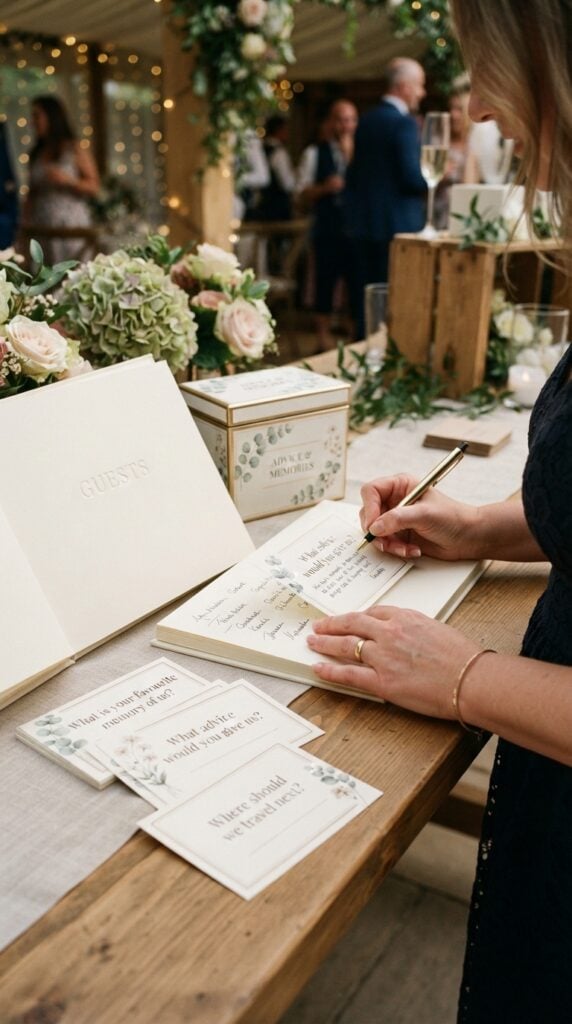
Traditional guestbook gives wedding guests a place to write their names and wishes, but some people find it difficult to know what to write beyond a simple congratulatory message.
Prompt cards make the experience more engaging by giving guests a starting point for sharing personal thoughts and memories.
Use your Cricut to create a set of personalised cards featuring questions such as “What is your favourite memory of us?”, “What advice would you give us for a happy marriage?” or “Where should we travel for our next adventure?”
Add the couple’s names and wedding date, and use coordinated colours and lettering to match the reception stationery.
For your business, offer these as a standalone card set or package them with a guestbook and matching storage box.
You can also create different prompt collections for couples who prefer funny questions, relationship advice or sentimental messages. Leave enough writing space for guests to share their answers comfortably.
Infusible Ink can create more than simple designs. See these 25 Easy Cricut Projects Using Cricut Infusible Ink for ideas.
20. QR Code Wedding Photo-Sharing Cards
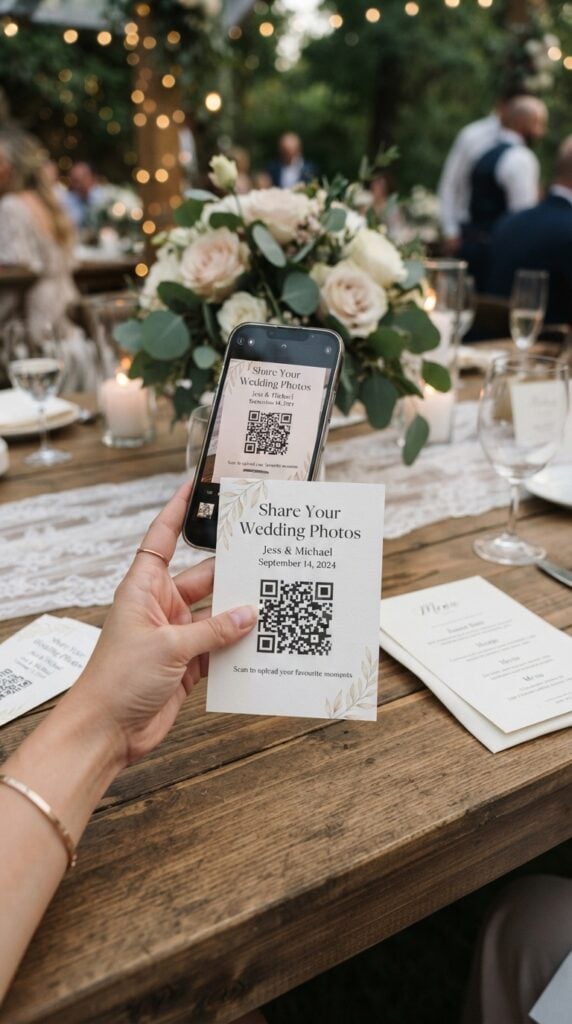
Wedding guests often take photographs throughout the celebration, but those pictures can end up scattered across different phones and messaging groups.
A photo-sharing QR code gives guests a convenient way to access the couple’s chosen online gallery and contribute their pictures.
Create personalised cards with a printed QR code, the couple’s names and a short message inviting guests to share their photographs.
You can use your Cricut to cut decorative cardstock shapes, add names and wedding details, and assemble the finished cards.
For example, the wording could read, “Share your favourite moments with us. Scan to upload your wedding photos.” The QR code itself should be generated using a suitable photo-sharing service and printed clearly rather than recreated as a cut-out design.
This is one of the more useful Cricut wedding projects to offer because couples can display the cards on reception tables, at the entrance or near the guestbook.
Before accepting an order, confirm that the gallery link works, check its access permissions and test the printed code on different phones.
Use a high-contrast design with a clear margin around the code, and avoid glossy or reflective finishes that could interfere with scanning.
Ready to try more with adhesive or iron-on vinyl? These 23 Cricut Projects for Beginners Using Vinyl are a useful starting point.
21. Audio Guestbook Instruction Cards
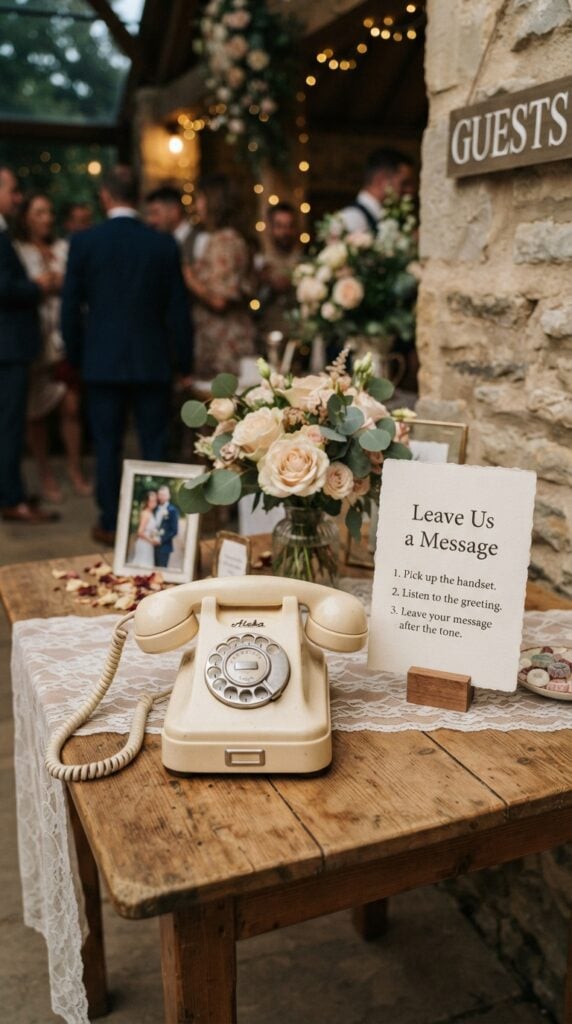
An audio guestbook allows wedding guests to leave spoken messages instead of writing in a traditional guestbook.
Guests can record congratulations, share funny memories or offer personal wishes that the couple can listen to after the celebration.
Create small tabletop instruction cards that explain how to use the audio guestbook telephone or recording device.
Include the couple’s names, a short welcome message and simple instructions, such as picking up the handset, listening to the greeting and leaving a message after the tone.
You can personalise the cards with illustrations of a telephone, decorative borders or lettering that matches the wedding theme.
Offer different sizes for tabletop displays and larger signs that can be placed beside the recording station.
For your business, this is a good opportunity to sell a coordinated accessory alongside other guestbook products. You are producing the personalised instruction display, not the recording equipment itself.
Ask the couple to confirm the actual recording process before printing so guests receive instructions that match the device being used.
Want crafts that could bring in extra income? Explore these 25 Easy Cricut Projects to Make and Sell for Extra Money.
22. Wedding Memorial Table Photo Labels
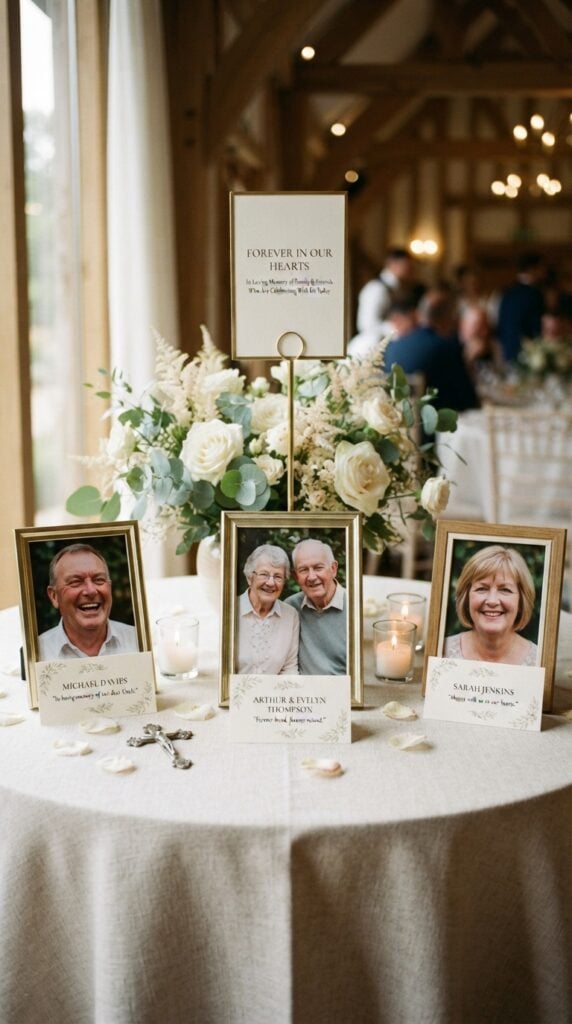
For some couples, a wedding is also an opportunity to remember family members and loved ones who are no longer alive to share the occasion.
A memorial table provides a dedicated place for their photographs, and personalised labels can help identify the people being remembered.
Use your Cricut to create small cardstock labels or decorative photo captions featuring names, dates and short messages.
Depending on the couple’s wishes, the wording might read “Forever in Our Hearts” or “Remembering Those Who Are With Us in Spirit.”
You can offer individual labels for each photograph or a coordinated display set that matches the wedding stationery. Keep the lettering clear and the design understated so that the photographs remain the focus.
This is a more specialised product to include among your Cricut wedding projects to make and sell.
It gives your business an opportunity to serve couples looking for thoughtful memorial details rather than conventional reception decorations.
Always let customers choose the wording and approve the names before production.
Simple designs can still make appealing products. See these 21 Simple Cricut Projects for Beginners That Actually Sell.
23. Custom Wedding Favour Box Sleeves
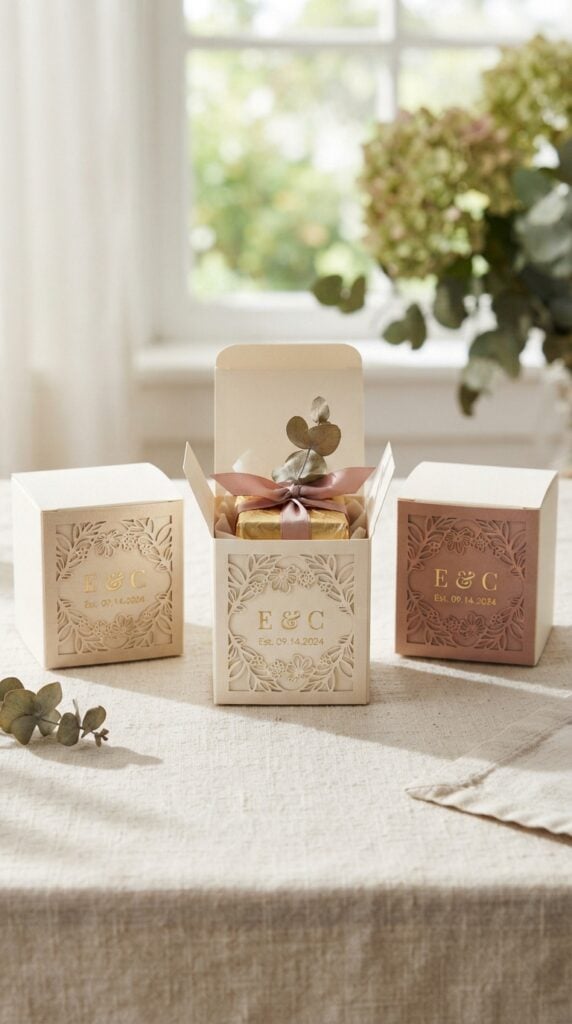
Couples do not always need to purchase completely customised favour boxes to give their gifts a coordinated appearance.
A personalised sleeve can dress up a plain box and make it feel more closely connected to the wedding theme.
Use your Cricut to cut cardstock sleeves that wrap around compatible favour boxes. Add the couple’s initials, wedding date, a small floral motif or a short thank-you message.
You can offer different colours and finishes to complement the packaging selected by the couple.
One important detail is to measure the actual favour box before designing the sleeve. Box dimensions, lid styles and closing mechanisms vary, so a sleeve made for one box may not fit another.
For your business, offer these in quantities that match the couple’s guest count. You can also sell matching sleeves as part of a wider favour-packaging collection.
Just got a Cricut and don’t know where to begin? These 22 Easy Cricut Projects for Beginners You Can Make at Home will give you a place to start.
24. Personalised Wedding Favour Tags
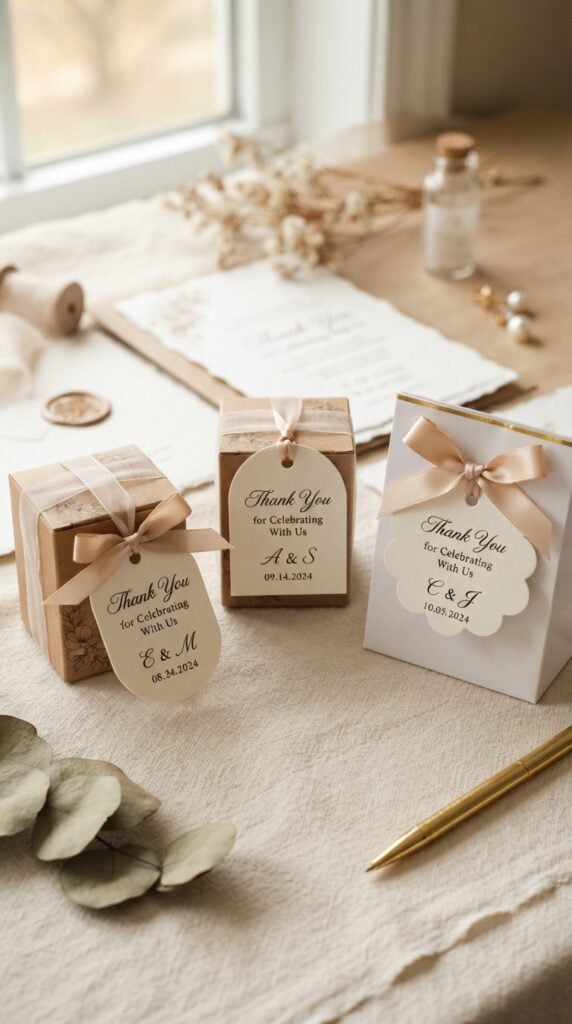
A small thank-you tag can make a simple wedding favour feel more personal.
Whether the couple is giving guests candles, packaged sweets, miniature soaps or small gift boxes, a personalised tag provides a place to include their names, wedding date or a message of appreciation.
Use your Cricut to cut tags in different shapes, including rounded rectangles, arches, circles and floral silhouettes.
Add names, initials or wording such as “Thank you for celebrating with us.” Include a hole for ribbon or string where the packaging requires one.
For a business, offer matching sets with different wording and colour combinations. You can also create tags for specific favour types, such as candle labels or small gift bags, rather than relying on one universal size.
Before producing a large order, check the packaging and attachment method. A tag that is too large may overwhelm a small favour, while an incorrectly positioned hole can make it difficult to attach neatly.
Build your skills with manageable projects before tackling more complex designs. Try these 19 Easy Cricut Projects for Beginners.
25. Personalised Wedding Keepsake Ornaments
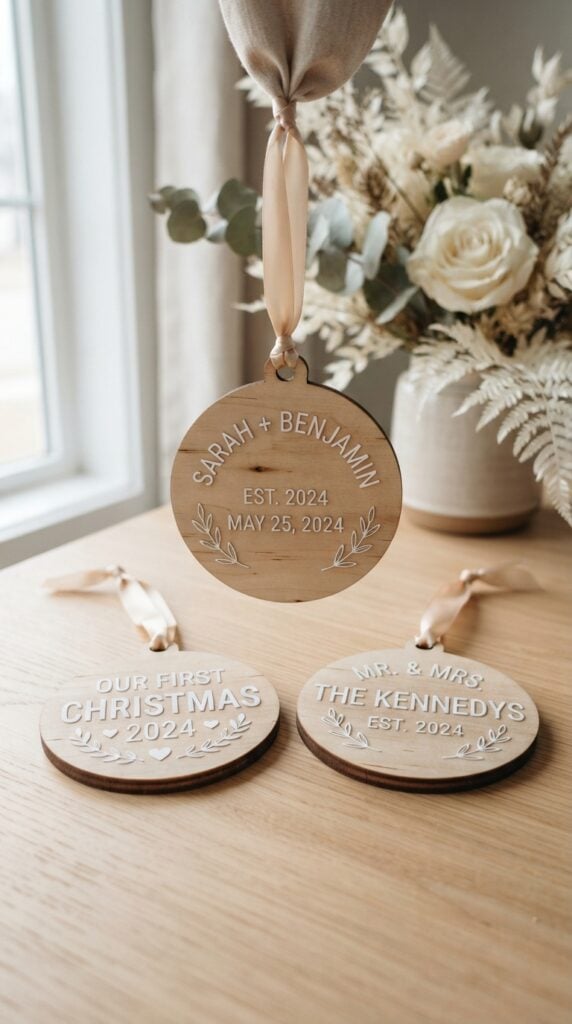
Some wedding gifts are intended to be enjoyed during the celebration, while others are chosen because the couple or their families can keep them for years.
Personalised ornaments fall into the second category, offering a small reminder of the wedding long after the event.
Purchase compatible wooden or other suitable ornament blanks and use your Cricut to add the couple’s names, wedding date, initials or a simple decorative design.
Depending on the blank and machine available, you can use adhesive vinyl or an appropriate engraving technique. You can also create layered cardstock ornaments for customers who prefer lightweight paper designs.
Consider offering different versions for the newlyweds, parents and members of the wedding party. A matching design collection gives customers the option to purchase several ornaments without every piece looking identical.
For your business, make the ornament available as an individual keepsake or as a small personalised gift set.
Check the blank’s material and surface finish before choosing your application method, and avoid advertising a product as engraved when it has only been decorated with vinyl.
Want to make gifts with names and personal details? These 33 Cricut Projects for Beginners That Make Great Personalized Gifts offer plenty of inspiration.
Getting Cricut Wedding Orders Ready for Production
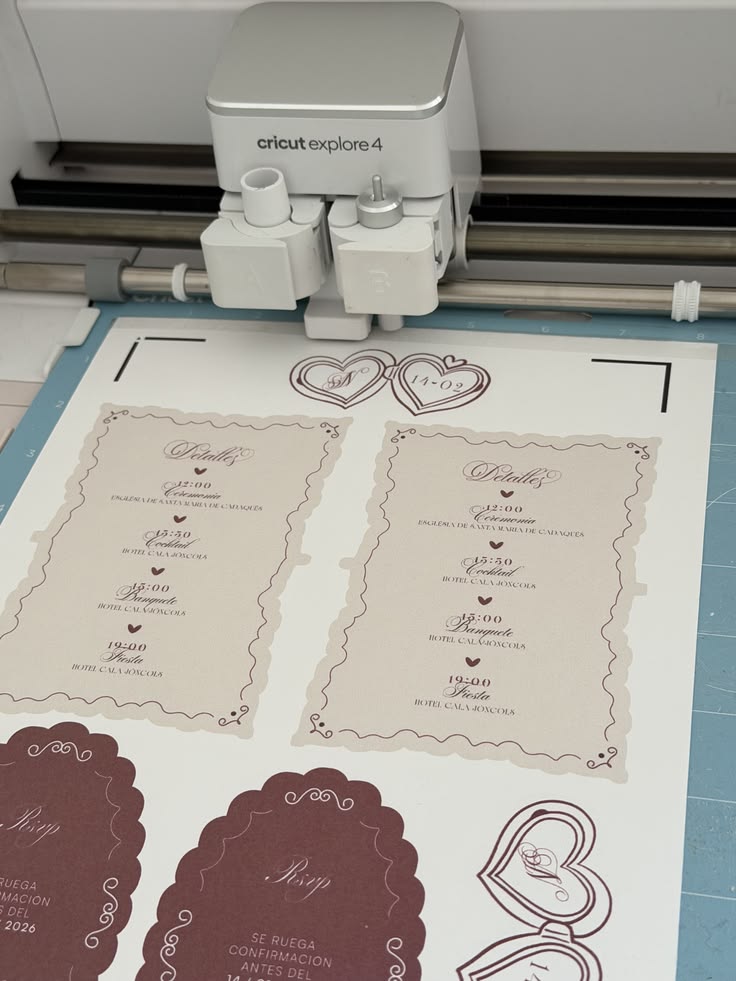
Making Cricut wedding projects to sell involves more than creating an attractive design.
An order for wedding stationery, reception signs or personalised favours may require different materials, machine settings and production methods.
Check the details below before confirming an order so you can calculate the cost, plan the workload and avoid promising something your equipment cannot produce.
-
Know your machine’s capabilities
Cricut Joy, Explore and Maker machines have different cutting, scoring and engraving capabilities.
For example, engraving requires a compatible Maker machine and the Engraving Tip; it is not available on every model. Check the machine and tool requirements for each product before listing it for sale.
This matters when customers request engraved keepsakes, intricate cardstock designs or projects involving materials your machine may not support.
Add handmade details to your holiday celebrations with these 31 Easy Cricut Projects for Christmas.
-
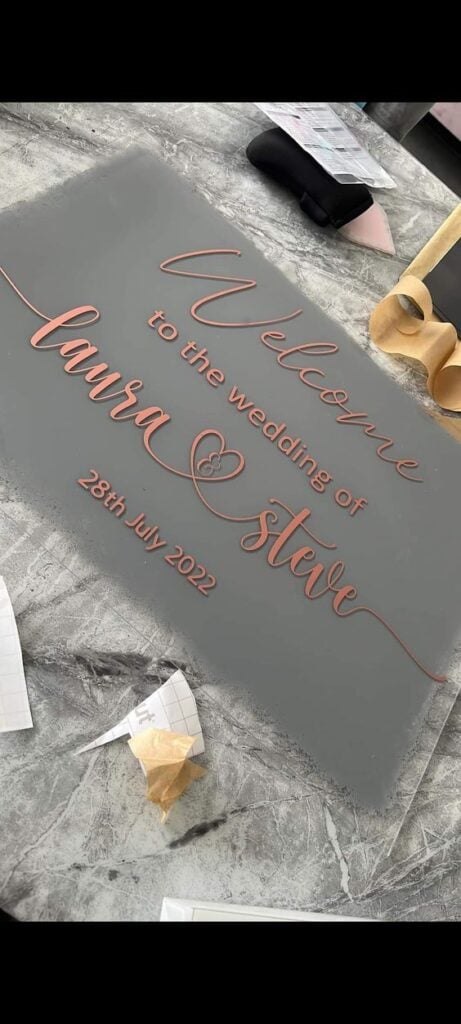
Check the dimensions of large wedding displays
Welcome signs and seating charts can exceed the working area of a standard Cricut cutting mat.
You may need to divide the lettering into sections, apply cut vinyl to a purchased sign blank or outsource the large printed background.
A Cricut machine cuts compatible materials; it does not function as a large-format sign printer. Establish the finished dimensions and production method before giving the customer a price.
-
Approve every personalised detail before cutting
Wedding names, table assignments, dates and invitation wording leave little room for spelling errors.
Request the final information from the customer and send a digital proof for approval. Check punctuation, accents, name order and table numbers as well.
Once personalised pieces have been cut or assembled, a small correction can mean producing them again at your own expense.
-
Calculate bulk production costs accurately
An order for 100 place cards or favour tags requires careful planning.
Estimate the cardstock or vinyl needed, the number of cutting sessions, weeding and assembly time, packaging and possible replacement pieces. Include your labour and other business costs in the quotation.
A low price may look attractive to a customer, but it can leave you doing hours of additional work without a reasonable return.
-
Test the exact materials you intend to use
Cardstock thickness affects cutting, while ribbon texture and blank surfaces can influence how well adhesive vinyl or heat-transfer designs perform.
Do not assume that a setting or technique that worked on one material will produce the same result on another.
Make a sample using the actual cardstock, ribbon, acrylic blank or adhesive before beginning a large Cricut wedding order.
-
Set a firm production schedule
Confirm the final quantity, approved design, payment terms and delivery date before starting work. Allow time for cutting, assembly, quality checks and packaging.
For orders involving several products, make a production list so that items such as menus, place cards and favour tags are not overlooked. Avoid accepting a deadline that leaves no time to correct mistakes or handle delivery delays.
Taking these steps before production helps you understand the true cost and workload of each order. It also gives customers clearer expectations and helps you manage your Cricut wedding business more professionally.
Planning a craft session with children? These 35 Easy Cricut Projects for Kids provide ideas to make together.
Where to Sell Cricut Wedding Projects
The best place to sell Cricut wedding projects depends on the products you make and how customers prefer to order them.
Personalised stationery may attract buyers searching online, while large reception displays are often easier to sell when couples can see the finished size and materials. Consider these channels and the type of customer each one can help you reach.
-
Etsy:
This marketplace is worth considering for made-to-order wedding invitations, vow books, favour tags, keepsakes and other personalised items.
Use clear product photographs, specify what buyers can customise and state how long production takes. For products with several options, explain the available sizes, colours and finishes so customers understand what they are ordering.
-
Amazon Handmade:
Eligible handmade wedding products can be listed through Amazon Handmade, subject to its application, product eligibility and selling requirements.
It may suit finished keepsakes, personalised accessories and selected wedding decorations. Review the current requirements before preparing your listings, particularly if you intend to offer custom orders.
Sometimes the hardest part is choosing what to make. These 30 Cricut Projects to Make When You Don’t Know What to Make can help you find your next idea.
-
Wedding fairs:
These events give you the opportunity to put physical samples in front of engaged couples. Display a coordinated collection, such as matching menus, place cards and favour tags, rather than relying on photographs alone.
Visitors can examine the cardstock, finishes, lettering and sizes before discussing a custom order. Bring a price guide and a way to collect enquiries from couples who are still comparing suppliers.
-
Wedding planners and event decorators:
Build relationships with professionals who coordinate weddings and may need stationery or decorative details for their clients. A planner could order matching table numbers, menus and seating cards for different events throughout the year.
Prepare a small sample collection and wholesale or trade pricing where appropriate. Make your production capacity and turnaround time clear before agreeing to supply their orders.
-
Social media:
Instagram, Facebook and Pinterest can help customers see the range of Cricut wedding projects you offer. Share complete product sets, close-up details, available personalisation choices and photographs of finished orders with the customer’s permission.
Short videos showing the lettering, assembly or finished stationery can also communicate the quality of your work. Make your ordering process easy to find, including how customers can request a quote.
-
Local wedding vendors:
Photographers, florists, wedding venues, bridal shops and other event suppliers may be able to refer couples who need personalised wedding details.
A florist, for example, may know a couple looking for custom bouquet ribbons, while a venue may receive enquiries about welcome signs and table displays. Introduce your products with clear samples and discuss whether referrals, collaborations or agreed commissions would suit both businesses.
You can make plenty without owning a heat press. See these 21 Cricut Projects for Beginners Without a Heat Press.
Conclusion
Cricut wedding projects to make and sell offer opportunities to create personalised details that couples can include in their celebrations.
Choose products that suit your machine, source reliable materials and price each order to cover your time and production costs.
Start with a few well-made samples, build matching collections and let your work show couples what you can create. Pick an idea from this list and start building your wedding product collection today!
Frequently Asked Questions About Cricut Wedding Projects
-
Can I make wedding invitations with a Cricut machine?
Yes. You can use a Cricut to cut invitation shapes, decorative borders, envelope liners and layered designs. For large invitation orders, consider the time required for printing, cutting and assembling each set.
-
How much should I charge for Cricut wedding products?
Your price should cover materials, design time, machine use, labour, packaging and business expenses. Compare similar products in your market, but avoid setting prices so low that personalised work becomes unprofitable.
-
Can I sell Cricut wedding designs made with purchased SVG files?
Check the licence attached to each SVG file before selling products made with it. Some files permit personal use only, while others allow limited commercial use. Buying a design does not automatically give you permission to use it on products for sale.
-
How far in advance should customers order personalised wedding products?
Encourage customers to order several weeks before the wedding, especially for large quantities or coordinated product sets. The required lead time depends on design approval, production workload, material availability and delivery arrangements.
-
What wedding products can I offer as matching sets?
You can create coordinated collections featuring invitation details, menus, place cards, table numbers, welcome signs and favour tags. Matching fonts, colours and decorative motifs give couples a consistent look while allowing you to offer several products in one order.