Need a gift for a reader, gardener, pet lover or creative friend? Find easy Cricut projects for gifts that solve everyday needs and add a personal touch.
Not every handmade gift has to start from scratch. A Cricut machine lets you personalise ready-made items, cut designs from cardstock, make useful labels and create keepsakes with names, dates or messages that have special meaning.
You can make something simple or take on a more detailed project, depending on your skills, materials and budget.
This collection of 31 easy Cricut projects for gifts includes ideas for family members, friends, teachers, parents and people with particular interests.
Whether you’re preparing a birthday present, Christmas gift, wedding keepsake or small thank-you gift, you’ll find different projects to consider.
Each idea covers what you can make, the materials you need and important details to check before cutting, helping you choose a gift that suits the recipient without wasting time or supplies.
Anyone hoping to turn their Cricut skills into a small business can find more ideas in 21 Simple Cricut Projects for Beginners That Actually Sell.
What Makes a Good Cricut Gift Worth Giving?

Adding someone’s name or favourite colour to an item can make it personal, but that alone does not make it a good gift. The finished item should have some connection to the recipient’s interests, needs or everyday life.
For example, a personalised reading journal makes sense for someone who enjoys keeping track of books, while labelled storage containers may be more useful to someone setting up a new home.
The material you choose also matters. A design that works on a smooth wooden box may not work the same way on a fabric bag. Adhesive vinyl is intended for suitable surfaces, while heat-transfer vinyl is used on compatible fabrics and other approved materials. Choosing the wrong one can affect how well the design adheres and how the finished gift looks.
Consider how the recipient will use the gift before deciding on the design. A tea towel that will be washed regularly needs a suitable heat-transfer material and proper application.
A keepsake intended for display may need a different finish, while a storage label should be easy to read and durable enough for regular handling.
Before cutting your design, think about who will receive the gift, what the item will be used for and whether your chosen materials can withstand that use.
These small decisions can make the difference between a personalised craft that looks good in a photograph and a finished gift someone can genuinely enjoy.
New Cricut users can build their skills with the simple ideas shared in 22 Easy Cricut Projects for Beginners You Can Make at Home.
Gifts for people who enjoy cooking, gardening, and caring for plants
1. Handwritten Family Recipe Tea Towel
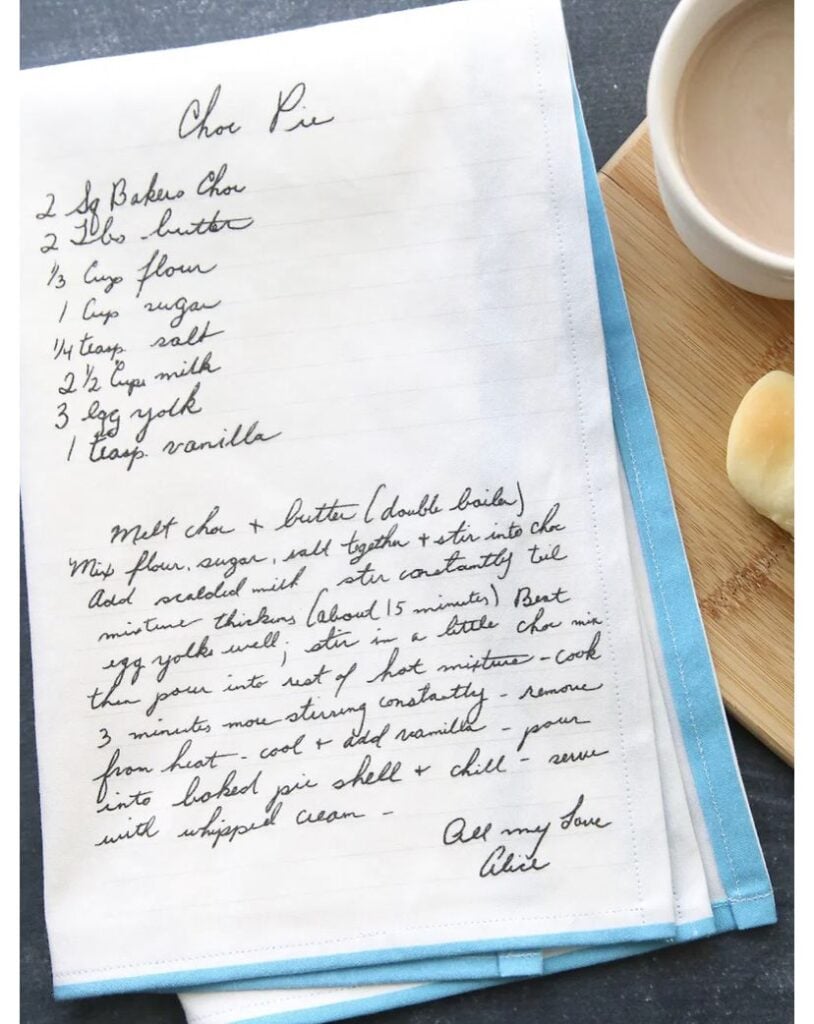
A family recipe in a parent’s or grandparent’s handwriting can make a meaningful keepsake. Rather than typing it onto a new design, preserve the original handwriting on a tea towel.
The key is preparing the image properly so the writing remains clear when transferred to the fabric.
Preparing the handwriting
- Scan the original recipe or take a clear photograph in good light.
- Remove the paper background and clean up marks using an image-editing programme.
- Upload the image to Cricut Design Space.
- Check that the letters are thick enough to cut. Very thin strokes and tiny details can be difficult to weed.
Choosing the transfer method
- Single-colour design: Use compatible heat-transfer vinyl (HTV). Cricut cuts the handwriting from the vinyl, which is then pressed onto a suitable tea towel.
- Full-colour design: Use printable heat-transfer material with a compatible Print Then Cut workflow. This requires an inkjet printer and a Cricut machine that supports the feature.
Important details
Mirror the design before cutting HTV. Follow the material manufacturer’s instructions for pressing temperature, time and washing.
Before transferring the design, compare it with the original recipe to make sure every ingredient, measurement and handwritten note is readable.
2. Personalised Spice Blend Gift Set
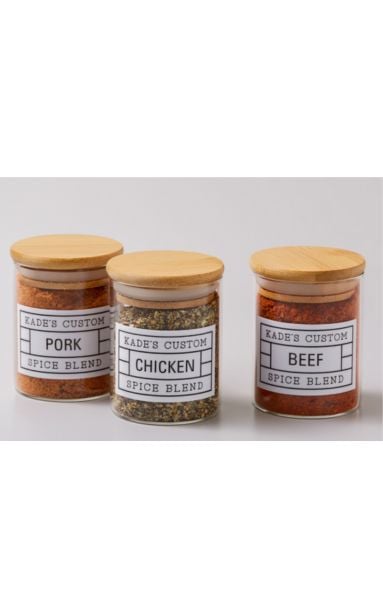
A set of homemade spice blends can be a useful gift for someone who enjoys cooking, especially when each jar is labelled clearly.
Rather than using labels with only decorative names, include information that helps the recipient identify and use each blend.
Making the gift set
- Prepare two or three blends, such as an all-purpose seasoning, a dried herb mix or a spice blend for roasted vegetables.
- Use clean, completely dry jars with secure lids.
- Create matching labels in Cricut Design Space and cut them from adhesive vinyl suitable for the jar surface.
- Add a small recipe card with the ingredients and suggested uses for each blend.
Details to check
List the ingredients in each mixture, including any common allergens present in the ingredients you use. Do not describe a blend as allergen-free unless you can verify every ingredient and prevent cross-contact.
Keep the labels large enough to read, and leave space on the card for storage instructions or the date the blend was made.
3. Herb Garden Marker Set
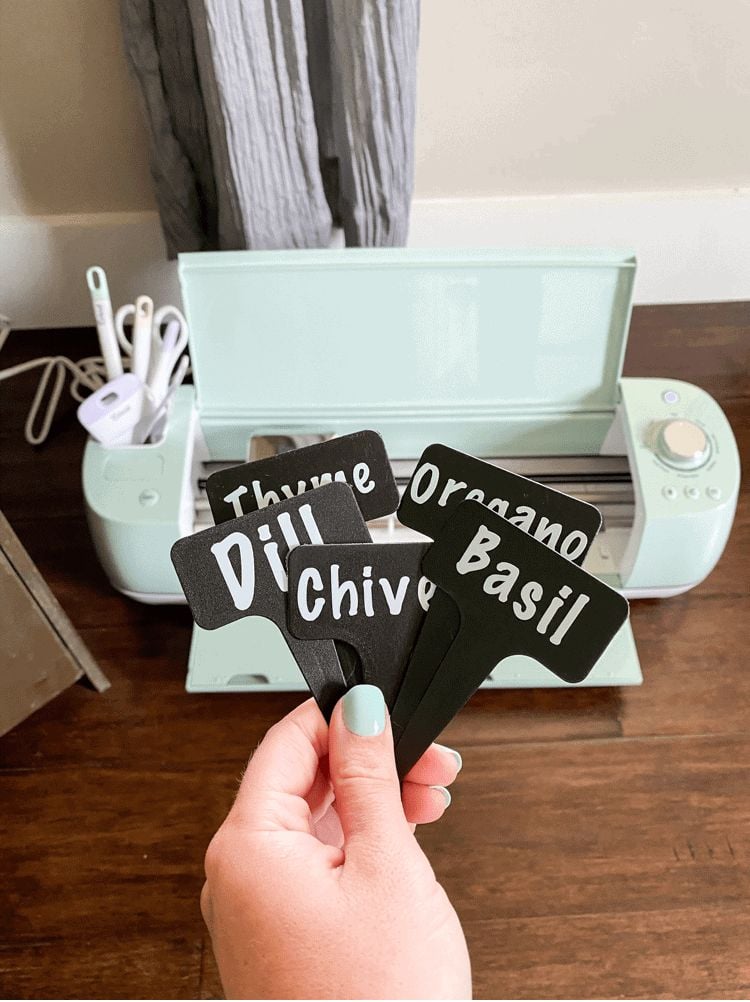
Plant markers help gardeners identify herbs, especially when several plants have similar leaves or are still young. Make a matching set for herbs such as basil, parsley, mint, thyme and rosemary, with each plant name clearly displayed.
Making the markers
- Choose blank markers made from a material suitable for garden use, such as plastic or metal.
- Cut the herb names from permanent adhesive vinyl and apply them to clean, dry marker surfaces.
- Use simple lettering that remains readable from a short distance.
Details to check
Garden markers are exposed to rain, watering, sunlight and changes in temperature. Choose vinyl that the manufacturer describes as suitable for outdoor use; Cricut identifies its permanent vinyl as weather- and fade-resistant.
However, the marker’s base material and how well the surface is prepared also affect how long the label stays in place.
4. Seed Packet Storage Wallet
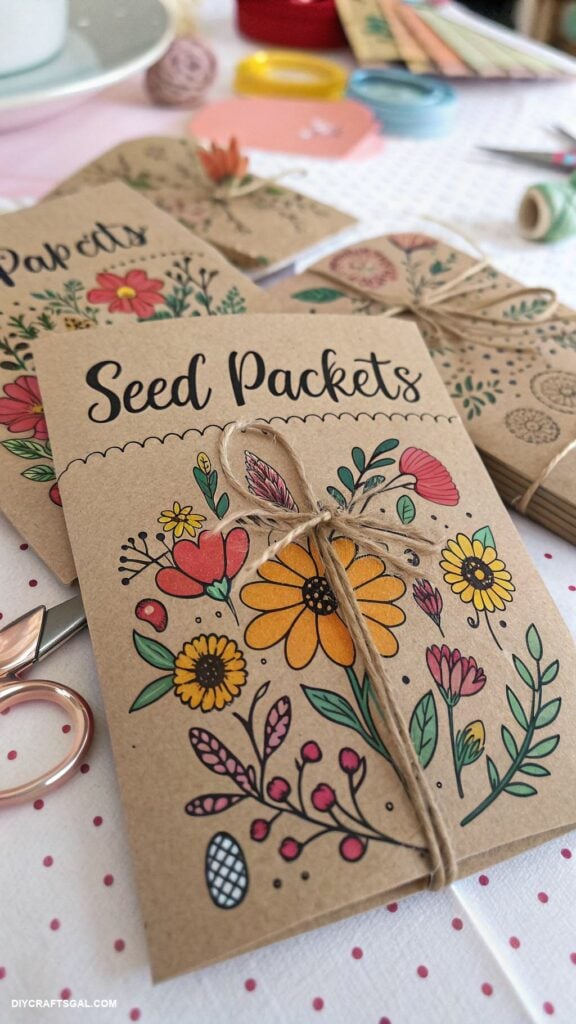
Loose seed packets can become difficult to organise, particularly when someone grows flowers, vegetables and herbs at different times of the year. A small storage wallet with labelled sections gives each type of seed its own place.
Making the wallet
- Measure the seed packets the recipient usually buys before designing the wallet.
- Cut the outer wallet and inner dividers from sturdy cardstock.
- Add sections labelled Flowers, Vegetables and Herbs, or organise them by planting season.
- Use Cricut to cut the shapes and labels, then assemble the wallet with suitable adhesive.
Details to check
Allow enough room for the packets to slide in and out without catching on the dividers. Cardstock is suitable for indoor storage, but it can bend or weaken if it gets damp.
Keep the wallet in a dry place rather than leaving it in a greenhouse or exposed garden area.
5. Plant Propagation Bottle Labels
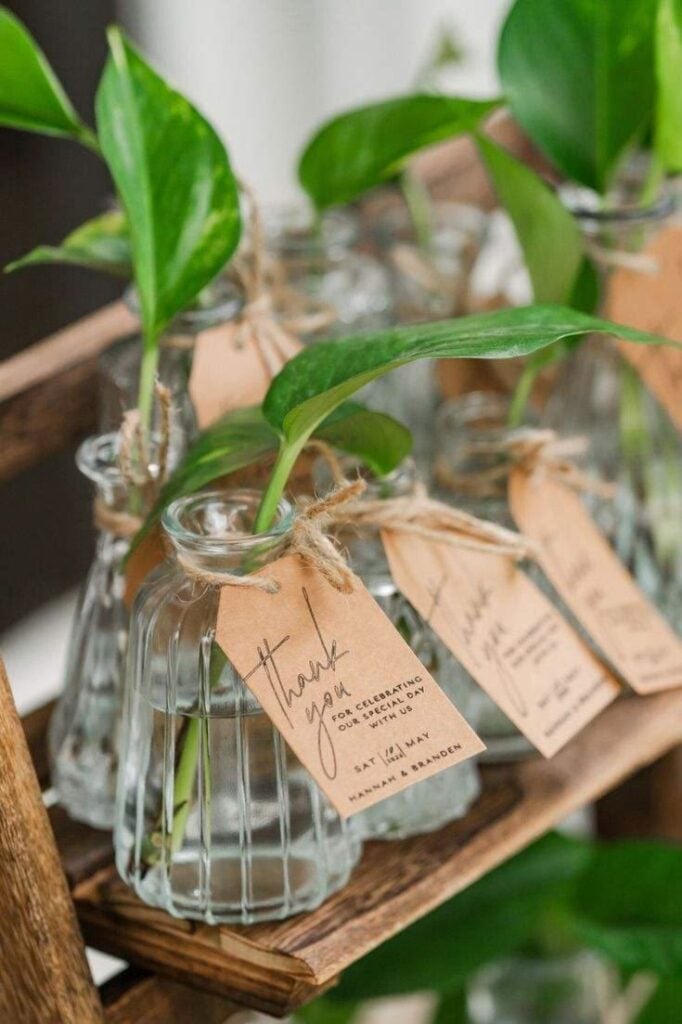
Photo credit: @ unknown
For someone who grows plants from cuttings, labels can help keep track of which plant is in each bottle and when the cutting was started. This is particularly useful when several cuttings are being propagated at the same time.
Making the labels
- Create small labels with the plant name and, where useful, the date the cutting was placed in water.
- Cut the names from permanent adhesive vinyl for smooth glass or plastic bottles.
- Apply each label to the outside of the bottle, above the usual water level.
Details to check
The labels may be exposed to water splashes, damp hands and regular handling, so choose a material suitable for the bottle’s surface and expected use.
Do not place ordinary adhesive labels underwater or assume that permanent vinyl makes the entire bottle waterproof. Keep the writing short and clear so the plant name and date are easy to read.
More beginner-friendly inspiration is available in 19 Easy Cricut Projects for Beginners, with projects to try while learning how to use the machine.
Useful gifts for pet owners
Pet owners often have small everyday items to keep track of, from treats and walking supplies to their pet’s belongings.
These easy Cricut projects for gifts focus on simple ways to personalise those items while keeping them useful and safe for the animal.
6. Personalised Pet Treat Jar Label

A treat jar with the pet’s name makes it easier to identify what is inside, especially in a home with more than one pet.
You can make a simple label with the pet’s name and a small paw-print design, then add it to a suitable storage jar.
Making the label
- Measure the flat area of the jar and create a design that fits without wrapping around the edges.
- Cut the name and design from permanent adhesive vinyl using your Cricut.
- Apply the vinyl to a clean, dry surface, using transfer tape to position the design.
Details to check
Choose a jar with a secure lid to help keep treats fresh, and make sure the label does not cover important product information if you are using the jar for packaged treats. Do not assume the decorated jar is dishwasher-safe.
Cricut’s care instructions require both the vinyl and the container surface to be suitable for dishwasher use. Hand-washing the jar is a safer choice when you are unsure.
7. Custom Pet Bandana

A personalised bandana can make a nice gift for a dog owner, particularly when it carries the pet’s name or a simple design. Use a ready-made fabric bandana and add the design with heat-transfer vinyl (HTV).
Making the bandana
- Choose a bandana made from fabric that is suitable for the HTV you plan to use.
- Create a short name or simple design in Cricut Design Space.
- Mirror the design before cutting the HTV.
- Weed away the excess vinyl and press the design onto the fabric using the manufacturer’s recommended settings.
Details to check
Check the fabric composition and the HTV instructions before applying heat. Position the design away from the area that will be folded, tied or fastened around the pet’s neck.
Keep it flat, with no loose decorations that could be chewed or pulled off. The bandana should also fit comfortably and be used under supervision.
8. Pet Portrait Keepsake
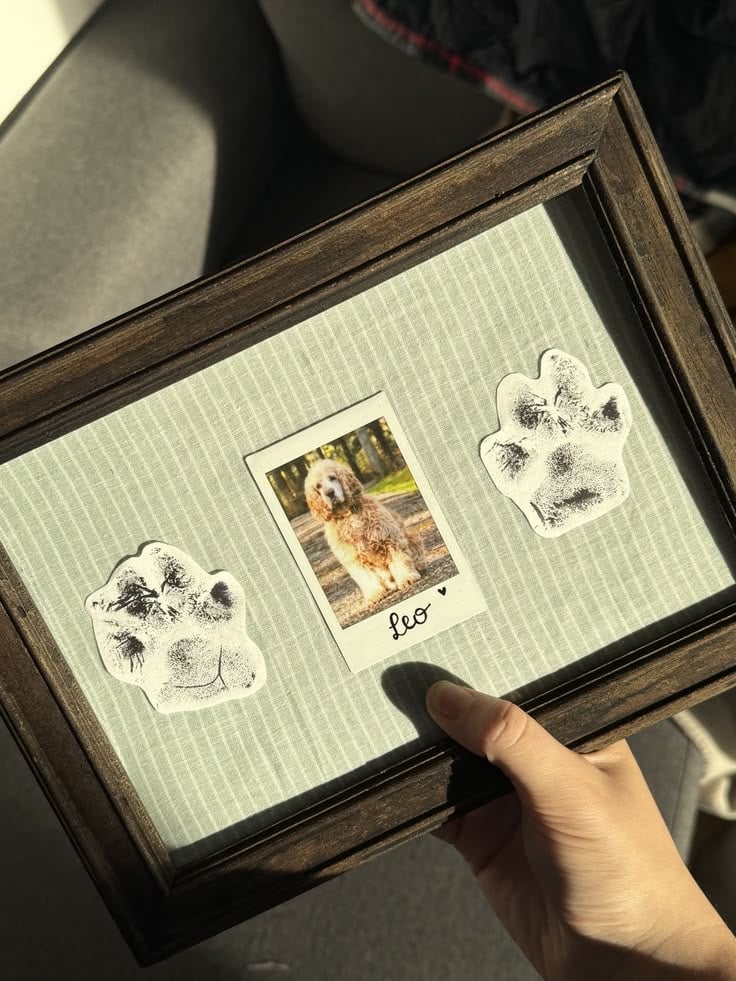
Photo credit: @ unknown
A framed picture of a beloved pet can make a personal gift for someone who enjoys displaying photographs of their animal. You can use Cricut to cut around a printed portrait and add the pet’s name, adoption date or a short message to the design.
Making the keepsake
- Choose a clear photograph where the pet’s face and features are easy to see.
- Add the pet’s name or date in Cricut Design Space.
- Use Print Then Cut to print the design with a compatible home printer and let the Cricut cut around its outline.
- Place the finished print in a small frame or display it on a keepsake board.
Details to check
Print Then Cut requires a compatible Cricut machine and printer. Cricut recommends an inkjet printer for its printable materials, and the original Cricut Joy does not support this feature; models such as Joy Xtra, Explore and Maker machines do.
Check your machine’s compatibility before buying supplies. Also, choose a photograph with enough detail for the frame size so the finished portrait does not look blurry.
9. Personalised Pet-Walk Pouch
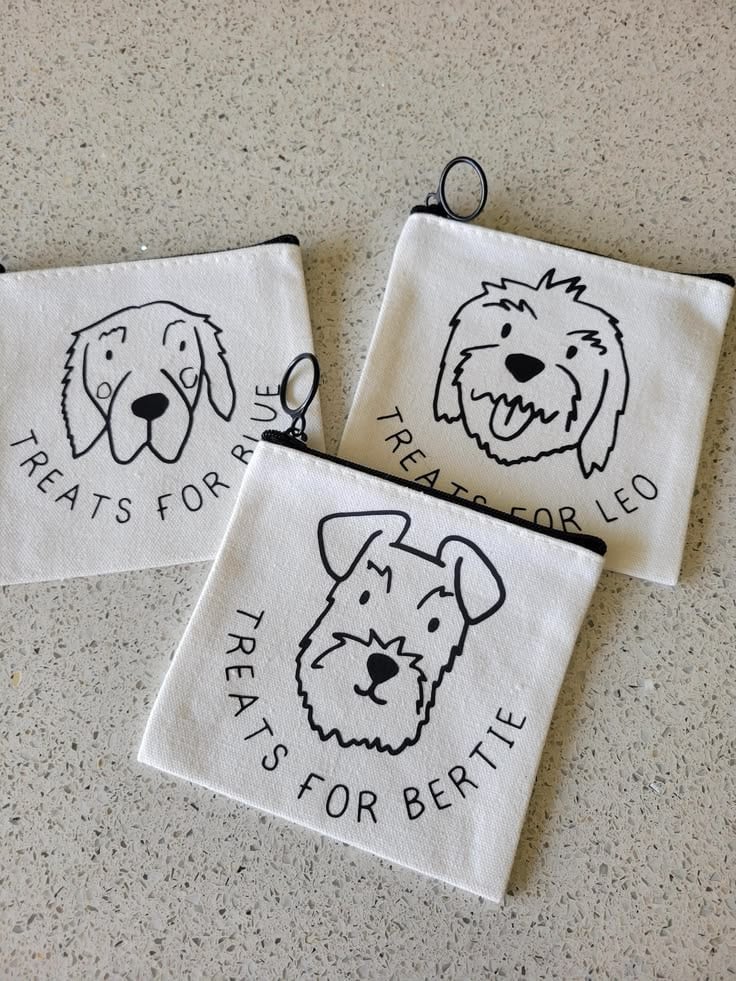
Dog owners often carry waste bags, treats and other small items when taking their pets out. A small pouch with the pet’s name or a paw-print design can help keep these supplies together in one place.
Making the pouch
- Choose a fabric pouch with enough room for the items it will hold.
- Create a small name or paw-print design in Cricut Design Space.
- Cut the design from HTV that is suitable for the pouch fabric.
- Apply it with the correct heat and pressing settings for the material.
Details to check
Check the pouch’s fabric label before pressing. Keep the design on a flat area, away from zips, seams and pockets where the heat may not reach evenly.
If the pouch is made from a heat-sensitive material, choose a different blank rather than risking damage. A simple design is also easier to apply neatly to a small pouch.
Anyone interested in earning extra income from crafting can explore 25 Easy Cricut Projects to Make and Sell for Extra Money.
Thoughtful gifts for readers, writers, and people who enjoy learning
A useful gift for someone who loves reading or writing does not have to be another notebook or book.
You can use your Cricut to make discussion cards for a reading group, bookmarks that help someone track reading goals, or writing prompts for a person who enjoys journaling.
These easy Cricut projects for gifts are also easy to adapt to the recipient’s interests.
10. Book Club Discussion Card Deck
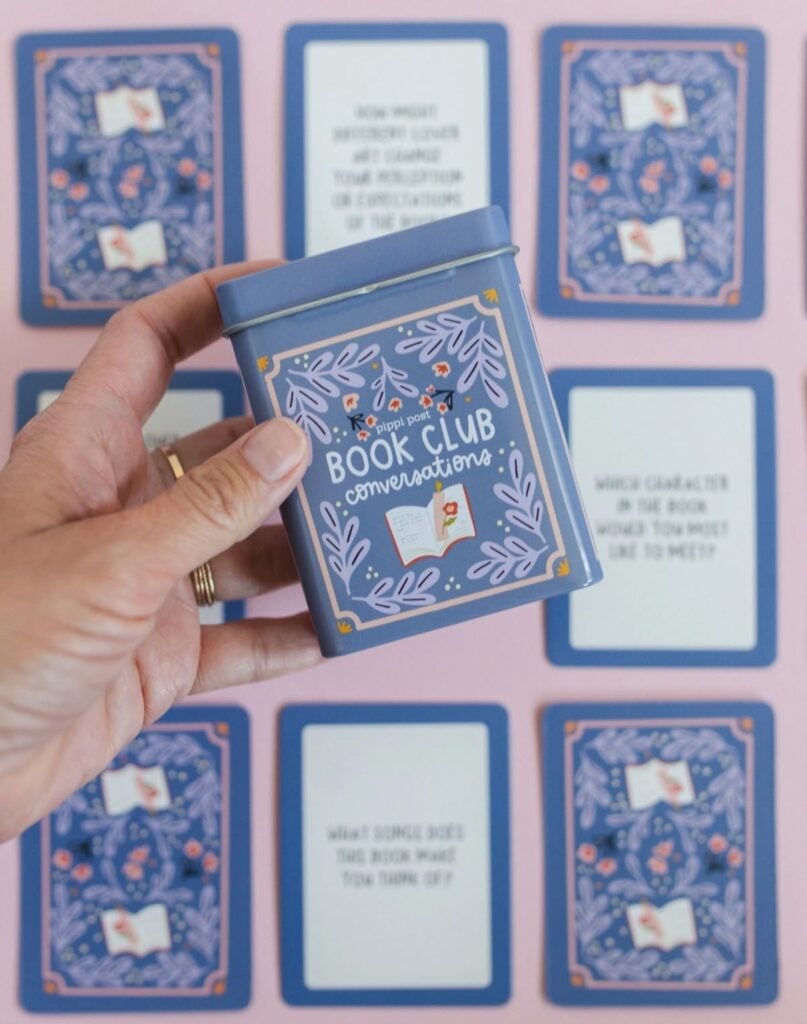
Photo credit: @ pippipost
Reading groups can sometimes run out of things to discuss, especially when members have different opinions about a book.
A small deck of discussion cards gives everyone a question to consider and helps the conversation move beyond whether they liked the story.
Making the card deck
- Write prompts about characters, important decisions, plot changes, favourite passages and the ending.
- Arrange the questions in Design Space, keeping each one short enough to fit on a card.
- Use Cricut to cut the cards from sturdy cardstock. You can also use a compatible Cricut pen to write the questions instead of printing them.
- Group the cards by topic and keep them in a small box or paper sleeve.
Details to check
Use a font size that is comfortable to read, and leave enough space around the text so it does not get cut off. Make a few sample cards first to check the size and wording.
For a book-specific deck, avoid questions that reveal major plot details before everyone has finished reading.
11. Reading Challenge Bookmark Set
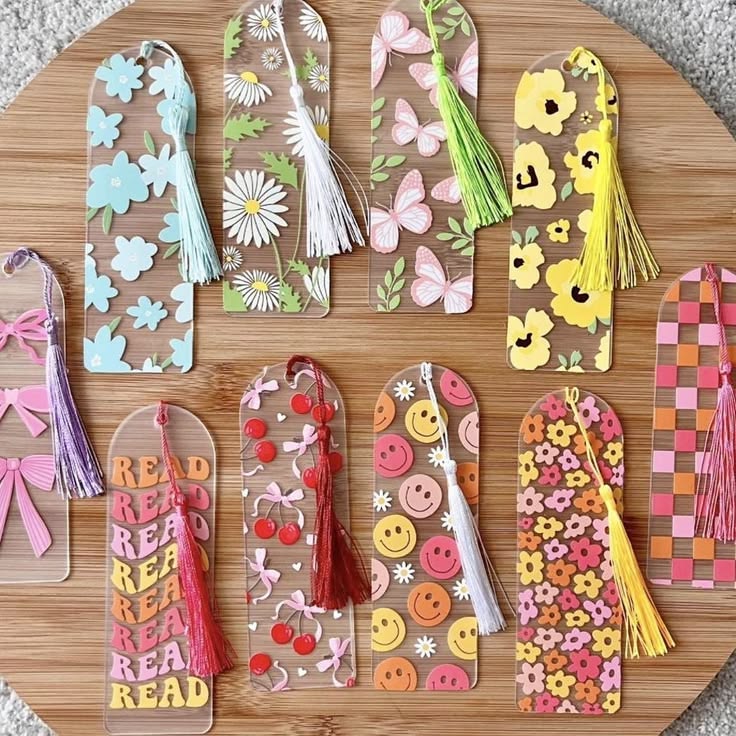
Some readers want to try different types of books but keep returning to the same authors or genres.
A set of reading challenge bookmarks can give them small goals to work towards while keeping their place in a book.
Making the bookmarks
- Create several bookmarks with different reading goals, such as reading a biography, trying a new genre, choosing a book by a new author or reading a book recommended by a friend.
- Add a small space for the book title and date completed.
- Use Cricut to cut the bookmarks from sturdy cardstock, then add the wording with a compatible pen or cut lettering.
- Punch a hole at the top and add a short ribbon or tassel if desired.
Details to check
Keep the bookmarks narrow enough to fit comfortably inside a book without covering too much text. Avoid placing bulky decorations along the edges, as they can catch on pages.
You can also make the goals flexible rather than setting a fixed number of books, so the recipient can use the bookmarks at their own pace.
12. Personalised Writing Prompt Cards
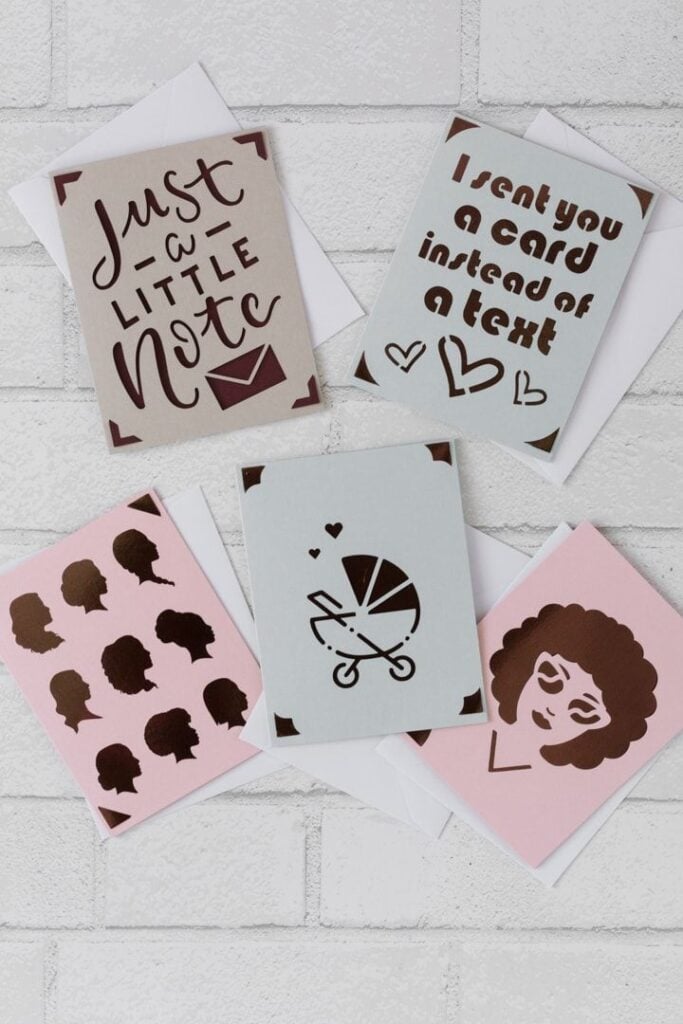
For someone who enjoys journaling, creative writing or keeping a personal notebook, a set of writing prompt cards can help when they are unsure what to write about.
Instead of giving them a blank notebook, you are giving them questions and ideas they can use whenever they need inspiration.
Making the prompt cards
- Choose a few themes, such as childhood memories, favourite places, family traditions, fictional characters and future plans.
- Write one clear prompt on each card. For example: Describe a place where you feel completely at ease.
- Arrange the prompts in Design Space and use Cricut to cut the cards from sturdy cardstock.
- Use the Draw operation with a compatible Cricut pen to write the prompts, or print the wording separately and use the machine to cut the card shapes.
- Sort the cards by theme and place them in a small box or envelope.
Details to check
Keep each prompt short enough to read at a glance.
Avoid making every question too personal; include lighter topics as well as reflective ones, so the recipient can choose what they feel comfortable writing about. Test the font and card size before making the full set.
13. Custom Bookplate Labels
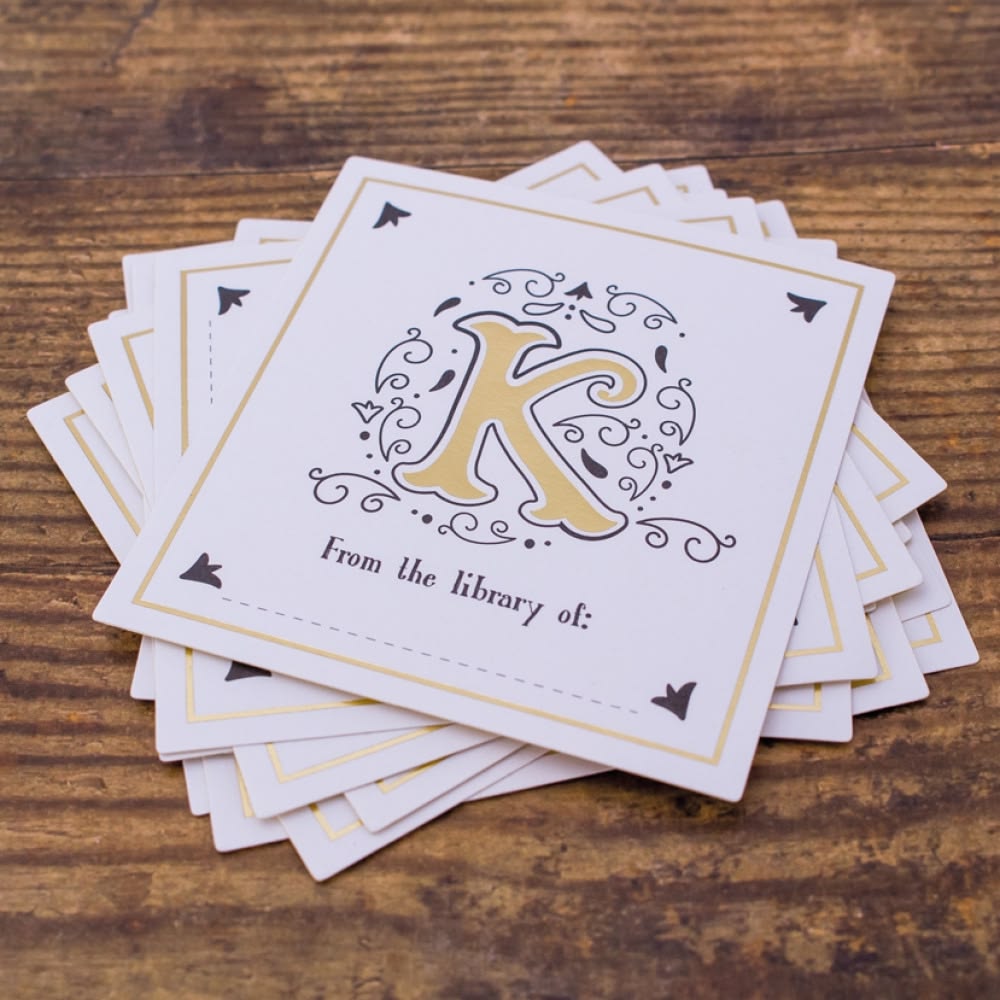
Readers who lend books to friends or take them to book clubs may appreciate bookplates. These are small labels placed inside the front cover to show who owns a book.
A personalised set can include the recipient’s name and a simple design, giving them a practical way to mark their personal collection.
Making the bookplates
- Create a small design with the wording From the library of followed by the recipient’s name.
- Add a simple illustration, such as a book, leaf or reading lamp.
- Use Cricut to cut the design from adhesive paper or printable sticker paper.
- Make several labels on one sheet so the recipient has enough for different books.
Details to check
Choose paper labels rather than permanent adhesive vinyl, particularly for books with delicate covers or pages.
Even paper stickers can leave marks or damage some surfaces when removed, so bookplates are best treated as permanent ownership labels.
Keep the design small enough to fit inside the front cover without covering the book’s printed information.
If you use Cricut printable sticker paper, check the machine’s Print Then Cut compatibility and use an inkjet printer as specified by Cricut.
Cricut Design Space lets you set text and images to different operations, including cutting and drawing with a compatible pen.
This is useful for these projects because you can make the card shapes with the blade and add the wording with a pen, rather than trying to cut every letter from cardstock.
Vinyl can be used in many different crafts, and 23 Cricut Projects for Beginners Using Vinyl offers more ideas to experiment with.
Gifts for people who enjoy music, travel, and collecting memories
Gifts connected to someone’s favourite songs, trips or important life events can feel personal because they reflect experiences they already value.
With cardstock, photographs, vinyl and a few simple Cricut cuts, you can make keepsakes that are more meaningful than a generic printed design.
14. Personalised Playlist Keepsake Card
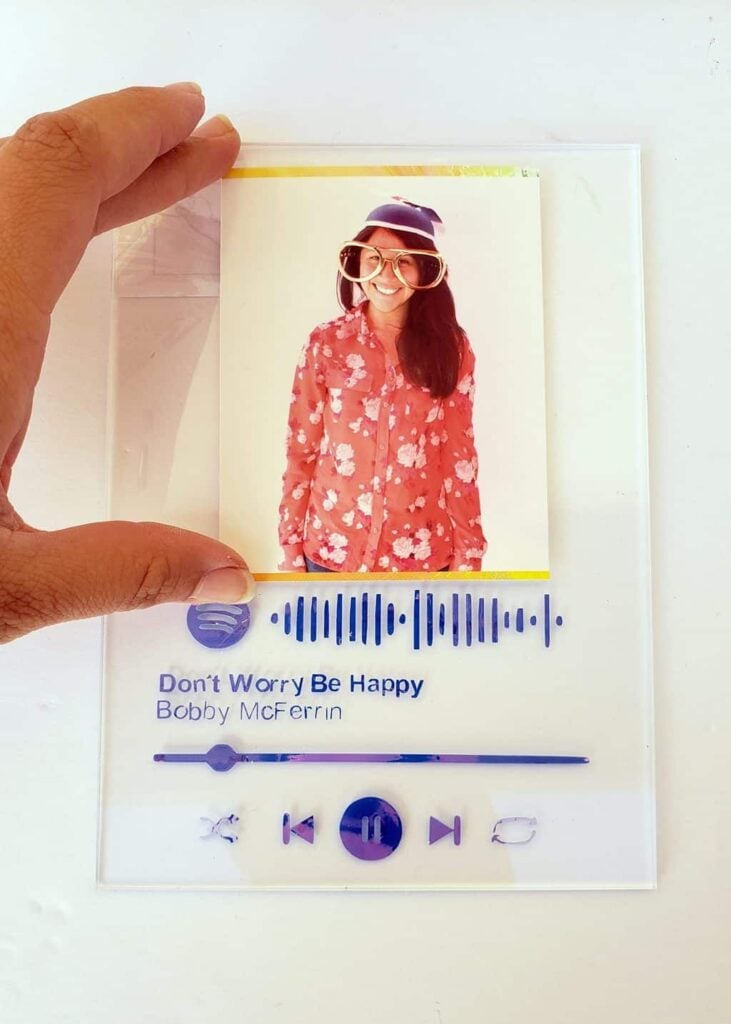
A playlist can remind someone of a friendship, a special occasion, a road trip or a particular time in their life. Turn that collection of songs into a card they can keep, with a QR code that opens the playlist.
Making the card
- Create a card with the playlist title, a short message and the recipient’s name.
- Generate a QR code using the playlist’s share link, then add it to the design.
- Use Cricut to cut the card from cardstock and add the wording with a compatible pen or printed insert.
- Add the QR code as a printed image rather than trying to cut its tiny details.
Details to check
Print the QR code clearly and leave enough blank space around it so a phone camera can scan it. Test it with more than one phone before giving the card.
Also check that the playlist is set to a sharing option the recipient can access. Keep the playlist title and music platform written on the card in case the QR code stops working.
15. Travel Memory Envelope Set
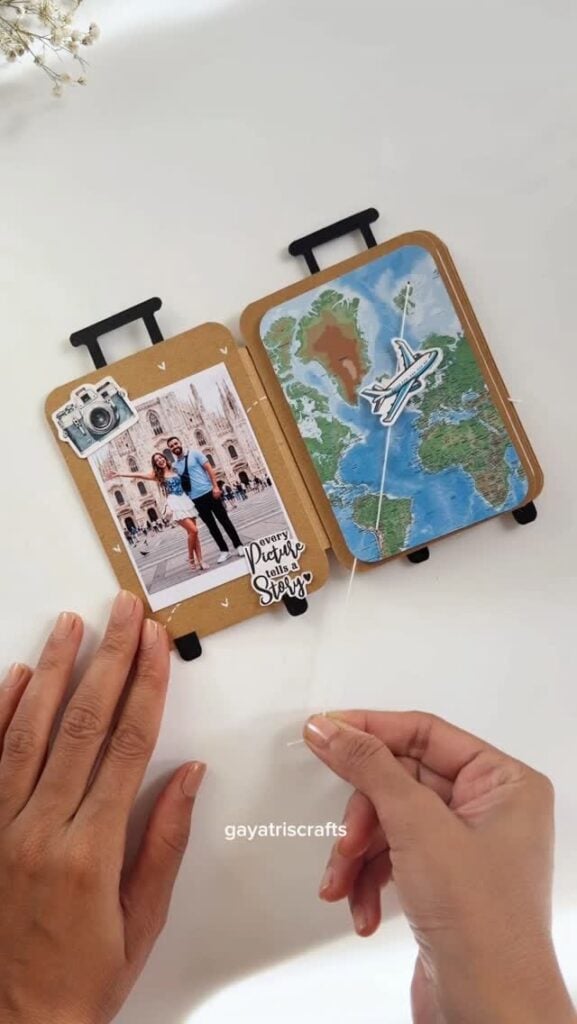
Tickets, postcards, maps and small receipts can easily get mixed up after a trip. A set of labelled envelopes gives someone a simple place to keep these items together and makes it easier to look back on each journey.
Making the envelopes
- Create separate envelopes for items such as attraction tickets, postcards, restaurant notes and travel photographs.
- Add labels such as Places Visited, Food Memories and Tickets.
- Use Cricut to cut the envelope shapes from cardstock, then fold and assemble them.
- Make a larger envelope for maps or other keepsakes that will not fit into the smaller ones.
Details to check
Measure the items the envelopes are meant to hold before choosing their finished size. Leave enough room for the contents to slide in and out without bending.
Choose cardstock that folds neatly, and score the fold lines before assembling to help prevent cracking.
16. Personalised Travel Journal Cover
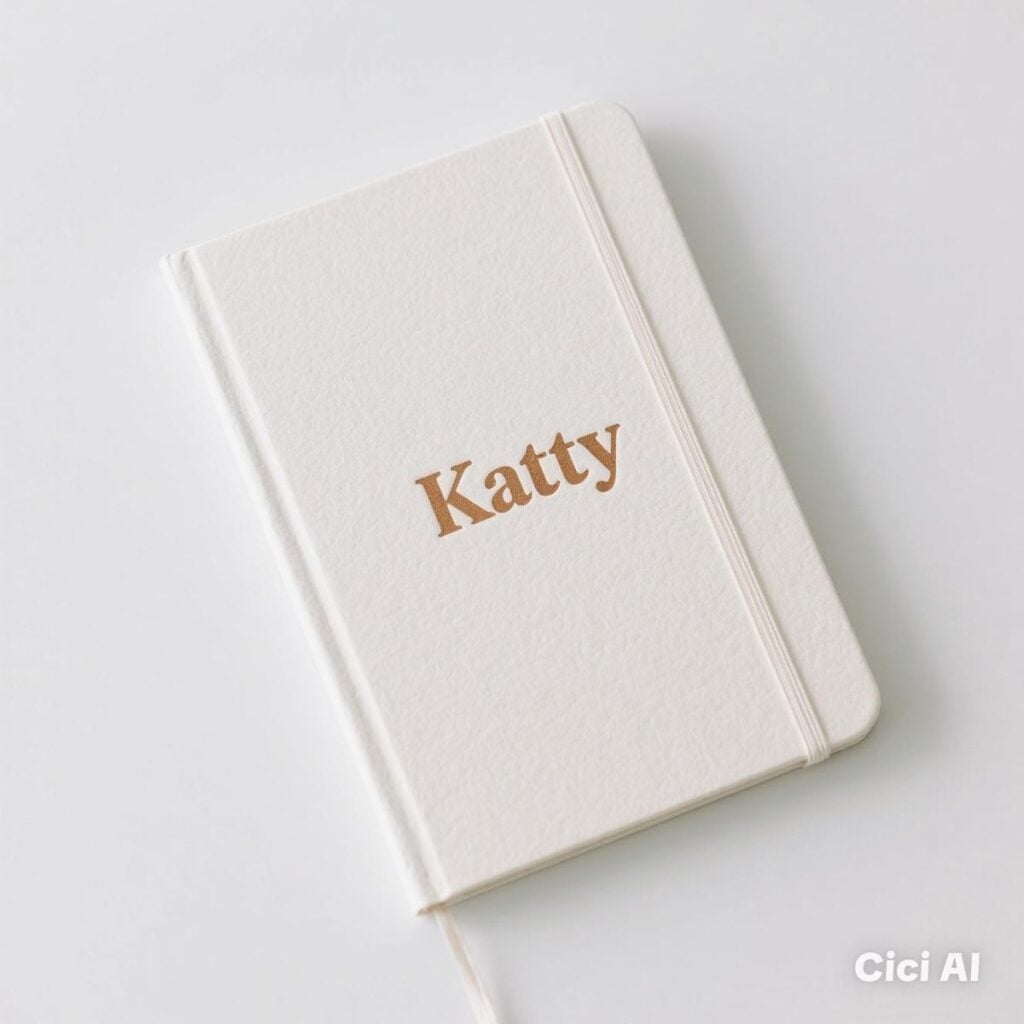
Someone who enjoys recording trips may appreciate a journal with their name or initials on the cover.
You do not need to make the journal itself; personalise a ready-made one with a simple travel design, such as a map outline, a compass or the words My Travel Journal.
Making the cover
- Measure the front cover and note the position of the spine, corners and any elastic closure.
- Create a design that fits within the flat front-cover area.
- Cut the design from adhesive vinyl and apply it with transfer tape.
- Use a simple layout with the recipient’s name or initials as the main detail.
Details to check
Adhesive vinyl may not stick well to every journal cover. Smooth surfaces are generally easier to decorate than fabric, leather-like or heavily textured covers.
Test a small piece on an inconspicuous area first, and avoid placing the design across the spine or areas that bend when the journal opens.
17. Custom Photo Calendar
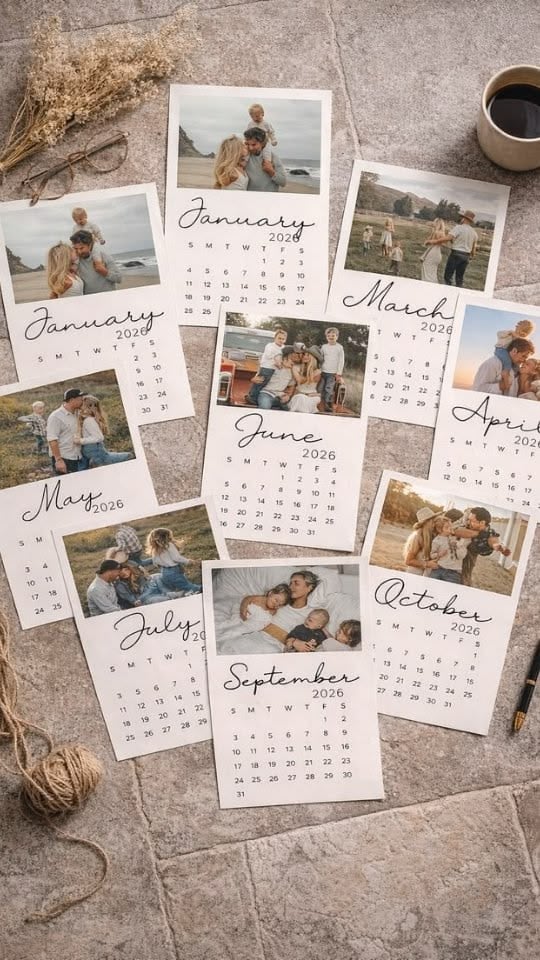
A photo calendar can bring together pictures of family members, friends, pets or memorable trips. It is also a practical gift because the recipient can use it throughout the year.
Cricut can help cut the calendar pages, add decorative shapes or write headings with compatible pens.
Making the calendar
- Choose 12 photographs, one for each month, or use a smaller selection for a compact calendar.
- Create the monthly layouts with the correct dates and space for notes.
- Print the photographs and calendar pages using a suitable printer.
- Use Cricut to cut the pages to size or add decorative details, then bind or assemble them.
Details to check
Check every month against a reliable calendar before printing.
Make sure the first day of each month falls under the correct weekday, and confirm the year, including leap-year dates where relevant. Print one test page first to check the photo quality, text size and spacing.
18. Milestone Memory Timeline
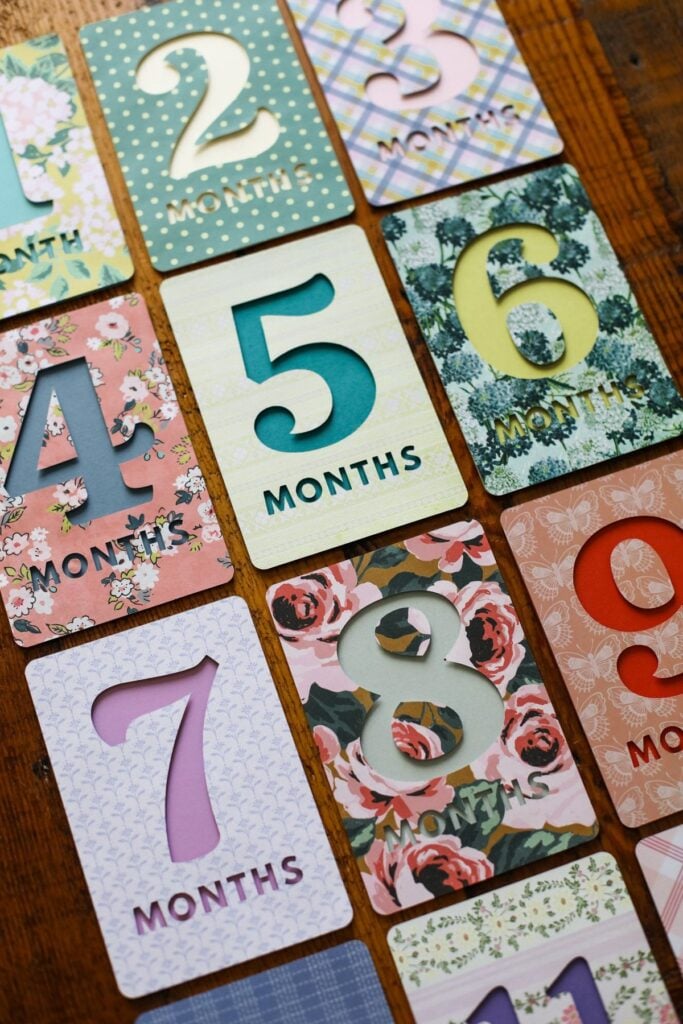
A memory timeline can mark the important moments in someone’s life, such as a graduation journey, a long friendship, a wedding anniversary or a family’s history.
Instead of placing several unrelated photographs in a frame, arrange them in date order with short captions explaining why each moment matters.
Making the timeline
- Choose a few meaningful events and confirm their dates.
- Select small photographs that match each event.
- Use Cricut to cut the headings, dates and captions from cardstock or vinyl suitable for the frame’s backing.
- Arrange the events in chronological order and place the finished design inside a frame.
Details to check
Keep the timeline to a manageable number of events so the dates and captions remain easy to read.
Check names, spellings and dates with the person providing the information before cutting. Measure the frame’s usable space too, as the glass and frame edges may reduce the area available for the design.
Personalised designs on compatible blanks are the focus of 25 Easy Cricut Projects Using Cricut Infusible Ink.
Gifts that help someone organise a hobby or workspace
Some of the most useful handmade gifts solve a small problem the recipient deals with often: searching for the right paintbrush, mixing up crochet hook sizes or trying to find a particular sewing item.
These projects use Cricut to make simple labels, dividers and reference cards that help keep hobby supplies in order.
19. Personalised Art-Supply Storage Labels
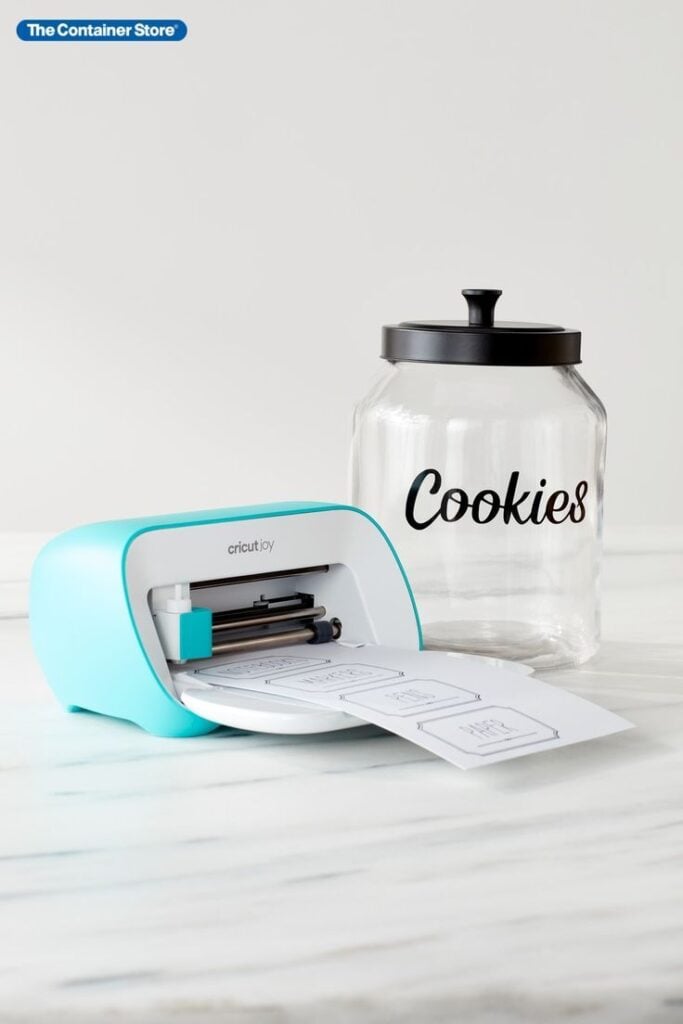
Photo credit: @ the containerstore
Someone who paints, draws or makes crafts may keep several similar supplies in boxes and jars. Labels can make it easier to find the right item without opening every container.
For example, separate watercolour brushes from acrylic brushes, or mark pencil containers with grades such as HB, 2B and 4B.
Making the labels
- Choose containers with smooth, clean surfaces, such as plastic boxes, glass jars or metal tins.
- Create labels with clear names or details, such as Fine Brushes, Round Brushes, Watercolour Pencils or Acrylic Paint.
- Cut the wording from adhesive vinyl and apply it to the containers.
Details to check
Use lettering large enough to read when the containers are stored on a shelf. For small paint pots, short labels such as colour names or paint types may work better than long descriptions.
Check that the vinyl is suitable for the container material, and leave the lid or opening clear so the label does not interfere with use.
20. Custom Crochet Hook Size Tags
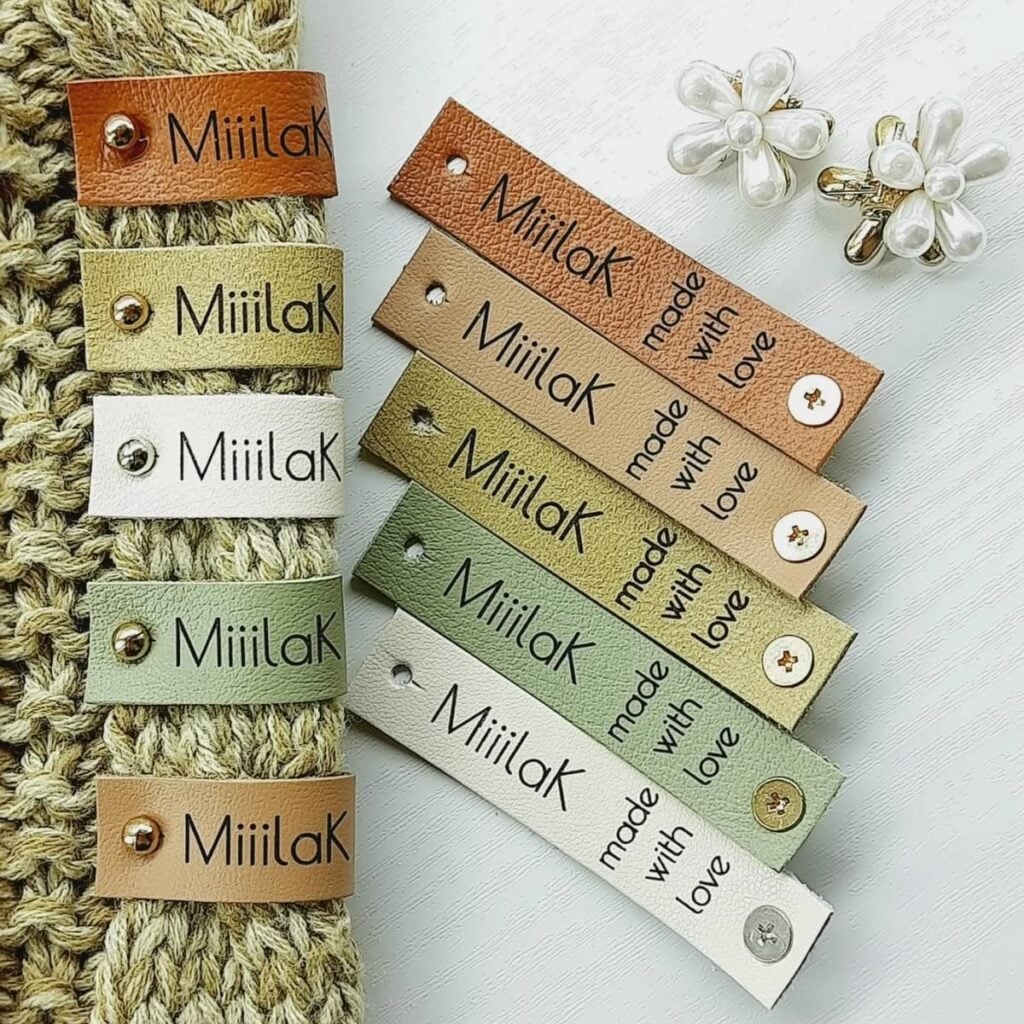
Crochet hooks can look very similar, especially when several sizes are stored together. A set of size tags can help someone return each hook to the correct place and find the size needed for a pattern.
Making the tags
- Check the sizes printed on the actual hooks before creating the labels.
- Cut small tags from cardstock or thin plastic suitable for the intended use.
- Add the hook size in millimetres, such as 3.5 mm, 4 mm or 5 mm.
- Attach each tag to the matching hook’s storage slot or make a labelled divider for the case.
Details to check
Use the metric size shown on the hook rather than relying only on a letter or number, as hook-size lettering can vary between manufacturers.
Keep the tags flat and small enough that the case closes properly. If you use cardstock, consider laminating the tags or choosing a more durable material for frequent handling.
21. Personalised Gardening Tool Tags
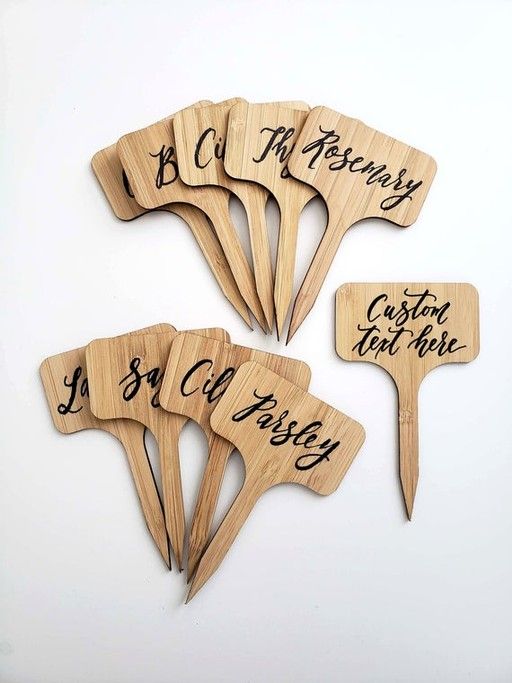
Gardeners often keep small tools, gloves, plant ties and pruning supplies together in a shed or storage area. Labels can help organise these items, particularly when several tools are kept in the same box or on a shared rack.
Making the tags
- Make separate tags for items such as Hand Trowel, Pruning Shears, Plant Ties and Gloves.
- Cut the wording from adhesive vinyl for smooth storage boxes, or use Cricut to cut cardstock or plastic tags where suitable.
- Attach the tags to storage bins, drawers or hooks rather than placing them on the working parts of the tools.
Details to check
Garden tools get wet, dirty and handled often, so ordinary paper tags may not last.
Choose a tag material that suits the storage conditions, and keep labels away from blades, handles and moving parts. For tools stored outdoors, use materials intended for outdoor exposure and check the manufacturer’s care guidance.
22. Custom Baking Measurement Conversion Cards
Someone who enjoys baking may have recipes that use different measurement systems. A small set of conversion cards can keep common measurements close at hand, especially when following recipes from different countries.
Making the cards
- Create separate cards for volume conversions, such as teaspoons, tablespoons and cups.
- Add a few useful examples, such as 3 teaspoons = 1 tablespoon and 16 tablespoons = 1 US customary cup.
- Make a separate card for common ingredient weights, using verified values for specific ingredients.
- Cut the cards from sturdy cardstock and store them on a small ring or in a recipe box.
Details to check
Do not treat weight and volume as interchangeable. One cup of flour does not weigh the same as one cup of sugar or water. Weight also depends on the ingredient and, in some cases, how it is measured.
Label the cards clearly as US customary or metric, and verify every figure before making the set. These cards should be a quick reference, not a replacement for a kitchen scale when a recipe requires precise weights.
23. Personalised Sewing Notion Organiser Cards
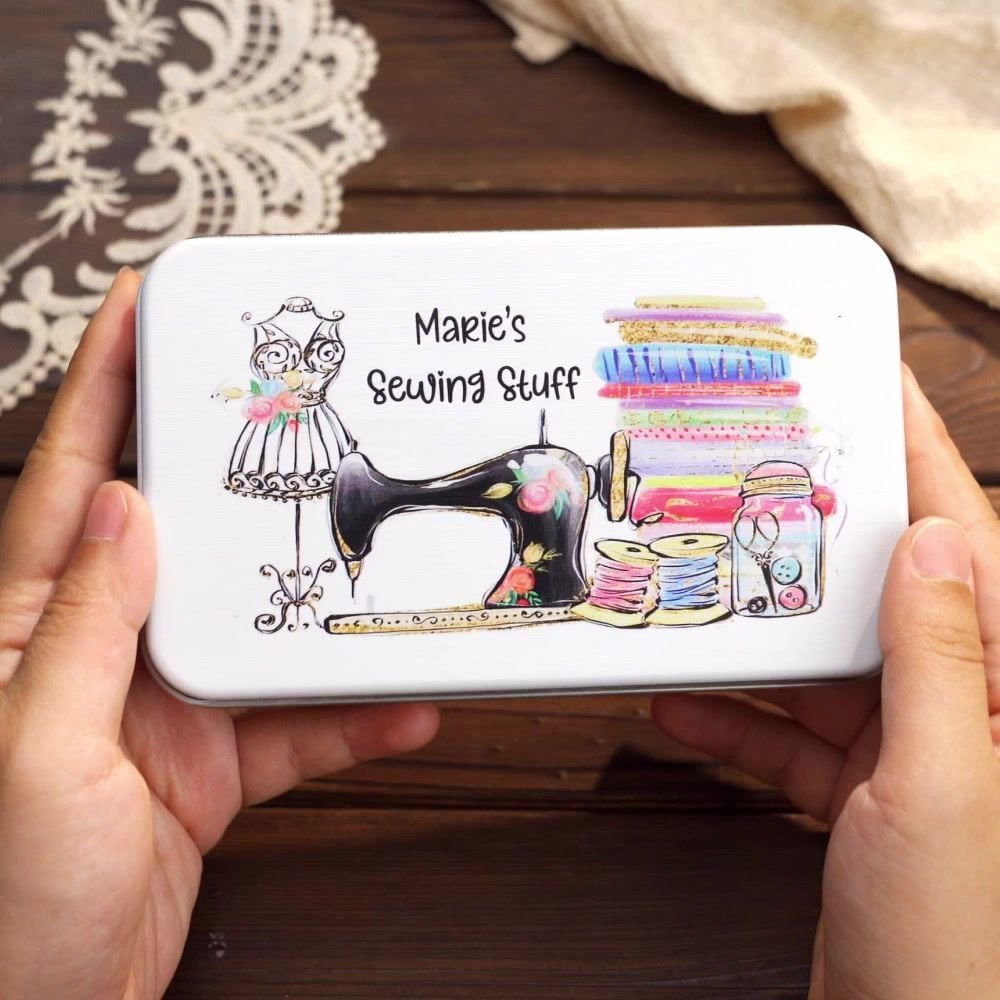
Small sewing supplies such as buttons, snaps, hooks and safety pins can easily get mixed up in a storage box.
Labelled dividers make it easier to find the right item, especially for someone who keeps different colours and sizes.
Making the organiser cards
- Measure the inside of the storage box and the height of its compartments.
- Cut dividers from sturdy cardstock to fit the available spaces.
- Add labels such as Buttons, Zips, Snaps, Hooks and Eyes or Safety Pins.
- Use Cricut to cut the divider shapes and add the wording with a compatible pen or adhesive vinyl.
Details to check
Make the dividers tall enough to separate the supplies without making it difficult to reach into the compartments. For a box containing small metal items, laminated cardstock or thin plastic dividers may hold up better than ordinary paper.
You can also add a size or colour label, such as Small Black Buttons, to make the sections more useful.
Paper crafters can find more inspiration in 27 Easy Cricut Projects Using Cardstock, including ideas for cards and decorations.
Keepsakes and gifts that preserve personal memories
Not every Cricut gift has to serve an everyday purpose. Some projects help someone display family connections, remember an important event or keep a personal message.
These ideas work particularly well when you have accurate photographs, names and dates to use.
24. Layered Paper Family Tree
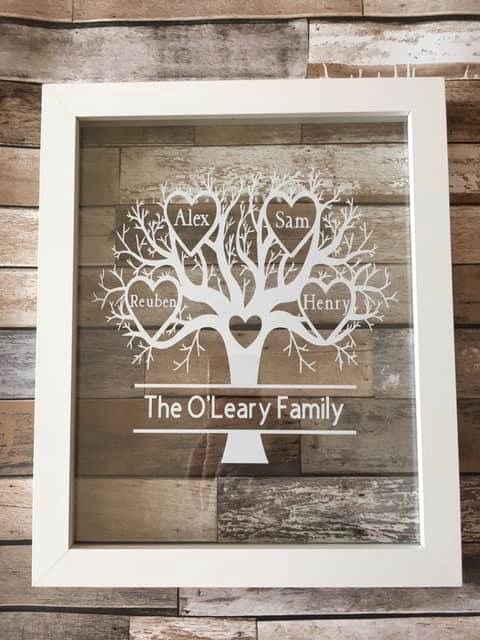
A family tree can make a thoughtful gift for someone who enjoys keeping family photographs and records.
Use layered cardstock to create a tree with branches for different generations, then add family names to show how everyone is connected.
Making the family tree
- Gather the names and relationships you want to include.
- Create a simple tree layout with enough room for each name.
- Use Cricut to cut the tree, branches, name labels and decorative details from different cardstock colours.
- Layer the pieces and place the finished design in a frame.
Details to check
Start with a small family group rather than trying to include every relative. Too many names can make the design difficult to read.
Confirm spellings, relationships and family names before cutting, and leave enough space between branches to show the connections clearly.
25. Personalised Milestone Shadow Box
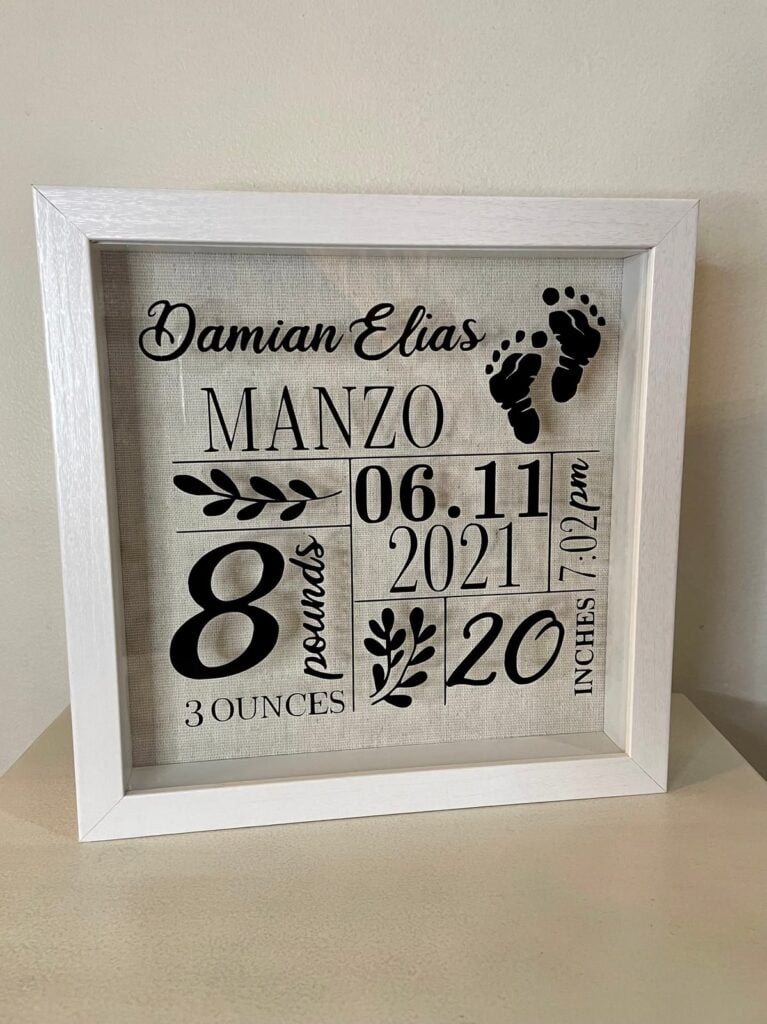
A shadow box gives you space to display small objects alongside photographs and cut designs. It can mark an occasion such as graduation, a wedding, a new baby’s arrival or a retirement.
For example, a graduation box could include a photograph, the graduation year, the school name and a small copy of the qualification or event programme.
Making the shadow box
- Choose the photographs and small keepsakes you want to display.
- Measure the inside depth of the frame before planning the arrangement.
- Use Cricut to cut names, dates, captions and decorative shapes from cardstock or suitable vinyl.
- Arrange the pieces with the keepsakes and secure them to the backing where appropriate.
Details to check
The objects must fit inside the frame without pressing against the glass. Check the depth of the frame and the thickness of every item before assembling it.
Keep the wording short, and avoid overcrowding the display with too many photographs or decorations.
26. Custom Pet Memorial Keepsake Card
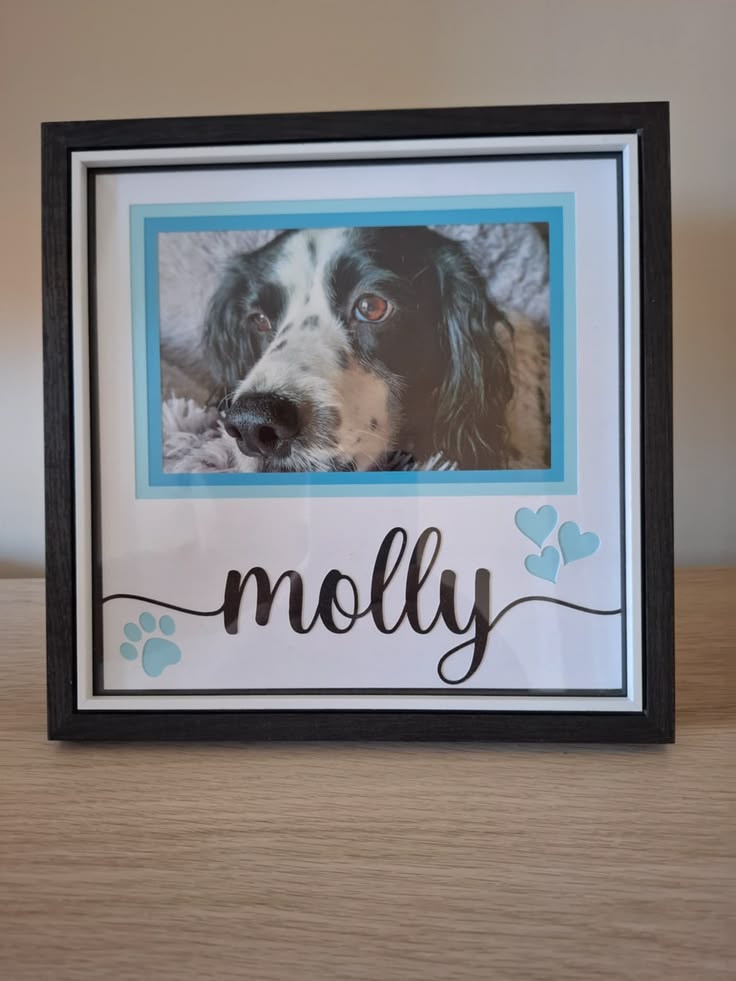
Losing a pet can be difficult, and a small keepsake may help someone remember the animal and the time they shared.
A personalised card can include a favourite photograph, the pet’s name and a short message. Keep the design simple so the photograph and personal details remain the focus.
Making the keepsake
- Choose a clear photograph of the pet.
- Create a folded card or a small framed design with the pet’s name.
- Add a meaningful date or a short message, such as Always part of our family.
- Use Cricut to cut the card shape and lettering, or use a compatible Print Then Cut workflow for a printed photograph.
Details to check
Use a photograph with enough detail for the finished size, and check that the text is readable before cutting.
Print Then Cut requires a compatible Cricut machine and printer, so check your machine’s capabilities first. Since this is a personal gift, confirm the name and dates with the recipient or the person arranging it.
27. Personalised Audio Message Keepsake
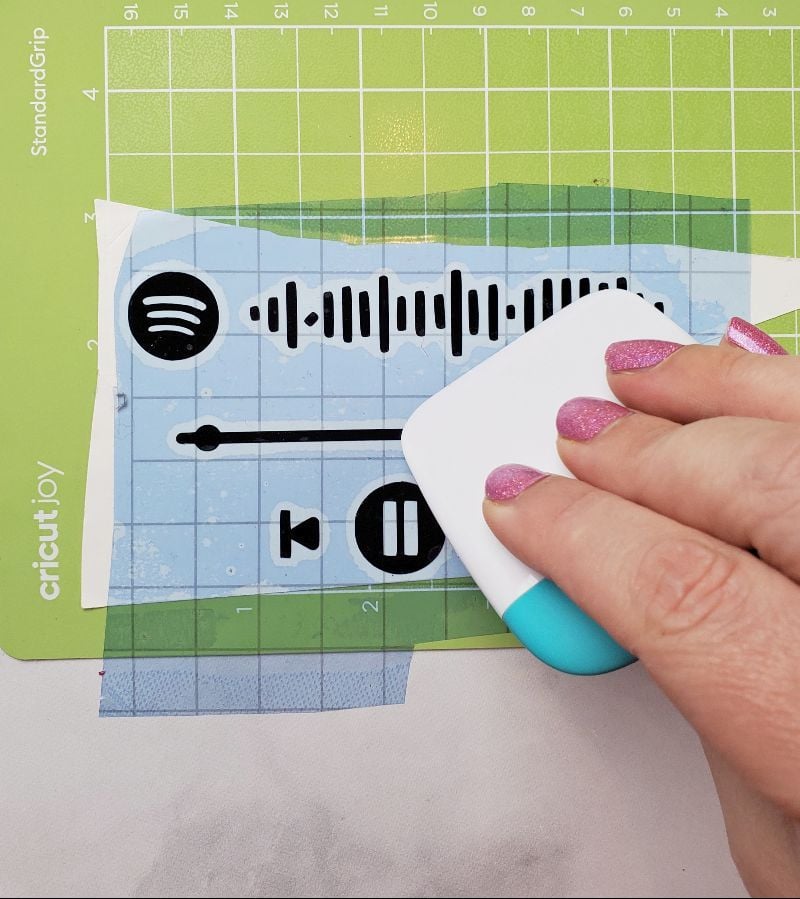
Photo credit: @ Amy
A written card can preserve a message, but an audio keepsake lets the recipient hear someone’s voice.
This could be a birthday greeting from family members, a message from a friend who lives far away or a recording of a loved one sharing a favourite memory.
Making the keepsake
- Record the message and save the audio file.
- Upload it to a sharing service that allows the recipient to access it.
- Create a QR code using the link to the recording.
- Design a card with the QR code, a short message and instructions for scanning it.
- Use Cricut to cut the card from cardstock and add the wording with a compatible pen or printed insert.
Details to check
Test the QR code with another phone before giving the card. Check that the recording does not require the recipient to sign in or request access.
Also, make sure the audio link will remain available; a QR code cannot play a recording if the file is deleted or its sharing permission is changed.
Consider including a short written message on the card in case the recipient cannot access the recording later.
A little creativity can go a long way when decorating a space, and 29 Easy Cricut Projects for Home Decor offers more projects to consider.
Small details that make a purchased or handmade gift more personal
Personalised wrapping and finishing details can make an ordinary present feel more thoughtful without requiring you to make the entire gift yourself.
These Cricut projects include reusable tags, decorative box bands and paper decorations that can be matched to the recipient or the occasion.
28. Reusable Gift Tags With Recipient Names
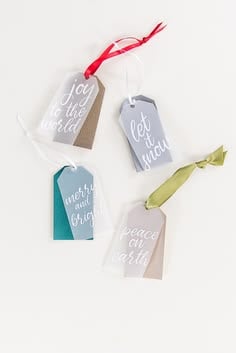
Reusable gift tags are a thoughtful addition for someone who enjoys keeping and reusing gift packaging. Personalise each tag with the recipient’s name, initials or a small design that reflects their interests.
Making the gift tags
- Cut the tags from sturdy cardstock or a suitable reusable tag blank.
- Add the recipient’s name, initials or a simple design using adhesive vinyl or a compatible Cricut pen.
- Leave space on the reverse for a handwritten message.
- Add a hole for ribbon or string so the tag can be attached to different gifts.
Details to check
Choose a material that can withstand repeated handling. Position the hole far enough from the edge to reduce tearing, and consider reinforcing it if the tag will be reused often.
29. Custom Gift-Box Belly Bands
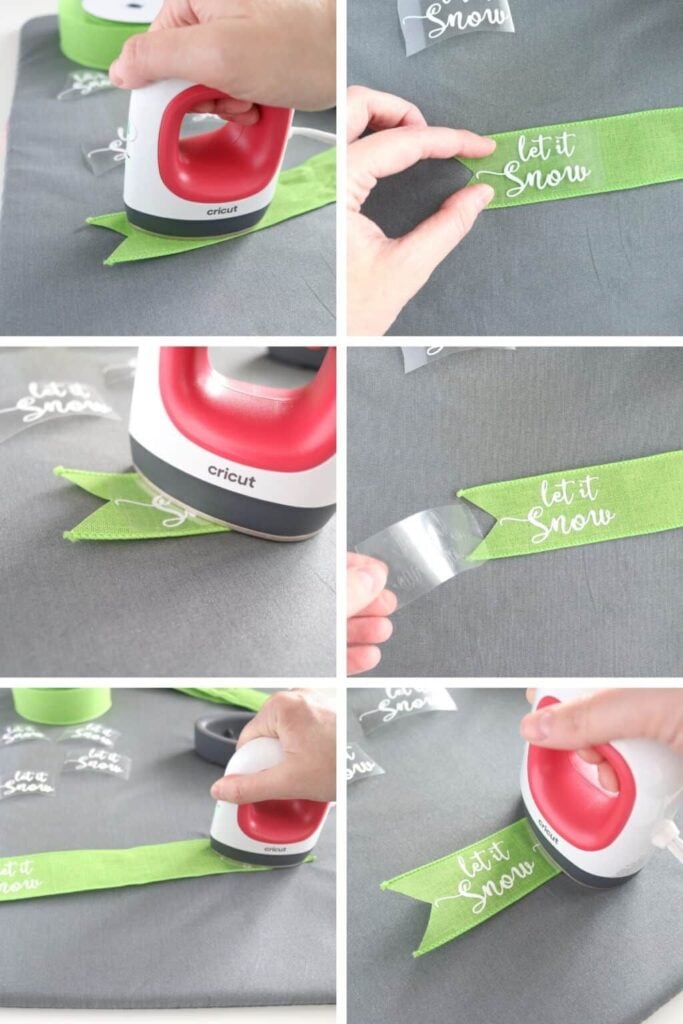
Plain gift boxes can look more coordinated with a personalised cardstock band wrapped around the outside.
This is useful when preparing several gifts for a birthday, wedding, baby shower or Christmas celebration.
Making the belly bands
- Measure the actual gift box, including its height and the distance around it.
- Cut a cardstock strip long enough to wrap around the box with a small overlap.
- Add the recipient’s name, a short greeting or a design that suits the occasion.
- Secure the ends with adhesive or a small paper seal.
Details to check
Measure the box after placing the gift inside, as the contents may affect its shape.
Leave enough overlap to secure the band without making it so tight that it bends the box or becomes difficult to remove.
30. Personalised Gift-Wrap Paper
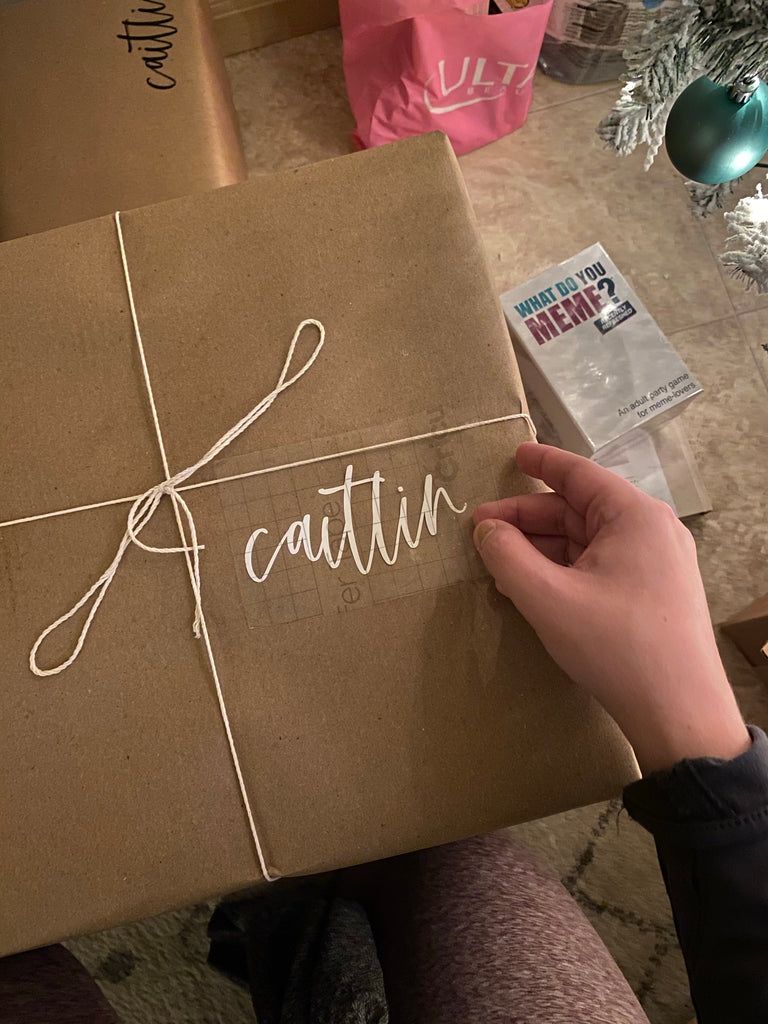
Photo credit: @ JM
Plain wrapping paper can be customised with repeated names, small illustrations or patterns that suit the recipient.
For example, use stars for someone who enjoys astronomy, flowers for a garden enthusiast or simple festive shapes for a Christmas present.
Making the wrapping paper
- Choose wrapping paper that is suitable for the Cricut operation you intend to use.
- Use compatible Cricut pens to draw a repeating design across the paper.
- For full-colour artwork, create and print the pattern separately using a suitable printing method.
- Test a small section before working on the full sheet.
Details to check
Thin wrapping paper can wrinkle, tear or shift during handling, so avoid complicated designs that require extensive cutting.
Check the paper’s compatibility with your machine and mat, and keep the pattern simple enough to repeat neatly.
31. Layered Paper Gift Bouquet
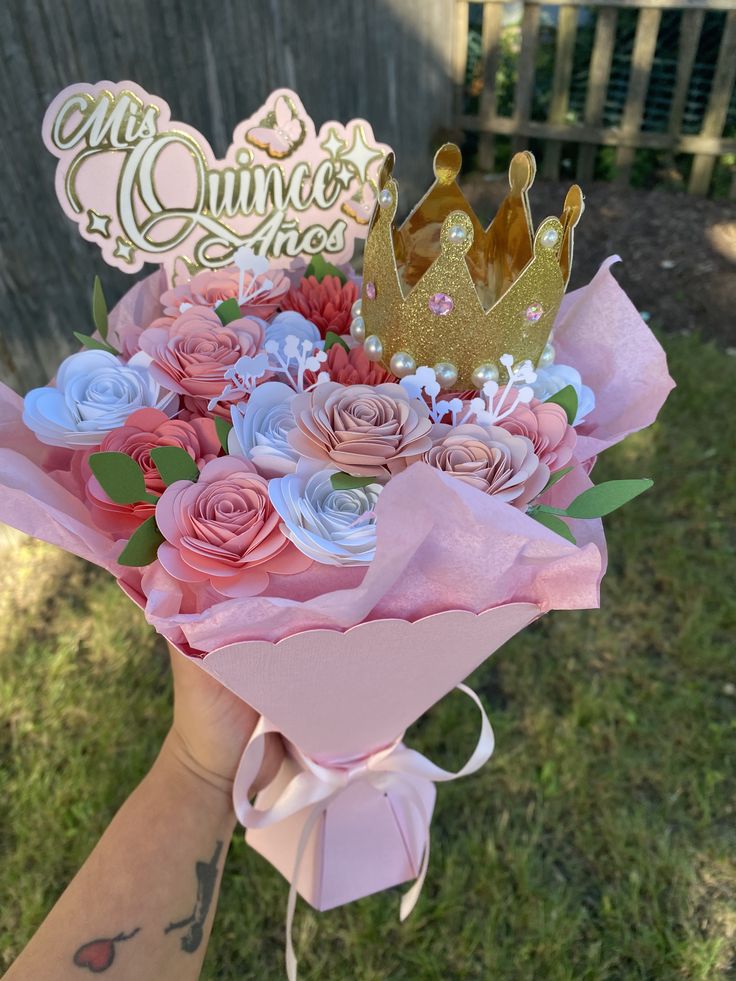
Paper flowers can be arranged into a small bouquet for someone who appreciates handmade decorations.
Choose colours that suit the recipient, such as their favourite shades or colours associated with a birthday, anniversary or other celebration.
Making the paper bouquet
- Select flower designs that can be cut from cardstock.
- Cut the individual petals and layers, then assemble them according to the design.
- Use suitable stems or supports to hold each flower in position.
- Arrange the flowers together and secure them into a bouquet.
Details to check
The flower design, number of layers and cardstock weight affect how well the finished flowers hold their shape. Very delicate petals may need careful handling, while heavier cardstock may require stronger supports.
This makes a decorative keepsake rather than a substitute for fresh flowers when the recipient wants fragrance.
Teen girls who enjoy personalised accessories and handmade gifts may love the ideas in 30 Cute Cricut Projects for Teen Girls.
How to Choose a Cricut Gift That Will Not Waste Materials

Choosing from different easy Cricut projects for gifts is only part of the process.
The finished gift also needs to suit the recipient, fit the item you are decorating and stay within your budget. A little planning before cutting can prevent wasted blanks, vinyl and cardstock.
Things to check before making your gift
Consider what the recipient will use. A personalised gift is not automatically useful because it carries someone’s name. Think about their interests and daily needs. Someone who enjoys reading may appreciate a personalised bookmark, while a gardener may have more use for labelled herb markers.
Measure the blank before designing. Check the available space on the mug, journal, storage box or other item. A design that looks balanced on your screen may be too wide for the actual surface or become difficult to read when reduced.
Match the material to the project. Adhesive vinyl is used for decorating suitable surfaces, while heat-transfer vinyl is designed for compatible fabrics. Cardstock works for paper projects, and printable materials require the appropriate printer and Cricut workflow. Check the material and machine instructions before starting.
Test before using your final material. Cut a small sample from scrap material or use plain paper to check the design’s size and fit. This is particularly useful for layered paper projects, gift-box bands and designs with several small details.
Work out the full cost. Include the blank item, vinyl or cardstock, transfer tape, printing, packaging and any other supplies. Compare the total with the cost of buying a similar ready-made gift. Making the item yourself should not automatically mean it will cost less.
Keep the design readable and manageable. Very small lettering, narrow lines and intricate cut-outs can be difficult to weed and apply. Enlarge the text or simplify the artwork when the design will be placed on a small surface.
Check permission to use the design. Cricut’s ability to cut a character, brand logo or song lyric does not mean you have permission to reproduce it, particularly for gifts you intend to sell. Check the relevant licence or copyright restrictions before using protected artwork.
Cricut Gift-Making Mistakes That Can Ruin the Finished Present

Even well-planned easy Cricut projects for gifts can go wrong when the material, machine setting or design does not suit the item.
These mistakes can waste supplies or leave you with a present that looks unfinished. Check the following details before making your final cut or applying a design.
1. Choosing the Wrong Blank
Not every blank sold for crafting is suitable for every Cricut project. A surface may look ideal for a vinyl design but have a texture that makes application difficult. Similarly, some fabrics cannot tolerate the heat required for iron-on transfers.
Check the blank manufacturer’s care and material information before buying. Confirm that it suits the intended Cricut material and application method. For example, a smooth, clean container is generally easier to decorate with adhesive vinyl than a heavily textured one.
2. Making Lettering Too Small
Names, dates and short messages can become difficult to cut and apply when the lettering is too small. Thin strokes may tear during weeding, while tiny spaces inside letters can disappear or become difficult to transfer.
Choose a clear font and check the design at its actual finished size before cutting. For small gifts such as bookmarks, tags and jar labels, shorter wording is often more readable than a long message squeezed into a limited space.
3. Skipping a Test Cut
Cutting an unfamiliar material straight away can waste the entire blank if the blade does not cut cleanly or the material shifts on the mat.
Use a small test cut on a scrap of the same material first. Check whether the design weeds cleanly and whether the material remains intact. For projects involving several layers, you can also use plain paper to check the size and placement before cutting the final cardstock.
4. Guessing the Heat Settings
Heat-transfer projects depend on more than choosing a temperature. The required temperature, pressing time and pressure can vary according to the transfer material, fabric and heat-press equipment.
Use the Cricut Heat Guide to check the recommended settings for the materials you are using. Follow the instructions for the specific transfer product and blank rather than relying on a setting used for another project.
5. Ignoring Washing Instructions
A personalised shirt, tote bag or other fabric gift may look finished immediately after pressing, but washing it too soon can affect the design.
For standard Cricut iron-on applications, Cricut advises waiting 24 hours before washing. It also recommends turning decorated garments inside out before washing. Check the care instructions for your particular iron-on material, since different products may have specific requirements.
6. Assuming Every Cricut Machine Can Engrave
Cricut machines do not all have the same tools or capabilities. Cutting, drawing, foiling and engraving are different operations, and a machine that can cut vinyl or draw with a pen may not support engraving.
Before choosing an engraved keychain, metal tag or other gift idea, check whether your specific machine supports engraving and whether the required tool and material are compatible.
Do not buy blanks or tools until you have confirmed that the project can be completed with your machine.
7. Adding Personal Details Without Proofreading
Personalised gifts often include details that cannot be easily corrected after cutting or transferring. A misspelled name, incorrect date or missing word can spoil an otherwise well-made present.
Read through the design carefully before sending it to the machine. Check names against the recipient’s preferred spelling, confirm dates and review any handwritten message after uploading or tracing it.
For family recipes and other keepsakes, compare the finished design with the original so that important words, measurements and details have not been changed.
Conclusion
Choosing a Cricut gift becomes easier when you start with the person receiving it, rather than the design you want to make.
Think about what they enjoy, what they can use and which personal detail would make the gift meaningful to them.
The ideas in this collection range from practical organisers and personalised keepsakes to handmade decorations and thoughtful finishing touches.
Choose a project that matches your skills, budget and available materials, then take time to check the measurements, spelling and finish before presenting it.
The aim is not to make the most complicated gift. It is to create something the recipient will recognise as thoughtful and made with them in mind.