Cricut projects to make and sell online can go beyond personalised gifts. See 33 product ideas for niche markets, small businesses and specialist buyers.
Owning a Cricut machine opens up plenty of opportunities to create products, but choosing what to sell is where many small craft businesses face a challenge.
A design may look attractive, yet that does not necessarily mean customers have a reason to buy it or that it can be produced at a price that leaves room for profit.
The more promising opportunities often lie in products made for specific needs.
Independent businesses need customised display materials, craft professionals use specialised templates, hobbyists look for accessories designed around their interests, and service providers need tools that improve how they work with customers.
This guide to 33 Best Cricut Projects to Make and Sell Online focuses on products with identifiable buyers and practical purposes.
You will find ideas beyond the usual personalised gifts and decorative crafts, along with considerations about materials, production and selling so you can make more informed decisions about which products to add to your shop.
Affordable craft supplies can become thoughtful presents with a little personalisation. See 31 Easy Cricut Projects for Gifts for more ideas.
Best Cricut Projects to Make and Sell Online
1. Custom Product Swatch Books
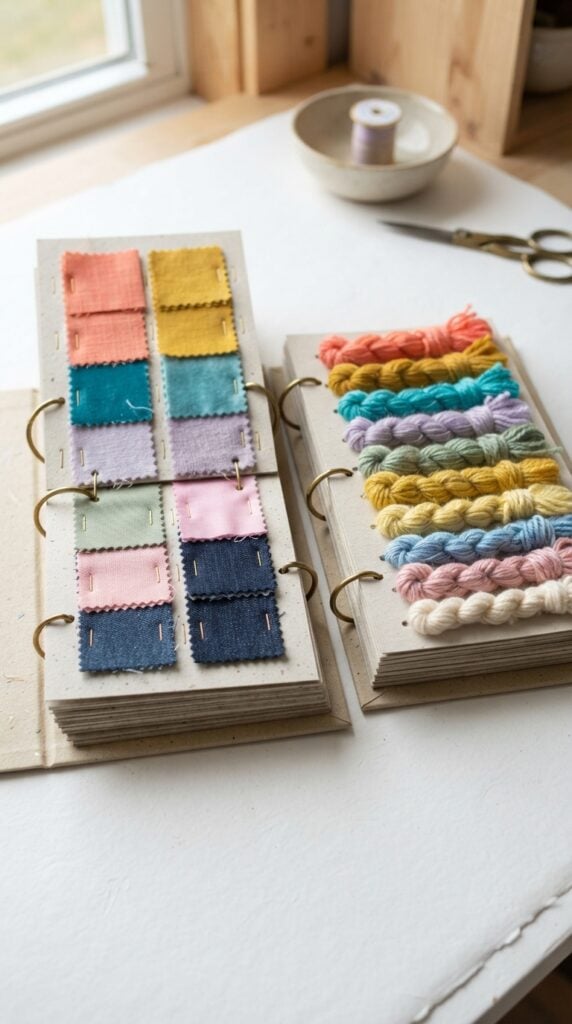
Customers often want to examine colours, textures and material options before committing to a purchase, particularly when ordering fabric, yarn, wallpaper or other products where the appearance can influence their decision.
Independent retailers can make this process easier by offering organised sample books that bring different product options together in one place.
With a Cricut machine, you can create the individual cardstock pages, labelled dividers, section tabs and cover components for custom swatch books.
For example, a fabric seller could have separate sections for cotton, linen and other fabric collections, with space for small physical samples and details such as fabric composition, colour name and product reference number.
Yarn sellers could use a similar arrangement to display fibre types, shades and weight categories.
The important part is making the book functional, not simply decorative.
Leave enough space for customers to touch and compare the samples, use labels that are easy to read, and choose a binding system that allows damaged or discontinued samples to be replaced.
For larger or heavier samples, consider reinforced pages and suitable binding materials rather than ordinary lightweight cardstock.
You can sell these as ready-made sample organisers or offer customised versions with a business’s name, logo and product categories.
This creates an opportunity to serve fabric shops, independent yarn retailers, wallpaper suppliers and other businesses that regularly help customers choose between product variations.
Teenagers can personalise inexpensive accessories to suit their tastes. More inspiration is available in 30 Cute Cricut Projects for Teen Girls.
2. Made-to-Measure Packaging Inserts
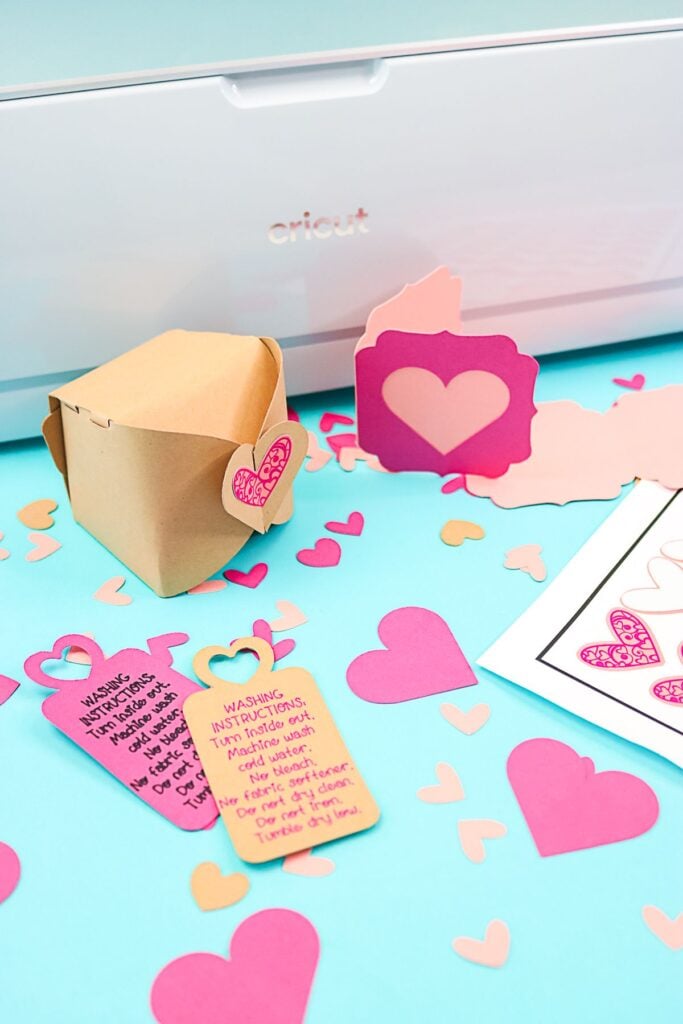
Small products can shift, knock against one another or become tangled during delivery, particularly when several items are packed in the same box.
Independent businesses selling handmade jewellery, ceramic accessories, small gift sets or delicate craft supplies may need inserts designed around the exact shape and arrangement of their products.
A Cricut machine can cut cardstock and compatible paperboard into fitted compartments, dividers and product holders.
For example, create a box insert with individual slots for a necklace, matching earrings and a care card, or a divided tray that keeps several small soap bars from rubbing against one another.
The insert should fit the internal dimensions of the packaging box, not just the product itself.
Offer inserts in specific sizes and configurations, with options for different product quantities. Before selling a design, test it with the actual products and packaging to check whether the compartments hold everything securely during handling.
Heavier products may require stronger structural packaging than ordinary cardstock can provide.
Plain frames, baskets and containers can get a fresh look with simple Cricut designs. Browse 29 Easy Cricut Projects for Home Decor for ideas.
3. Foldable Product Display Stands
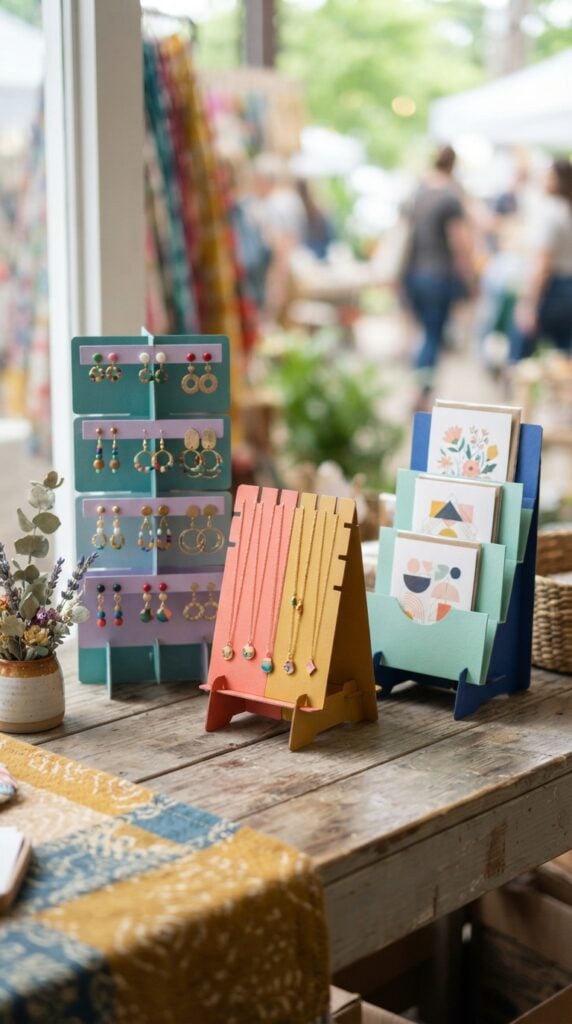
Jewellery makers and small retailers often need compact displays for presenting products at craft fairs, pop-up shops and temporary retail spaces.
A display that looks good on a table but takes up considerable storage space can become inconvenient for sellers who travel between markets.
You can make foldable display stands from suitable cardstock or compatible heavier sheet materials.
Consider a tiered earring stand with pre-cut holes for displaying earrings, a necklace stand with notches for keeping chains separated, or a small card rack that holds greeting cards upright for customers to browse.
The design needs more than attractive cut-outs. Pay attention to the base width, weight distribution, slot placement and how the stand locks into position.
A stand carrying several pairs of earrings will have different support requirements from one displaying heavier jewellery.
Sell each design with its assembled dimensions, recommended product weight and folding instructions so buyers know what to expect.
Cardstock is an affordable choice for making tags, decorations and paper accessories. Find more projects in 27 Easy Cricut Projects Using Cardstock.
4. Small-Batch Product Photography Backdrops
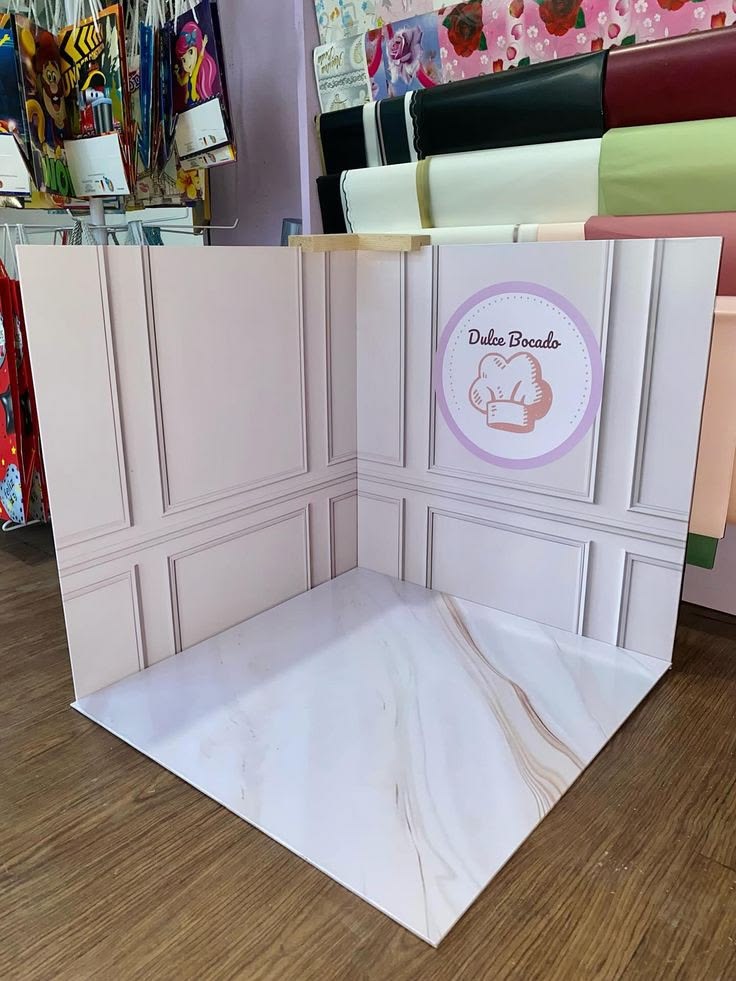
Small-business owners frequently photograph their products for online shops, but purchasing several professional photography surfaces may not be practical when they are just starting out.
A coordinated set of lightweight photography backdrops offers an alternative for sellers who photograph small items at home.
Use your Cricut to cut decorative foreground shapes, layered panels and repeatable framing elements from suitable cardstock.
For instance, create a set for jewellery photography with neutral backgrounds, geometric corner accents and separate display risers. A stationery seller could use another set with clean colour combinations and layered paper surfaces.
The actual background surface matters as much as the cut design. Smooth, non-reflective materials are generally more suitable for product photography than highly glossy paper, which can produce unwanted reflections.
Sell the pieces as coordinated sets with clearly stated dimensions and suggestions for arranging them. Make it clear that these are tabletop photography accessories, not professional photographic lighting equipment.
5. Custom Scent Sample Presentation Folios
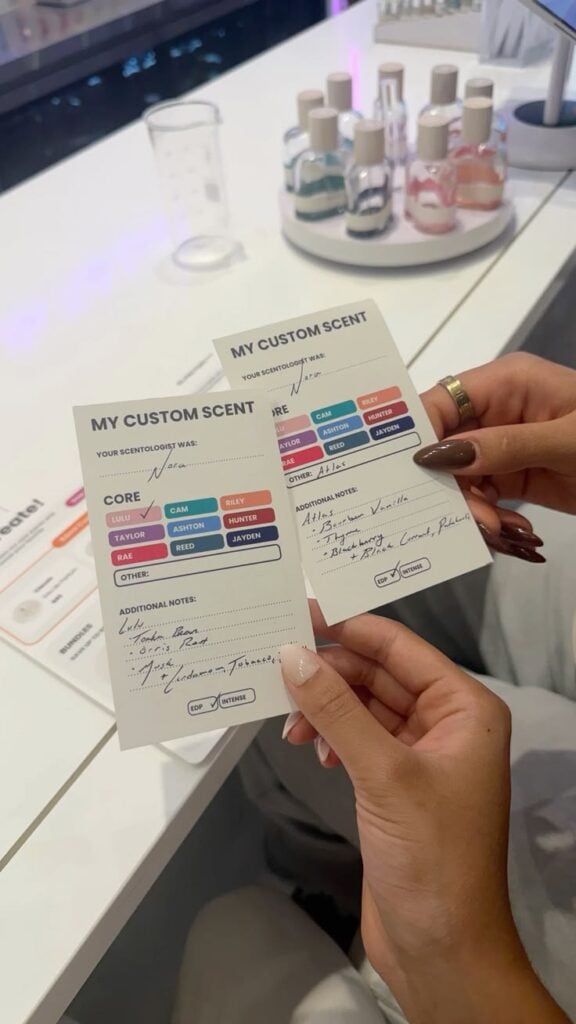
Independent perfumers and fragrance businesses sometimes need a more organised way to present several fragrance samples to customers. Loose scent strips can easily become mixed up, making it difficult for someone to remember which fragrance they tested.
Create compact presentation folios with individual slots for fragrance blotter strips, numbered sample positions and a corresponding scent information card.
A customer could receive a folio containing several fragrance samples, with each position labelled to match the fragrance name or sample code.
Your Cricut can cut the folio covers, internal dividers, labels and paper inserts. Include enough space for the business to add fragrance descriptions or testing notes.
The finished product should be designed around dry blotter strips rather than bottles containing perfume, since liquid fragrance requires appropriate leak-resistant packaging and material compatibility.
This could be offered to independent perfumers, fragrance retailers and businesses that provide scent discovery services.
Custom branding and different sample capacities give you additional product variations without having to create an entirely new design each time.
Some compatible fabric blanks can be personalised with Infusible Ink. See 25 Easy Cricut Projects Using Cricut Infusible Ink for examples.
6. Paint Colour Reference Fan Decks
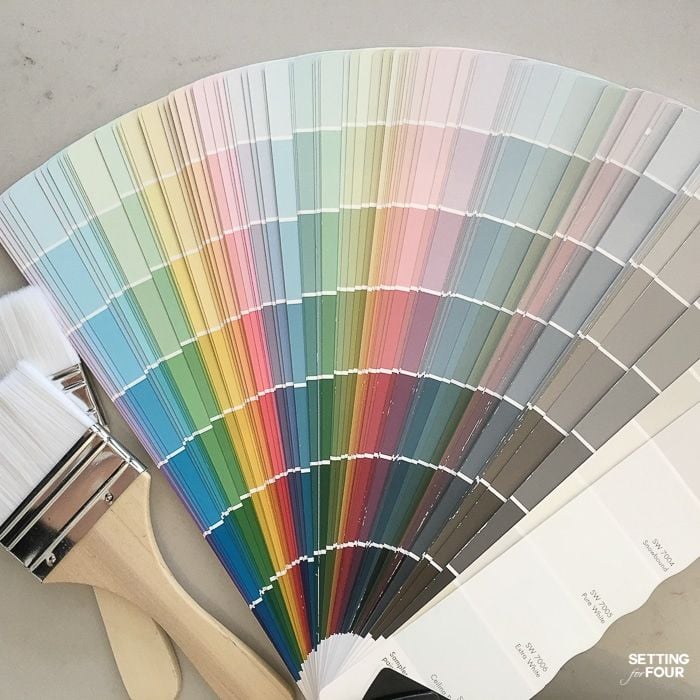
Paint consultants, interior painting businesses and specialist paint retailers often need to show customers several colour options during consultations.
A loose collection of colour cards can become difficult to organise, especially when customers want to compare similar shades.
You can create the physical structure for a fan deck using your Cricut machine. Cut and label individual sample holders, create numbered divider cards and assemble them with a suitable binding mechanism that allows the cards to fan out for comparison.
The business can then attach its own genuine paint samples or accurately produced colour swatches.
One important detail is colour accuracy. Printing a colour from an ordinary home printer or cutting coloured cardstock does not guarantee that the result will match an actual paint formulation. The business supplying the colour samples should use its approved colour references and production process.
Sell the deck as an empty organisational system or work with a paint business that supplies the correct samples. This makes the product more useful than a decorative collection of coloured paper.
7. Custom Refill Instruction Folders
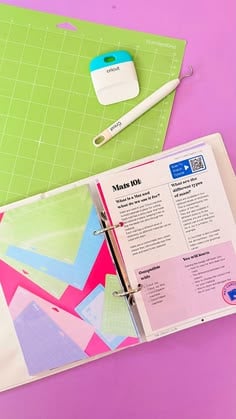
Businesses selling refillable cleaning products, personal-care products and household supplies often need to explain how customers should use and replenish their products.
Instructions may include dilution ratios, refill quantities, storage guidance and warnings that customers should not overlook.
Make compact instruction folders that can accompany refill purchases or sit beside reusable containers.
For example, a cleaning-product business could have a folder with separate sections for product identification, dilution instructions, refill dates and safety information.
A personal-care brand could use a different layout for product usage and storage guidance.
Use your Cricut to cut the folder panels, section dividers and branded labels. Design the contents so that important safety instructions remain readable rather than squeezing too much text into a small space. The business should provide and verify all product-specific instructions.
You can offer different folder sizes and layouts for refill shops, independent cleaning-product manufacturers and personal-care businesses.
These are particularly suitable as branded business stationery rather than standalone decorative crafts.
Adhesive vinyl can customise notebooks, jars and other suitable surfaces. More beginner ideas appear in 23 Cricut Projects for Beginners Using Vinyl.
8. Modular Market Stall Display Systems
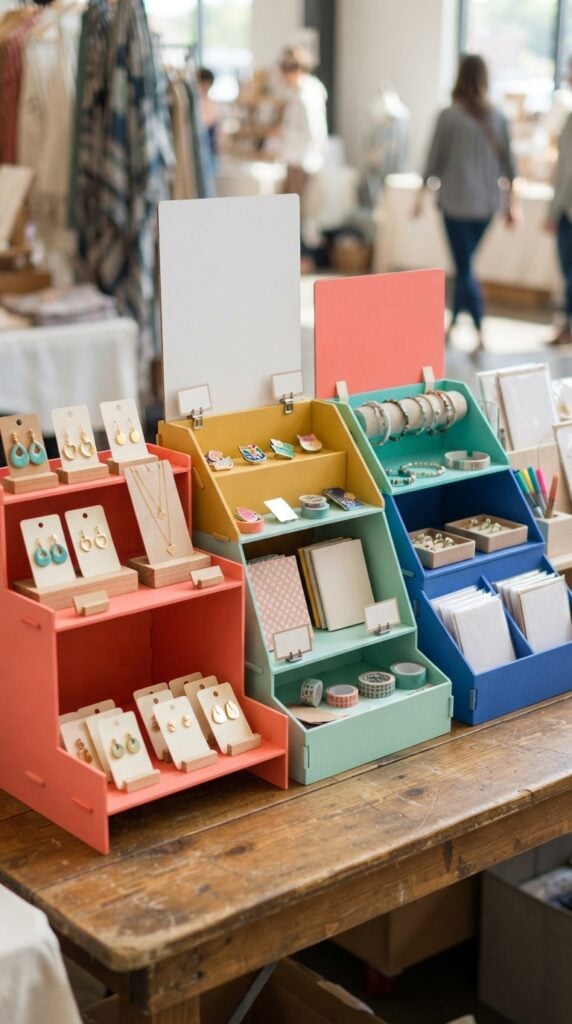
Sellers attending craft markets and pop-up events frequently have to arrange their products on tables of different sizes.
A display that works in one location may not fit another, while carrying several bulky display units can make transporting stock difficult.
Create a coordinated range of lightweight display components that can be arranged in different configurations.
For example, make interchangeable price-card holders, small product risers, sign panels and tiered paperboard displays for lightweight merchandise.
A jewellery seller could arrange the components to create a compact display for earrings and necklaces, while a stationery seller could use the same basic system for greeting cards and small notebooks.
The useful feature is that the components can be rearranged rather than functioning as one fixed display. Design interlocking slots and consistent connection points so that compatible pieces fit together.
Clearly state the dimensions and weight limitations, and test the assembled system with the products it is intended to hold.
For heavier merchandise, recommend a stronger construction material or a different display structure rather than suggesting that ordinary cardstock will provide adequate support.
9. Leathercraft Stitching Templates
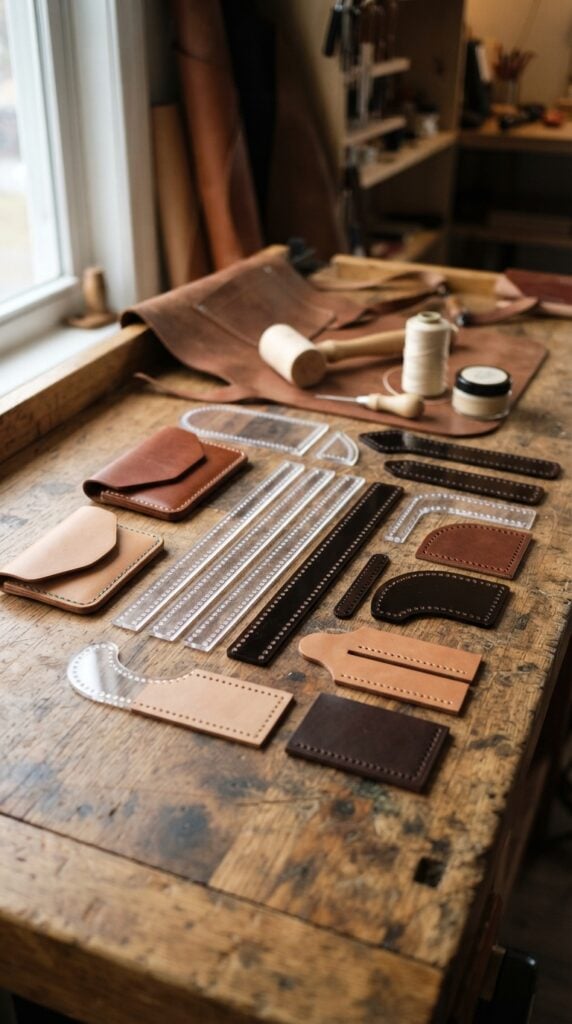
Leatherworkers often need to mark evenly spaced stitching holes before sewing two pieces of leather together.
When making wallets, card holders, belts or small leather accessories, inconsistent spacing can affect both the appearance and alignment of the finished seam.
One of the more specialised Cricut projects to make and sell online is a set of reusable leather stitching templates.
Cut guides from suitable stencil material with straight edges, curved corners and carefully spaced markings. You could offer different spacing options for fine leather goods and larger projects, allowing buyers to choose a guide that suits their construction method.
The measurements must be accurate because the spacing determines where the stitching marks fall. Make the template easy to position against the leather and ensure the material can withstand repeated use.
Market the guides to leathercraft beginners, independent leatherworkers and small handmade leather businesses.
Low-cost blanks can help keep production expenses manageable. Get more product inspiration from 25 Easy Cricut Projects to Make and Sell for Extra Money.
10. Quilting Design Stencils
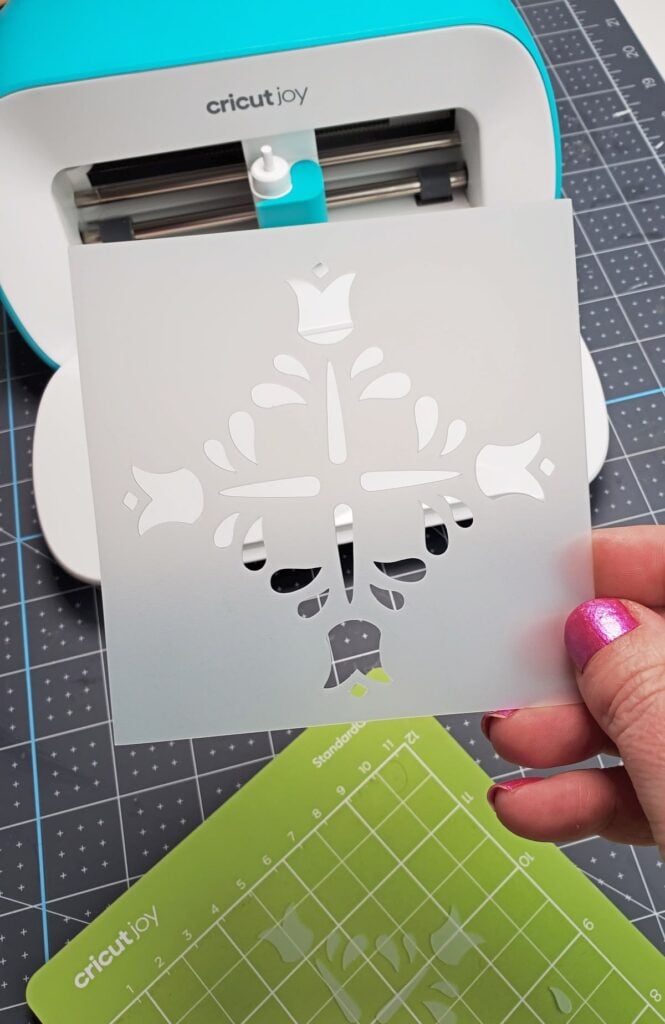
Quilters sometimes want to add decorative stitching patterns to finished quilt tops, but transferring a design onto fabric can be difficult when the pattern contains repeated curves, geometric shapes or intricate lines.
Create quilting stencils with original designs that can be used to mark stitching paths on fabric. Your Cricut can cut suitable stencil material into patterns such as continuous curves, diamond arrangements, borders and repeating geometric motifs.
A collection of coordinated border designs, for example, could help quilters maintain a consistent pattern around the edges of their projects.
The choice of stencil material matters because it must allow clear markings without damaging the fabric. State whether the stencil is intended for fabric pencils, chalk or another compatible marking tool.
Also distinguish between the actual stitching line and any seam allowance; they serve different purposes in quilt construction.
These guides can be offered to quilting enthusiasts, sewing groups and independent quilting businesses looking for original patterns rather than generic printed designs.
11. Screen-Printing Registration Guides
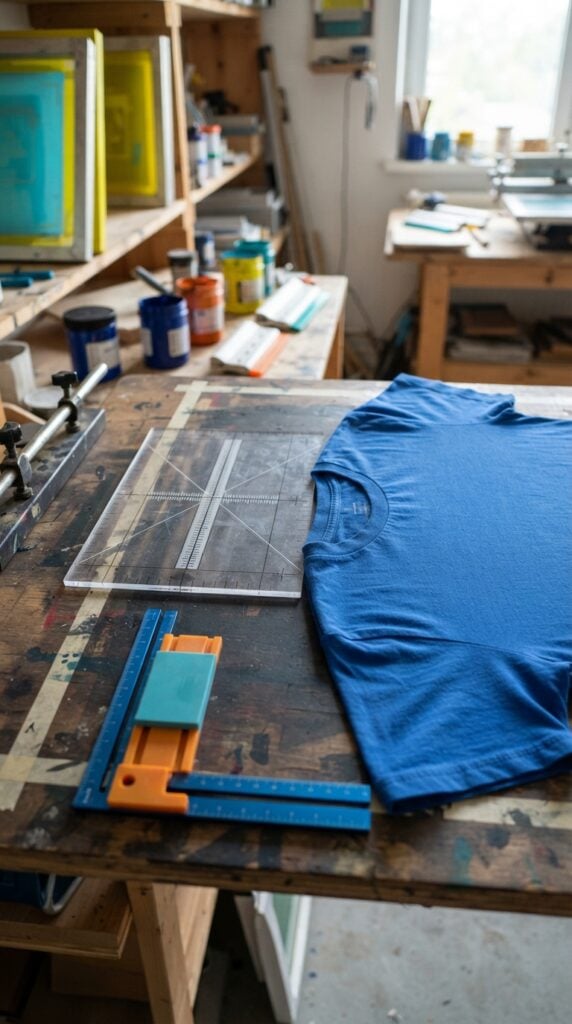
Screen printing involves transferring a design onto a surface through a prepared screen. When printing several items with the same design, positioning becomes important because even small differences can make the finished products look inconsistent.
You can develop registration guides that help small screen-printing businesses position garments or flat materials consistently before printing.
For example, a guide could have centre marks and reference edges to help position a design on the front of a T-shirt. Another could be designed for aligning artwork on flat paper products.
Use your Cricut to cut the guide components from suitable stencil material or create a layered positioning template. The dimensions should correspond to the intended printing setup, garment size or printing surface.
A guide designed for one platen or work surface should not be advertised as universally compatible.
This is a specialised product worth considering among Cricut projects to make and sell online because it addresses a genuine production concern for small print businesses.
Include measurements and clear instructions showing how the guide is positioned and used.
Beginners can test a few handmade products before investing in bulk supplies. 21 Simple Cricut Projects for Beginners That Actually Sell offers more ideas.
12. Bookbinding Cover Templates
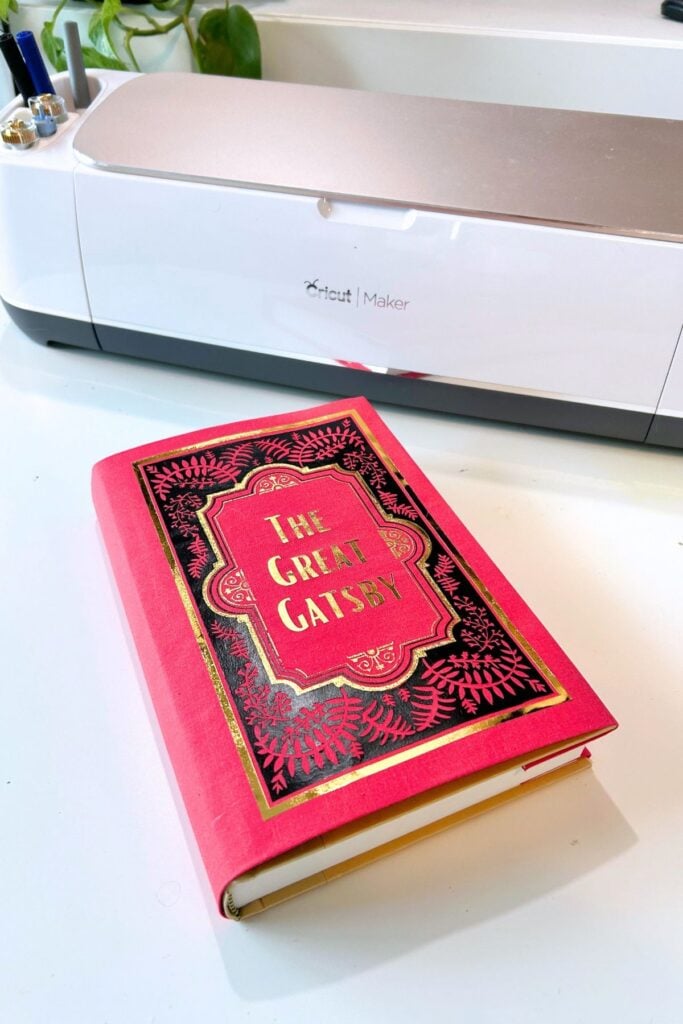
Handmade bookbinders need accurate measurements when preparing covers, spine pieces and internal boards.
A small error in the width of a spine or the position of a fold can affect how the finished book opens and how its covers align.
Create bookbinding templates that help makers measure and position these components before assembly.
For example, offer a template for preparing a hardcover notebook with separate measurements for the front cover, back cover, spine and hinge spaces. You could also create templates for smaller journals and different book formats.
Cricut machines can cut suitable paper-based templates and certain compatible sheet materials, depending on the machine and blade. Include clear measurement markings and explain which parts of the template correspond to the different book components.
Avoid presenting one template as suitable for every book thickness, since the spine width depends on the number of pages and the materials used.
Offer the templates individually or as a collection for bookbinding beginners and independent handmade stationery businesses.
13. Miniature Model Construction Templates
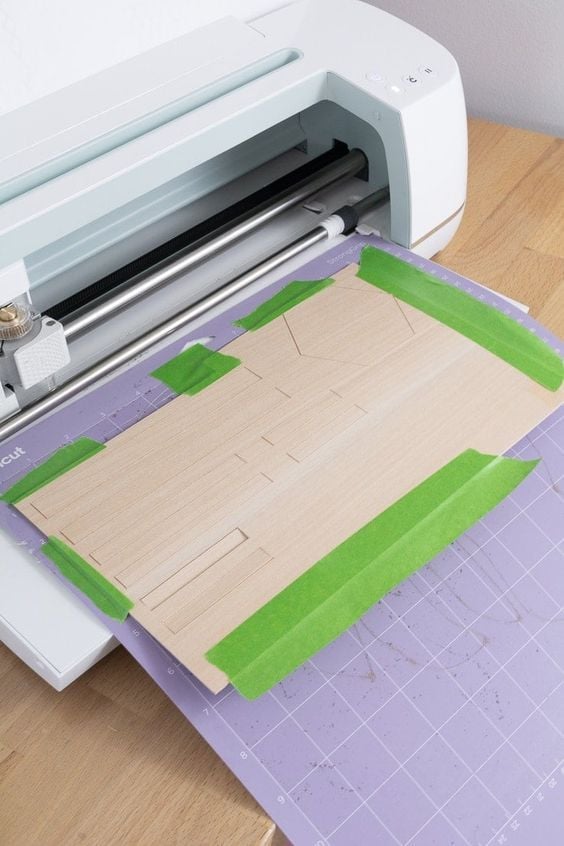
Building miniature houses, shopfronts and architectural scenes involves preparing small components that must fit together accurately.
Hobbyists may need repeated window frames, roof sections, wall panels and other architectural details, especially when constructing several buildings for the same miniature setting.
Create miniature construction templates with precisely cut components for a particular model or scale.
For example, a small shopfront kit could include window frames, door panels, decorative roof edges and signboard sections. Buyers can assemble the pieces into a complete structure using the supplied instructions.
Your Cricut can handle many small paper and compatible sheet-material components, but the machine’s cutting limitations and the material thickness must be considered.
Include the finished model’s dimensions and scale, identify which materials are supplied and explain whether glue or additional tools are needed.
This gives miniature enthusiasts something more specific than a collection of unrelated decorative shapes and provides an opportunity to sell themed architectural kits.
Practising with inexpensive materials can help new users build confidence. Try the projects in 22 Easy Cricut Projects for Beginners You Can Make at Home.
14. Custom Pattern Drafting Guides
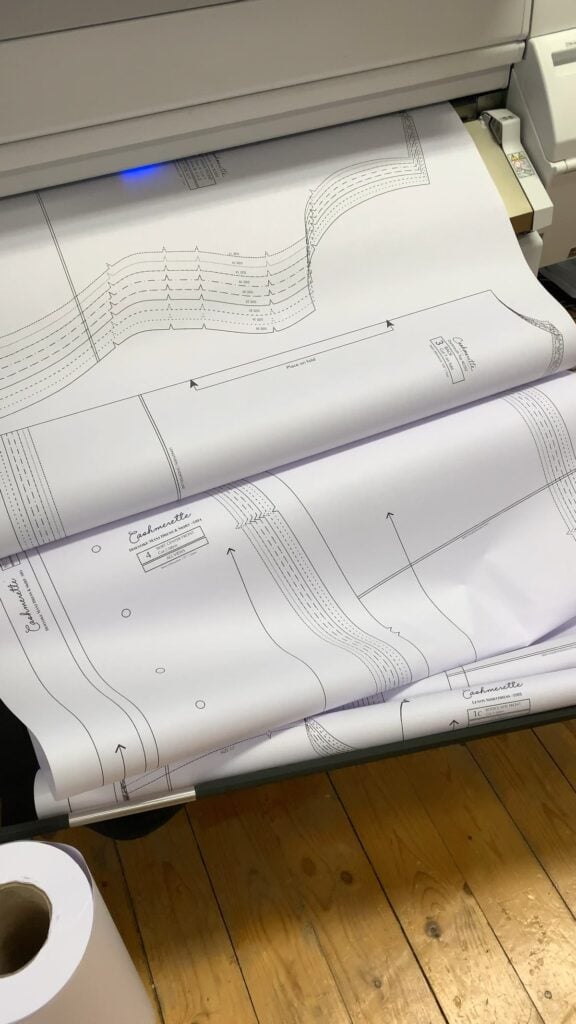
People who regularly draw patterns by hand often need consistent shapes that are difficult to reproduce accurately using an ordinary ruler.
This can be particularly relevant to paper engineers, packaging designers and miniature makers who repeatedly work with specific curves, folds and geometric forms.
Develop drafting guides around a particular task instead of selling a collection of random shapes.
For example, create a set of curved corner guides for designing paper packaging, or a collection of measured geometric guides for constructing miniature architectural details.
Use your Cricut to cut the guides from suitable reusable stencil material. Add measurement references, clearly labelled shapes and consistent dimensions so that customers can reproduce the same design more than once.
The selling opportunity lies in the usefulness of the measurements and the intended application. Explain exactly what each guide helps the buyer draw and which type of project it supports.
This makes the product easier to understand and gives specialist customers a reason to choose it over ordinary drawing tools.
15. Reusable Product Photography Composition Guides
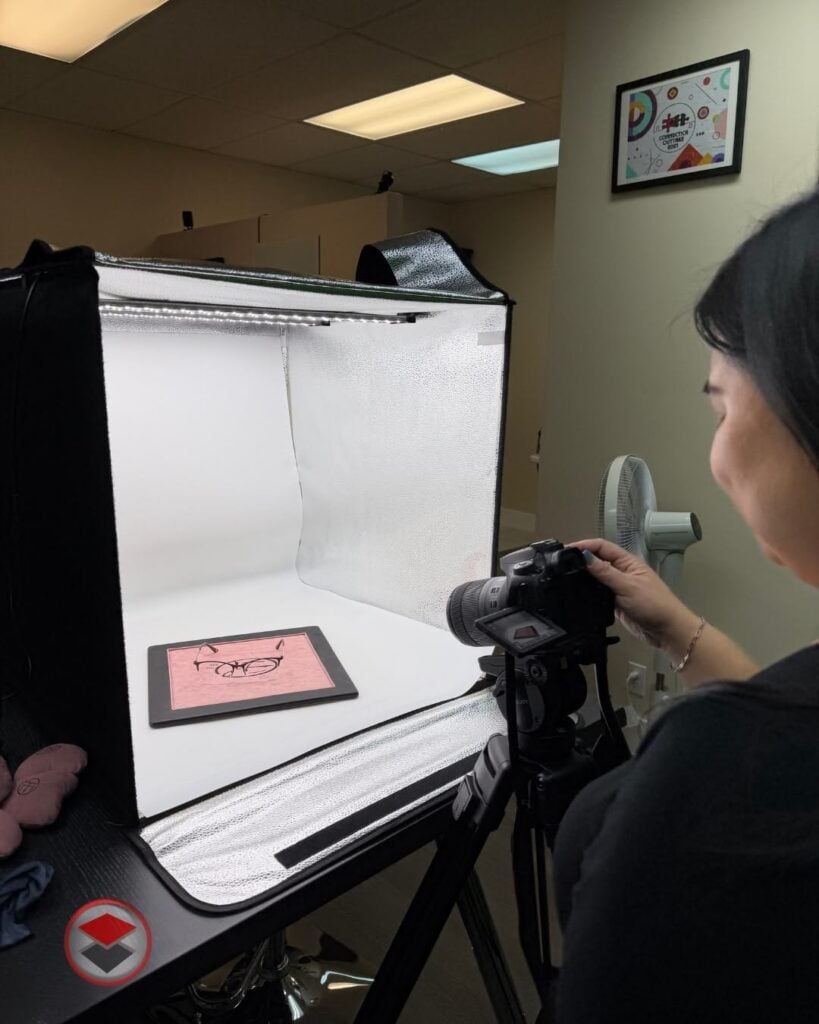
Online sellers often need to photograph the same product repeatedly, particularly when adding new colours, sizes or variations to an existing collection.
Without a consistent arrangement, product photographs can look noticeably different across a shop’s listings.
Create physical composition guides that help sellers position small products in a repeatable arrangement.
For example, a flat-lay guide could have a marked centre position, spacing references and designated areas for arranging jewellery, packaging and accompanying accessories.
Another version could help stationery sellers maintain consistent spacing when photographing notebooks, pens and paper sets.
Cut the guides from suitable flat stencil material or durable cardstock, depending on whether they are intended for repeated use.
Keep the markings subtle enough not to appear in the final photograph, and make sure the guide can be removed without disturbing the product arrangement.
These Cricut projects to make and sell online could appeal to handmade product sellers, jewellery businesses and small e-commerce brands that photograph their own merchandise.
Offer different layouts for specific product types rather than claiming that one composition guide will work for every photography setup.
Simple designs are a good starting point for learning basic cutting techniques. Find more options in 19 Easy Cricut Projects for Beginners.
16. Tabletop Role-Playing Game Initiative Trackers
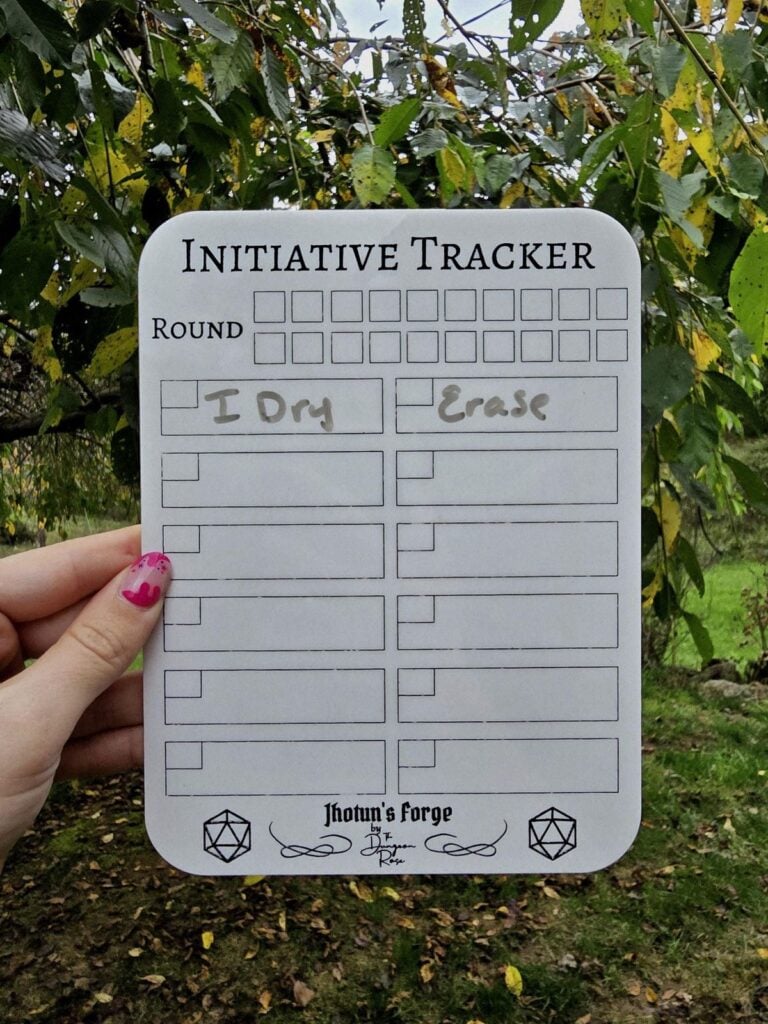
During tabletop role-playing games, game masters often have to keep track of several players, non-player characters and their turn order during combat.
When multiple characters are involved, relying on handwritten notes can make it harder to follow whose turn comes next.
Create tabletop initiative trackers with numbered player positions, removable character markers and a separate section for recording important combat details.
For example, a game master could use a horizontal tracker with slots for character names and numbered markers to show the order of play.
You could also include movable status markers for conditions such as stunned or incapacitated, provided their meanings are clearly explained.
Use your Cricut to cut the board components, labelled sections and interchangeable markers from suitable materials. Make the tracker reusable and large enough for players to read across a gaming table.
These products can appeal to tabletop role-playing enthusiasts, game masters and independent gaming accessory shops. Original artwork and symbols will also help distinguish your designs from existing game properties.
17. Board Game Organiser Inserts
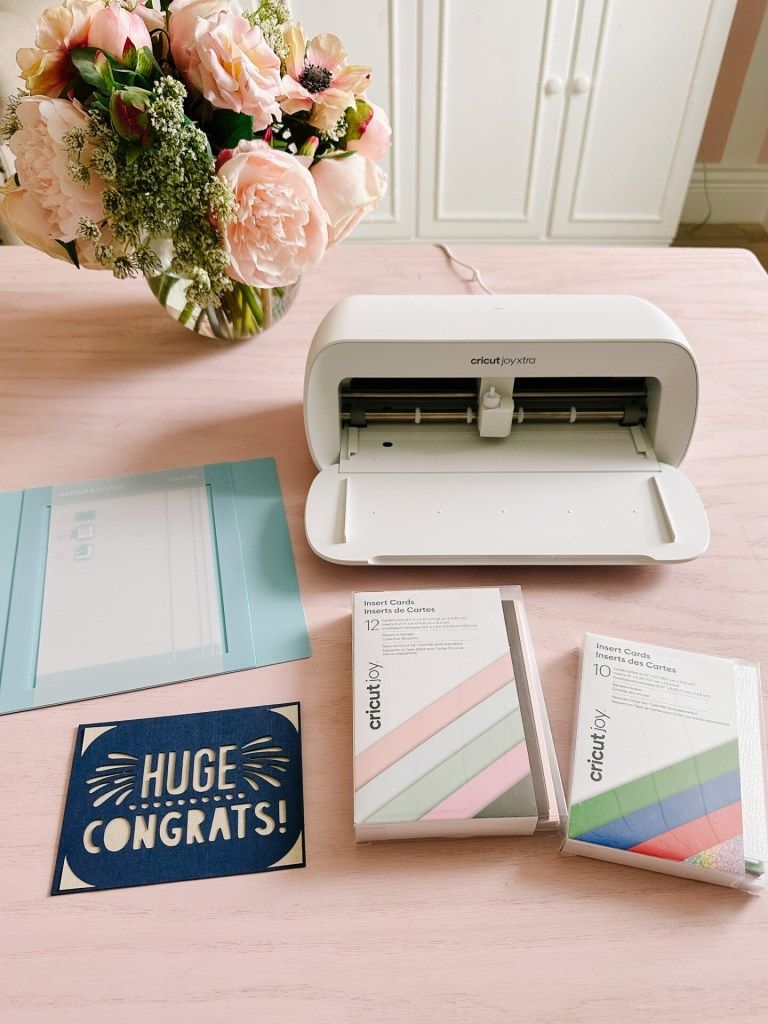
Many board games come with cardboard trays or plastic packaging that do not keep every component neatly separated after the box has been opened.
Small tokens may become mixed with cards, while individual pieces can move around during storage.
You can design replacement organiser inserts for specific board games, with compartments sized for their actual components.
For example, an insert might have separate sections for player tokens, resource pieces, cards and dice, making it easier to prepare the game before play and return everything to its place afterwards.
Your Cricut can cut suitable cardstock and compatible sheet materials for the compartments and dividers. However, the finished insert must be designed around the game’s actual box dimensions and component quantities.
Test whether the box closes properly with the insert and whether the pieces can be removed without difficulty.
A useful way to sell these is by naming the compatible game edition and providing photographs of the assembled insert with its compartments filled.
Make it clear whether the board game and its components are included. Also avoid using protected game artwork or branding without permission.
18. Tabletop Gaming Terrain Kits
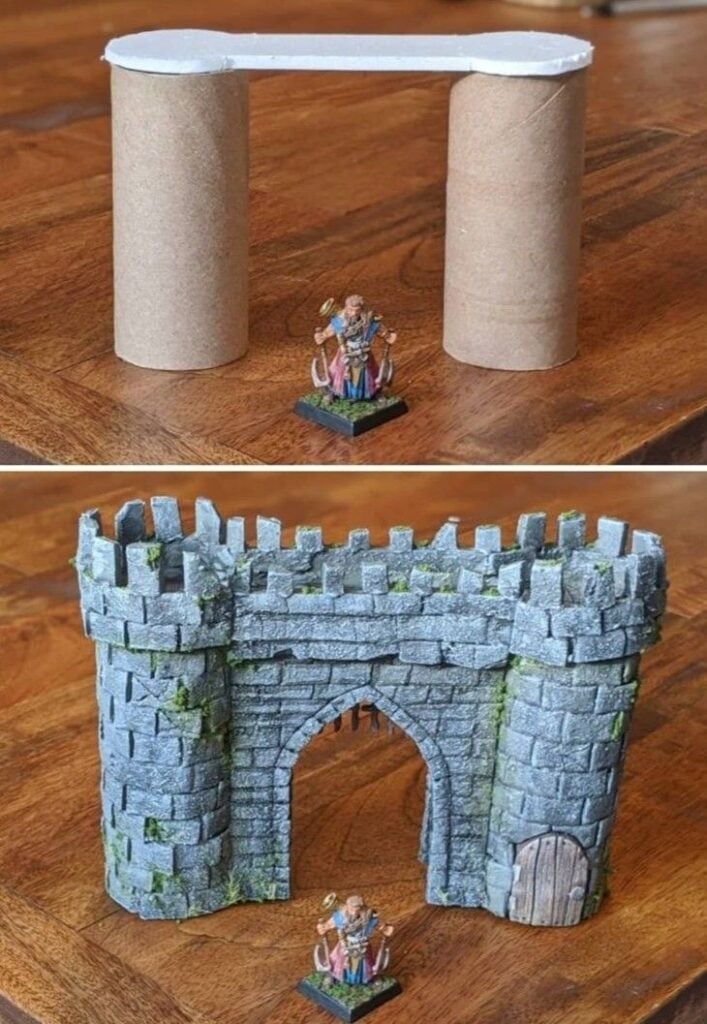
Miniature gaming enthusiasts use terrain to create more detailed environments for their games. Buildings, walls, barricades and other scenery pieces can help represent the setting in which a game takes place.
Develop terrain kits containing compatible cut pieces that buyers can assemble into particular structures.
For example, a ruined stone wall kit could include wall sections, broken edges and separate support pieces, while a small industrial scenery kit could contain panels, doors and raised platforms.
Cricut machines can cut many paper-based terrain components, including detailed shapes that would be difficult to reproduce consistently by hand.
The material should be suitable for the intended scale and construction, with enough structural support to withstand repeated handling during gameplay.
Include the assembled dimensions, scale, material requirements and building instructions.
If the kit is intended for a particular miniature scale, state it clearly rather than describing it as suitable for every tabletop game. Original scenery designs can help you serve miniature painters, tabletop gamers and hobby shops.
A plain tote bag or notebook can become a personalised present. More inspiration is available in 33 Cricut Projects for Beginners That Make Great Personalized Gifts.
19. Miniature Shopfront Kits
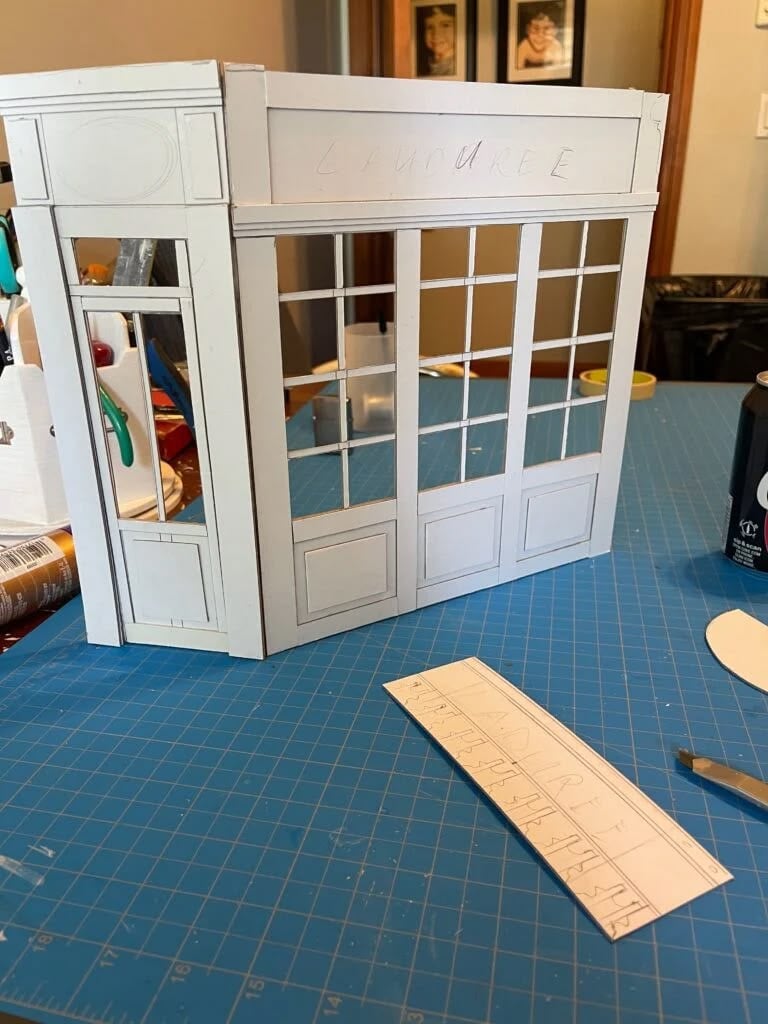
Dollhouse collectors and miniature scene builders often want more than plain miniature furniture.
Small shops, cafés and other commercial spaces require architectural details that make the finished scene look like a recognisable real-world location.
Create miniature shopfront kits with cut-out window frames, doors, signage panels, awnings and decorative exterior details.
For example, a miniature bakery storefront could include a display window, a separate signboard, a door frame and decorative panels that buyers assemble around their chosen structure.
Your Cricut can cut the smaller architectural components from suitable cardstock and compatible thin materials.
The pieces should be designed with the intended scale in mind, since a window frame that looks appropriate in one dollhouse scale may be too large or too small in another.
Sell these as themed kits with numbered pieces and assembly instructions.
Include the finished dimensions and state whether the kit contains only the exterior components or also includes the base structure. This gives miniature enthusiasts a clear understanding of what they are purchasing.
20. Escape-Room Puzzle Kits
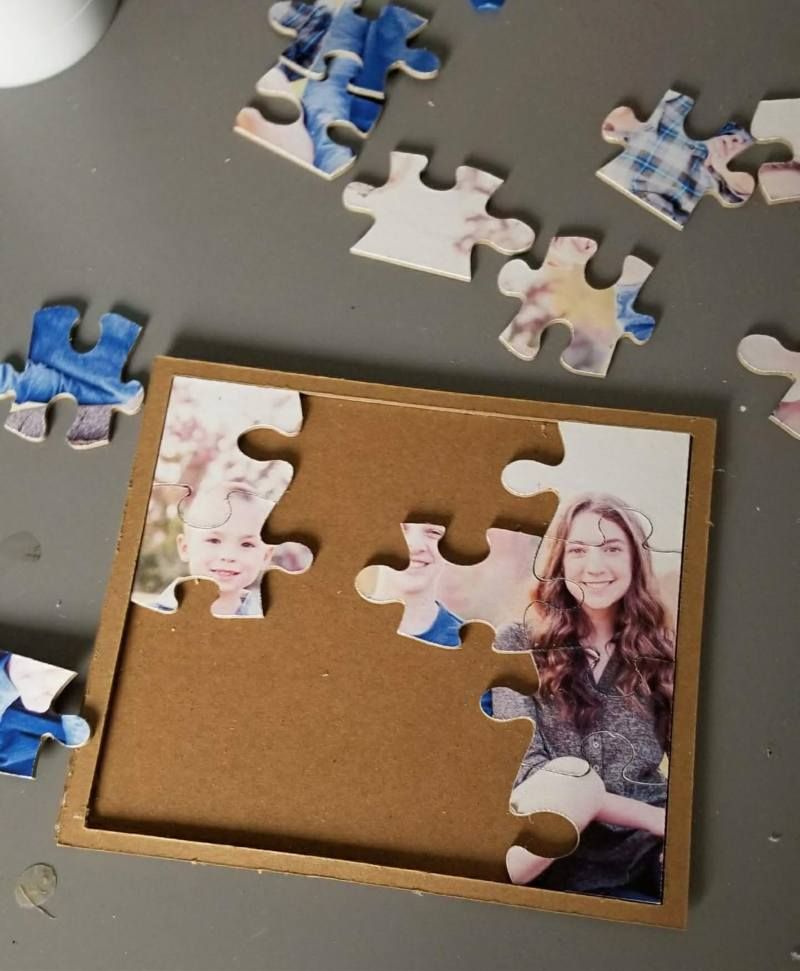
Home escape-room games depend on a sequence of clues that players must interpret to reach a final answer.
Creating a good experience involves more than putting riddles on pieces of paper; the clues need to connect logically, and players should be able to solve them using the information provided.
You can create original paper-based escape-room kits with coded message cards, clue envelopes, sequencing puzzles, matching boards and cut-out components.
For example, a mystery-themed kit could require players to arrange evidence cards in the correct order before discovering a hidden message.
Use your Cricut to cut puzzle pieces, numbered cards, folding clue holders and other paper mechanisms. The important work is developing and testing the actual puzzle sequence.
Check that the instructions are clear, the clues lead to the intended answers and the game can be completed without information that has not been provided.
Offer different themes and difficulty levels, with an instruction sheet, playing time estimate, age guidance and a separate answer guide.
This could appeal to families, party organisers and people who enjoy hosting interactive games at home.
Children can decorate suitable craft supplies with adult supervision. Find more age-appropriate activities in 35 Easy Cricut Projects for Kids.
21. Geography Puzzle Boards
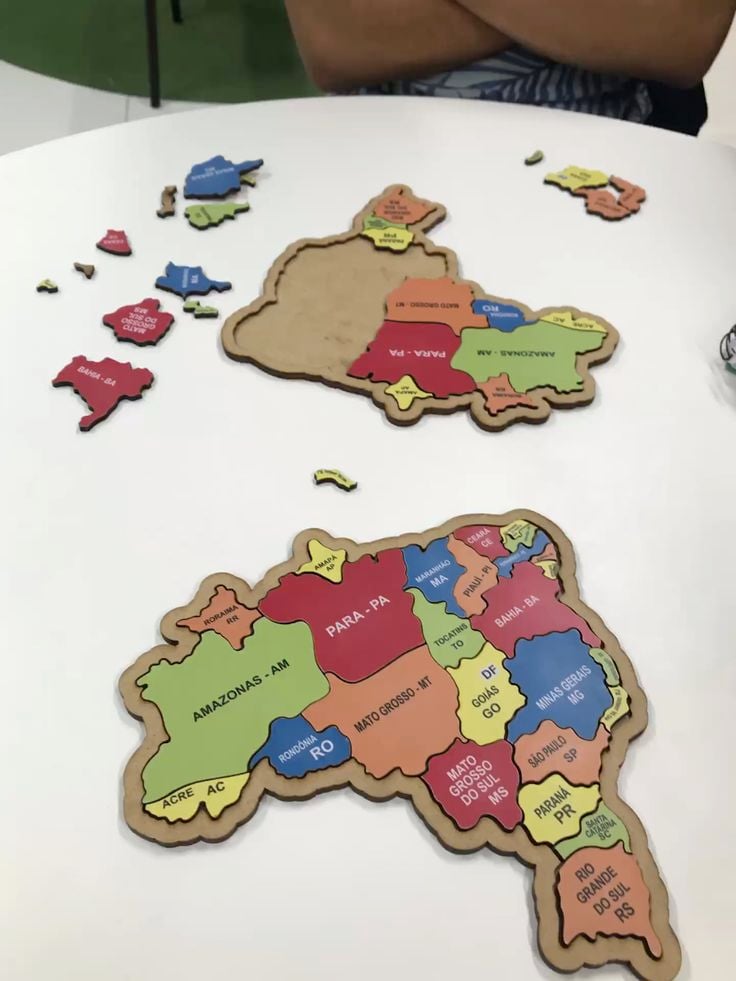
Maps can be useful learning tools, but studying geographical locations becomes more engaging when learners can physically arrange and identify different regions.
Geography puzzle boards offer an opportunity to turn maps into reusable educational activities.
Create layered boards with removable geographical sections. For example, a country-specific puzzle could have separate pieces for its states, provinces or regions, depending on the country’s administrative structure.
Another version could focus on continents and their constituent countries.
Your Cricut can cut the board outlines, individual puzzle pieces and corresponding labels from suitable materials.
Accuracy is particularly important here: use reliable geographical references, check current administrative boundaries and ensure that the labels match the actual map.
Avoid presenting simplified shapes as geographically precise when they are not.
You can sell these to parents, tutors, educational resource providers and geography enthusiasts.
Include the geographical area covered, the intended learning level and whether the board includes names on the pieces or requires learners to identify the locations themselves.
22. Custom Sheet Music Folios
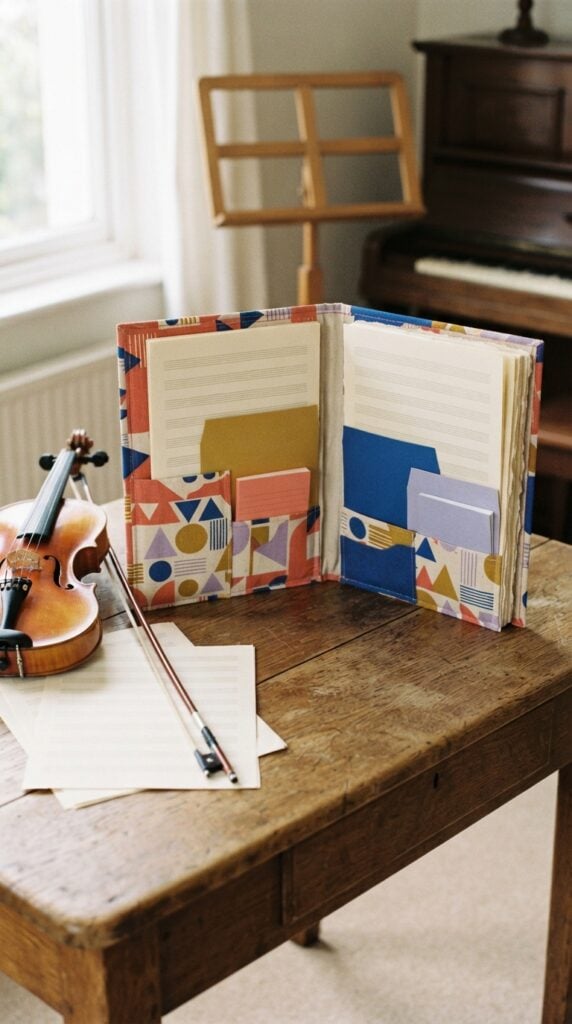
Musicians frequently work with several printed music sheets during rehearsals, lessons and performances. Loose pages can become mixed up, particularly when a performer has different pieces prepared for different events.
Create sheet music folios with organised sections for individual compositions, rehearsal notes and performance schedules.
For example, a pianist could use a folio with separate labelled sections for practice pieces and upcoming performances, while a choir member could use one with divisions for different songs and rehearsal dates.
Use your Cricut to personalise the covers, cut section dividers and create labels for the internal pockets.
Pay attention to the actual paper size the folio is designed to hold, such as A4 or US Letter, since these formats are not identical.
Choose a binding and fastening arrangement that allows pages to be inserted and removed without damaging them.
Offer personalised versions for music teachers, choir members, instrumentalists and independent performers.
The value is in keeping printed music organised and accessible, rather than simply adding a decorative name to a folder.
Discount-store supplies can also become festive decorations and gift tags. See 31 Easy Cricut Projects for Christmas for seasonal ideas.
23. Musician Setlist Organisers
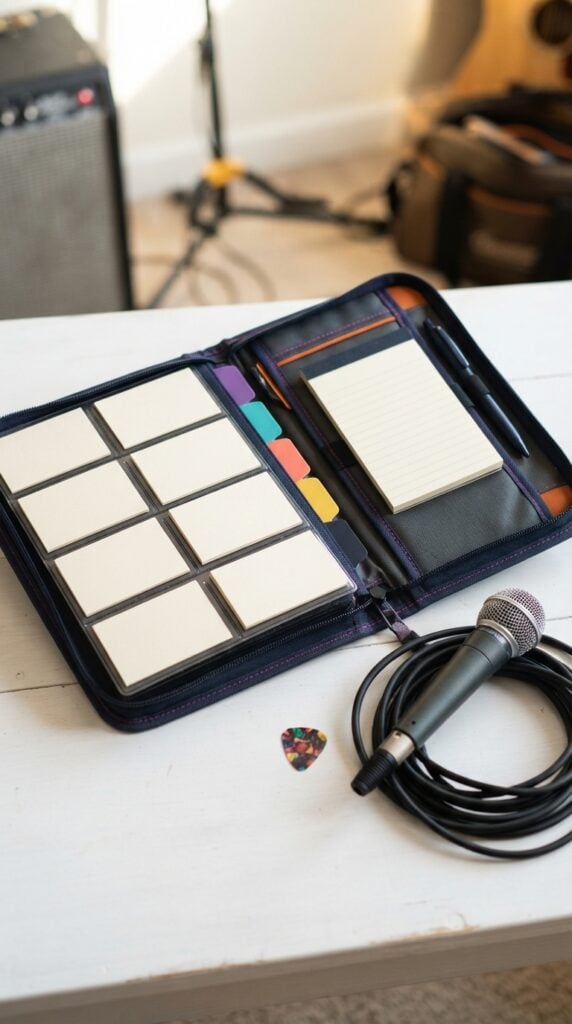
Performers often need to keep track of the order of songs during a live performance.
A setlist may change between rehearsals and the actual event, so having to rewrite an entire page whenever the running order changes can be inconvenient.
Make compact setlist organisers with replaceable song cards or removable pages. For instance, a singer could have individual spaces for song titles, keys, starting cues and performance notes.
A small band could use a larger version with room for the running order and important reminders between songs.
Your Cricut can cut the cover, dividers, labelled sections and reusable song cards. Consider how the organiser will be used during a performance: it should open easily, remain readable and allow quick changes without requiring the musician to dismantle the entire folder.
You can offer different layouts for solo performers, bands, choir directors and music teachers.
Include the organiser’s dimensions and the number of song entries it accommodates so customers can choose a format that suits their performance needs.
24. Nail Technician Colour Display Systems
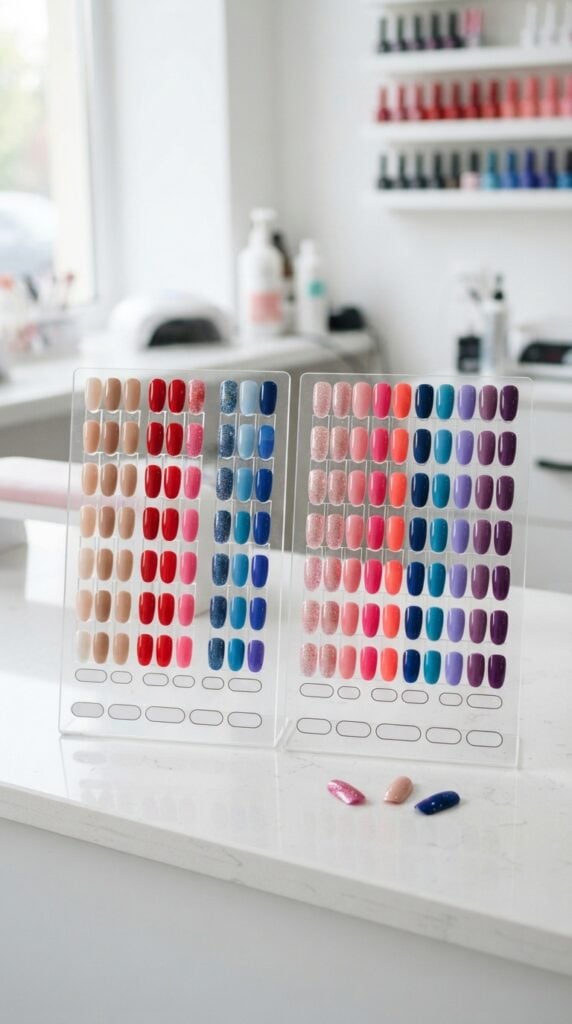
Nail technicians often work with several polish and gel colours, and customers may find it difficult to choose a shade from product bottles alone.
A physical colour display makes it easier to compare available options before deciding on a manicure or nail design.
Create nail polish display boards with spaces for individual sample tips, shade names and product reference numbers.
For example, a technician could have one board for nude shades, another for reds and pinks, and a separate display for glitter or shimmer finishes.
This arrangement also makes it easier to update the collection when new colours are introduced.
Your Cricut can cut the display backing, section labels and numbered identifiers. Purchase compatible nail sample tips separately and measure them before designing the slots or attachment points.
The display should hold the tips securely while allowing customers to examine the colours without removing them.
These Cricut projects to make and sell online could serve independent nail technicians, mobile nail artists and beauty salons.
Offer different board capacities and personalised business-name options, making sure buyers know whether the sample tips are included.
Plain treat bags and accessories can be customised for Halloween. More projects are featured in 33 Easy Cricut Projects for Halloween.
25. Salon Consultation Folios
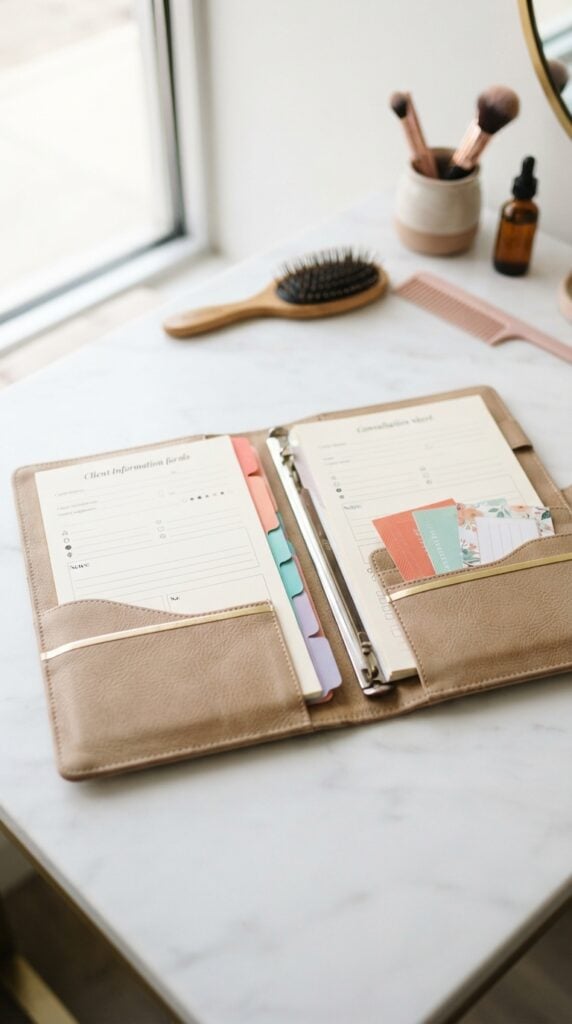
Beauty professionals often need to collect information before providing certain services.
A consultation may involve discussing a customer’s preferences, previous treatments, desired results and relevant aftercare instructions. Keeping these details organised can make client appointments easier to manage.
Design consultation folios with dedicated sections for client information, service preferences, appointment notes and aftercare sheets.
For example, a hair salon could use a folder with spaces for recording the requested style, colour preferences, previous colour treatments and the products recommended for home care. A beauty therapist would require a different layout suited to the services offered.
Use your Cricut to cut and personalise the folder covers, internal dividers and section labels. Include pockets for printed forms and enough room for standard paper sizes.
The information sheets should be designed and reviewed by the relevant service professional, particularly where treatment suitability or safety instructions are involved.
You can sell these as salon-specific stationery rather than one generic folder for every beauty business. Offer custom branding and layouts for independent hairstylists, beauty therapists and salon owners.
26. Barber Style Reference Boards
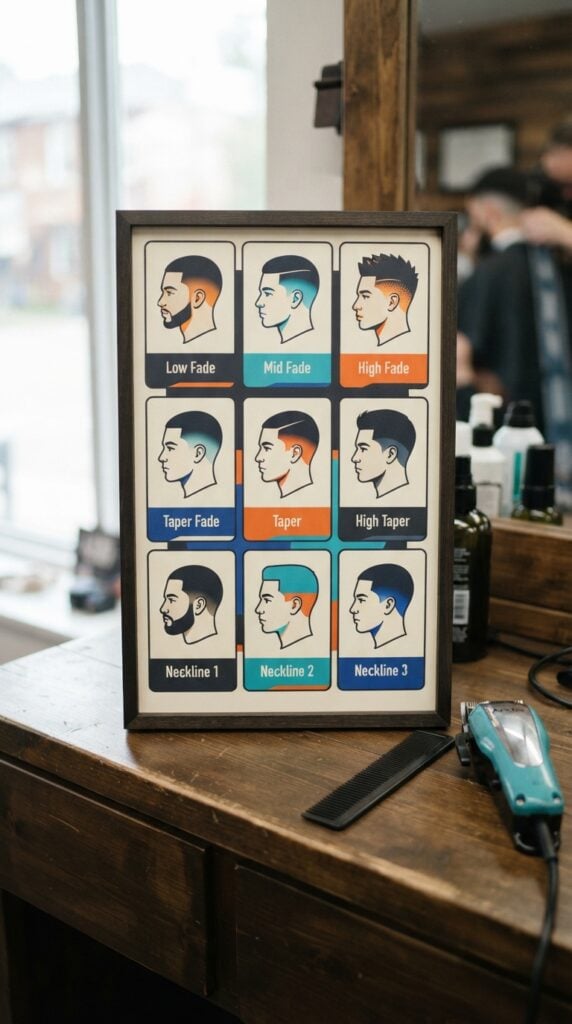
Customers sometimes struggle to explain the haircut they want, especially when they are unfamiliar with barbering terminology.
A visual reference board gives the barber and customer something concrete to discuss before the haircut begins.
Create hairstyle reference boards featuring clearly labelled haircut profiles and separate sections for details such as fade height, hair length and neckline preferences.
For example, a board could distinguish between low, mid and high fades, while another section shows different taper and neckline options.
Your Cricut can cut the board layout, removable labels and interchangeable style markers. However, the hairstyle illustrations need to be accurate and easy to distinguish.
Work from original drawings or properly licensed illustrations rather than copying photographs or copyrighted hairstyle charts without permission.
These products could be sold to independent barbers, barber training schools and grooming businesses.
A useful design should allow customers to point out specific preferences rather than assume that a hairstyle name means exactly the same thing to every person.
Many inexpensive blanks can be decorated without a heat press. Find suitable alternatives in 21 Cricut Projects for Beginners Without a Heat Press.
27. Photographer Session Planning Folders
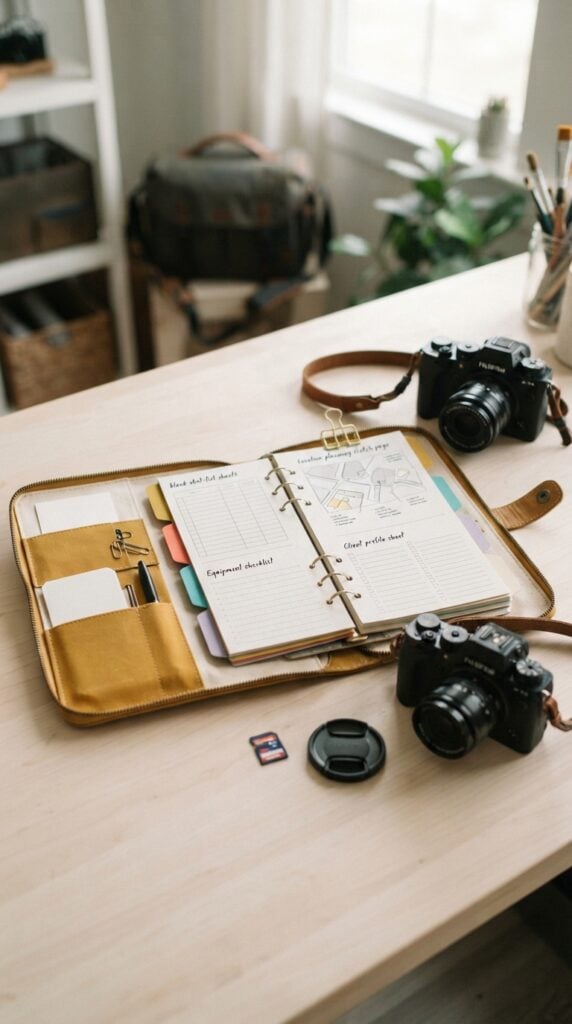
Photographers may handle several bookings in a week, with each session requiring different arrangements.
A family portrait session, wedding shoot and product photography assignment will not have identical preparation requirements. Keeping the details together helps reduce confusion when moving between clients.
Create photography planning folders with separate sections for client contact details, shot lists, location information, equipment checklists and scheduling notes.
For example, a wedding photographer could use a folio with pages for the ceremony timeline, family group photographs and important venue details.
A product photographer might prefer sections for product specifications, background choices and image requirements.
Use your Cricut to personalise the cover, cut dividers and create labelled pockets for printed documents. Make sure the folder accommodates the paper sizes and number of pages the photographer is likely to carry.
This is a useful product opportunity for freelance photographers, photography studios and people managing several client assignments.
You can offer different layouts according to photography specialisation instead of selling a folder that does not address any particular workflow.
28. Event Vendor Setup Kits
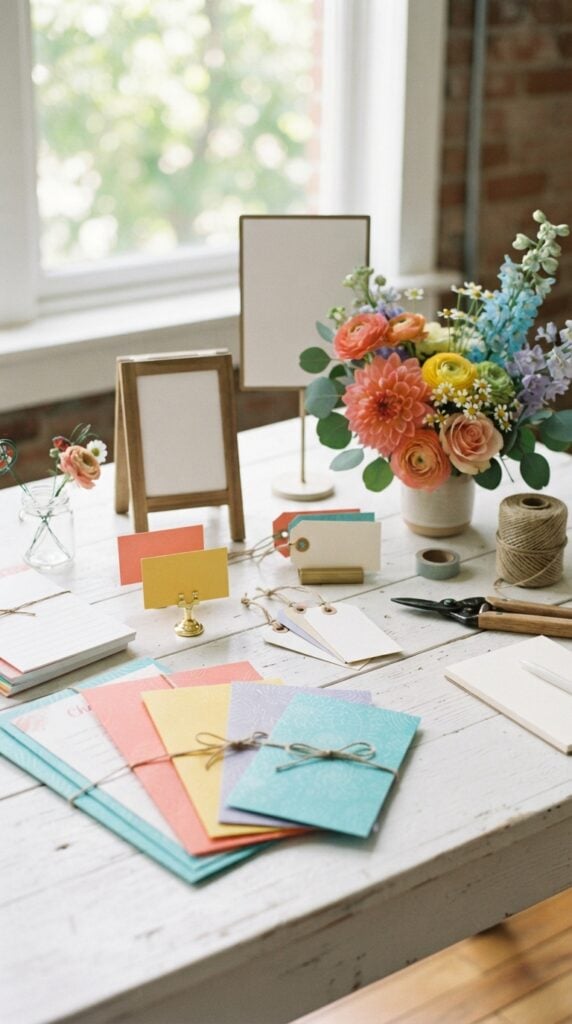
Preparing for an event often involves more than transporting products and equipment.
Vendors also need to manage table arrangements, display materials, price information and the small items required to complete their setup. Missing one important component can delay the preparation process.
Create profession-specific setup kits rather than putting unrelated stationery and accessories into one package. For example, a florist’s kit could include cut price-card holders, bouquet care instruction cards and order identification tags.
A wedding photographer’s version might contain equipment identification labels, printed setup checklists and small signs for displaying package information.
Your Cricut can produce the customised paper components, labels and display accessories.
Design each kit around the actual requirements of its intended buyer, and state which items are included rather than suggesting that the kit contains every tool needed to run an event business.
These products can be offered to independent florists, event decorators, wedding vendors and mobile service providers.
Personalised business details and the option to purchase replacement printed components can make the kits more useful over time.
Affordable cups, favour bags and decorations can be personalised for celebrations. See 20 Easy Cricut Projects for Birthdays and Parties for more ideas.
29. Custom Trade Show Demonstration Kits
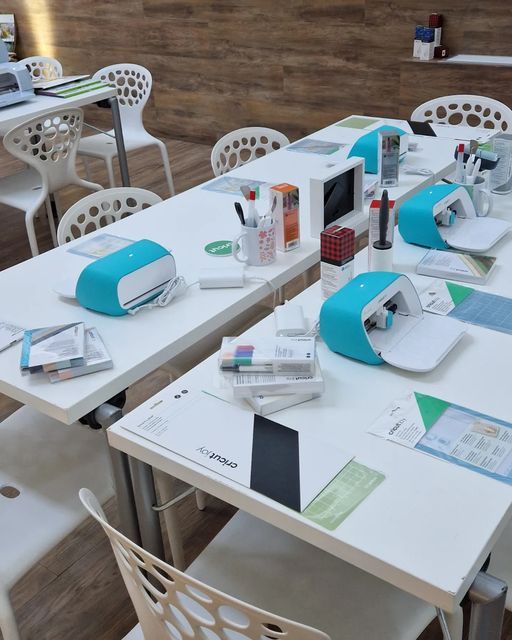
Businesses attending trade shows and exhibitions need to explain their products to visitors, sometimes within a limited display space.
When a product has several variations or features, presenting everything in loose packaging can make demonstrations difficult to follow.
Create compact demonstration kits with designated spaces for product samples, information cards and individual demonstration components.
For example, a small skincare brand could use a presentation kit with separate positions for sample containers, ingredient information and product-use instructions. A stationery manufacturer could have a version that displays different paper finishes and sizes.
Use your Cricut to cut fitted paperboard dividers, labelled inserts and branded presentation panels.
The dimensions should be based on the actual samples and the outer carrying case. For heavier products, use a structurally suitable insert rather than assuming ordinary cardstock will provide sufficient support.
Sell these to small manufacturers, product representatives and independent businesses that regularly exhibit at trade events.
The strongest selling point is an organised demonstration layout designed around the products being presented.
30. Layered Anatomy Learning Models
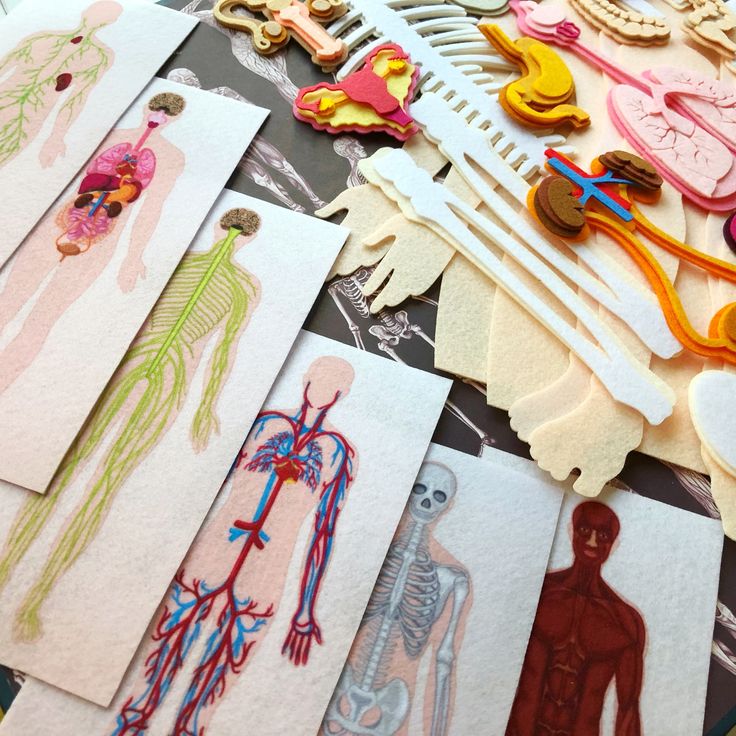
Learning the arrangement of body structures can be challenging when students only encounter them in flat textbook illustrations.
Layered learning models provide a way to examine selected structures separately and understand how they relate to one another.
Use your Cricut to cut individual layers for simplified educational models. For example, you could create a cross-section of the human heart with separate layers representing the chambers, major blood vessels and valves.
Each piece can have a corresponding label, allowing learners to identify the structures and assemble the model in the correct order.
Accuracy is essential when developing anatomy products. Use reliable educational or scientific references, check the placement and names of the structures, and have the content reviewed by someone with appropriate subject knowledge.
The finished model should be presented as a simplified teaching aid, not a substitute for detailed anatomical instruction or a medical reference.
These Cricut projects to make and sell online could appeal to science tutors, homeschooling families and educational resource sellers. Include the intended age or learning level, assembly instructions and a labelled reference sheet.
Leftover vinyl and cardstock can customise small Dollar Store items. 23 Cricut Projects You Can Make with Scrap Materials shares more ways to use offcuts.
31. Musical Notation Learning Boards
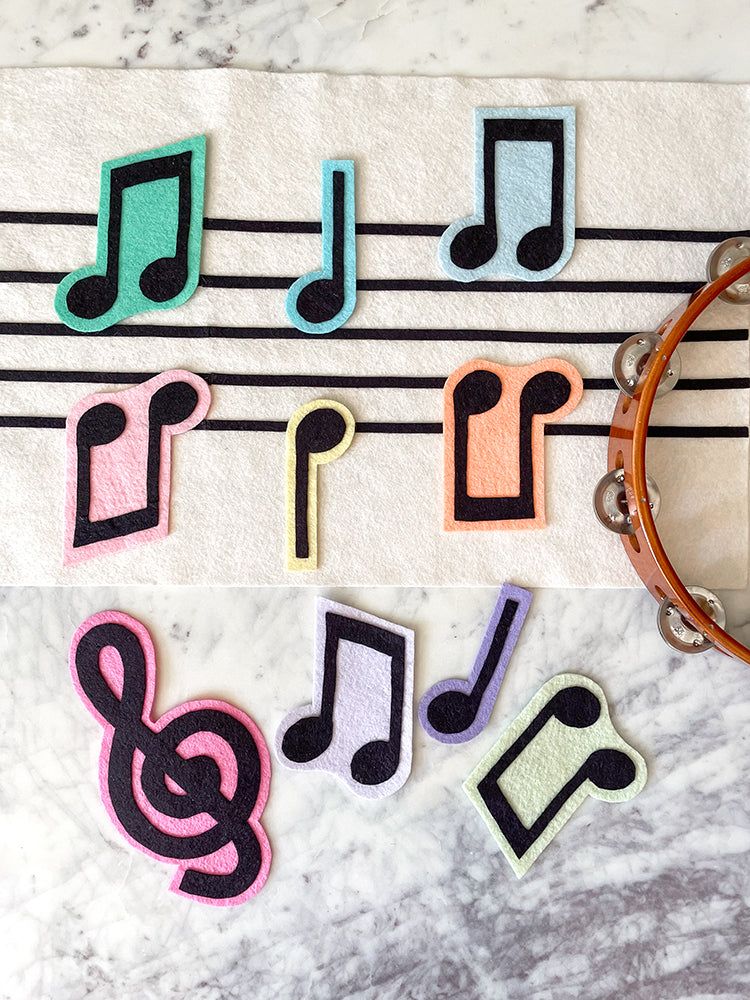
Beginner music students need to understand how notes are positioned on the musical staff and how their positions relate to pitch.
A reusable learning board can help students practise recognising and placing notes instead of simply memorising their appearance on a printed page.
Create a music board featuring a five-line staff with movable note pieces. You could include separate sets for treble clef and bass clef exercises, allowing learners to practise identifying note positions.
Additional pieces can represent rests and other basic musical symbols, with exercises that ask students to arrange the correct notes.
Your Cricut can cut the board, note shapes, clef symbols and labelled instruction cards from suitable materials.
Make the movable pieces large enough to handle easily and design the board so that notes can be repositioned without damaging the surface.
Offer separate versions for different learning stages, and include a simple answer guide for tutors and parents. Music teachers, beginner piano instructors and educational activity providers are potential customers.
32. Language Learning Word-Building Sets
Language learners often need repeated practice with spelling, word formation and sentence construction.
Physical word-building materials allow students to rearrange letters and experiment with different combinations rather than relying entirely on written exercises.
Create reusable sets with clearly differentiated letters, word components and punctuation marks.
For example, an English-language learning set could contain vowels, consonants and common letter combinations such as sh, ch and th. A more advanced version could include word cards and movable components for building simple sentences.
Use your Cricut to cut the letters and cards from suitable cardstock or durable sheet materials.
Organise the pieces into labelled sections so learners can find what they need without mixing different activities. Include instructions and exercises that explain the learning objective of each set.
When developing products for other languages, account for their actual writing systems, including accented characters, additional letters, character combinations and script direction where applicable.
Do not simply adapt an English alphabet set and describe it as suitable for every language.
These products can serve language tutors, homeschooling families, literacy teachers and educational resource shops. Offer sets designed for specific languages and learning levels.
Plain jars and containers can become labelled pantry organisers. Find more kitchen projects in 25 Easy Cricut Projects for Your Kitchen.
33. Sports Coaching Strategy Boards
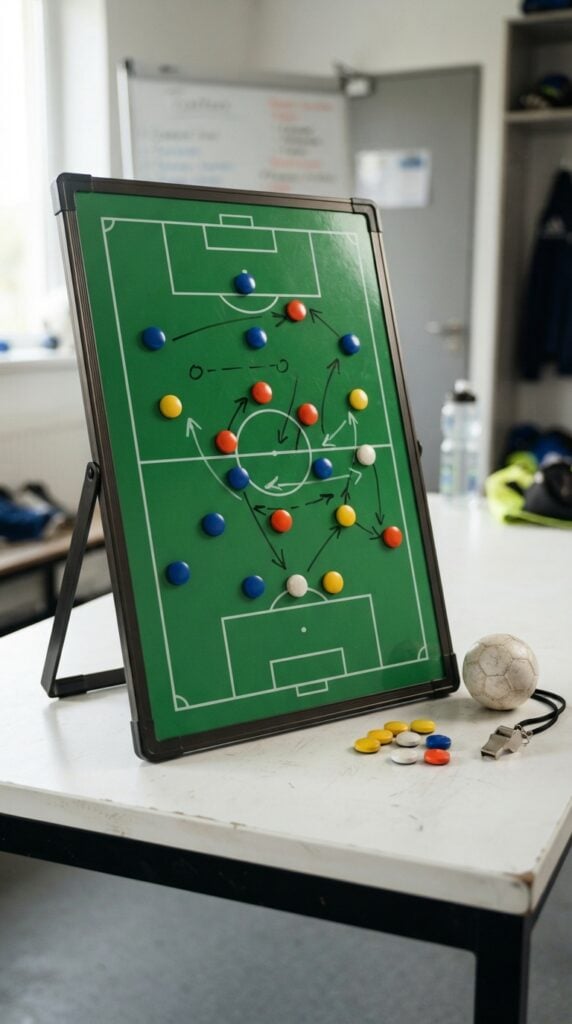
Coaches frequently need to explain player positioning, movement and tactical arrangements during training sessions.
Verbal instructions alone may not be enough when several players need to understand how a formation or planned movement should work.
Create reusable coaching boards with a correctly marked playing surface, movable player markers and space for drawing or recording tactical instructions.
For example, a football coaching board could feature a pitch layout with separate markers for players, while a basketball version would need a court layout that reflects the relevant playing areas.
Your Cricut can cut the board sections, player markers, team identifiers and labelled components.
Use a surface that accepts the intended erasable marker if you want the board to be reusable, and test that the markings can be removed without damaging the finish.
The dimensions and markings must correspond to the sport represented. A football pitch layout should not be presented as a universal sports board, and different sports have different court or field requirements.
You can offer sport-specific versions to school coaches, youth sports programmes, amateur teams and independent coaching organisations.
Include the board dimensions, marker quantity and instructions for cleaning and reuse so buyers understand exactly what the product provides.
Baskets and storage bins can be personalised to organise everyday belongings. Browse 27 Easy Cricut Projects for Organizing Your Home for more ideas.
How to Choose the Right Cricut Machine for Products You Want to Sell
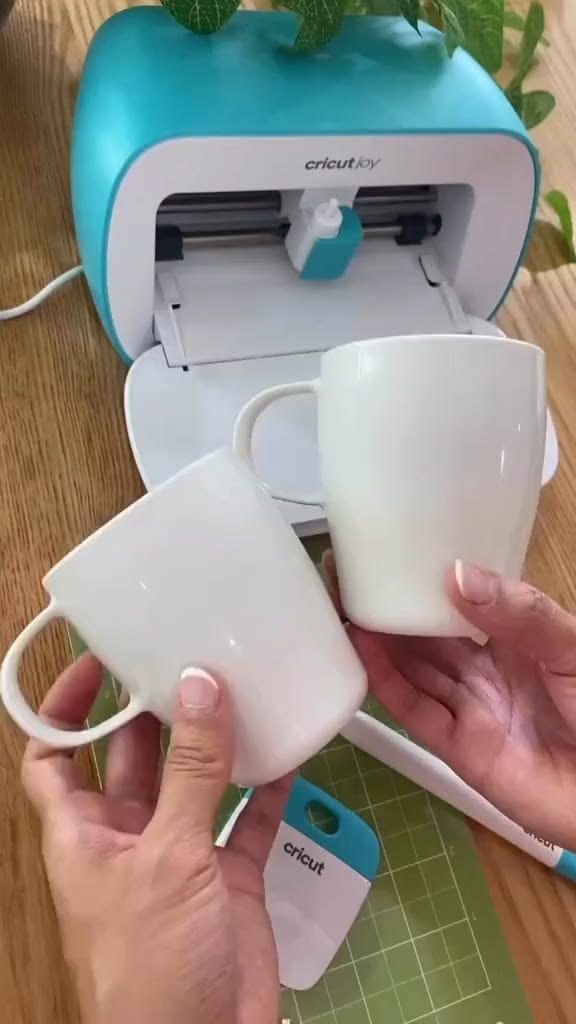
The right Cricut machine depends on the materials and products you plan to make.
Paper packaging, product labels, display cards and instruction folders can be produced with a suitable Cricut Explore model. These machines handle common materials such as cardstock, adhesive vinyl and iron-on vinyl.
However, some products in this list require more specialised tools.
Cricut Maker machines offer additional capabilities, including cutting certain thicker materials with the Knife Blade, cutting fabric with the Rotary Blade and engraving compatible surfaces with the Engraving Tip.
These tools are not available for every Cricut model, so check machine compatibility before buying.
Before investing, consider the following:
- List the products you intend to make: Identify the materials and cutting requirements for each one.
- Check machine compatibility: Use Cricut’s official machine comparison chart and material compatibility guide to confirm what each model supports.
- Consider production size: Check the machine’s cutting width and length, especially for larger templates and display products.
- Include tool costs: Specialised blades, mats and other accessories can increase your startup expenses.
You don’t necessarily need the most expensive machine to start selling.
Choose one that can produce your intended products reliably, then consider upgrading when your product range requires additional capabilities.
Handmade products can also become a source of extra income. 31 Easy Cricut Projects to Make and Sell for Extra Money offers more business inspiration.
How to Price Cricut Products Without Undervaluing Your Work
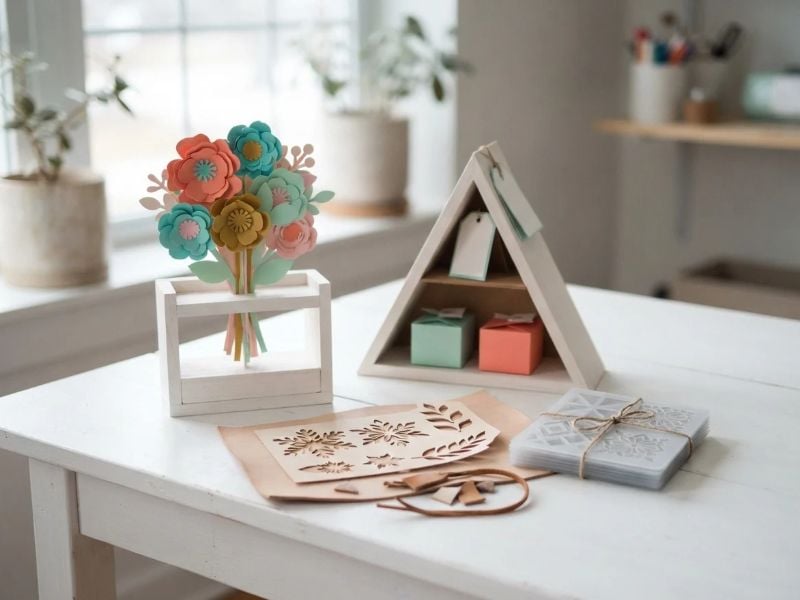
One common pricing mistake in a Cricut business is charging only for the materials used to make a product. Cardstock, vinyl, blanks and other supplies are easy to count, but they are only part of the production cost.
The time spent preparing a design, cutting, assembling, checking and packaging an order also has value.
A useful starting point is:
Sellingprice=Materials+Labour+Overheads+Fees+Profit
Each part deserves attention:
- Materials: Include the full cost of the materials used, not just the portion that ends up in the finished product. Allow for offcuts, test cuts, mistakes and damaged materials.
- Labour: Account for the time spent designing, preparing files, cutting, weeding, assembling and checking each order. Custom designs may take considerably longer than repeat products.
- Overheads: Include business expenses such as electricity, software subscriptions, equipment maintenance and a reasonable share of workspace costs.
- Fees: Factor in marketplace commissions, payment processing charges and any other transaction-related costs. These vary by selling platform and location.
- Profit: Add an amount that allows the business to earn beyond simply recovering its expenses. Keep this separate from wages for the time spent making the product.
Packaging and shipping also need to be considered. Decide whether delivery will be charged separately or included in the product price, and make sure the total covers the actual cost.
For personalised orders, you may also charge a design fee when creating a new layout, preparing a customer-specific file or making several revisions.
Before settling on a price, compare similar products to understand what buyers are being offered. This is not a reason to copy the cheapest listing.
A product with better construction, clear customisation options or more complete packaging may justify a different price. The important thing is to know your costs and avoid accepting orders that leave you working at a loss.
Need fresh inspiration for your next crafting session? Browse 30 Cricut Projects to Make When You Don’t Know What to Make.
Where to Sell Cricut Projects Online
Choosing where to sell is just as important as deciding what to make. Some platforms give you access to shoppers already searching for handmade products, while others provide the tools to build your own store and customer base.
Etsy is worth considering for personalised items, handmade products and specialised craft supplies. Buyers can search for products within the marketplace, so your listings have an opportunity to reach people who are already shopping.
However, Etsy charges listing, transaction and payment processing fees, which should be
Amazon Handmade provides a marketplace specifically for approved artisans selling handcrafted products. It has an application and approval process, and sellers pay referral fees on sales. Check the programme’s eligibility requirements and country availability before making it your main sales channel.
Shopify allows you to create an independent online store where you control the product pages, branding and customer experience.
Unlike Etsy and Amazon, it does not provide the same built-in marketplace audience, so you will need to attract visitors through search engines, social media, email marketing or other promotional channels. Budget for the subscription and applicable payment processing fees.
Social media platforms such as Instagram, Facebook and Pinterest can help customers discover your products. Use them to share product demonstrations, show different customisation options and direct interested buyers to your Etsy listing, Shopify store or another checkout page.
Social media can support your sales strategy, but it is important to have a reliable way to receive payments, manage orders and communicate delivery details.
You do not need to open shops on every platform at once. Start with a sales channel that suits your products, budget and ability to fulfil orders. Check its fees, payment options and seller requirements before committing.
Conclusion
Starting a Cricut business is not simply about making attractive products; it is about creating items that serve a clear purpose and finding people who are willing to pay for them.
The 33 Cricut projects to make and sell online in this guide offer different opportunities, from specialised business tools to hobby accessories and educational products.
You don’t have to make all 33 products or invest in every material at once. Choose an idea that matches your machine, skills and budget.
Make a sample, calculate the full production cost and find out whether there is genuine interest before producing more.
With thoughtful product selection, careful pricing and clear product listings, you can build a Cricut shop around items that offer real value to buyers.
Start with one well-developed product, learn from customer feedback and improve your range as your business grows.