Want to try your first Cricut project? Explore easy Cricut projects for beginners and learn how to cut, personalise, and create without wasting materials.
Buying a Cricut machine is one thing; knowing what to make with it first can be another challenge. With so many materials, tools, and design options available, beginners can easily waste vinyl or cardstock on a project that turns out more complicated than expected.
The best easy Cricut projects for beginners are not just attractive; they help you learn a useful skill while making something you can use, give as a gift, or keep at home.
Starting with simple labels, paper crafts, or a personalised notebook can help you understand how cutting, weeding, and transferring designs work before moving on to more demanding projects.
These 22 easy Cricut projects for beginners you can make at home cover different materials and skill levels, with practical details to help you choose a suitable first project without buying supplies you may not need.
Beginners who want to try making things with a cutting machine can start with these 19 Easy Cricut Projects for Beginners, with project ideas to help build their crafting skills.
What Makes a Cricut Project Beginner-Friendly?
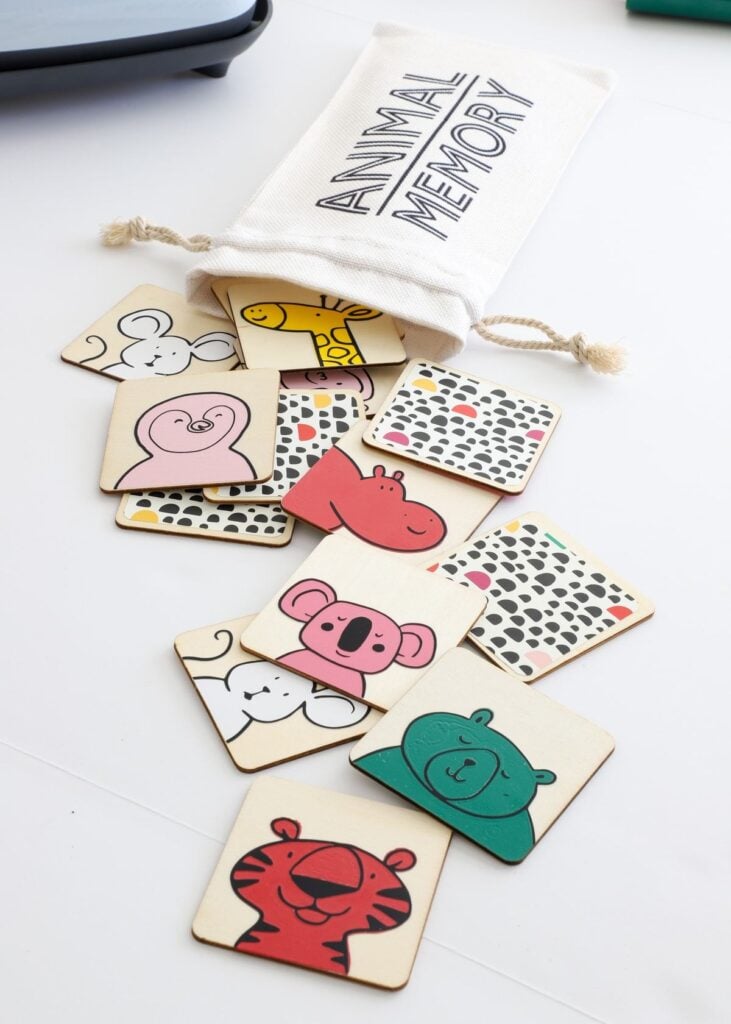
A good first Cricut project should be easy to cut, assemble or apply without requiring lots of extra supplies. Keep these four things in mind:
- Few materials: Start with cardstock for paper crafts or adhesive vinyl for labels. You can learn the basics without buying several types of supplies.
- Simple cuts: Choose large lettering and basic shapes. Tiny letters and intricate designs can be harder to weed, especially when you are new to vinyl.
- An easy-to-work-with surface: Flat, smooth surfaces are generally easier for applying vinyl than curved or textured ones, which can make positioning more difficult.
- A small first attempt: Make one sample before cutting a whole batch or decorating an expensive item.
One important step: Always test-cut a small piece of your material before starting the full design. Cricut recommends this because the selected setting may need adjusting to cut cleanly without cutting too deeply into the mat.
Easy Cricut Projects for Beginners To Can Make at Home
1. Personalised Drawer Labels for a More Organised Home
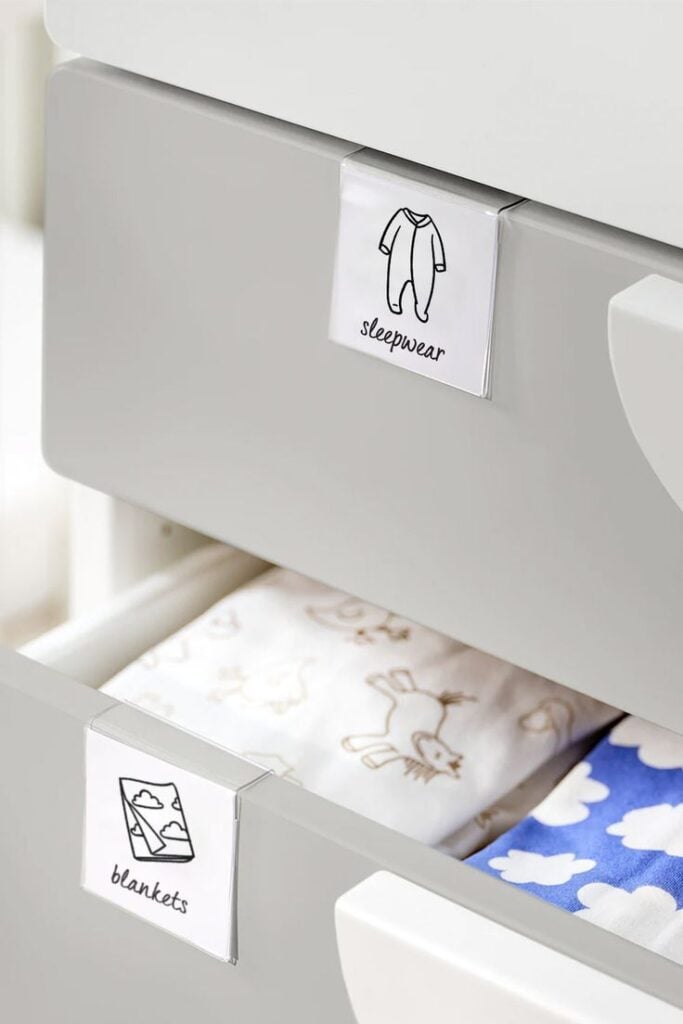
Personalised drawer labels are small vinyl words attached to drawer fronts to identify what belongs inside. You could label a sewing drawer Thread and Needles, a desk drawer Stationery, or a storage drawer Craft Supplies.
The purpose is to make items easier to find and return to the right place, especially when several drawers look alike.
To make them, cut the words from adhesive vinyl using your Cricut, remove the excess vinyl, and use transfer tape to position the lettering on the drawer.
Choose removable vinyl if you may want to change the labels later, and make sure the surface is clean, dry and suitable for the vinyl. A simple font with clear lettering will be easier to weed and read.
2. Pantry Labels for Matching Storage Containers
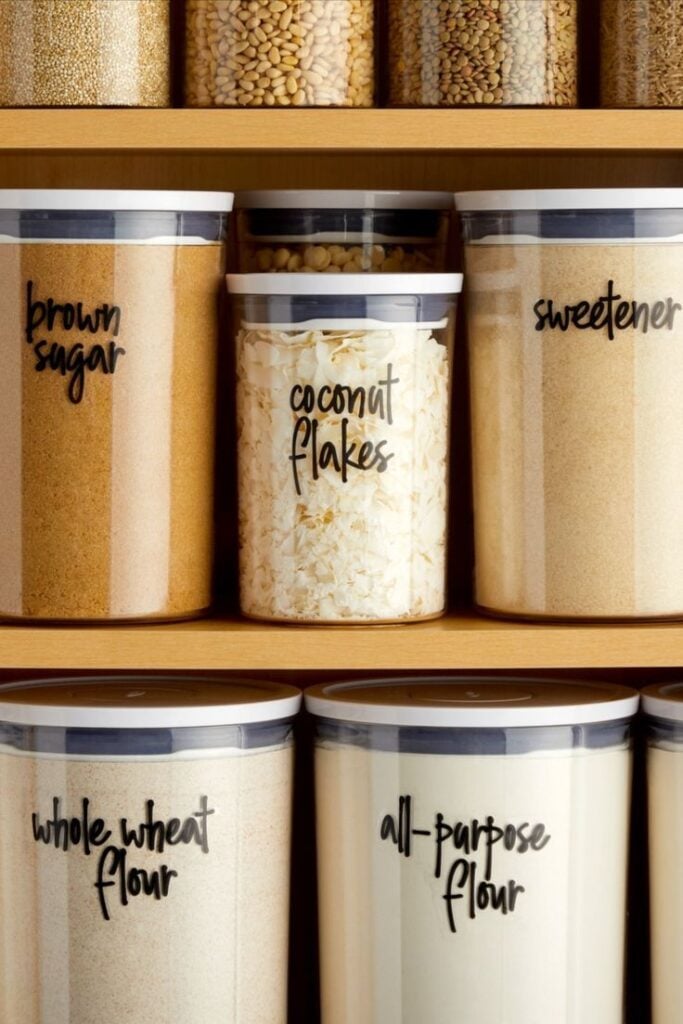
Ever reached for what you thought was a container of flour, only to find rice or another ingredient inside? Turn plain storage containers into an organised pantry set with custom Cricut labels for flour, rice, pasta, oats and other dry goods.
These easy Cricut projects for beginners help you identify ingredients at a glance while giving your shelves a coordinated look.
Cut the ingredient names from adhesive vinyl and apply them to the outside of clean, dry containers. Smooth glass or plastic is generally easier to label than a textured surface.
Choose vinyl suited to the container and follow its care instructions, particularly if the containers need frequent washing.
3. Personalised Gift Tags That Look Coordinated
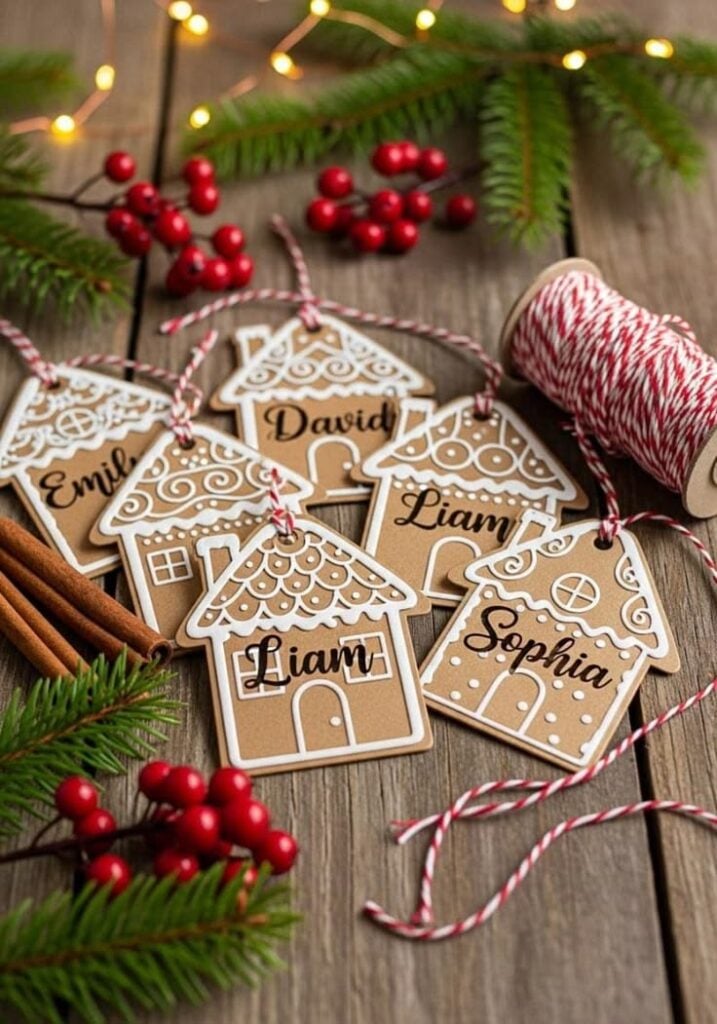
Plain wrapping paper can look much more thoughtful when the gift tag carries the recipient’s name. Use your Cricut to make matching tags for birthday presents, wedding gifts or Christmas packages, with each tag personalised for the person receiving it.
Cut the tag shapes from cardstock and add names or short messages using a compatible Cricut pen.
Keep the design simple enough to leave room for readable writing, and test the pen and cut settings on a scrap of cardstock before making a whole batch.
4. Handmade Card With a Cut-Out Message
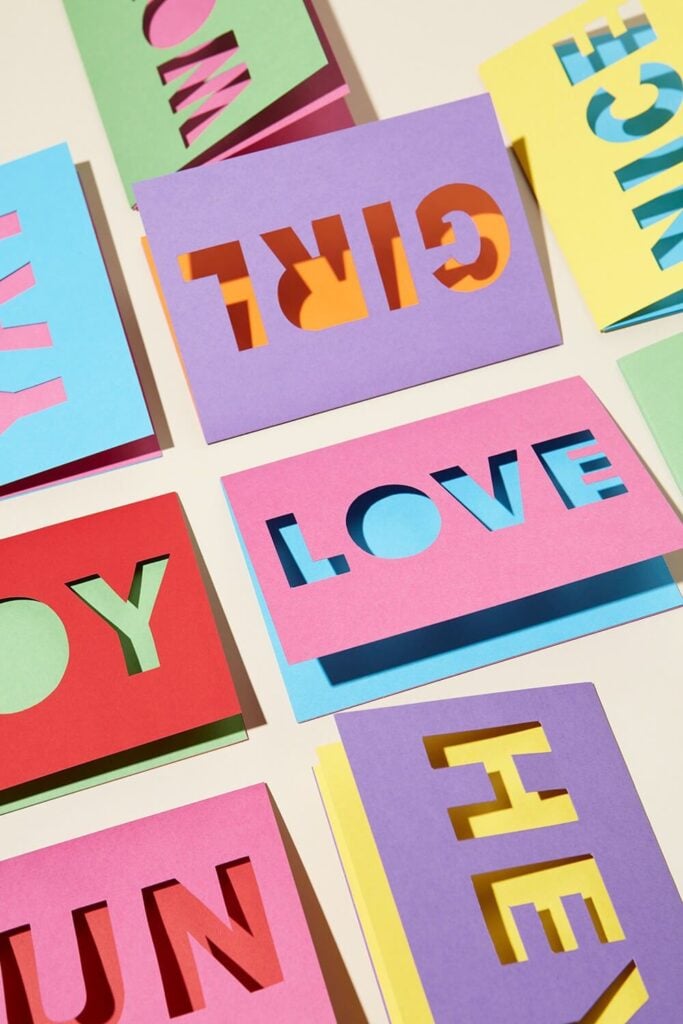
A birthday or thank-you card becomes more personal when its design is made specifically for the recipient.
With your Cricut, you can cut a heart, star or short word into the front of a folded card, creating a detail that is difficult to achieve neatly by hand.
Use cardstock suited to your machine and distinguish the card’s outer cut from its fold or score line in Design Space. A compatible scoring tool can help create a cleaner fold, but check your machine’s tool requirements before buying one.
5. Personalised Bookmarks for Readers and Students
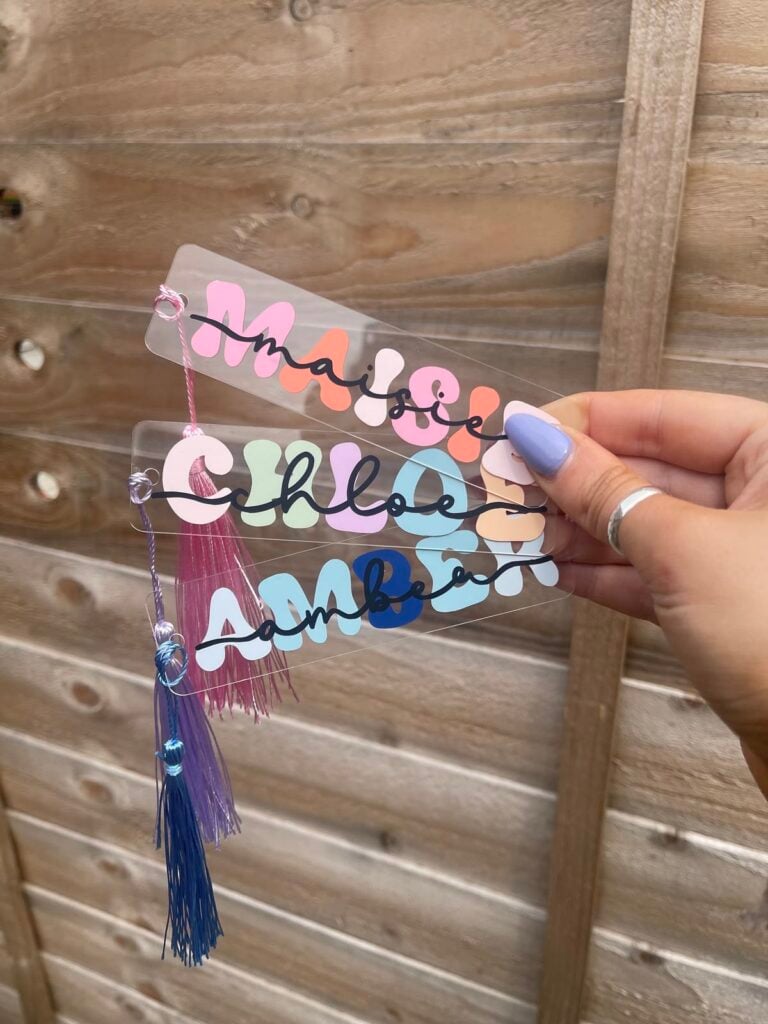
For someone who reads regularly, a personalised bookmark is a small gift they can use repeatedly. Add a name, a favourite short phrase or a simple book-themed design to make one for a student, teacher, friend or family member.
Cut the bookmark from sturdy cardstock and keep decorative cuts away from the edges to reduce tearing. This is a useful first paper project because you can practise arranging text and shapes without having to assemble several complicated layers.
6. Custom Notebook Cover With Adhesive Vinyl
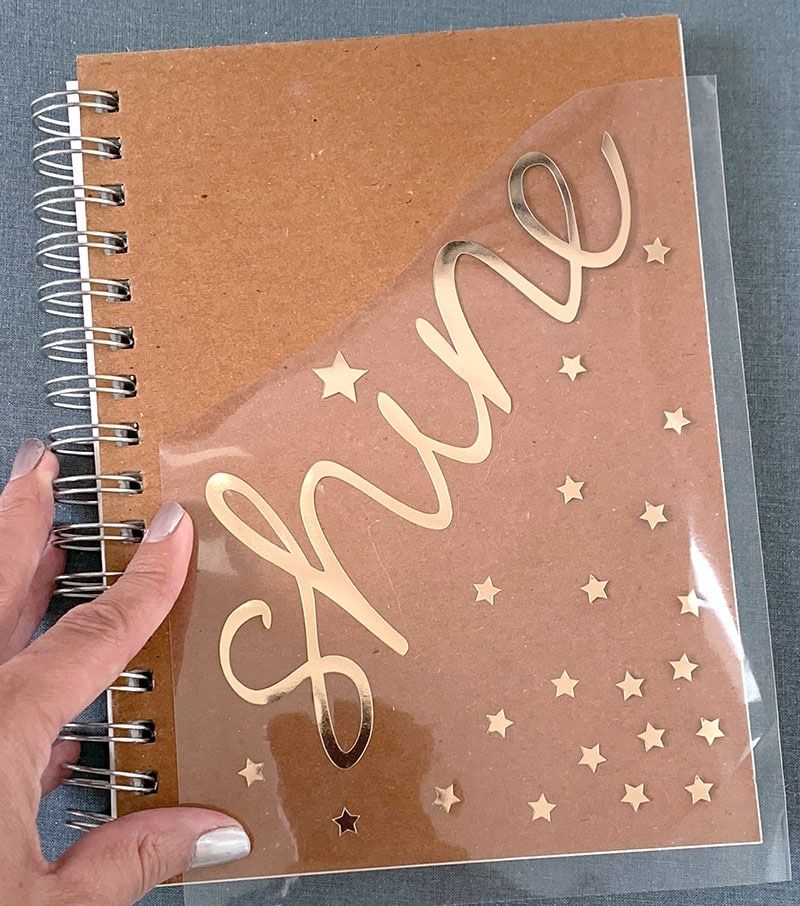
A plain notebook can be difficult to distinguish from others on a shared desk or in a school bag. Adding a name, initials or a short phrase with your Cricut gives it a personal touch and makes it easier to identify.
Cut the design from adhesive vinyl and transfer it onto a clean, dry cover. Smooth, firm covers are usually easier to work with than heavily textured or flexible ones.
Start with a single-colour design so you can practise positioning the lettering before attempting layered graphics.
7. Cable Labels for Chargers and Household Electronics
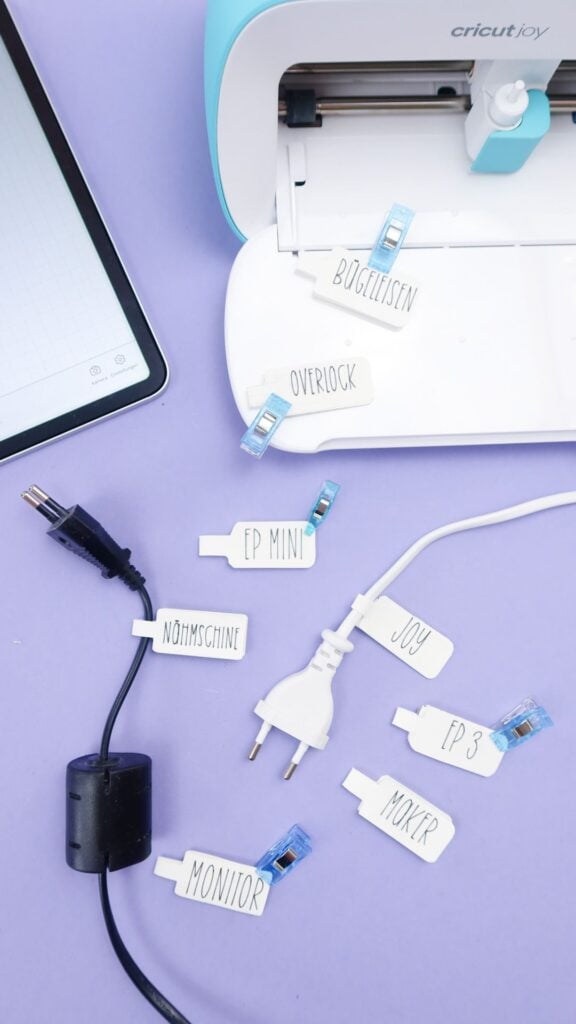
When several chargers are kept together, it is easy to mix them up. Small labels marked Phone, Tablet or Camera can help you identify which cable or charger belongs to each device.
Cut short words from adhesive vinyl and apply them to a suitable, smooth part of the cable accessory. Test adhesion first, as flexible cable coverings may not hold vinyl reliably.
Keep labels away from connectors, ventilation openings and areas that become hot during use.
8. Matching Labels for Storage Bins
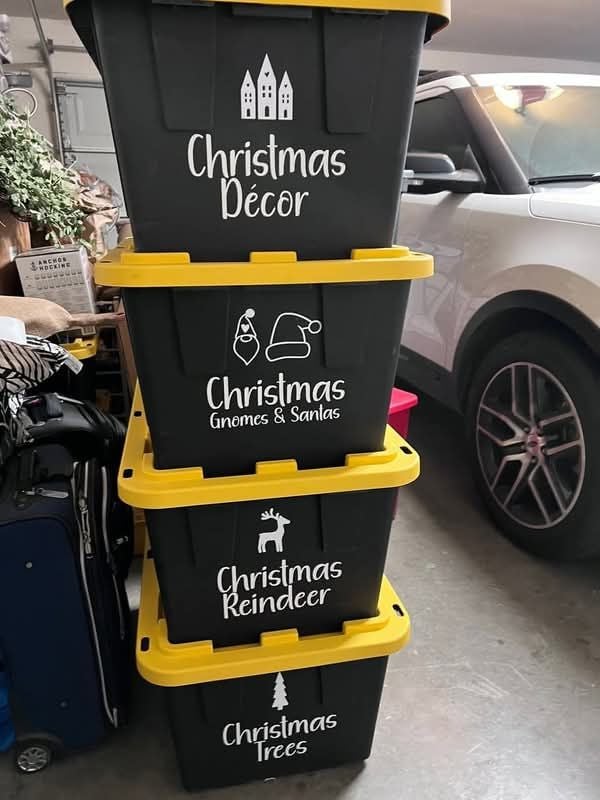
Give baskets and storage bins a consistent look by adding labels for children’s art supplies, sewing materials, cleaning products or seasonal decorations.
Unlike labels for small pantry jars, these can be wider and include more specific descriptions, such as Fabric Scraps or Paint and Brushes, so you can identify the contents without opening every bin.
Cut the words from adhesive vinyl and transfer them onto the bin’s front. Measure each surface first so the labels fit, particularly when working with bins of different sizes. Smooth, firm surfaces are generally easier to label than textured fabric baskets.
9. Personalised Reusable Shopping Tote
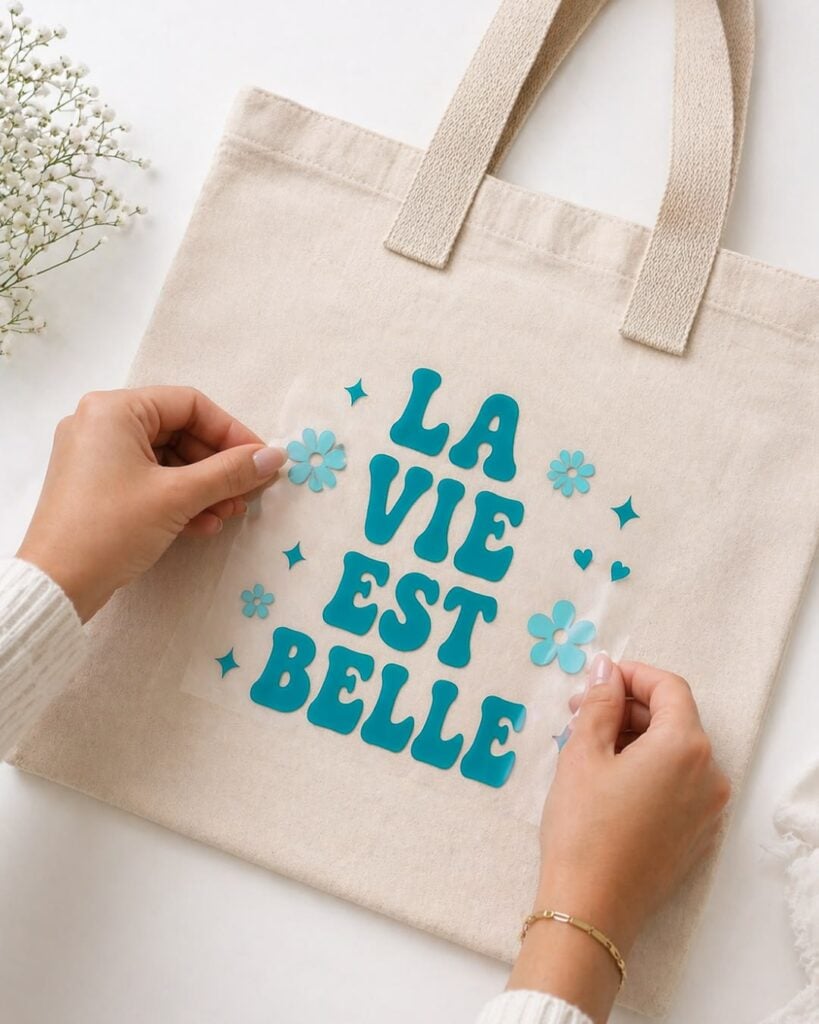
Turn a plain shopping tote into a personalised bag with a name, monogram or bold graphic cut from heat-transfer vinyl. This project gives you a reusable bag that is easy to recognise and can also make a practical personalised gift.
Choose a tote made from fabric compatible with your iron-on material, then mirror the design before cutting.
Follow the heat-transfer manufacturer’s instructions for temperature, pressing time and peeling, as these vary by material and fabric.
10. Personalised Fabric Pouch for Small Essentials
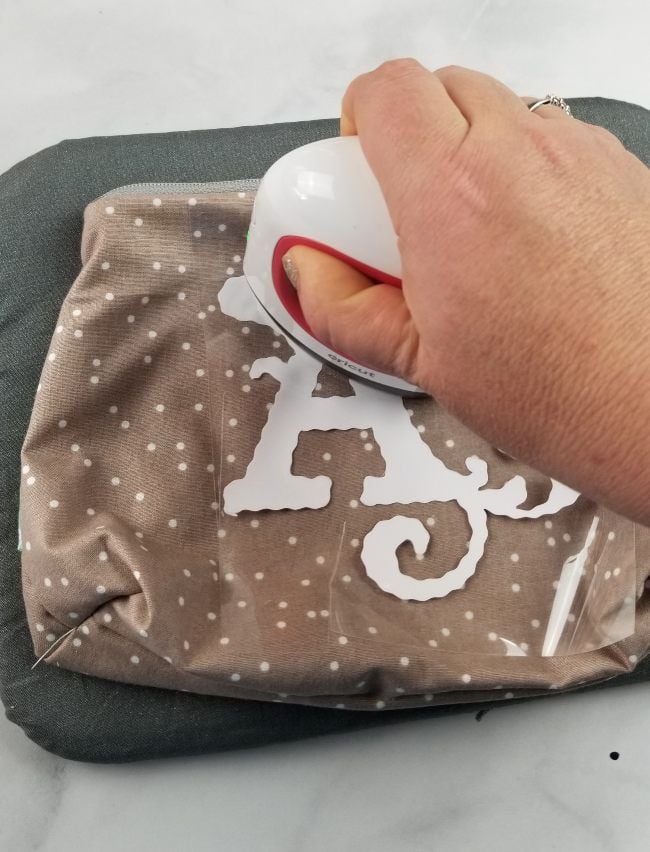
Give a plain fabric pouch a personal touch with initials or a small symbol. It can be used to carry pens, sewing notions, charging accessories or other small items that might otherwise get lost in a larger bag.
Cut the design from heat-transfer vinyl and position it on a flat section of the pouch, away from zippers and seams.
These raised areas can prevent even contact during pressing, so a simple design on a smooth section is easier to apply. Check the fabric and vinyl compatibility before using heat.
11. Simple T-Shirt With a One-Colour Design
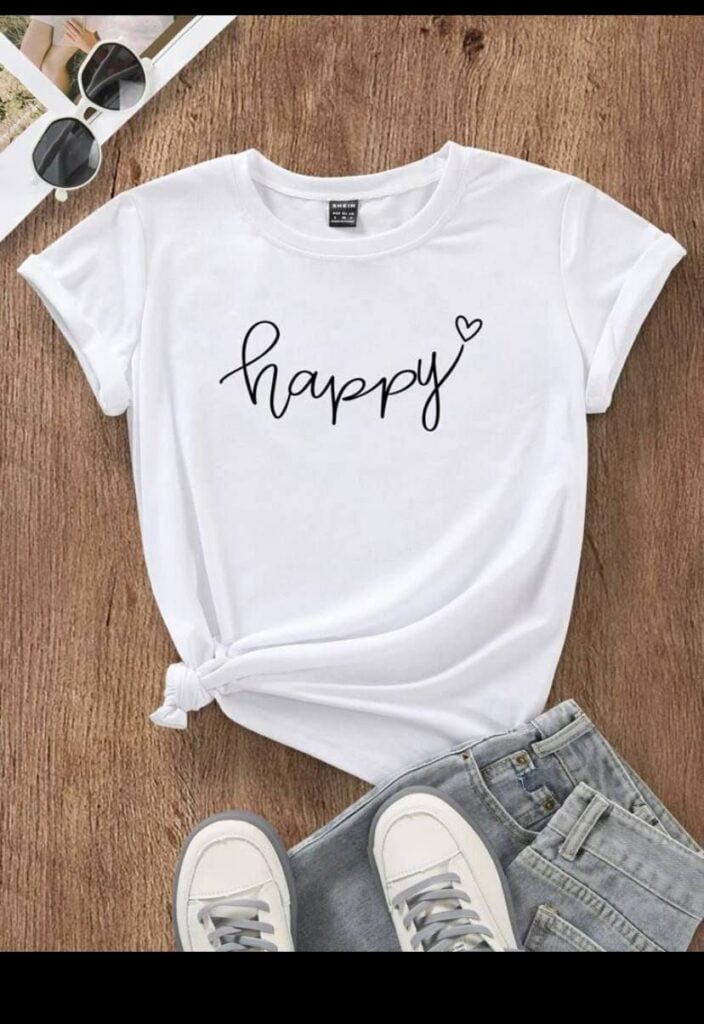
Make a personalised T-shirt with a name, short phrase or bold silhouette using heat-transfer vinyl. A one-colour design is a useful starting point because it avoids the extra work of aligning several layers of vinyl.
Mirror the design before cutting, weed away the excess material, and apply it using the recommended heat settings for the specific vinyl and fabric.
Prewash the shirt as directed by the material manufacturer, and test your method on a similar fabric before decorating a favourite garment.
12. Custom Tea Towel for a Housewarming Gift
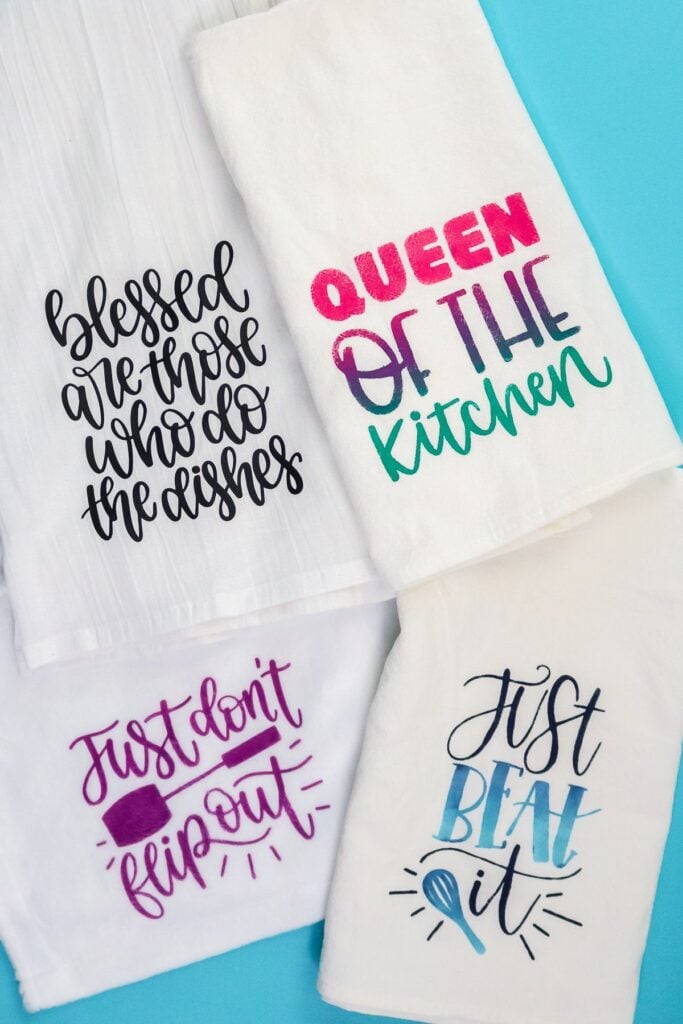
Personalise a plain tea towel with a small monogram, simple botanical outline or short kitchen-themed phrase. I
t makes a useful housewarming gift and lets you practise fabric personalisation on a relatively small design rather than a large garment.
Use heat-transfer vinyl designed for the towel’s fabric, and place the design on a flat area away from thick hems.
Follow the material’s pressing and washing instructions so the decoration has the best chance of staying attached.
Remember that the towel still needs to function as a washable household item, so avoid placing the design where it will interfere with its intended use.
Keep children busy with creative activities they can proudly display or share using these 37 Art Projects for Kids That Are Pinterest-Worthy.
13. Framed Paper Initial for a Bedroom or Desk
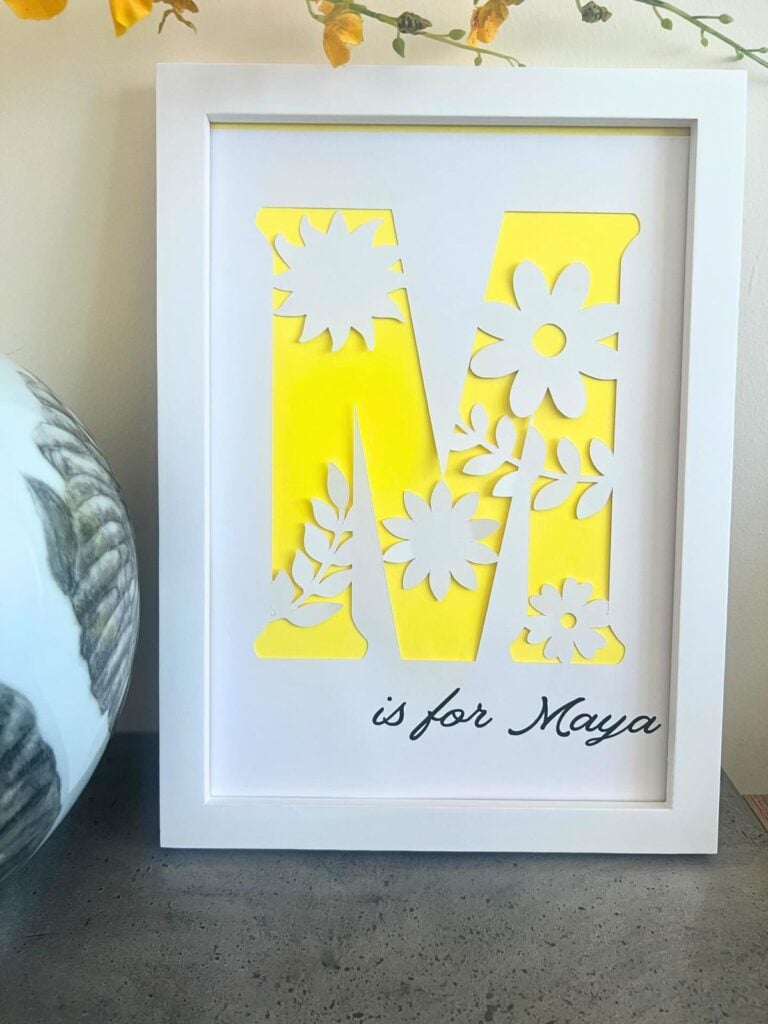
Create a personalised piece of decor by cutting one large initial from coloured cardstock and displaying it inside a picture frame. You can use a family member’s initial, a child’s first letter or your own monogram to decorate a bedroom, home office or craft space.
Choose cardstock in a colour that contrasts with the background, then cut the initial to fit the frame. Leave a small margin around the design so it does not look cramped.
This project is particularly suitable for beginners because it uses paper cutting and simple arrangement rather than adhesive vinyl or heat application.
14. Minimalist Wall Quote for a Smooth Surface
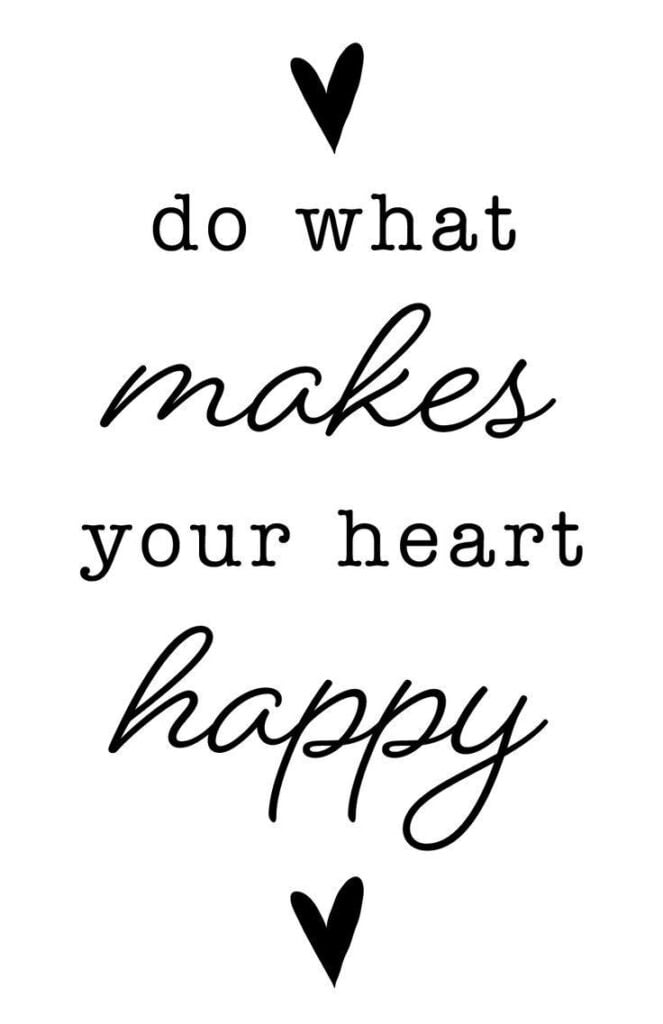
Add a short phrase to a suitable smooth wall or removable display panel to personalise a home office, reading corner or craft room. Choose a few readable words rather than a long quotation, which can be harder to position evenly and may require more material.
Cut the lettering from wall-suitable adhesive vinyl, then use transfer tape to keep the spacing intact when moving it onto the surface.
Check the paint condition and vinyl manufacturer’s guidance before applying it, and test a small, inconspicuous area first. Even removable vinyl can affect some painted finishes, so removal should never be assumed to be damage-free.
15. Personalised Plant Pot With a Simple Name or Word
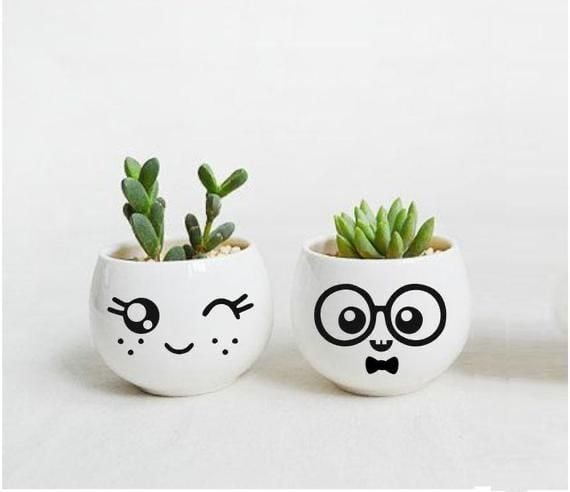
Photo credit: @ Unknown
A plain plant pot can become a more personal addition to a windowsill, balcony or garden shelf with a small vinyl decal. Add the plant’s name, a word such as Grow, or a short label to distinguish herbs growing in similar pots.
For this easy Cricut project for beginners, adhesive vinyl is best suited to a clean, smooth pot surface. Textured terracotta can be more difficult to label because its uneven surface may prevent the vinyl from adhering evenly.
Keep the decal away from areas that stay wet, and remember that ordinary adhesive vinyl may not withstand constant outdoor exposure or frequent watering.
16. Matching Gift Boxes With Paper Decorations
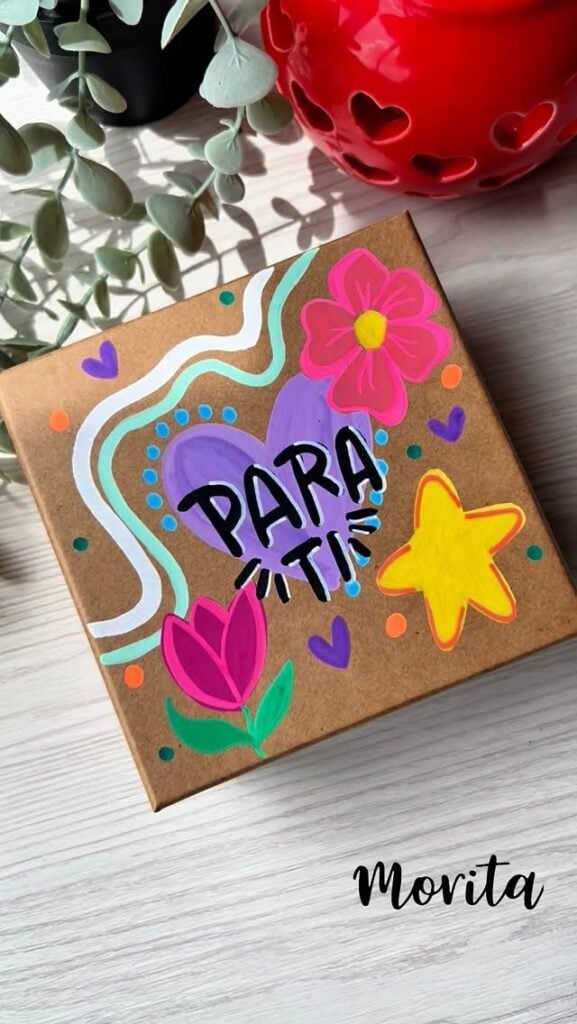
Plain gift boxes can look coordinated without buying expensive printed packaging. Cut matching shapes, initials or decorative bands from cardstock and attach them to boxes for birthdays, weddings or Christmas gifts.
This project is also a practical way to use leftover cardstock from previous Cricut projects. Measure each box before cutting the decorations, especially if the boxes differ in size.
Paper adhesive should be suitable for both the cardstock and the box surface so the decorations stay in place without making the paper buckle.
17. Custom Recipe Dividers for a Home Recipe Binder
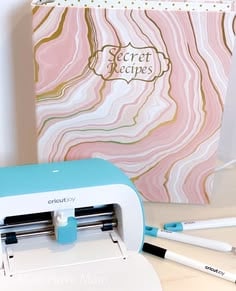
Family recipes can become difficult to find when they are stored together without sections. A set of cardstock dividers labelled Breakfast, Main Meals, Baking and Desserts makes a recipe binder easier to browse and maintain.
These easy Cricut projects for beginners provide practice in creating repeated designs with consistent dimensions. Cut the dividers to fit your binder, leaving room for the holes and tabs.
You can add the headings with a compatible Cricut pen or cut them from vinyl, depending on the finish you prefer.
18. Personalised Party Place Cards
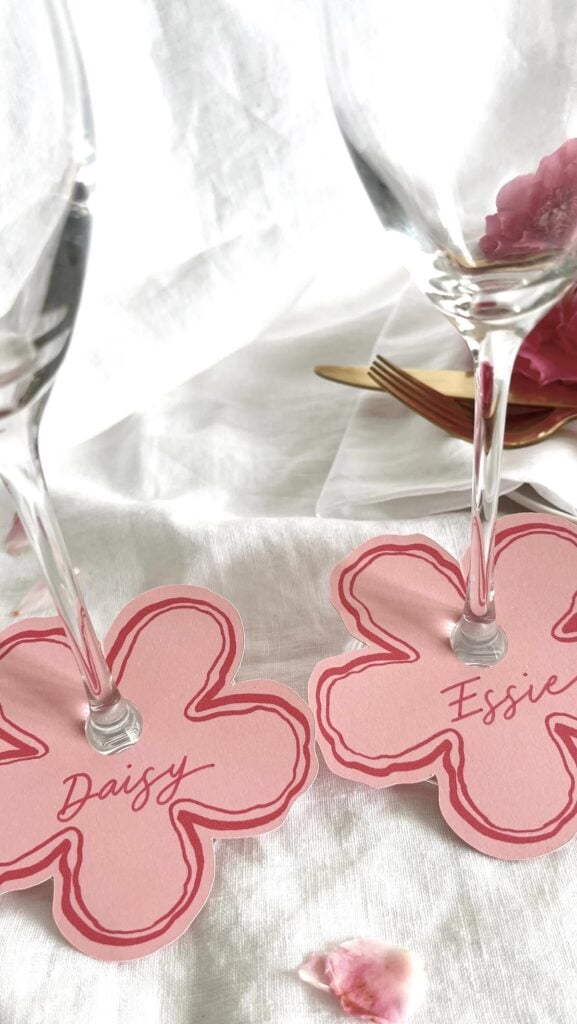
At a dinner party, wedding or family celebration, place cards help guests find their assigned seats without repeatedly asking where to sit. Personalising each card with a guest’s name also makes the table setting feel more considered.
Cut matching card shapes from cardstock and add the names using a compatible Cricut pen. For folded place cards, include a score line if your machine and tools support it.
Test the writing on a scrap first, particularly if you are using textured cardstock, which may affect how neatly the pen writes.
19. Small Paper Cake Topper for a Celebration
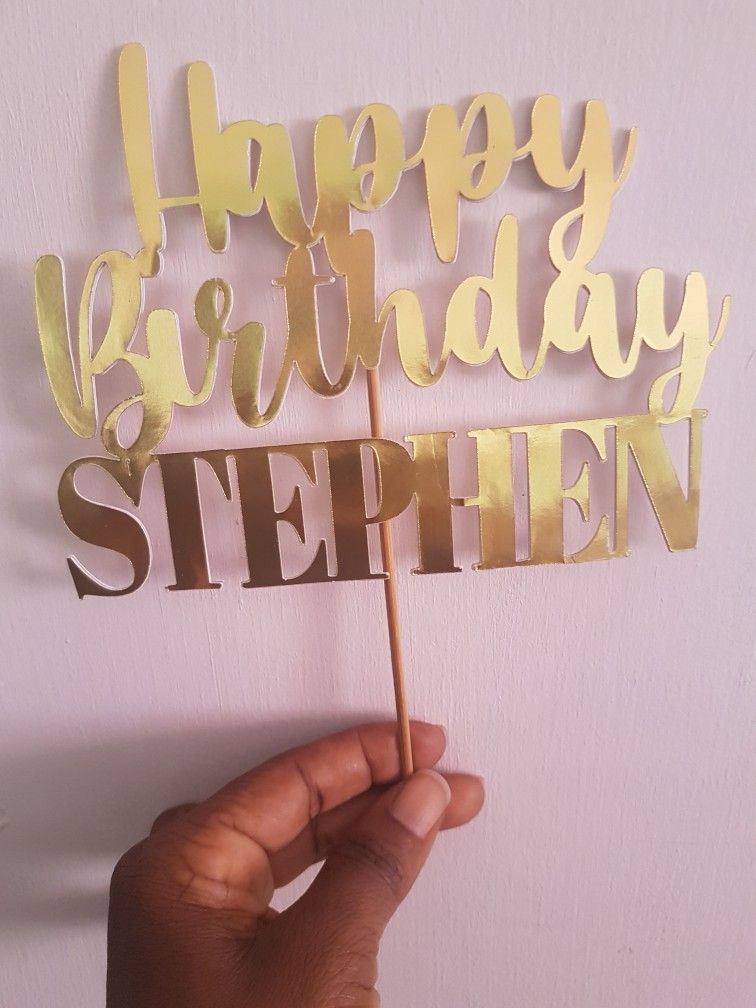
A personalised cake topper adds the celebrant’s name, age or a simple silhouette to a birthday cake display. Cardstock works well for lightweight decorations, and a bold design is generally easier to cut and assemble than one with delicate lettering.
Cut the design from cardstock and attach it to suitable food-safe supports. Keep the cardstock and adhesive above the cake rather than allowing them to touch the food.
Cricut machines are not designed to cut fondant or other food materials, so this project is for making a separate decorative topper, not cutting edible decorations.
20. Two-Layer Paper Shadowbox for Wall Decor
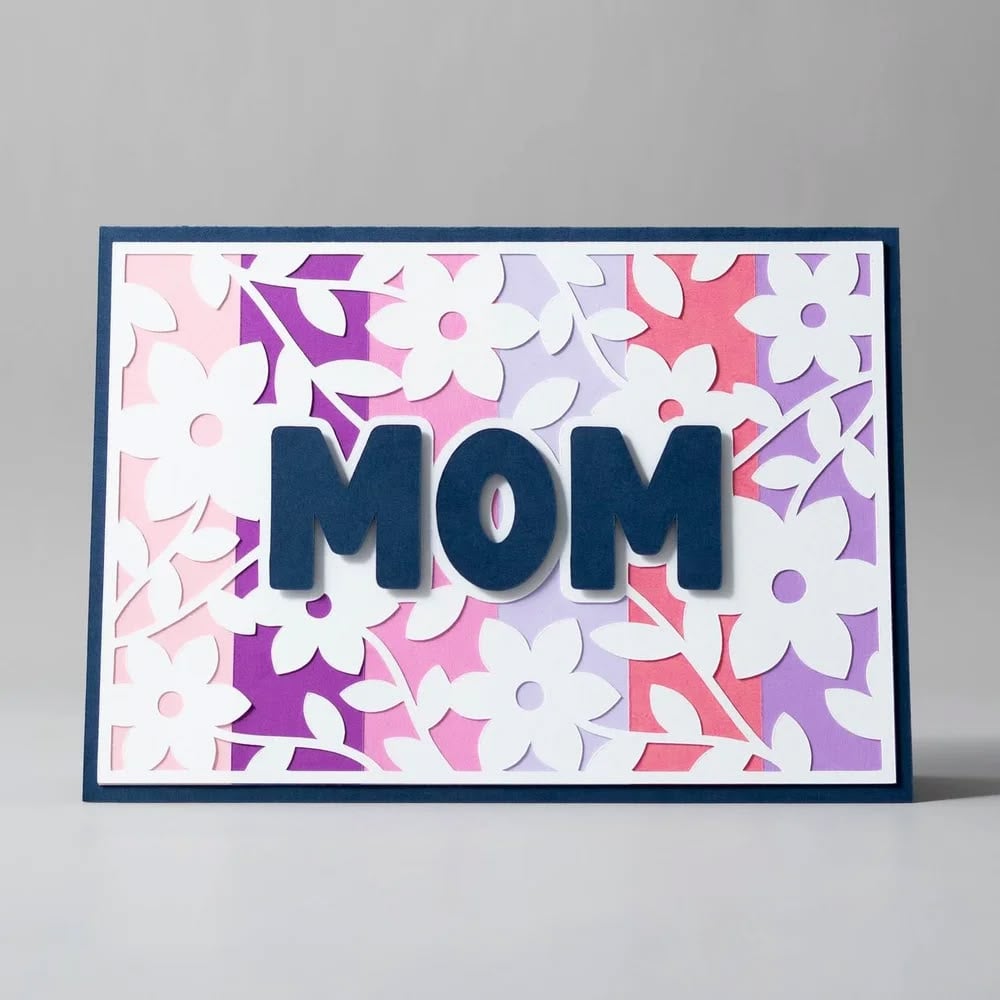
A paper shadowbox uses layers of cut cardstock inside a deep frame to create a sense of depth. For example, two simple silhouettes of mountains, trees or a house can produce a dimensional scene without requiring a complicated design.
This is a useful next step for beginners who have already tried basic paper cutting. Cut the layers to fit the frame, then separate them with foam adhesive dots or suitable spacers.
Leave enough room between the artwork and the glass so the layers do not become compressed.
21. Matching Labels for Craft Storage
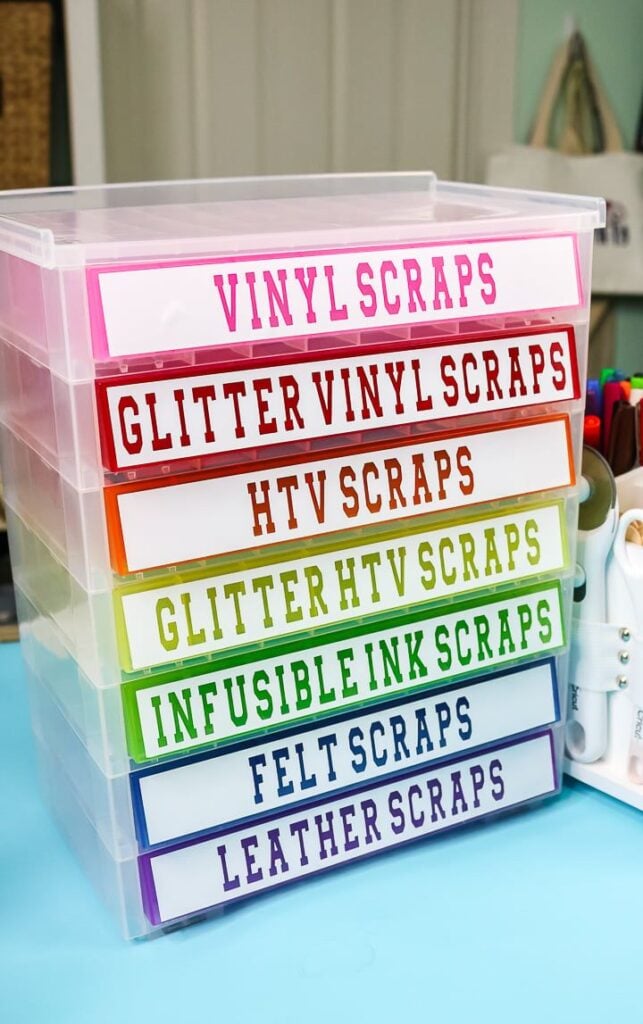
Anyone who keeps fabric scraps, thread, beads or paper in separate boxes can use matching labels to identify the contents quickly.
Unlike decorative labels, these should prioritise readable names and consistent sizing so the storage system remains useful as the collection grows.
Cut the words from adhesive vinyl and use leftover pieces from earlier projects when the available area is large enough for the lettering.
Smooth, clean storage containers generally provide a more reliable surface than fabric baskets. Transfer tape helps keep the letters aligned while you apply each label.
22. Personalised Stickers for Planners and Journals
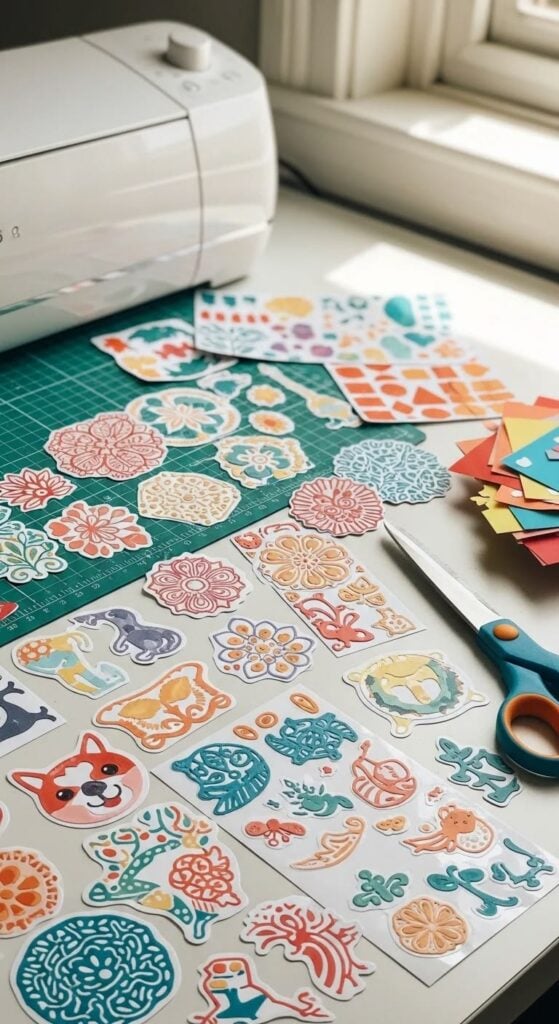
Custom stickers let you create small reminders, decorative icons or labels for a planner, journal or gift packaging.
You could make a set of reading trackers, appointment markers or simple seasonal illustrations instead of relying on generic sticker sheets.
This project introduces Cricut’s Print Then Cut process: print the artwork using a home printer, then let a compatible Cricut machine cut around the printed designs.
You need suitable printable sticker material and a supported machine; ordinary adhesive vinyl is not a substitute for printable sticker paper.
Check your machine’s Print Then Cut compatibility before purchasing supplies, as capabilities vary by model.
How to Choose Your First Cricut Project Without Wasting Materials
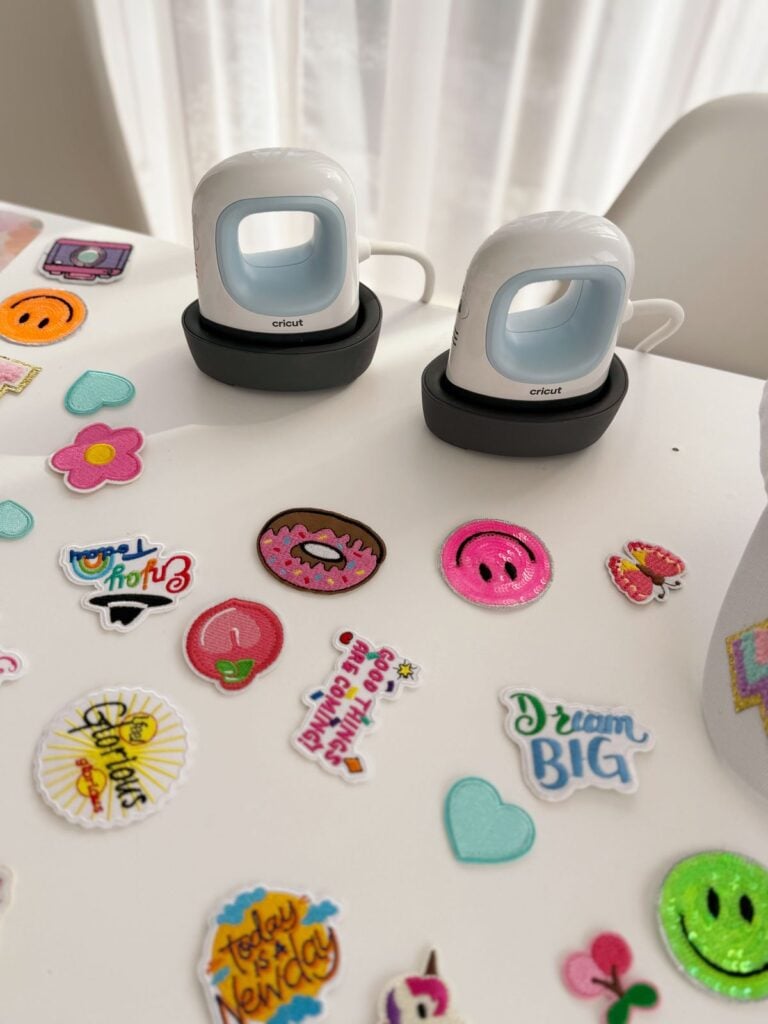
Choosing among easy Cricut projects for beginners can feel exciting until you realise that a wrong setting or an oversized design could waste your vinyl, cardstock, or iron-on material.
The best first project is one you can complete with supplies you already own and a design that does not require too many small details.
- Use materials you already have. Check your craft supplies before buying anything new. Leftover cardstock is useful for paper shapes, gift tags, and simple decorations, while spare adhesive vinyl can work for a small label or name decal.
- Check the design size before cutting. Make sure your design fits the material and the surface where you intend to place it. A design that looks small on your screen may need more space than your scrap material allows.
- Select the correct material setting and test the cut. Choose the closest suitable setting in Cricut Design Space and make a small test cut when practical. Cricut recommends testing because materials can behave differently, even when they appear similar.
- Keep the first design simple. Large letters, basic shapes, and uncomplicated outlines are easier to cut, weed, and position than tiny text or intricate patterns. You will also have fewer delicate pieces to handle.
- Finish one sample before making several. Cut and assemble a single item first. Once you are happy with the result, you can repeat the design for party decorations, gift labels, or other matching items without risking an entire batch.
- Test vinyl on the intended surface. Apply a small piece to an inconspicuous area first, especially when working with an unfamiliar finish. Dust, texture, and surface coatings can affect adhesion.
- Practise iron-on application when possible. Check the product instructions for the recommended heat, pressure, and application time. Test on a similar fabric where practical, since different fabrics may respond differently to heat.
Your first project does not need to look complicated to be worthwhile. Choose something small, check the settings, and learn how your materials behave before moving on to larger designs.
That approach makes easy Cricut projects for beginners more manageable and helps you save supplies for the projects you really want to make.
Make the most of a small outdoor space with these 21 Quick and Easy DIY Projects to Upgrade Your Balcony, featuring simple ideas to make your balcony more inviting and practical.
Can You Make These Cricut Projects With Any Cricut Machine?
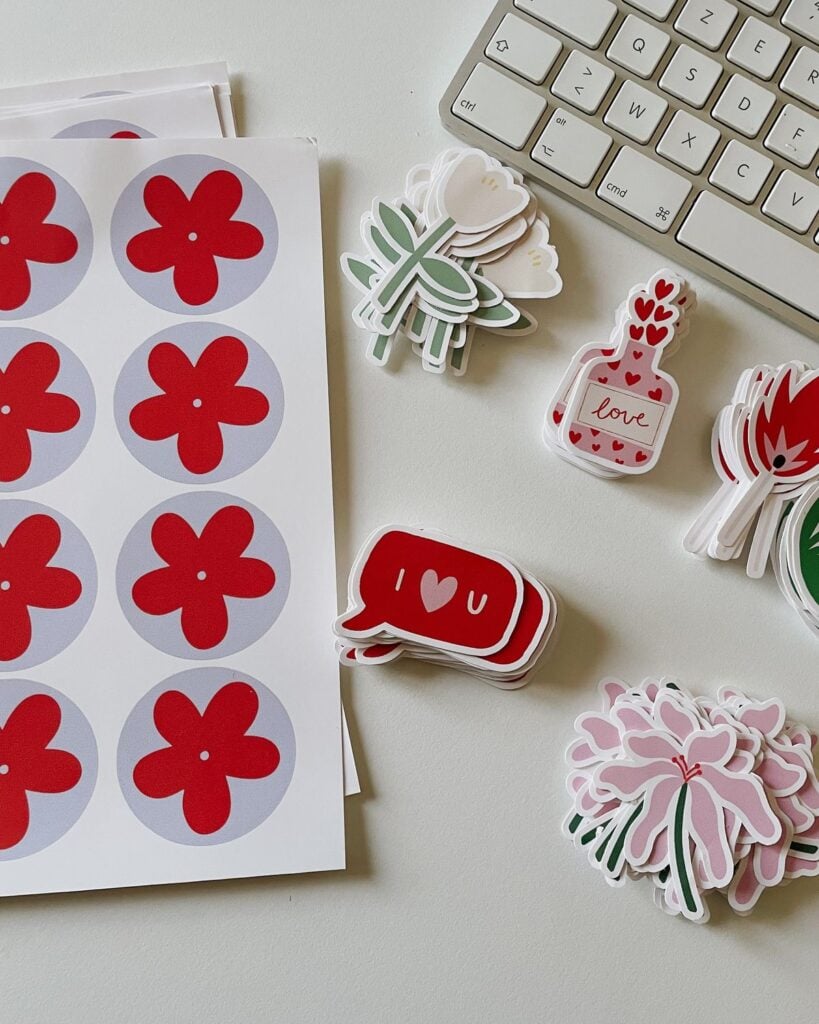
Not every project in this list of easy Cricut projects for beginners will work with every Cricut machine. Many basic designs use cardstock or adhesive vinyl, but the machine you own determines which materials, cutting methods, and tools you can use.
Before buying supplies, check these three things:
- Material compatibility: Confirm that your machine can cut the material you want to use. Standard cardstock and adhesive vinyl are common beginner materials, but thicker or specialty materials may require particular machines, blades, or settings.
- Print Then Cut support: Projects such as planner stickers may require a machine that supports Print Then Cut. Do not assume every Cricut model offers this feature.
- Smart Materials and tools: Matless cutting with Smart Materials is available only on compatible machines and materials. Specialty tools, blades, and accessories also have model-specific requirements.
For the most reliable answer, use Cricut’s official material compatibility guide and Smart Materials guide before placing an order. Cricut lists compatible materials,
A little checking beforehand can help you avoid buying printable sticker paper, specialty blades, or matless materials that your machine cannot use.
Common First-Project Mistakes That Can Waste Cricut Materials
Many beginner Cricut mistakes happen before the machine even starts cutting.
A design may look fine on screen but fail during cutting, transferring, or printing because the material setting, preparation method, or machine workflow was wrong. These are the details worth checking before spending more supplies on easy Cricut projects for beginners.
1. Forgetting to Mirror Heat-Transfer Vinyl
When using iron-on vinyl, the design usually needs to be mirrored before cutting because the material is cut with its liner facing down and then transferred onto the fabric. Forgetting to mirror text can leave it backward on the finished item.
Cricut Design Space can automatically enable mirroring for applicable iron-on settings, but check the mat preview before cutting, especially when your project has multiple mats. Already-mirrored designs may not need to be mirrored again. Follow the instructions for your specific heat-transfer material.
2. Using Transfer Tape on Cardstock
Transfer tape is designed to move cut vinyl designs onto a surface, not to handle ordinary cardstock shapes. Cricut specifically warns against using transfer tape with its cardstock because the adhesive can interfere with the paper.
For paper projects, use the mat to hold the cardstock while cutting, then assemble the pieces with an appropriate paper adhesive if needed.
3. Choosing a Material Setting That Does Not Match the Material
A setting that works for ordinary cardstock may not cut heavier cardstock cleanly, and a vinyl setting may not suit every vinyl product. A poor match can leave pieces partly attached, cut too deeply into the mat, or damage delicate material.
In Design Space, search for the specific material when possible. Cricut recommends making a small test cut before cutting the full design, particularly when using an unfamiliar material.
Check that the cut separates cleanly without excessive damage to the backing or mat.
4. Making Lettering Too Small to Weed Easily
Tiny lettering can look elegant on screen but become frustrating when you try to remove the excess vinyl around each letter. Thin strokes and narrow gaps are especially difficult to weed, and small pieces can lift or tear before you transfer the design.
For your first few easy Cricut projects for beginners, choose a clear font with thicker strokes and leave enough space between letters.
Before cutting the full design, zoom in on the smallest details and consider whether you could remove the surrounding vinyl without damaging the letters.
5. Buying Accessories Before Checking Machine Compatibility
Not every Cricut accessory works with every machine. Mats, blades, tools, and specialty materials can vary by machine model, so buying a bundle because it looks useful may leave you with items you cannot use.
Check the compatibility information for your exact machine before purchasing.
For example, Cricut’s cardstock instructions note that StrongGrip mats are available for Explore, Maker, and Venture machines, while Cricut Joy machines use LightGrip and StandardGrip mats.
6. Printing a Print Then Cut Design Outside Design Space
Print Then Cut needs the printed design and its sensor markings to retain their intended size and position. Saving the design as a PDF and printing it separately, or selecting printer options such as “Fit to page” or “Shrink to fit,” can change the scale and cause the Cricut to cut in the wrong place.
For a Print Then Cut project, follow the print instructions in Design Space and keep the print and cut process within the intended workflow.
Check that printer scaling is not enabled. Also confirm that your Cricut model supports Print Then Cut; for example, the original Cricut Joy does not support this feature, although some other Joy models do.
7. Applying Vinyl to a Dirty, Damp, or Unsuitable Surface
Even a correctly cut vinyl design can peel away when the surface is dusty, damp, greasy, or poorly suited to the adhesive. A textured finish may also make it harder for the vinyl to make full contact.
Clean and dry the surface before applying the design, and check that the vinyl is suitable for that material and its intended use. Cricut recommends testing the cut with a small shape and following the appropriate transfer-tape instructions.
Remember that adhesive vinyl and printable vinyl have different application requirements: Cricut specifically advises against using transfer tape with its Printable Vinyl because it can remove the printable coating.
The main lesson: avoid cutting a full sheet or batch until you have checked the material, settings, design size, and application method. A small test may seem like an extra step, but it can save far more material than it uses.
Conclusion
Your first Cricut project does not have to be the most impressive one in the room.
A simple plant pot label, a set of gift tags, or a few personalised stickers can teach you how your machine handles cutting, weeding, and assembly without using up an entire pack of supplies.
Pick one idea from these easy Cricut projects for beginners, check that your machine supports it, and make a single sample before creating more.
Once you know what works with your materials, you can move on to bigger projects with much more confidence.