Turn your Cricut skills into extra income with practical project ideas, smart pricing tips and advice for choosing products customers may want to buy.
A name on a product can make it personal, but personalisation alone is not a reason for someone to buy it.
Think about the small problems people pay to solve: keeping a craft stall organised, preparing place cards for a family celebration or making sense of a box full of similar-looking cables. These are the kinds of everyday needs a Cricut can help turn into products.
The opportunity is in choosing what to make carefully.
Some projects need little more than a cutting machine and cardstock; others require suitable blanks, extra tools or time-consuming hand-finishing. Those differences matter when the aim is to earn extra money rather than simply fill a shelf with crafts.
Here are 25 easy Cricut projects to make and sell, with practical details about what each involves and what to consider before investing in materials.
The aim is to help you find a product you can make well, price sensibly and offer to the right buyers.
New to Cricut crafting? Start with these 19 Easy Cricut Projects for Beginners to find simple projects you can practise at home while learning how to use your machine.
What to Check Before Choosing a Cricut Product to Sell
Before spending money on supplies, check whether the product makes sense for the machine you own, the time you can give it and the people you intend to sell to.
A project may look simple in a video but involve extra tools, slow hand-finishing or material costs that make it difficult to price properly.
- Check that your Cricut can make the product. Cricut machines do not all cut the same materials or support the same tools and dimensions. A project that works with one model may require a different blade, a compatible scoring tool or a separate machine for another step.
Check your exact model’s material and tool compatibility before buying blanks or supplies. Also distinguish between what the Cricut makes and what you must buy ready-made: personalising a wooden sign, for example, is different from cutting the sign itself.
- Time the entire process, not just the cutting. Cutting may take only a few minutes, but designing the file, preparing the material, weeding small details, applying the design, assembling the product and packing the order all take time.
Make one complete sample and record the time spent on each step. If a personalised item takes 20 minutes to cut but another 40 minutes to finish, pricing it as a 20-minute job will underestimate your labour.
- Calculate what remains after costs. Add the blank product, vinyl or cardstock, transfer materials, wasted pieces, packaging, selling fees and any delivery costs you cover. Include your labour as well. For example, selling an item for $12 does not mean you earn $12; the amount left depends on the full cost of producing and delivering it.
Your actual fees and costs will depend on where and how you sell, so use your own figures rather than relying on a profit estimate from another seller.
- Check demand and commercial permissions before making a batch. Create one sample and show it to the type of customer you want to reach, or test a small quantity before buying materials in bulk.
Compliments and social-media likes do not necessarily translate into purchases, so look for stronger signs of interest, such as enquiries, pre-orders or actual sales.
Also, check the rights for the designs you intend to sell. Having access to a graphic, font or project through Cricut Design Space or Cricut Access does not automatically mean every commercial use is permitted.
Review the applicable licence and Cricut’s current Angel Policy, and use original artwork or designs you have permission to sell. The same caution applies to logos, characters and other protected artwork obtained elsewhere.
The aim is to find a product you can make consistently, price realistically and sell lawfully, not simply one that looks easy to cut.
Start exploring Cricut products you could turn into a small business with these 21 Simple Cricut Projects for Beginners That Actually Sell, with ideas to consider based on your skills, materials, and potential customers.
Easy Cricut Projects to Make and Sell for Extra Money
1. Custom Pantry Inventory Boards
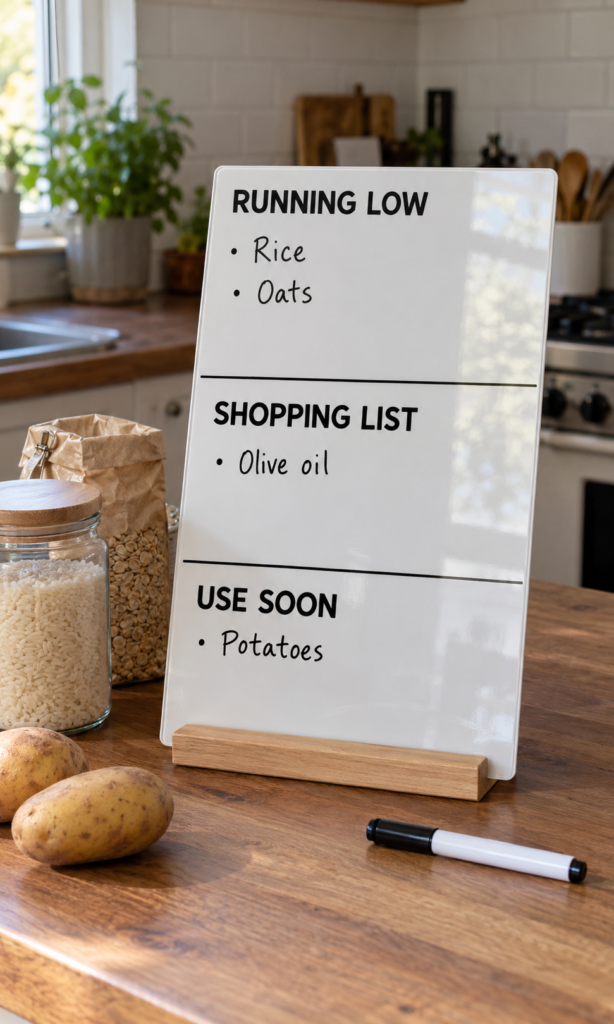
A pantry inventory board helps households keep track of ingredients running low, items to buy and food they want to use soon.
It is a practical kitchen organisation product for people who regularly forget what needs replacing or discover they have run out of an ingredient while cooking.
To make one, use your Cricut to cut vinyl lettering for headings such as “Running Low,” “Shopping List” and “Use Soon.”
Apply the lettering to a suitable ready-made board, leaving enough room for handwritten notes. The Cricut personalises the board; you do not need to manufacture the board itself.
Pay attention to the writing surface. Permanent vinyl works for fixed headings, but changing notes need a compatible writable surface. If you want buyers to use dry-erase markers, test that the surface wipes clean without leaving stains or marks.
Before selling, check the board’s size, vinyl adhesion and cleaning instructions.
You can source blank boards and suitable markers through Amazon, but verify the materials before buying in bulk. The appeal is simple: a reusable place for pantry reminders that helps shoppers keep track of what needs attention.
2. Plant-Care Marker Sets for Indoor Gardens

Plant markers help people distinguish herbs and seedlings before they grow large enough to recognise easily. Use your Cricut to add plant names to suitable ready-made markers or cut lettering from compatible materials.
You could sell sets for kitchen herbs such as basil, parsley and mint, with space for buyers to add planting dates.
Choose materials according to where the markers will be used. Indoor markers may face occasional splashes, while outdoor ones must withstand rain and sunlight.
Test the finished lettering for fading, peeling and water exposure before advertising it for outdoor use. This is one of the easy Cricut projects to make and sell that can serve a clear purpose, provided the markers remain readable in their intended setting.
3. Reusable Event Place Cards
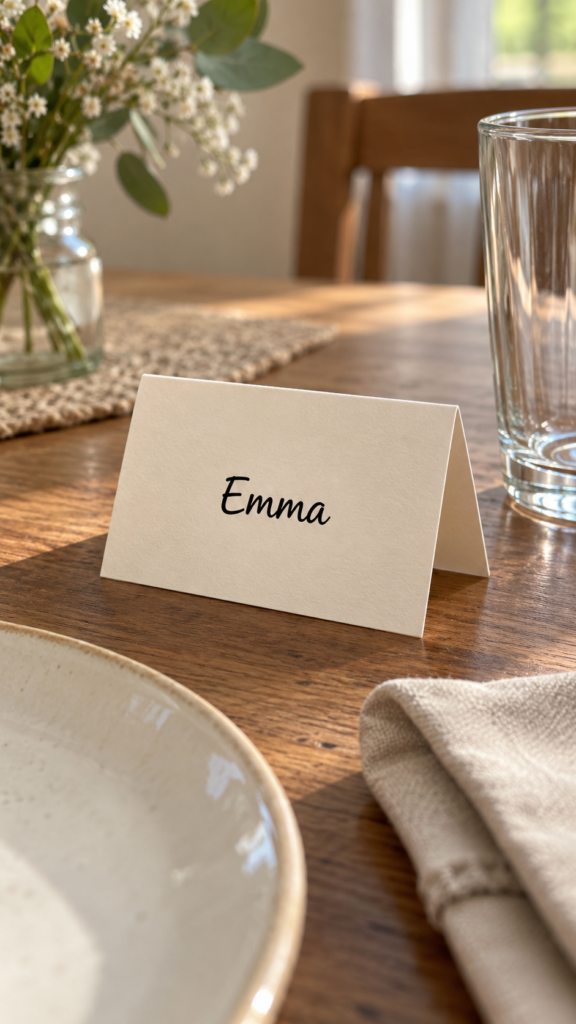
Hosts preparing weddings, dinner parties or family celebrations need name cards that help guests find their seats. Your Cricut can cut names from cardstock or personalise suitable ready-made acrylic and wooden blanks with compatible vinyl.
Personalised orders require careful proofing. Ask customers to confirm the spelling and layout before producing the full set, particularly when every card has a different name.
Make one sample first to check readability and size. When pricing, account for the time spent preparing individual names, not just the materials used. This helps prevent large orders from becoming less profitable than expected.
4. Custom Storage Labels for Specific Hobbies
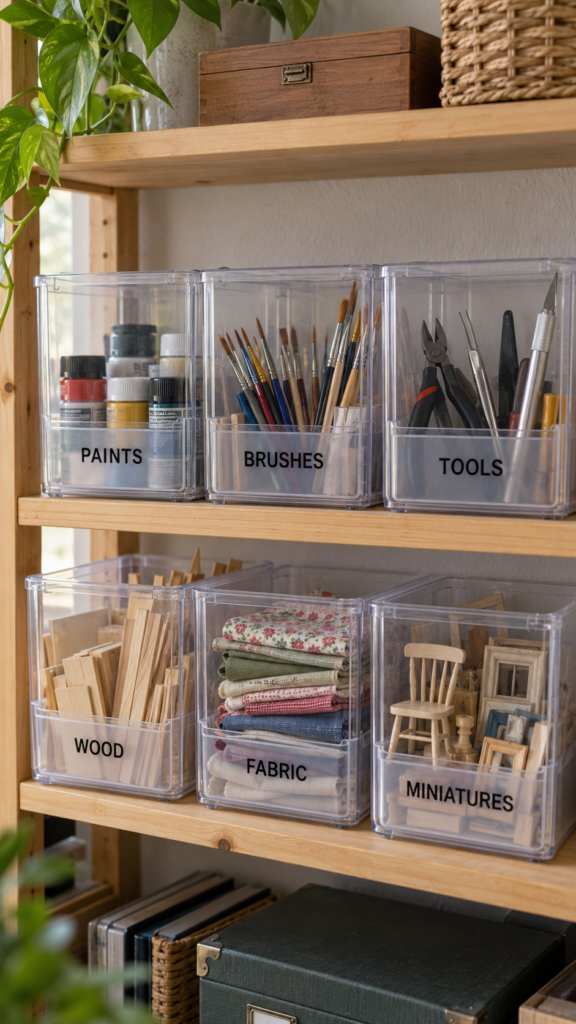
People who collect board games, paint miniatures, draw or make models often store many small supplies in similar-looking containers. Labels designed for one hobby can help them find tools and materials without opening every box.
Create a focused set, such as labels for paint colours, miniature-making tools or board-game components. Check the container’s surface before choosing vinyl: textured plastic, fabric and curved surfaces may not hold the same adhesive equally well.
Include the label dimensions in your listing so buyers can check whether they fit their containers. A clearly targeted set gives customers a more specific reason to buy than a generic collection of household labels.
5. Personalised Plant Propagation Gift Sets
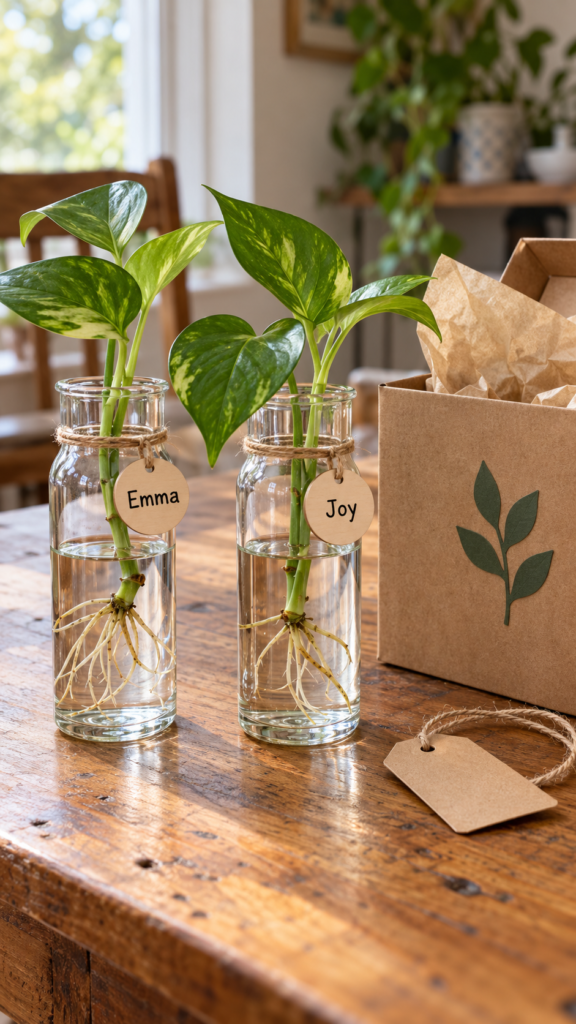
Plant lovers who grow new plants from cuttings may appreciate a gift set containing suitable propagation vessels, labelled plant markers and a small care card.
Use your Cricut to personalise the markers or compatible outer packaging; purchase the vessels ready-made rather than assuming your machine can produce them.
Include care instructions only when they suit the plants being discussed, since rooting conditions vary by species. Avoid promising that every cutting will grow roots.
Before selling, check that the containers are appropriate for their intended use and that the labels can tolerate the moisture they will encounter. The value lies in bringing the basic items together in a thoughtful, usable set.
6. Custom Board-Game Organiser Inserts
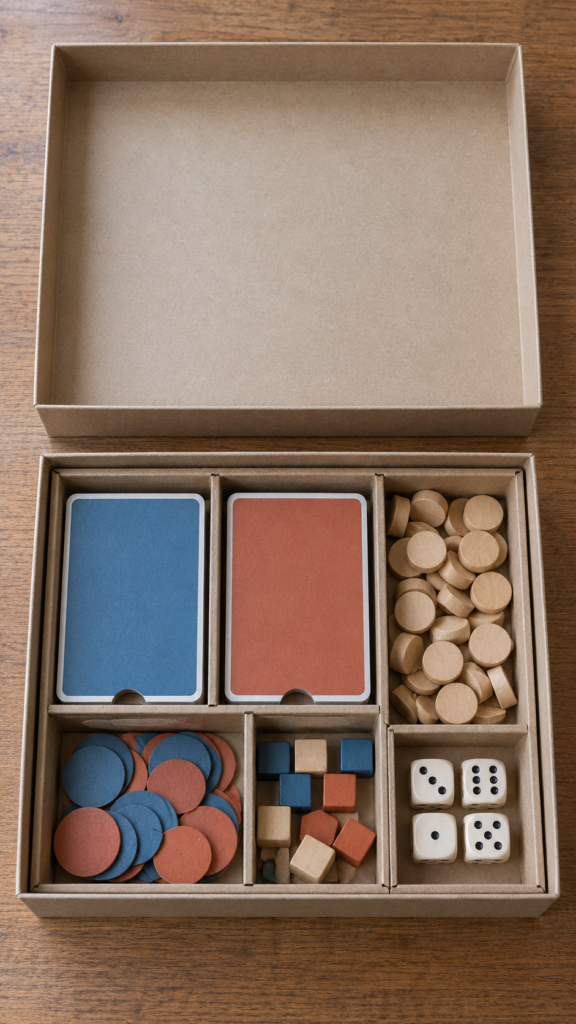
Board-game owners sometimes struggle to keep cards, tokens and expansion pieces separated inside the original box. Custom dividers can make setup and packing away easier, particularly for games with several types of components.
Measure the inside of the actual box before designing the inserts. Allow for the thickness of card sleeves, the height of stacked pieces and enough clearance for the lid to close.
Your Cricut may cut suitable cardstock or other compatible thin materials, depending on the machine and tool. Make a test insert and check the fit before accepting orders.
Because different editions of a game may have different components or box dimensions, state exactly which version your product fits.
7. Personalised Reading-Challenge Trackers
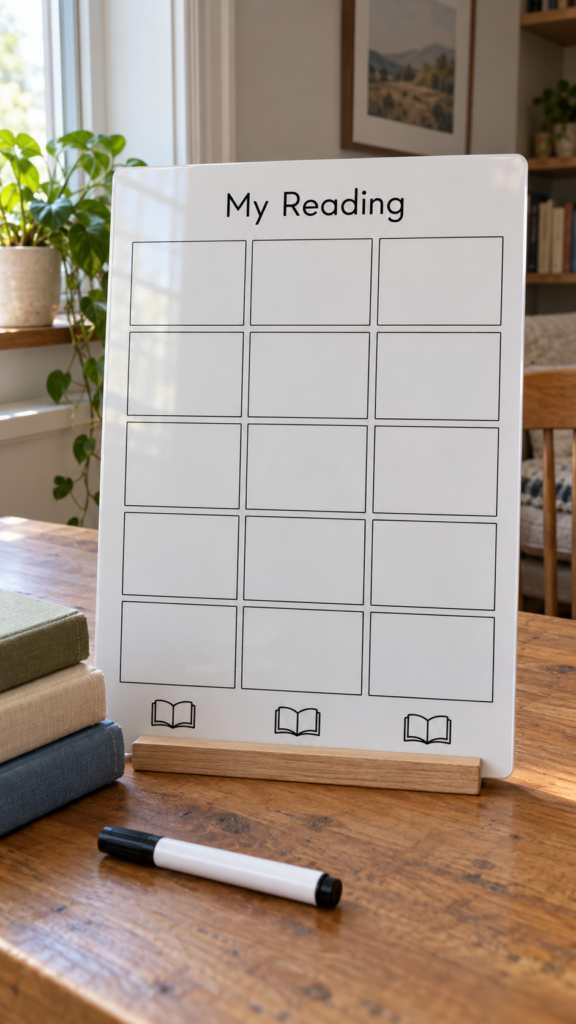
Readers who set themselves a yearly reading goal may enjoy a visual way to record their progress.
Create a board with spaces for book titles, completed-book marks or a simple progress count, using original lettering cut with your Cricut.
For a reusable version, use a surface designed for the marker you intend to supply. Test that writing can be erased cleanly without damaging the lettering. Keep the layout practical: buyers should be able to update their progress without squeezing titles into tiny spaces.
Offer clear dimensions and photographs showing how the tracker looks when filled in, so customers can judge whether it suits their reading habits and available wall or desk space.
8. Custom Pet-Station Signs and Labels
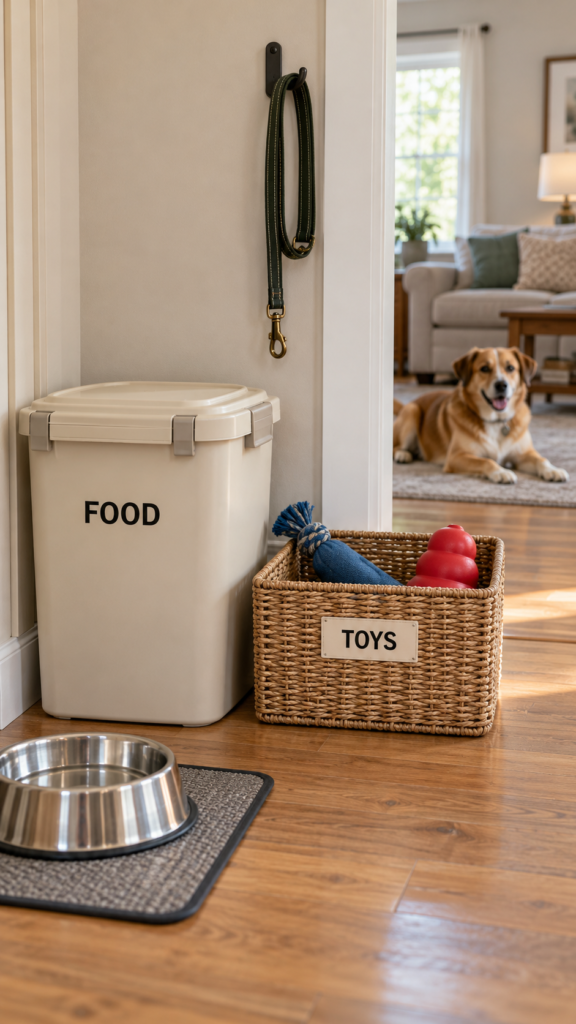
Pet owners may keep food, leads, toys and grooming supplies in different baskets or containers. Personalised labels can help distinguish those supplies, especially in households with more than one pet.
Use your Cricut to add a pet’s name or simple category labels to suitable ready-made containers. Check the surface and adhesive before producing a set, and keep vinyl away from areas where it could peel into food or be chewed.
For containers that hold pet food, follow the container manufacturer’s intended use and avoid placing decorations where they could contaminate the contents. A useful product listing should state which containers the labels suit and how they should be cleaned.
9. Reusable Party Countdown Boards
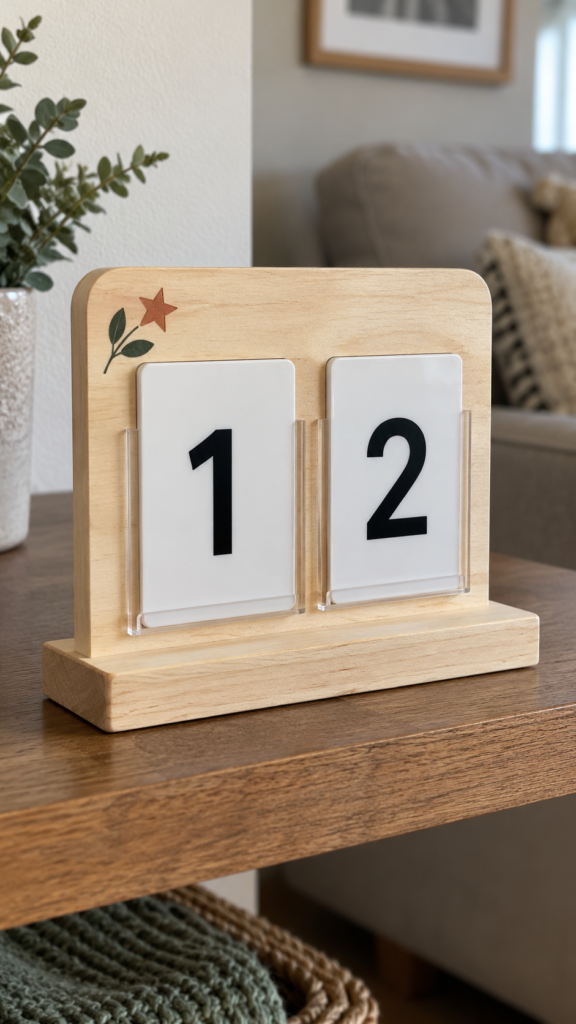
People organising birthdays, graduations, anniversaries or other celebrations may enjoy counting down the days to the event. Create a board with fixed vinyl lettering and a separate writable area for changing the number.
The important detail is making sure the writable surface works with the marker supplied. Test repeated writing and erasing to check for residue or ghosting, and give buyers clear instructions for updating the countdown.
You could offer different original headings for different occasions while using the same basic board format. That lets you adapt one tested design instead of developing an entirely new product for every event.
10. Personalised Recipe-Binder Dividers
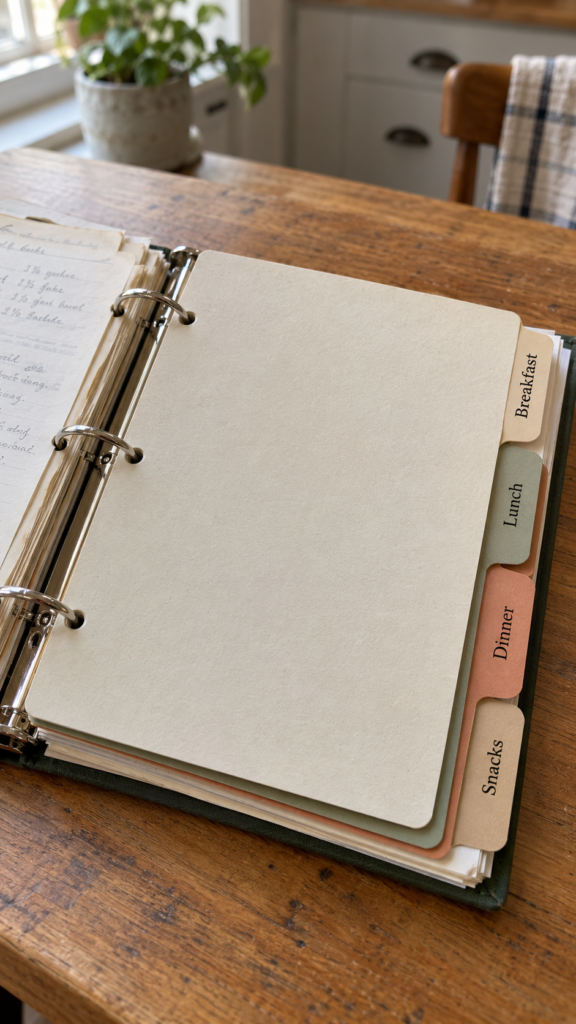
Family recipes, baking instructions and meal plans can become difficult to find when they are stored together without sections. Custom binder dividers help users separate recipes into categories such as weekday dinners, baking, soups or family favourites.
Use your Cricut to cut sturdy cardstock tabs and add original headings. Measure the binder and check the ring spacing before cutting, leaving enough room for the punched holes so the dividers do not tear during use.
If the buyer keeps recipes in plastic sleeves, account for the extra thickness when deciding how many dividers the binder can hold. Listing the binder size and divider dimensions helps prevent customers from ordering a set that does not fit.
11. Custom Cable and Charger Identification Tags
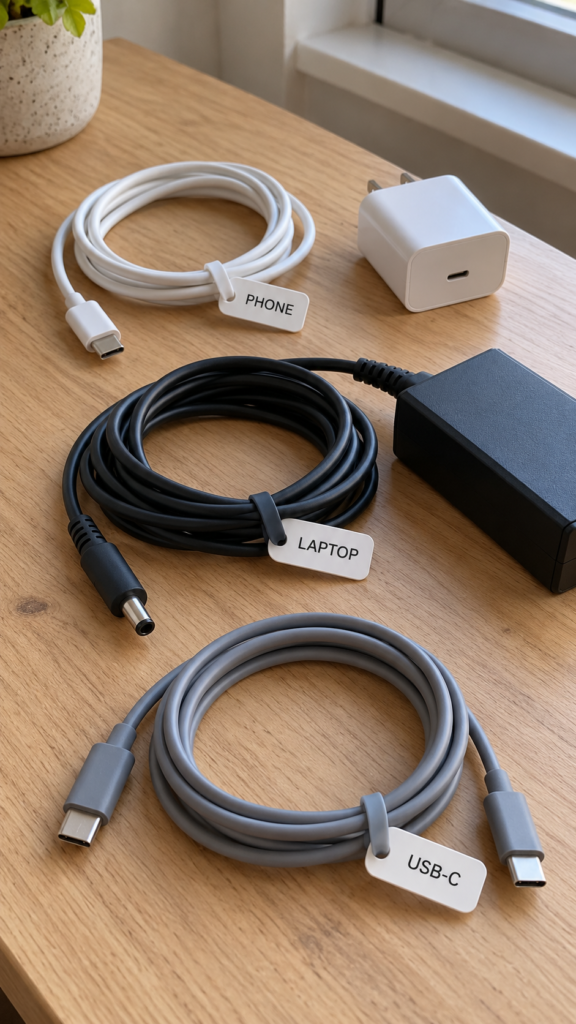
When several people share a workspace or household, similar-looking charging cables can easily get mixed up. Identification tags with short labels such as “Desk,” “Tablet” or a person’s name can make it easier to return each cable to its owner.
Personalise suitable ready-made tags or cut a compatible material if your Cricut supports it. Keep the tags small and lightweight so they do not pull on connectors or interfere with safe cable use.
Test that the material stays attached during ordinary handling, and never place a tag over damaged insulation or a connector that needs ventilation.
This product is most useful when the label helps identify ownership or purpose without making the cable harder to use.
12. Personalised Emergency-Contact Information Holders
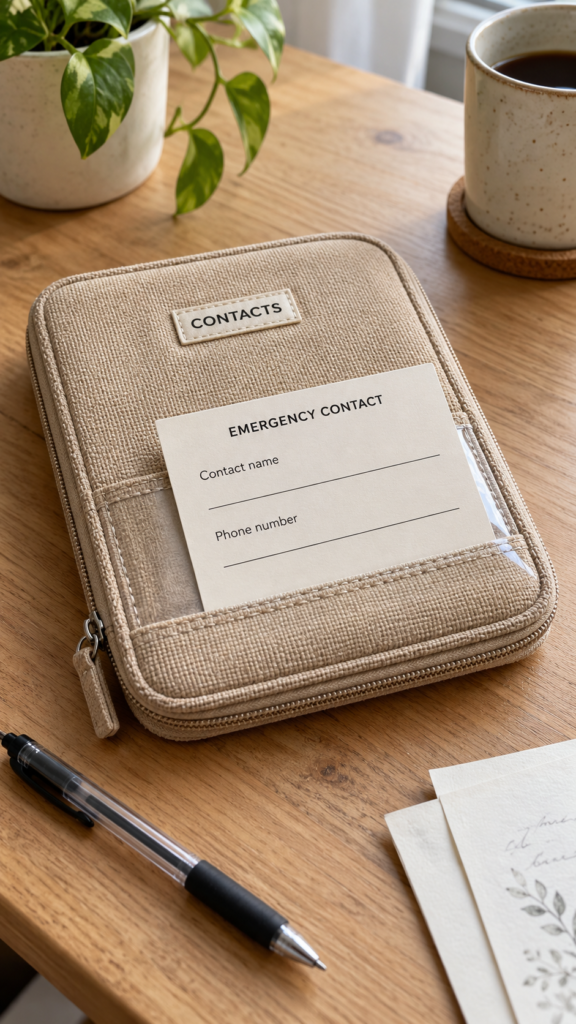
A clearly labelled information holder can help someone keep selected emergency contact details accessible at home, work or while travelling.
The Cricut can personalise a ready-made sleeve or compatible tag with wording such as “Emergency Contacts,” leaving the owner to add and verify the information.
Design the holder so details can be updated when phone numbers change. Avoid displaying sensitive personal information where strangers can easily see it, and do not present the product as a substitute for official identification, medical records or local emergency procedures.
Before selling, check the size, durability and intended placement. The value is in making important information easier to organise, while leaving the user in control of what they store and share.
13. Custom Reusable Gift-Box Sleeves
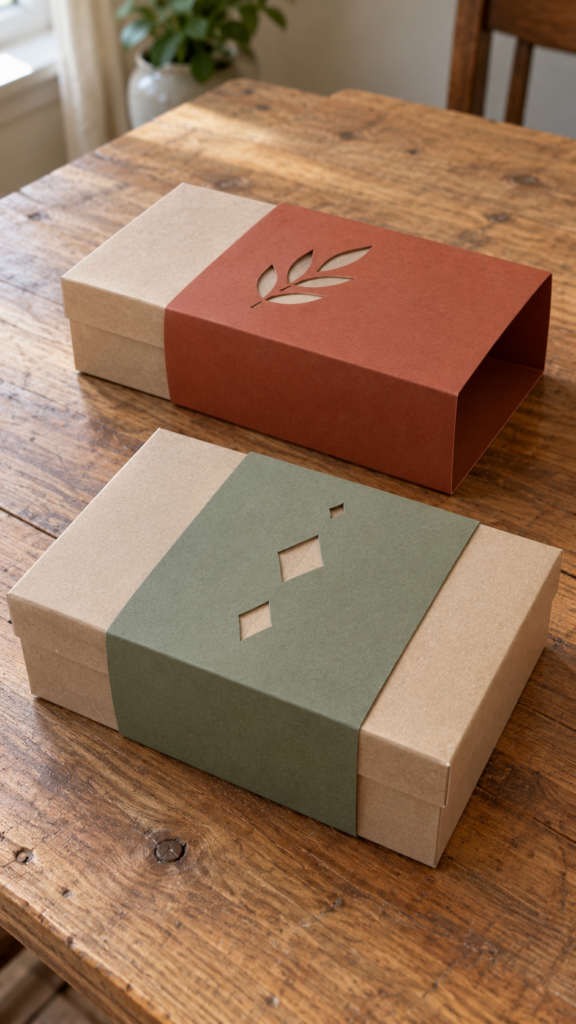
Gift-box sleeves are decorative paper bands that wrap around existing boxes for birthdays, weddings, baby showers or business gifts.
They let buyers change a box’s appearance without purchasing new packaging for every occasion. This can be useful for small businesses that want their packaging to match different seasons or events.
Measure the box’s length, width and height before designing the sleeve. The paper needs enough overlap to stay in place without being too tight or buckling at the corners.
Cut one sample with your Cricut and test it on the actual box before making several. Choose cardstock that folds neatly without cracking, and check whether the sleeve can be removed and reused without tearing.
14. Personalised Tabletop Menu Holders
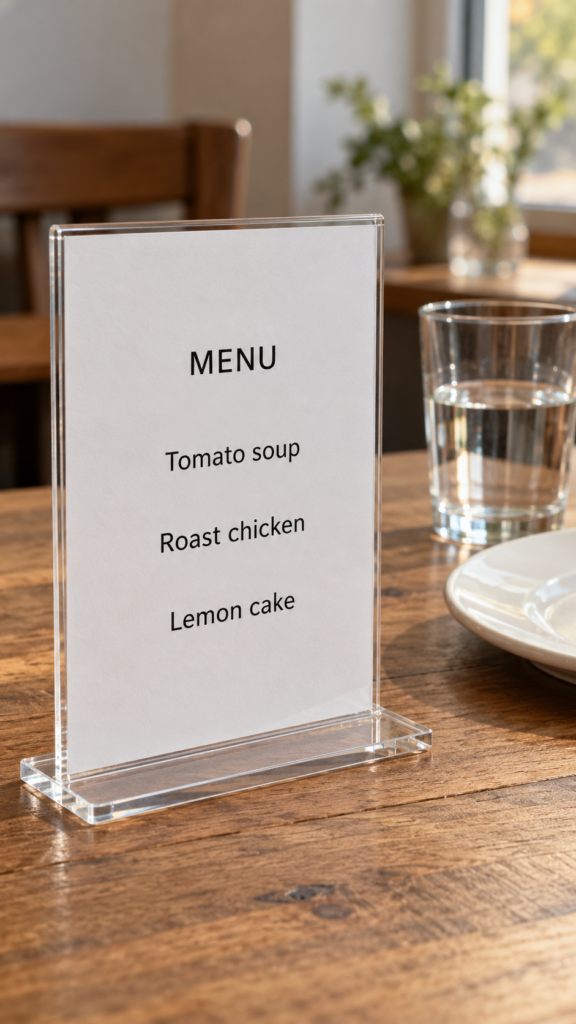
Tabletop menu holders can serve small cafés, private dinners, weddings and other events where guests need to see food options or prices.
You can use your Cricut to cut cardstock menu panels or add lettering to suitable ready-made stands. The customer can provide the wording, but send a proof for approval before cutting the final version.
Make the text easy to read. A decorative font may look attractive on a screen but become difficult to read across a table.
Use clear lettering, enough space between menu items and a text size suited to the distance guests will view it from. For menus with frequent changes, make the printed or cut panel easy to replace rather than attaching it permanently to the stand.
15. Custom Classroom Routine Boards
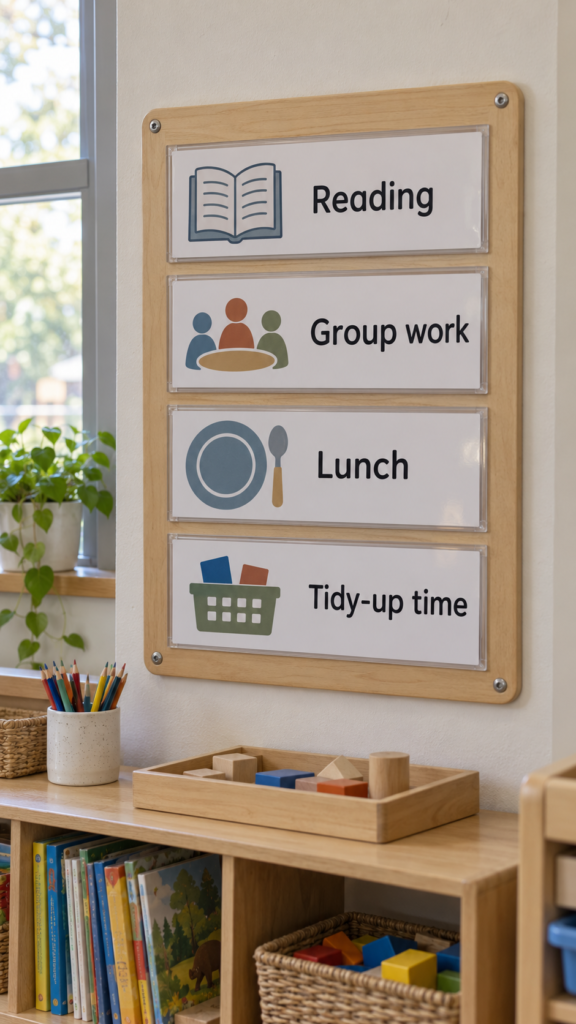
Classroom routine boards help teachers show children what happens next, from morning activities to reading time and dismissal.
A Cricut can cut headings, activity labels and simple original symbols for a board with spaces for the daily schedule. Teachers can then move the labels around when the timetable changes.
Use large, clear words that match the children’s reading level. Younger pupils may benefit from simple pictures alongside the words, but make sure any artwork is original or licensed for commercial use. If the board will be reused, test the writing surface to confirm that the chosen markers erase cleanly.
Check that the board and its attachments are sturdy, with small pieces kept out of reach of children who might put them in their mouths.
16. Personalised Drawer-Divider Labels for Shared Spaces
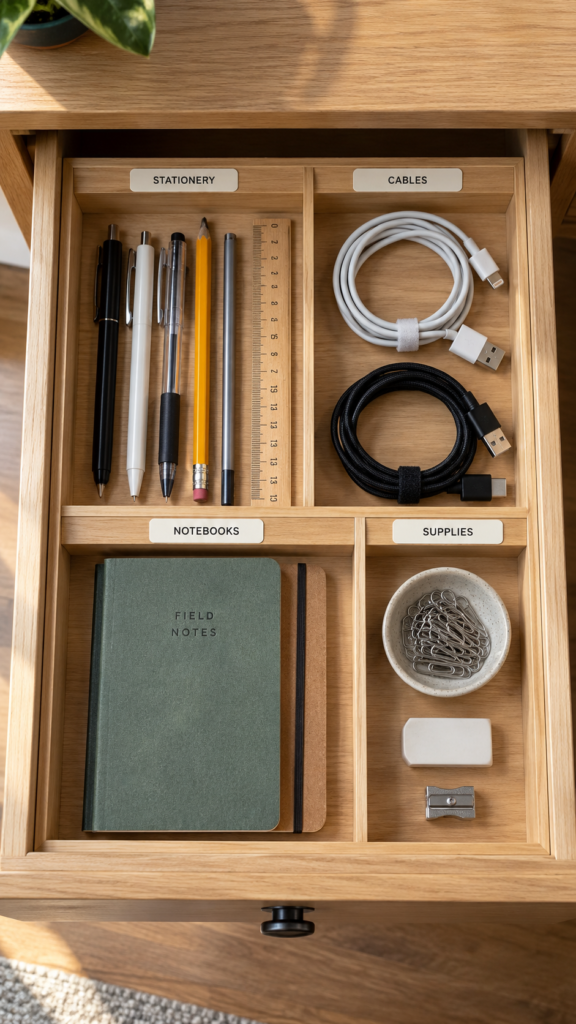
Shared drawers can become confusing when family members, office workers or students store their belongings in the same place.
Personalised labels can identify sections for stationery, charging cables, documents or other shared supplies, making it easier for everyone to return items to the right place.
Measure the flat area where each label will sit before cutting the lettering. Keep the words short enough to read at a glance, and choose an adhesive suited to the drawer’s material.
Removable vinyl may be useful when the arrangement changes, but test it first because some finishes can lift or leave residue. Selling labels in sets for a particular space, such as a shared office drawer or student desk, can also help buyers choose the right sizes.
17. Custom Craft-Fair Price and Display Signs
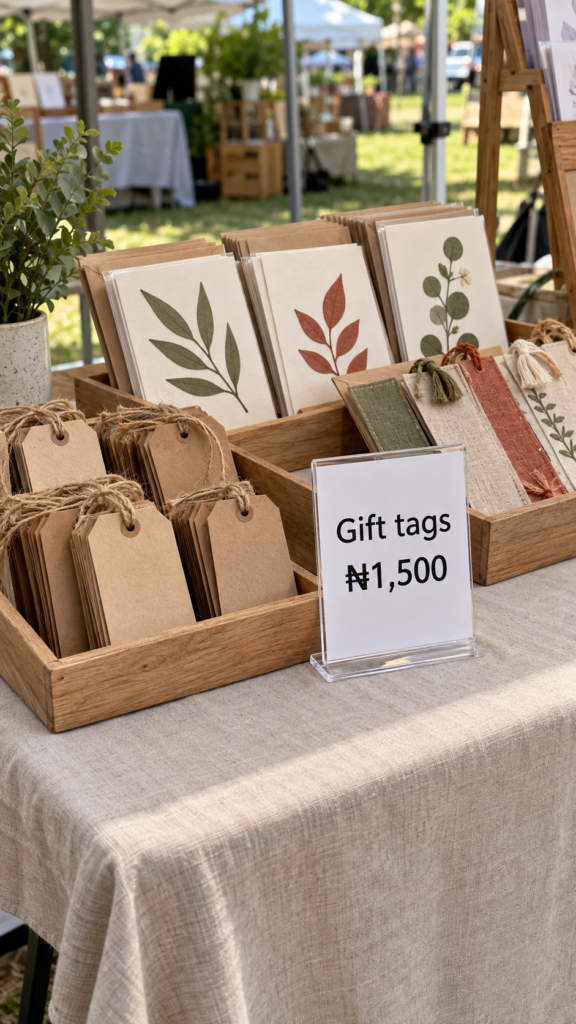
Market sellers need customers to see prices and product details without asking about every item. Small signs for prices, product names, special offers or payment instructions can make a stall easier to browse.
Use your Cricut to cut lettering for suitable ready-made boards or compatible sign blanks.
Prioritise readability over decoration. Use strong contrast between the lettering and background, and make the text large enough to read from the front of the stall.
Check that the sign stands securely and does not fall over when customers handle nearby products. If you include a payment link or QR code, test it on different phones and check that it opens the correct destination before delivering the sign.
18. Personalised Keepsake-Box Dividers
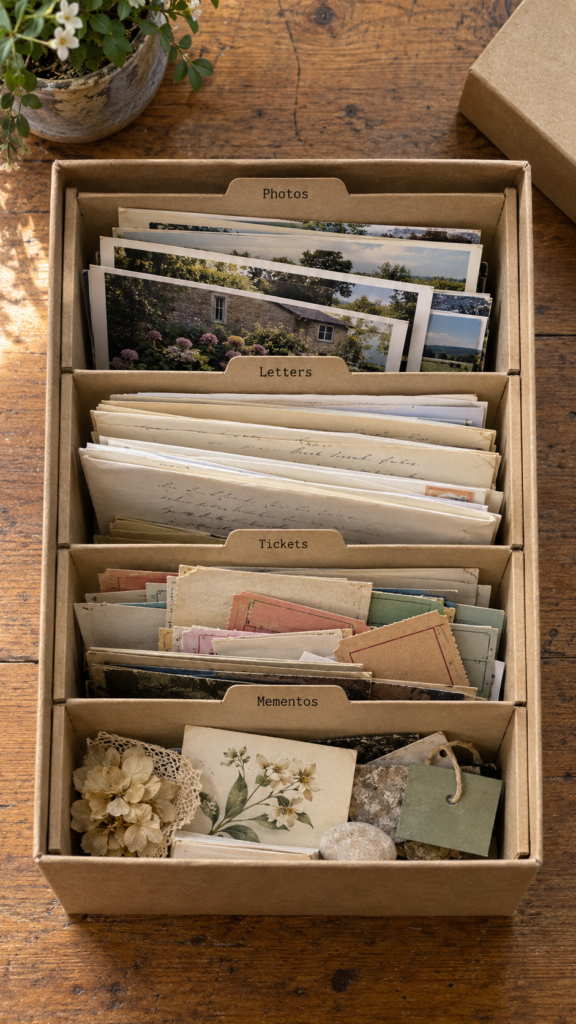
Photographs, letters, ticket stubs and small mementos can become difficult to sort when they are stored together. Dividers made from cardstock or another suitable thin material help buyers organise these items inside a box they already own.
Measure the inside of the box, not just its outside dimensions, and allow enough clearance for the lid to close.
Use short divider labels such as “Family Photos,” “Letters” or “Special Occasions,” depending on the buyer’s needs. For delicate photographs, avoid materials or adhesives that could stick to the prints, leave residue or cause damage.
Cardstock dividers that stand separately from the keepsakes are a simpler option than attaching labels directly to the items.
19. Custom Pet-Event Party Details

Pet owners may want a few personalised details for a birthday celebration or adoption anniversary. You could make name cards, a small banner or labels for treat containers, using the pet’s name and the event date.
Offering matching pieces lets customers coordinate the celebration without buying a large decoration package.
Ask the buyer to confirm the spelling of the pet’s name before cutting the final pieces.
Choose materials based on where each item will be used, and keep paper decorations, strings and small detachable parts away from animals that might chew or swallow them.
For treat containers, use suitable food-safe packaging and place decorative vinyl on the outside rather than on a surface that directly touches the food.
20. Personalised Travel-Document Organiser Inserts
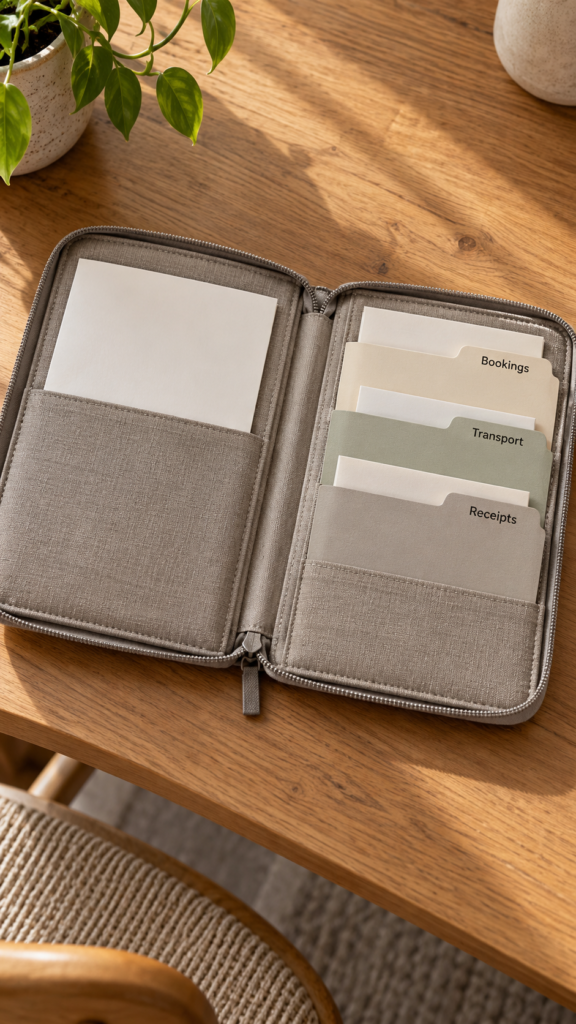
Travel organisers can hold booking confirmations, printed itineraries, receipts and other papers that are easy to misplace during a trip.
Personalised inserts help separate these documents into sections, so travellers can find what they need without searching through one crowded pocket.
Start with the exact organiser the inserts are intended for. Measure its pockets and check how much room remains when papers are inside; an insert that fits an empty pocket may make it too bulky once loaded.
Your Cricut can cut compatible cardstock or thin materials and add labels such as “Bookings,” “Transport” or “Receipts.” Keep labels general rather than printing passport numbers, home addresses or other sensitive details on an exposed insert.
21. Custom Reusable Seasonal Countdown Calendars
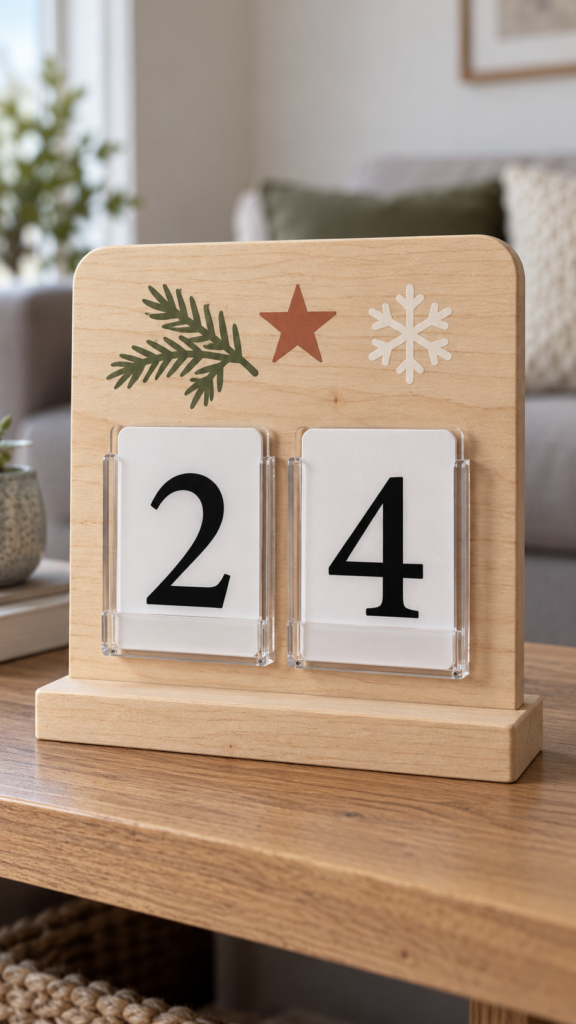
Reusable countdown calendars help families mark the days until Christmas, a birthday, a school holiday or another special occasion.
Instead of buying a new calendar every year, buyers can use one board with interchangeable numbers or a movable marker.
Use your Cricut to cut clear number pieces and labels, then attach them with a method that makes changing the date simple. Test the pieces on the finished board to ensure they stay in place during use but can still be moved without damaging the surface.
Keep spare numbers available because small pieces can easily go missing. For calendars intended for young children, consider the risk of small parts being swallowed and choose a design appropriate for the intended age group.
Among easy Cricut projects to make and sell, this one works best when the calendar is practical to update, store and reuse—not simply decorated for one photograph.
22. Personalised Hobby-Club Membership or Name Boards
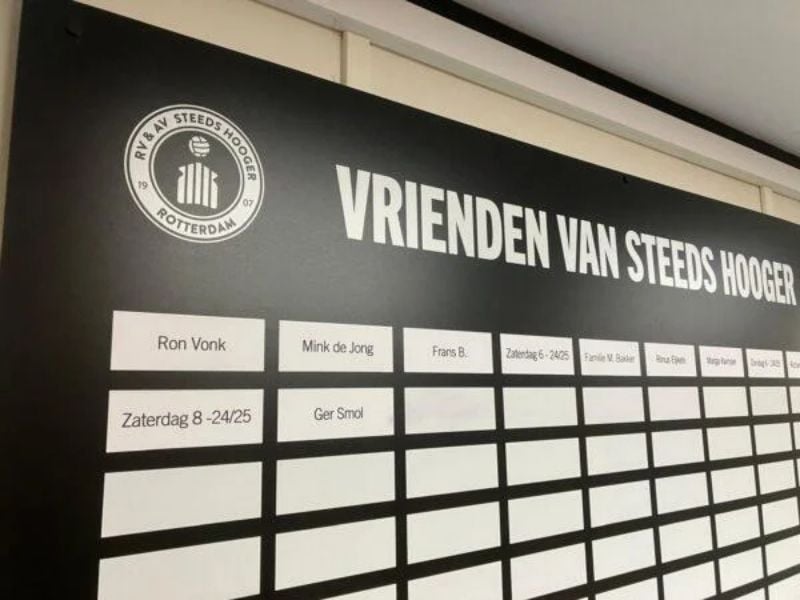
Photo credit: @ De Bruine Rotterdammer
Book clubs, gardening groups, craft classes and other hobby clubs may need a simple way to display members’ names during meetings.
A personalised board can serve this purpose without requiring the organiser to replace the entire display whenever someone joins or leaves.
Use your Cricut to cut the heading and labels, then create spaces for replaceable name cards or use a surface that works with the chosen dry-erase markers.
Before making the board, ask the organiser how many names it needs to hold and how often the membership changes. These details affect its size and the type of name holders you should use.
Price the initial board separately from replacement name cards or later updates. That gives the buyer a clear starting cost while allowing you to charge for additional materials and personalisation when the club’s needs change.
23. Custom Gift Tags for Small Handmade Businesses
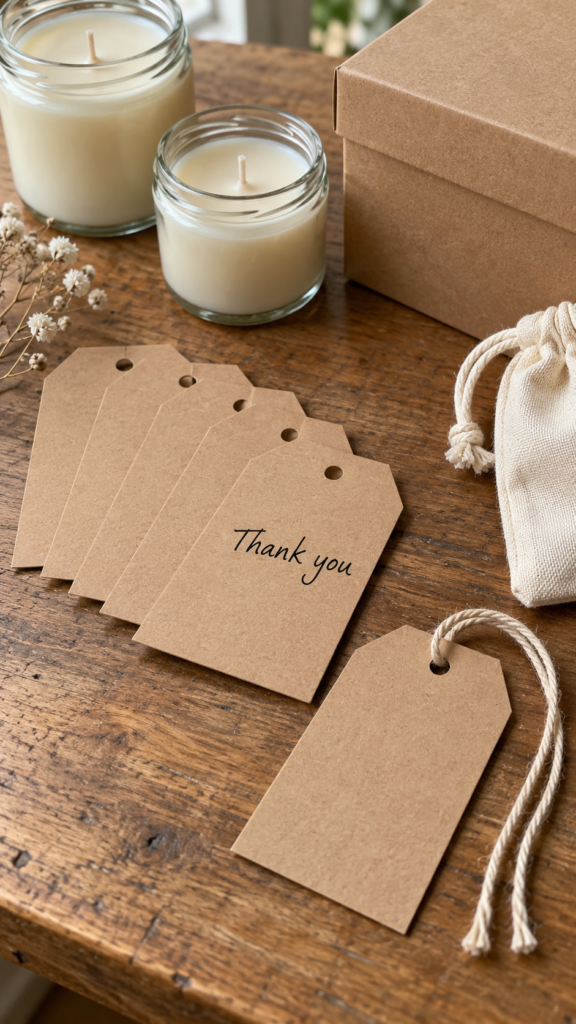
Candle makers, bakers and handmade-accessory sellers often need gift tags that make their packaging look finished without requiring them to design and cut every tag themselves.
You can use your Cricut to cut cardstock into consistent shapes and add an original thank-you message, business name or blank space for a handwritten note.
Make the tags useful for the seller’s actual packaging. Check that the hole is large enough for the intended string or ribbon, that the cardstock holds its shape and that the finished tag fits the product without covering important information.
Offer a sample with the seller’s preferred wording before producing a full batch.
Keep the design original or use artwork you have permission to sell. Do not copy another company’s logo, and avoid adding claims about a product’s ingredients, safety or benefits unless the seller has verified and authorised that information.
A focused set designed for one type of handmade business can be more useful than generic tags that do not fit the seller’s needs.
24. Personalised Book-Club Discussion Kits
Book clubs need more than attractive reading accessories; members also need ways to share opinions and keep discussions moving.
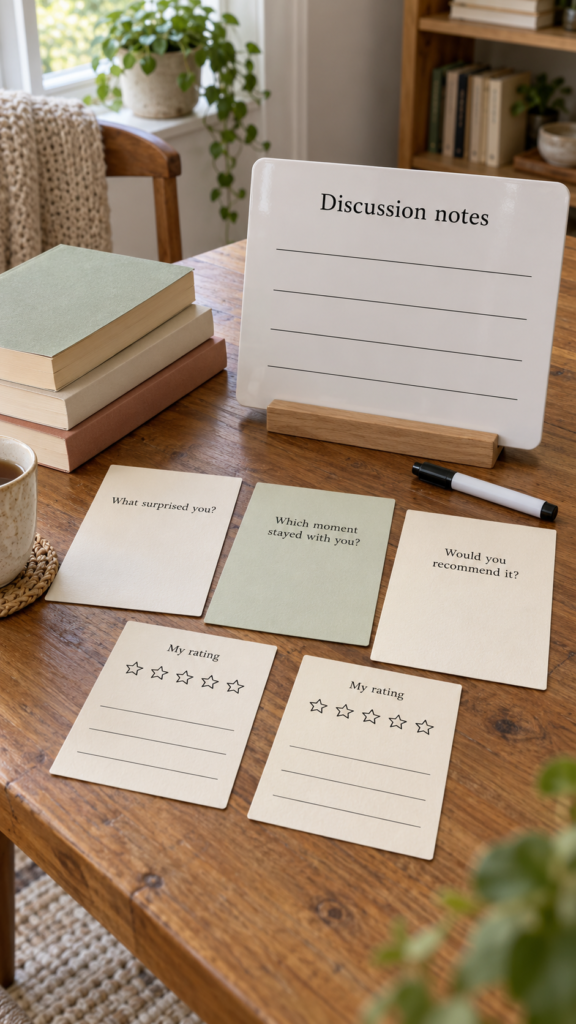
A physical kit could include book-rating cards, reusable discussion boards and original question cards that help members talk about characters, themes or their favourite passages.
Use your Cricut to cut the cards and organise the layout, but keep the text large enough to read comfortably in a group setting.
Test a sample card to make sure it has enough room for written answers, and choose cardstock that can withstand repeated handling. If you include reusable cards, check that the writing surface works with the intended markers.
Write your own discussion prompts rather than copying a published book’s companion guide or a paid resource. You can also tailor kits to a particular kind of group, such as a casual neighbourhood book club or a school reading group, without reproducing copyrighted material.
The practical value lies in giving members something they can use during meetings, not merely putting decorative lettering on blank cards.
25. Custom Event-Setup Checklists on Reusable Boards
Event organisers can have several tasks to manage at once, from setting up tables and checking supplies to arranging signs and confirming that equipment is ready.
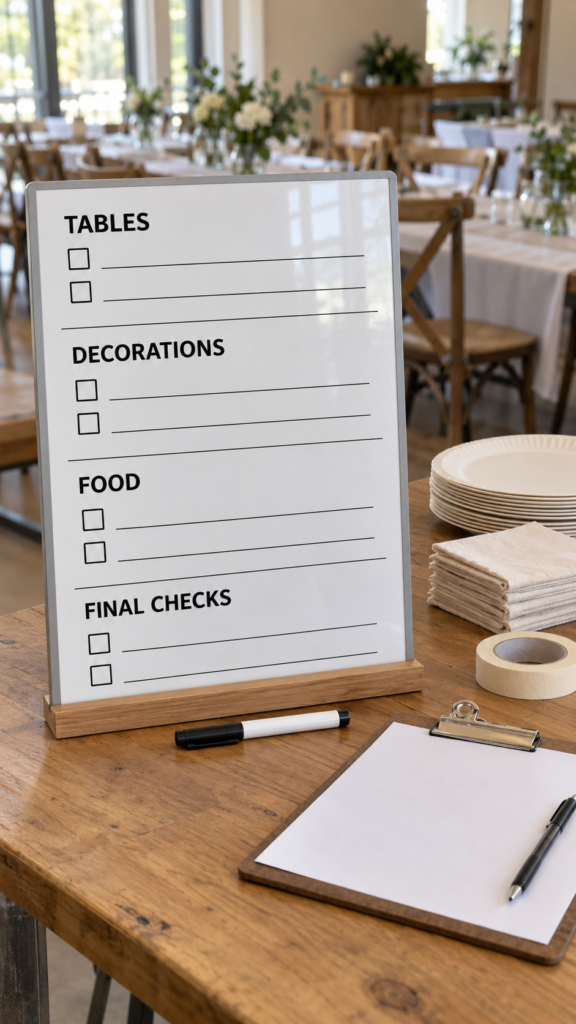
A reusable checklist board helps keep those tasks visible during preparation for a wedding, community gathering, market stall or family celebration.
Group tasks by stage or area rather than placing everything in one long list. For example, a market-stall board might have sections for products, display, payments and packing up.
Use your Cricut to cut the headings and fixed labels, leaving enough space for handwritten tasks or check marks. Test the writable surface with the intended marker to ensure it erases cleanly.
Measure the board against the space where it will be used. A large board may be helpful in a preparation room but awkward on a small market table.
You could offer different sizes or tailor the headings to the customer’s event, but confirm the wording before cutting.
This makes the product more useful than a generic checklist and helps the buyer avoid paying for sections they will never use.
For this idea, the selling point is a checklist that reflects the organiser’s real workflow. Among these easy Cricut projects to make and sell, that practical detail is what makes the board worth considering.
Which of These Cricut Projects Should a Beginner Make First?
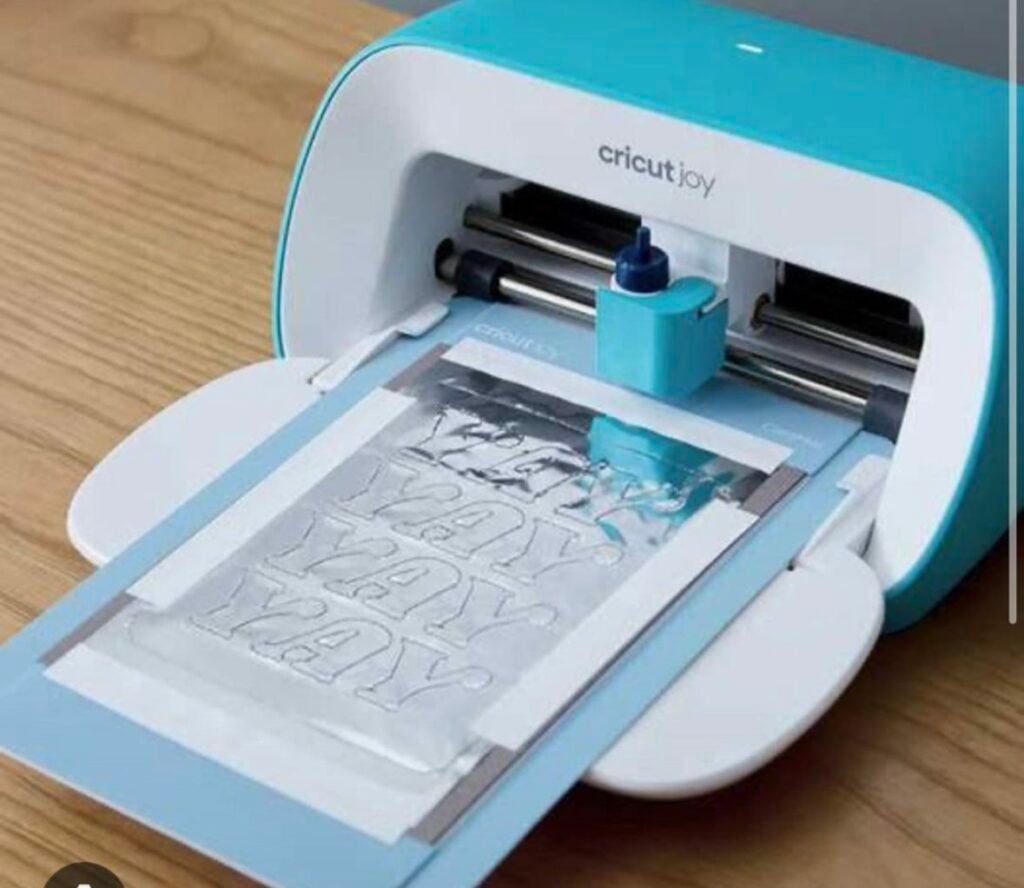
The best first project depends on the Cricut machine you own, the materials you can work with and the customers you want to reach. Start with something you can make consistently before investing in several types of blanks and tools.
For a basic cutting setup: Try cardstock recipe-binder dividers, event place cards or gift-box sleeves. These help you practise measuring, cutting and assembly without needing a heat press. Check that your machine can handle the material you choose.
Personalisation: Start with storage labels or cable-identification tags. You will learn how to select suitable vinyl, prepare the surface and apply lettering neatly. Test the adhesive on the actual material before making products for customers.
Business customers: Consider craft-fair price signs or tabletop menu holders. These can be made to order, but accurate measurements, readable text and customer-approved proofs matter. Allow time for corrections when pricing your work.
Reusable products: Try reading trackers or event checklists. Test the writing surface and markers together to ensure the writing erases cleanly without leaving stains.
Before committing to any of these easy Cricut projects to make and sell, create one complete sample and record the materials used, production time and total cost.
Show it to potential buyers and ask specific questions about its size, usefulness and price.
Their feedback can help you improve the product before you spend money making a batch, although positive feedback alone does not guarantee sales.
If you are still learning how to use your machine, try these 22 Easy Cricut Projects for Beginners You Can Make at Home for approachable projects to practise before moving on to more advanced designs.
What to Check Before Selling Cricut-Made Products
Making a product that looks good is only part of preparing it for sale. Test it, check the details and make sure you can deliver the same quality consistently.
-
Test durability before listing the product:
Check whether vinyl lifts at the edges, lettering rubs off or cardstock weakens at folds. For reusable items, test the product through repeated use and cleaning under the conditions you intend to recommend. Tell buyers about any care requirements.
-
Proof personalised orders before cutting the final version:
Confirm names, spelling, measurements, colours and wording with the customer. For larger orders, make one sample or send a clear digital proof for approval. This helps prevent wasted materials and costly corrections.
-
Check commercial permissions:
Use original artwork, properly licensed designs or assets whose terms allow your intended use. Access to a design in Cricut Design Space or Cricut Access does not automatically grant permission for every type of commercial sale.
Review Cricut’s current Angel Policy and the specific licence for any third-party fonts, images or designs you use. Pay particular attention to restrictions on selling individual cuts or projects made with licensed content.
-
Describe each product honestly:
Include accurate dimensions, materials, intended use and care instructions. Do not describe an item as waterproof, food-safe or suitable for children unless you have reliable evidence that supports the claim. If a product has limitations, explain them clearly before purchase.
-
Check the rules that apply to your business:
Tax obligations, product labelling and safety requirements vary by location and product type. Check the relevant local requirements before selling, especially when making items intended for children or products that come into contact with food.
Conclusion
Choosing from these easy Cricut projects to make and sell is a starting point, not a promise of income.
The machine helps you cut and personalise materials, but the product still needs to solve a real problem, meet the buyer’s expectations and make financial sense.
Pick one project that suits your current equipment and skills. Make a sample, calculate the full cost of materials and labour, and ask potential customers for feedback before buying supplies in bulk.
Once you know how long the product takes to make and what it costs to produce, you can set a more realistic price and decide whether it is worth offering for sale.