What could your Cricut create this holiday season? Find creative Cricut projects to make and sell for Christmas that customers will love to give and receive.
Christmas creates demand for more than decorations and traditional gifts.
Families are preparing gatherings, businesses are organising seasonal events, schools are planning celebrations, and customers are looking for thoughtful ways to make the holiday special.
These occasions create opportunities for makers who can turn simple materials into useful, personalised Christmas products.
With a Cricut machine, you can create everything from custom event stationery and family activity kits to branded Christmas packaging and keepsakes.
However, choosing what to make matters just as much as knowing how to use the machine.
Products with a clear purpose, an identifiable buyer and manageable production costs are better starting points than crafts made simply because they look festive.
These 30 Cricut projects to make and sell for Christmas include ideas for craft fairs, online shops, local businesses and custom orders.
Each one offers a different product opportunity, with details to help you understand what to make, who might buy it and what to consider before producing it.
Want to create affordable products with room for profit? These 29 Cricut Projects You Can Make For Under $5 And Sell For More are worth a look.
Cricut Projects to Make and Sell for Christmas
1. Christmas Event Seating Chart Panels
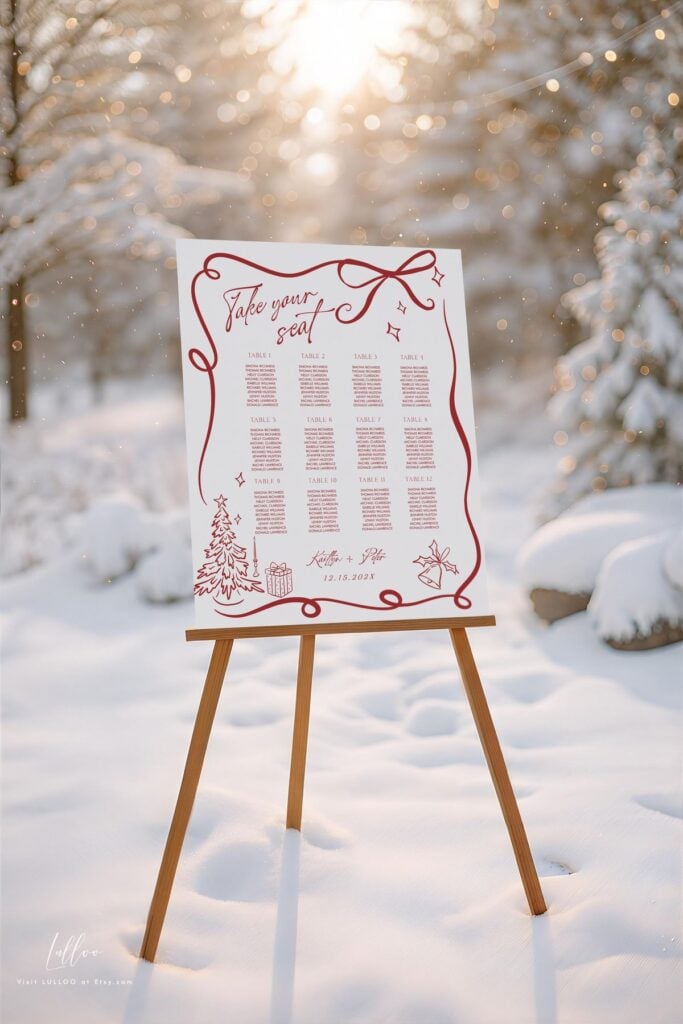
Christmas event seating chart panels help hosts organise guest seating at large dinners, corporate celebrations and festive gatherings.
Create a personalised design featuring the event name, table numbers and guest names, then use your Cricut to cut the lettering from permanent adhesive vinyl. Apply the finished design to a purchased acrylic or other suitable display board.
Event planners, companies hosting Christmas dinners and families organising large celebrations are potential customers.
You can offer different layouts, colour combinations and sizes, with pricing based on the board, vinyl, design work and application time.
Before accepting an order, confirm the final board dimensions and obtain the guest list early. Test the vinyl on the chosen surface to check adhesion and appearance, and leave enough space for longer names.
Selling the finished panel as a complete display also makes it easier for customers to use at their event without assembling the lettering themselves.
Choosing the right products can make a big difference to your earnings. Check out these 27 Cricut Projects With High Profit Margins.
2. Personalised Christmas Table Number Sets
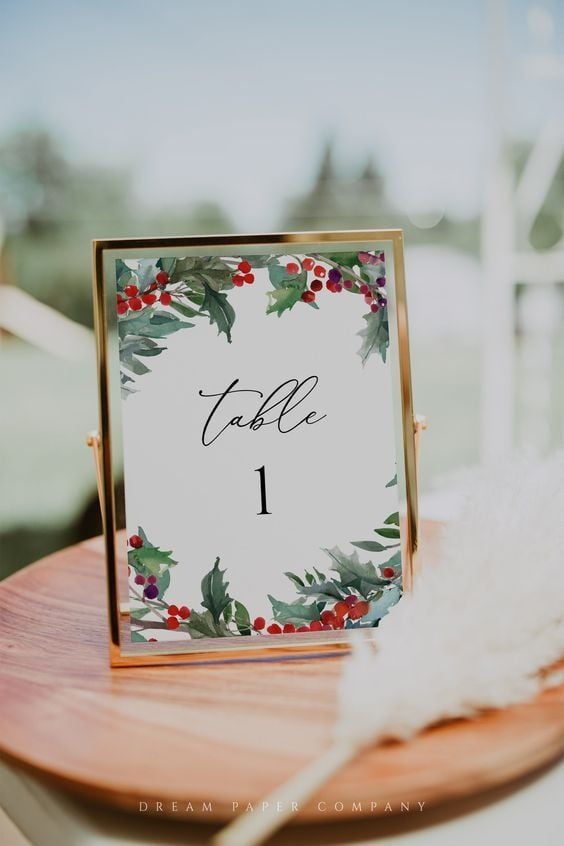
Large festive dinners can become difficult to organise when guests have to search for their assigned tables.
Coordinated number sets make seating arrangements easier to follow while giving the dining area a consistent appearance. Use your Cricut to cut numbers from cardstock or adhesive vinyl, then mount them on purchased card bases, acrylic stands or other suitable holders.
Offer complete sets for different table counts, with matching colours and typography.
Event planners, restaurants hosting seasonal dinners and companies organising staff celebrations are potential buyers. You can also offer matching head-table signs as an additional purchase.
New to selling your Cricut creations? Get started with these 23 Easy Cricut Crafts To Sell For Beginners.
3. Christmas Photo Booth Prop Collections
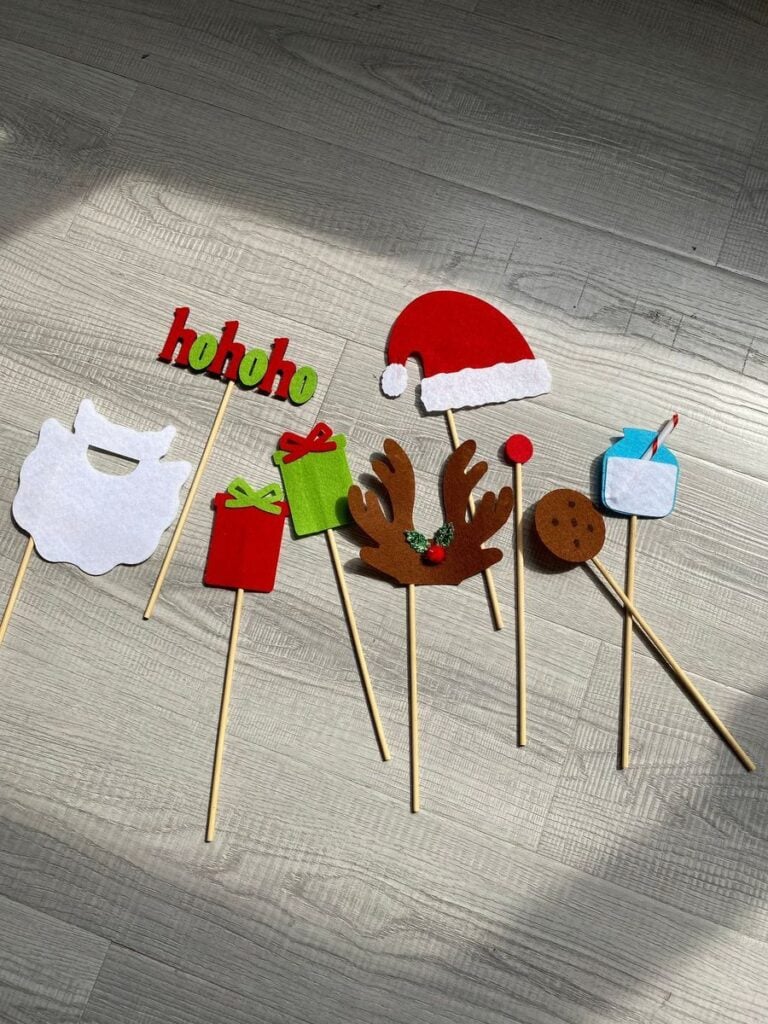
Guests often need something more interesting than an ordinary backdrop to make party photographs memorable.
Put together a collection of oversized speech bubbles, reindeer antlers, festive glasses, Santa beards and seasonal message signs.
Cut the shapes from sturdy cardstock and attach them to suitable wooden dowels or paper handles.
Sell the props as ready-to-use bundles for family gatherings, office parties and community celebrations. Include different designs so several guests can participate without holding identical props.
Strong attachment points and uncomplicated shapes are important because the items will be handled repeatedly throughout an event.
Personalised products can make thoughtful gifts and attractive shop items. See these 21 Personalized Cricut Items People Actually Buy.
4. Christmas Party Favour Box Sleeves
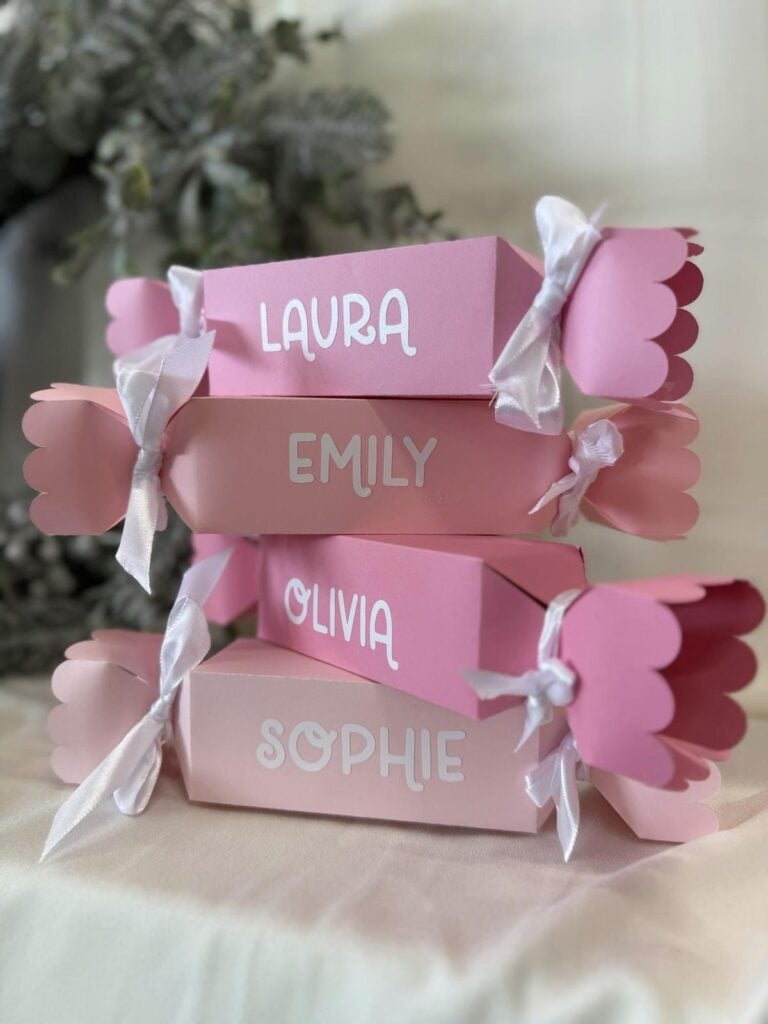
Plain favour boxes can look more appropriate for a special event with a personalised outer sleeve.
Measure purchased boxes and use your Cricut to cut cardstock wraps featuring the host’s name, company branding, event date or a short seasonal message.
This gives customers customised packaging without requiring you to manufacture the boxes themselves.
Offer matching sleeves in bulk to event planners, companies and people preparing guest favours for large gatherings.
Different box dimensions will require different sleeve templates, so develop samples around the actual packaging customers intend to use.
You can also offer coordinated designs for several favour flavours or gift categories.
Preparing for a market day? These 20 Cricut Products to Sell at Craft Fairs can help you plan your display.
5. Christmas Place-Name Cards with Foil Details
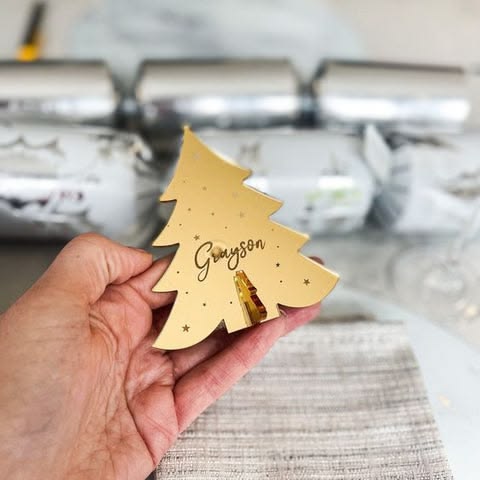
Handwritten seating cards are not always suitable for formal dinners or events with many guests.
Individually cut name cards provide a more coordinated presentation, especially when the design matches the table numbers and other stationery.
Use your Cricut to cut folded or shaped cardstock, add guest names and introduce metallic details with the compatible Cricut Foil Transfer Tool.
The Foil Transfer Tool uses pressure to transfer foil onto compatible materials; it is not a heat-activated process. Check machine compatibility and material requirements before purchasing supplies.
Offer these cards in complete guest-name sets, with optional matching menu cards for customers arranging formal dinners.
Accurate spelling and a final approved guest list are particularly important before production begins.
You can start crafting without buying expensive supplies. Try these 29 Cricut Projects for Beginners Using Dollar Store Items.
6. Custom Christmas Guest-Book Covers
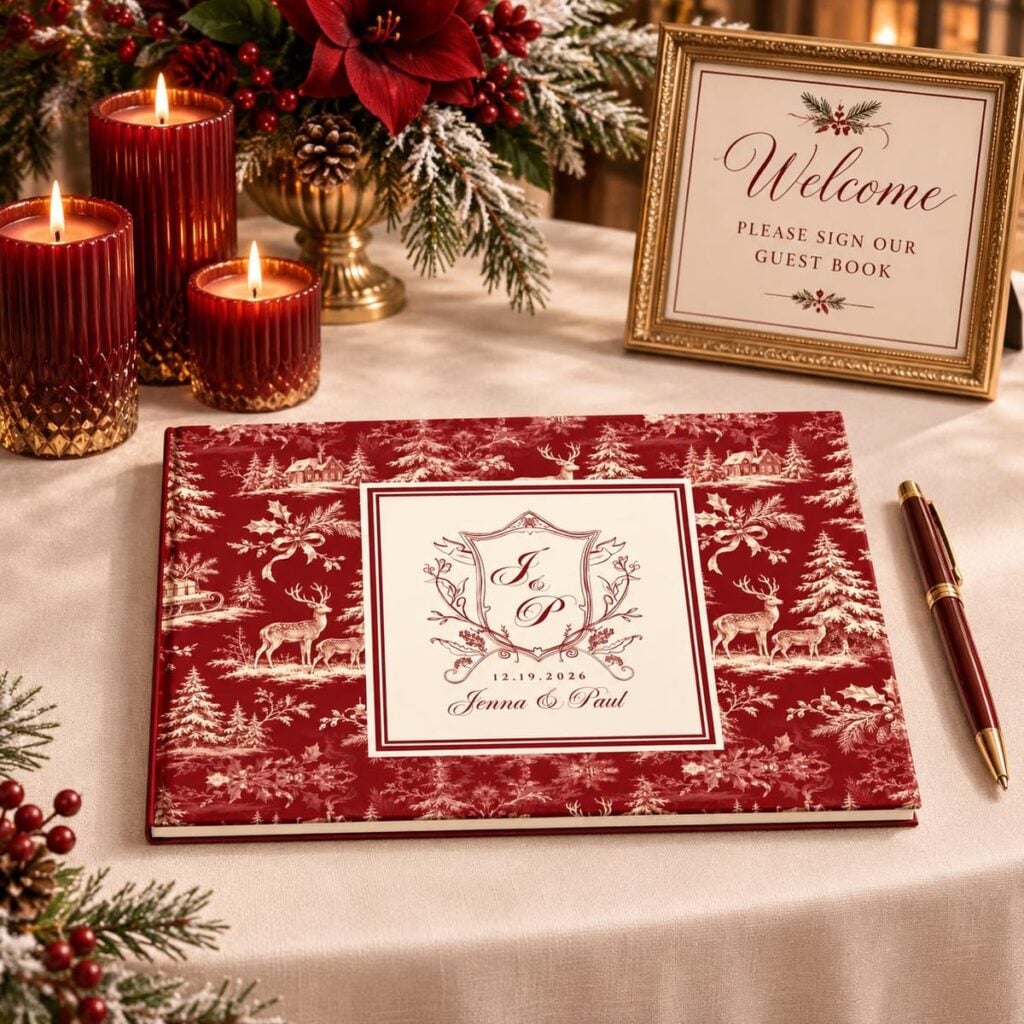
Family reunions, workplace celebrations and annual community gatherings can bring together people who may want to leave messages for the host or organisation.
Personalised guest books give those messages a place to be collected and kept after the event. Purchase suitable blank notebooks and use your Cricut to add the family name, organisation, event date or a short title to the cover.
You can create different versions for family gatherings, company celebrations and community events.
An additional option is to include a designed opening page with spaces for guests to write their names, messages or favourite memory from the occasion.
Make clear whether the order includes the complete notebook or only a decorated cover.
Want to run a small crafting business from home? Start with these 35 Profitable Cricut Projects You Can Make From Home.
7. Family Recipe Exchange Folders
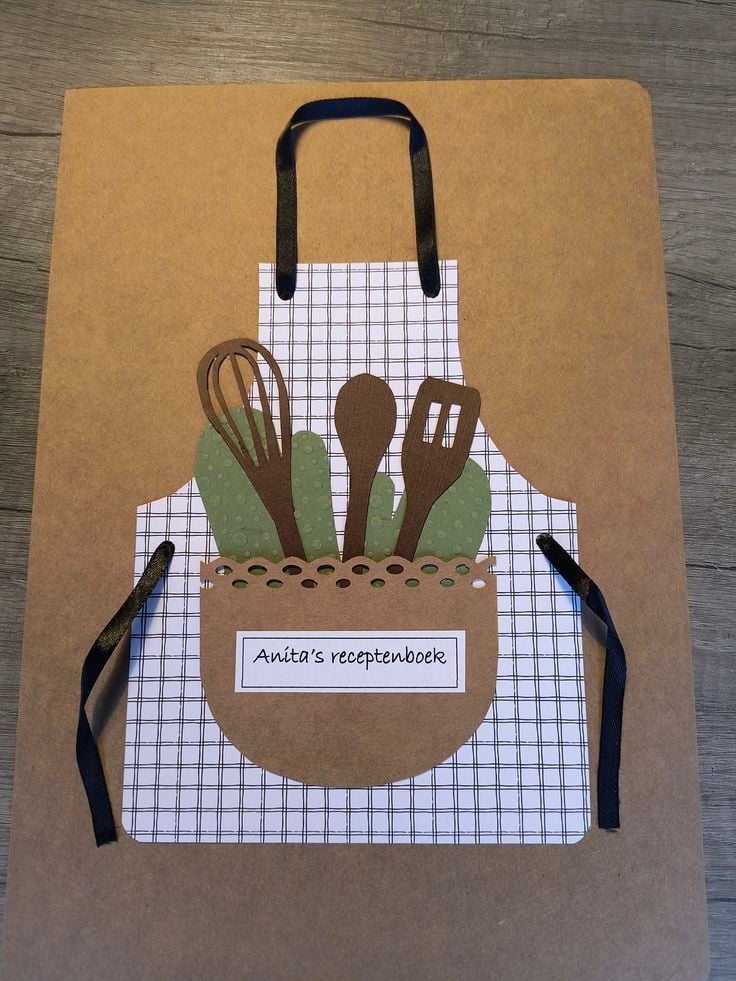
Family members often bring favourite dishes to shared holiday meals, but handwritten recipes can easily get misplaced or mixed up.
Personalised recipe folders offer a way to collect and organise these contributions.
Use your Cricut to decorate a purchased binder or presentation folder with a family name, year and title, then cut divider tabs for categories such as desserts, main dishes, side dishes and drinks.
Offer blank recipe inserts so relatives can write down their contributions before the gathering. You can also sell the decorated folder separately for customers who prefer to add their own pages.
These make thoughtful products for family organisers and people putting together keepsake recipe collections.
When designing the folders, allow enough space for standard recipe sheets and choose dividers that remain easy to turn.
Not sure which designs customers might want? These 33 Cricut Projects That Actually Sell Well offer ideas to consider.
8. Family Interview Card Decks
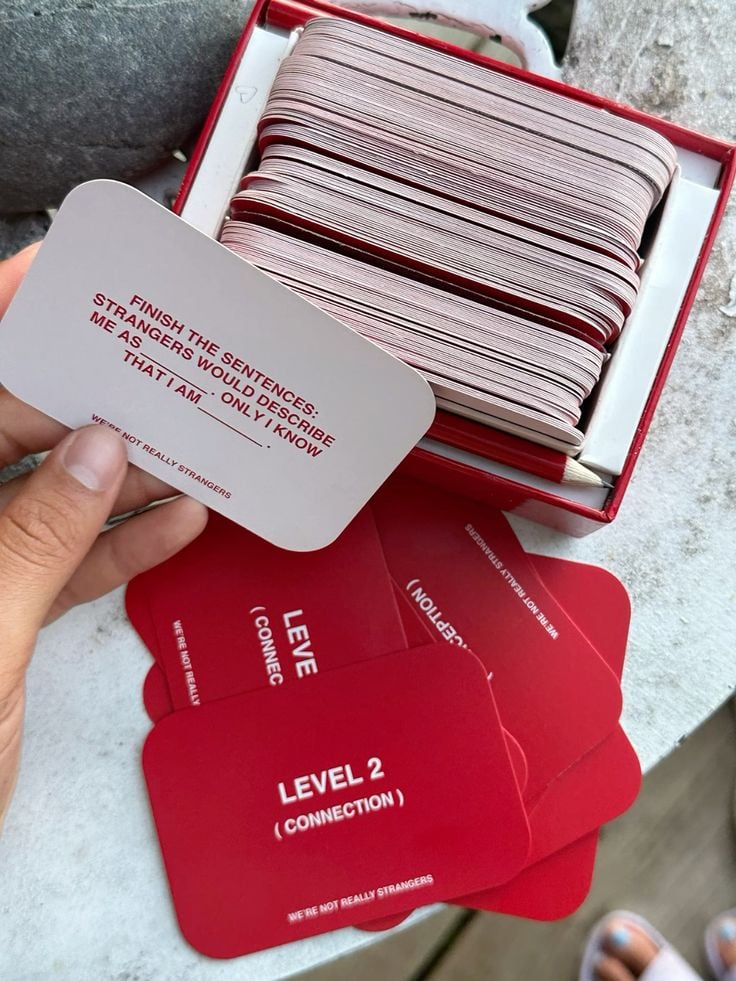
Not every family gathering gives relatives the opportunity to share stories beyond everyday conversations.
A set of conversation cards can encourage grandparents, parents, children and other relatives to talk about family memories and traditions.
Create individual cards with questions such as favourite childhood celebrations, memorable family meals and traditions they hope younger generations will continue.
Use your Cricut to cut the cardstock into uniform sizes, then print or write the questions on each card.
Package the finished deck in a purchased box or card pouch with a simple instruction card. The selling opportunity is in creating a well-organised activity that families can use around the dinner table or during a reunion.
Keep questions varied and suitable for different age groups rather than making every card ask about the same type of memory.
Hoping to reach customers online? Take a look at these 33 Best Cricut Projects to Make and Sell Online.
9. Storytelling Prompt Cards for Children
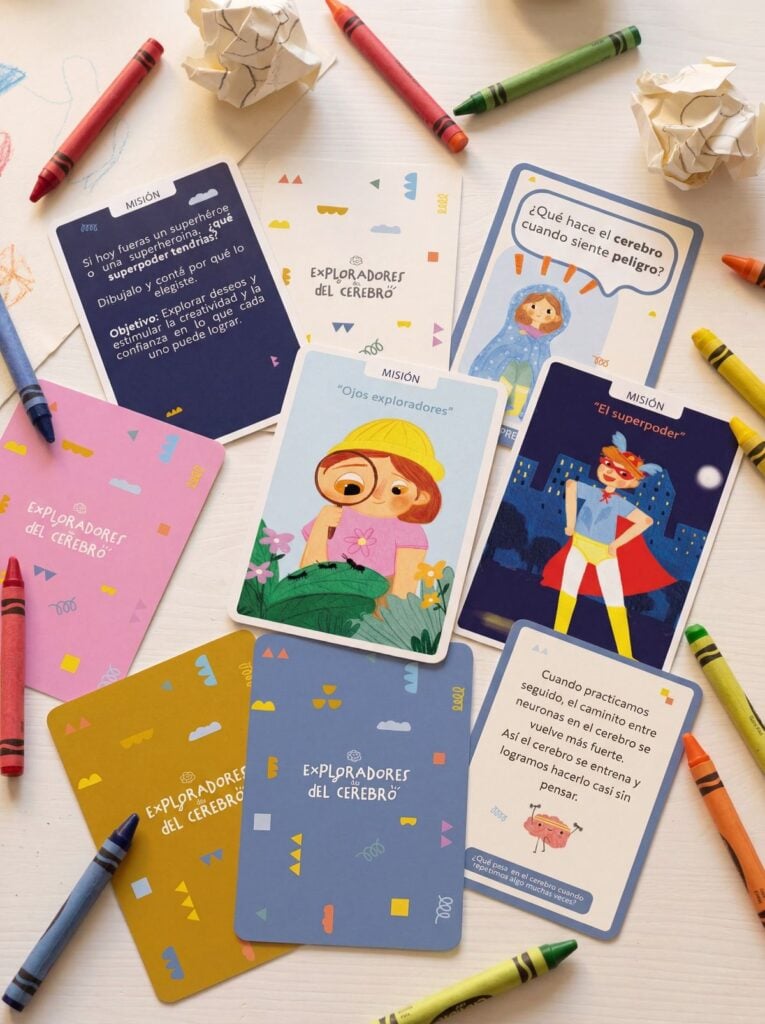
Children can use storytelling prompts to practise writing, build their vocabulary and create their own festive stories during school holidays.
Design a deck containing character cards, setting cards and story-starter cards. For example, one card might introduce a lost reindeer, another could describe a snowy village, while a third gives the child a situation to develop into a story.
Your Cricut can cut the cards into consistent shapes, while printed illustrations and text provide the content. Package the different card categories separately or use simple colour-coded borders to help children identify them.
Parents, teachers, libraries and children’s activity organisers are potential buyers. Include a suggested age range and make sure the instructions explain how to combine the cards to create a story.
Need another way to earn from your machine? These 31 Easy Cricut Projects to Make and Sell for Extra Money are a great place to look.
10. Christmas Craft-Night Kits
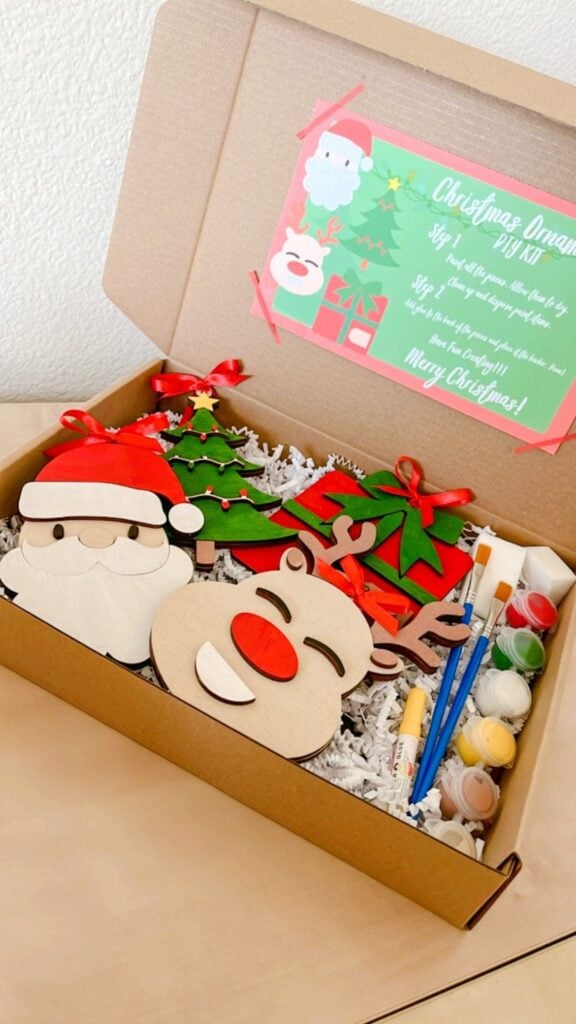
People organising group activities often prefer a ready-to-use craft kit to purchasing individual materials and preparing everything themselves.
Put together a kit for one clearly defined project, such as a layered paper decoration, personalised cardstock picture frame or hanging name display.
Use your Cricut to prepare the cut pieces, then include the necessary adhesive, instructions and any additional components required to complete the activity.
You can package individual kits for families or larger quantities for schools, community groups, churches and workplace gatherings.
State the number of participants each pack accommodates and identify anything customers must provide themselves, such as scissors or extra glue.
This makes the product easier to price and prevents buyers from discovering that important materials are missing after opening the package.
Bring order to everyday spaces with these 27 Easy Cricut Projects for Organizing Your Home.
11. Christmas Party Game Scorecard Sets
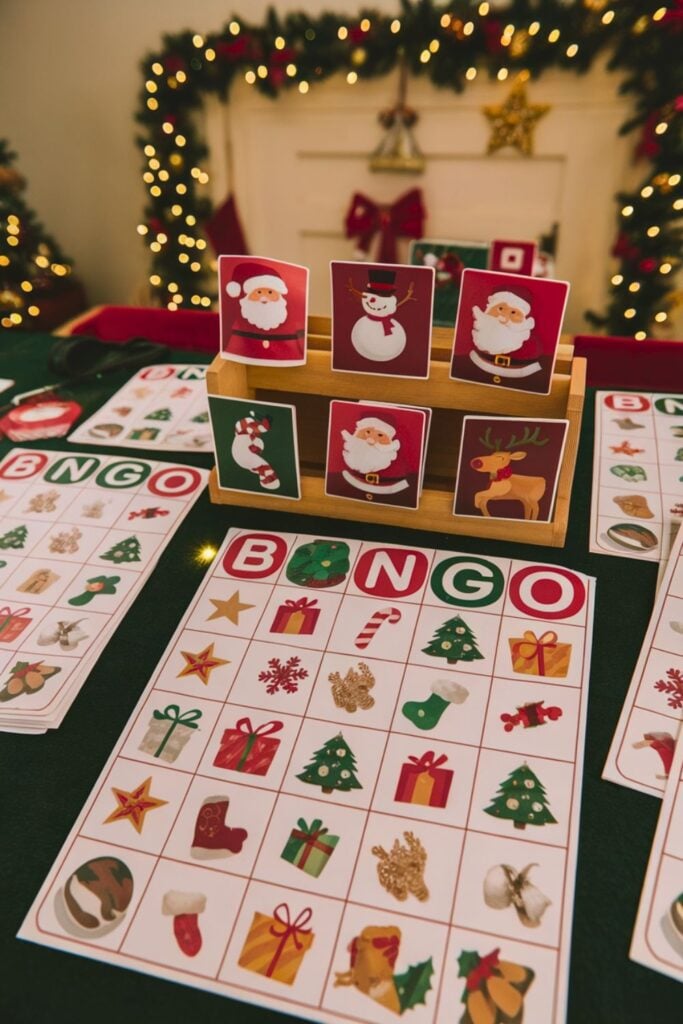
Party hosts running trivia competitions and family challenges need a simple way to record answers and keep track of scores.
Create coordinated scorecards with spaces for player names, team names, answers and final points. Your Cricut can cut the cards to a consistent size, while the printed layout provides the actual game structure.
Sell the scorecards as a bundle with enough copies for a stated number of players, together with a separate set of game questions where appropriate.
Office party organisers, family hosts and community event planners may find these useful.
Make the scoring layout easy to follow and ensure there is enough writing space for participants. Avoid making the cards dependent on a particular game unless you include its instructions.
From labels to useful kitchen accessories, these 25 Easy Cricut Projects for Your Kitchen offer plenty to make.
12. Cookie-Decorating Activity Packs for Children
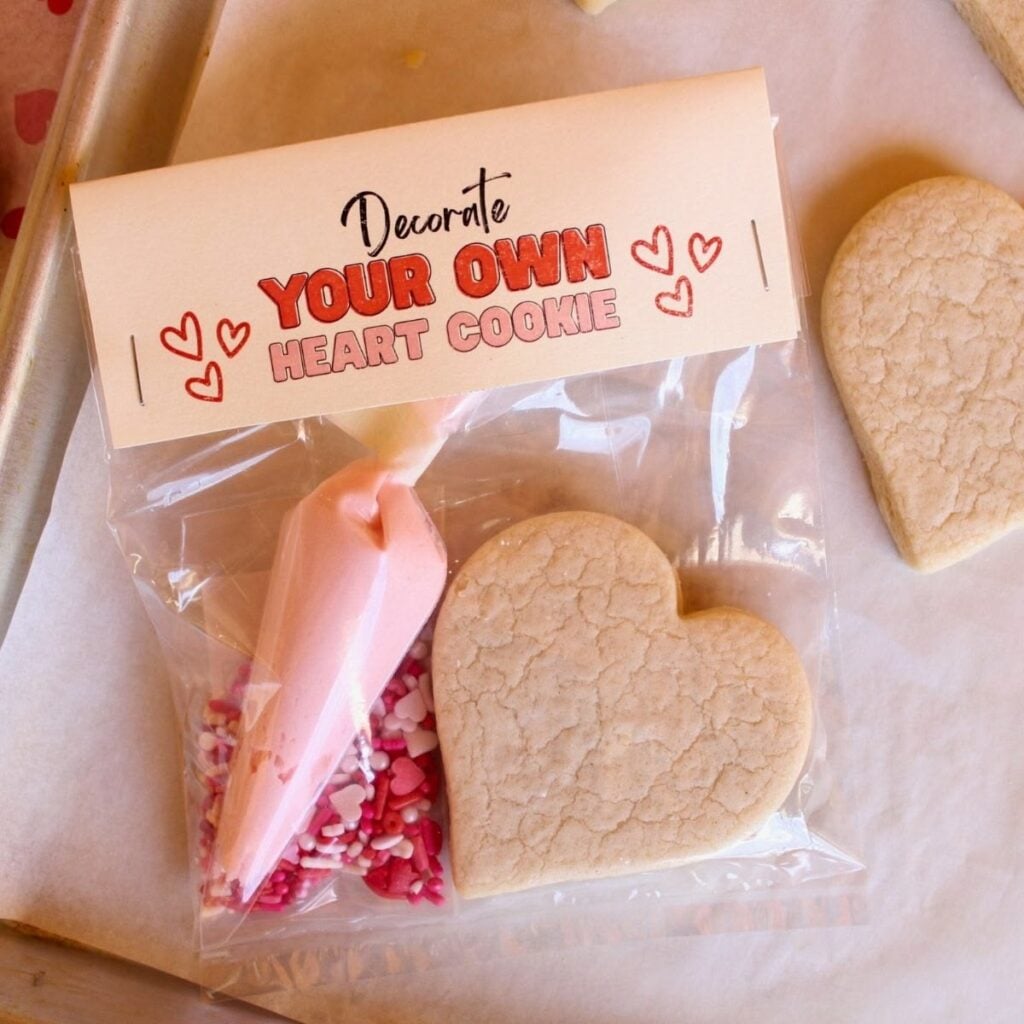
Parents organising holiday activities may appreciate a prepared pack that gives children something creative to do while adults handle the baking.
Put together decorating guides, printable activity sheets, cookie-design challenges and paper templates showing different icing patterns. Your Cricut can cut the paper shapes and activity components, while the printed sheets provide instructions and ideas.
Package the materials as an activity set for families, children’s parties or school holiday programmes.
You can include a checklist of suggested baking supplies, but keep the distinction between the craft materials and the food ingredients clear.
Paper templates and cardstock components should never be presented as food-contact items.
This way, customers understand that they are purchasing an activity pack to guide cookie decorating, not edible decorations or baking equipment.
Don’t throw away those leftover materials just yet. These 23 Cricut Projects You Can Make with Scrap Materials put them to use.
13. Branded Staff Appreciation Certificates
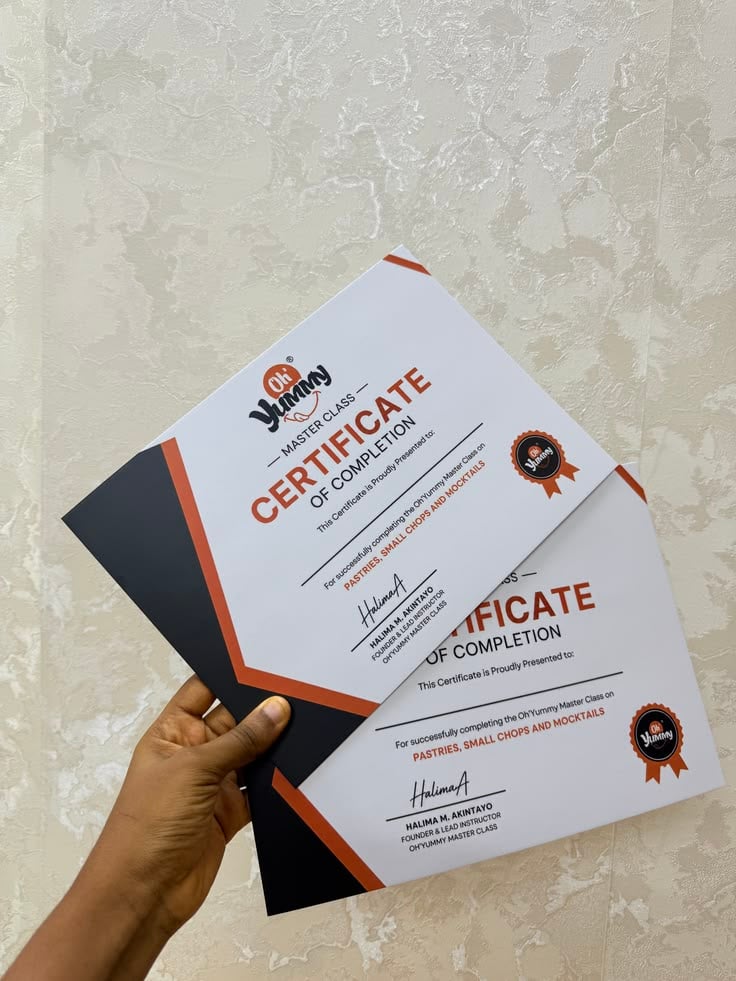
Companies often use end-of-year celebrations to recognise employees for their contributions, achievements and years of service.
Create personalised certificate covers or presentation folders featuring the organisation’s name, award category and recipient’s details.
Your Cricut can cut decorative borders, lettering and cardstock elements, while the certificate itself can be printed separately.
These are useful Cricut projects to make and sell for Christmas because businesses may need several certificates with consistent branding.
Offer different award categories and provide space for individual names, dates and authorised signatures. You can also sell matching presentation folders as an additional option.
Make your next celebration more personal with these 20 Easy Cricut Projects for Birthdays and Parties.
14. Seasonal Market Vendor Price-Display Sets
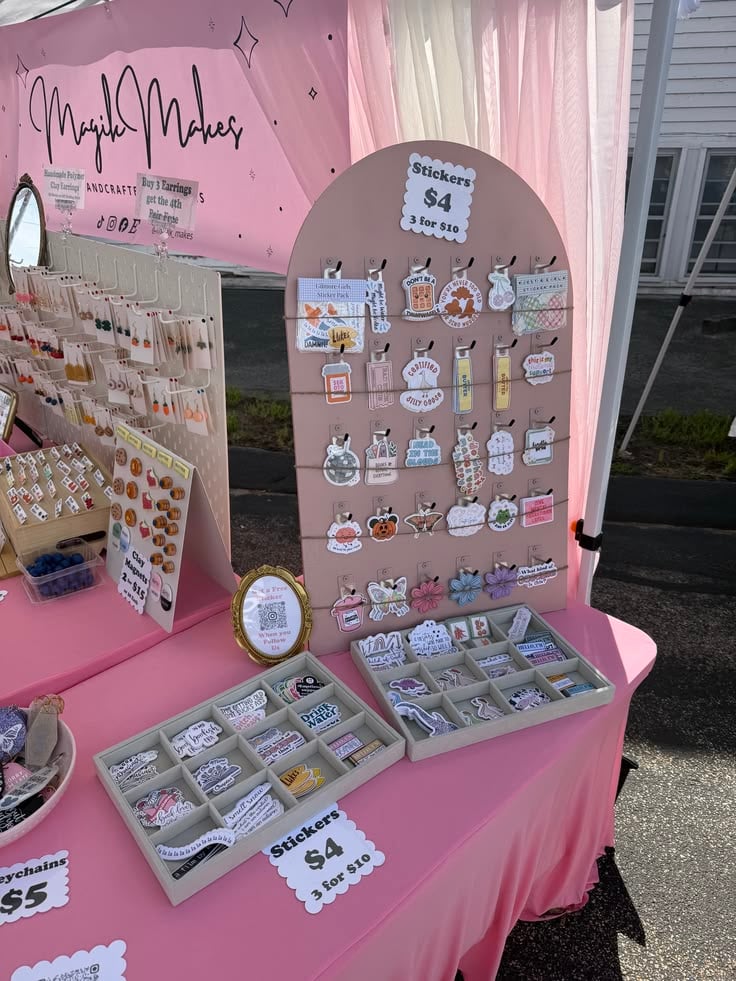
Vendors at Christmas markets need clear price displays so shoppers can identify product costs without repeatedly asking for assistance.
Create coordinated price cards, product-name signs and small promotional labels using your Cricut.
Cut the designs from cardstock or adhesive vinyl, depending on whether they will be displayed in purchased sign holders or applied to suitable boards.
Sell them as a reusable display collection for craft sellers, food vendors and small businesses attending seasonal markets.
Offer different card sizes and editable price areas so sellers can update their prices when needed. A coordinated set can include individual product labels, a main business sign and a special-offer display.
A handmade gift can say more than a store-bought one. Find ideas in these 31 Easy Cricut Projects for Gifts.
15. Fundraising Merchandise Packaging
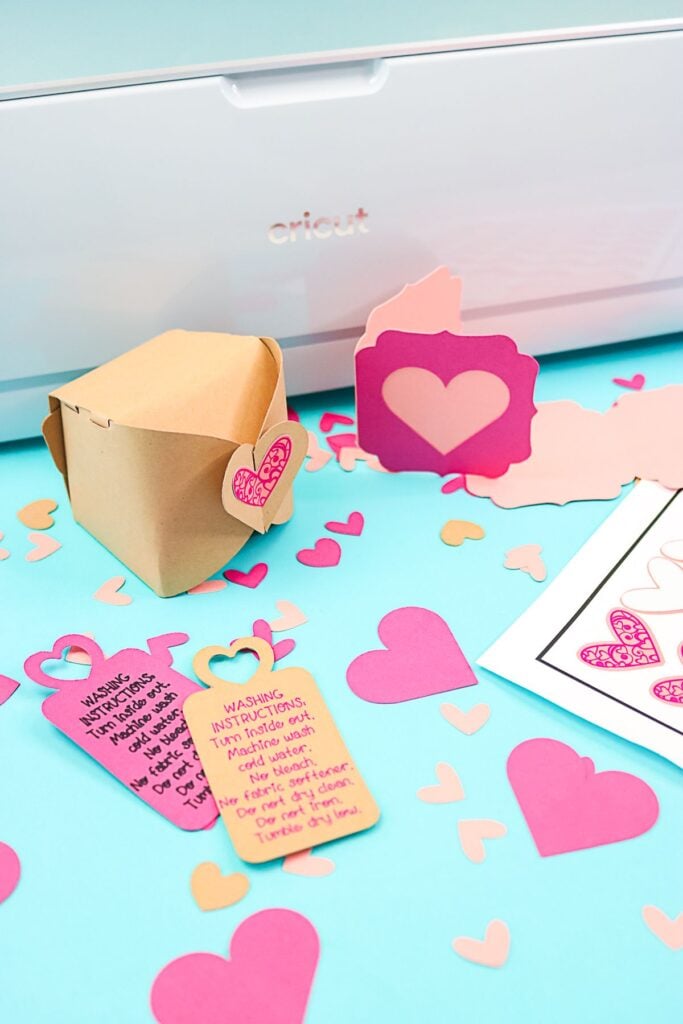
Schools, clubs and charitable organisations sometimes sell small items to raise money during end-of-year events.
You can create branded packaging sleeves for existing products such as notebooks, stationery sets, handmade cards or small gift bundles.
Use your Cricut to cut cardstock bands featuring the organisation’s name, fundraising message and relevant event details.
These Cricut projects to make and sell for Christmas are particularly suitable for bulk orders because organisations often need consistent packaging for multiple products.
Offer quantities that match their expected stock and provide space for product descriptions or donation information.
Confirm the dimensions of the merchandise before cutting the sleeves, as different products will require different packaging sizes.
Looking for something a teen girl would love? These 30 Cute Cricut Projects for Teen Girls are full of creative possibilities.
16. School Concert Backstage Identification Badges
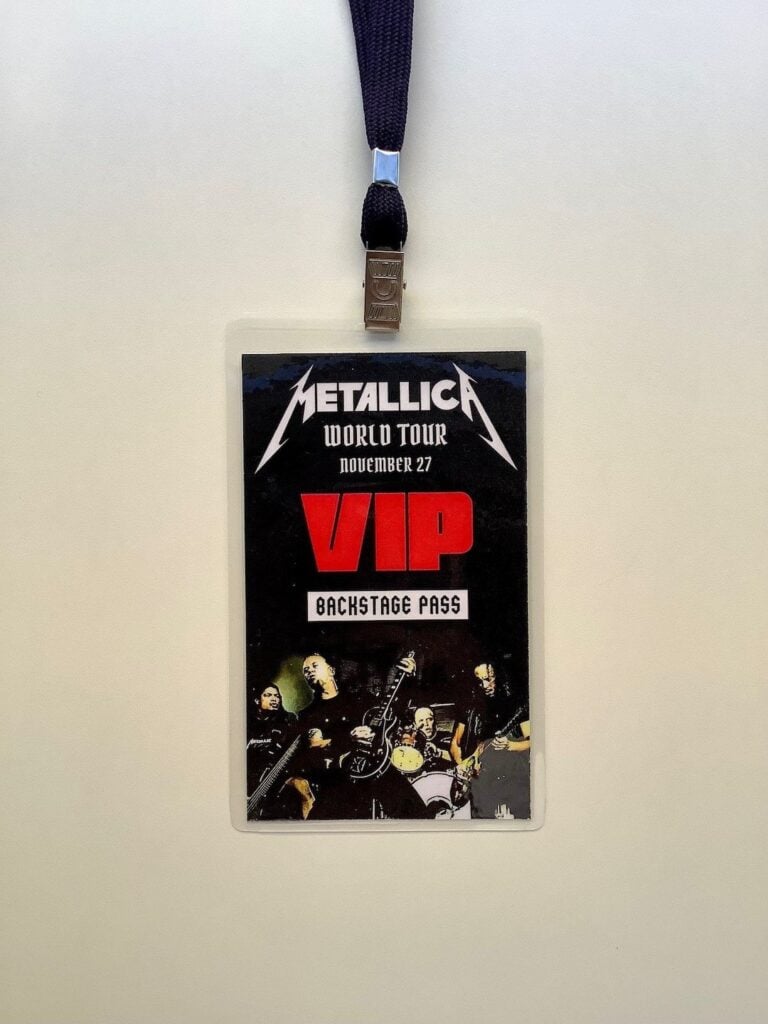
School performances involve more than the children appearing on stage. Teachers, backstage assistants, costume helpers and event volunteers also need to be identified, particularly when several groups are involved.
Create personalised badges with names and roles such as performer, stage assistant, teacher or event crew.
Use your Cricut to cut the names and decorative details from compatible vinyl or cardstock, then apply them to purchased badge blanks or suitable holders.
Offer sets organised by role, with different colours to help distinguish the groups. These are useful Cricut projects to make and sell for Christmas to schools and performance organisers preparing concerts and community shows.
For repeated use, choose durable badge materials and suitable attachments rather than relying on ordinary paper alone.
Give plain rooms a personal touch with these 29 Easy Cricut Projects for Home Decor.
17. Concert Programme Covers
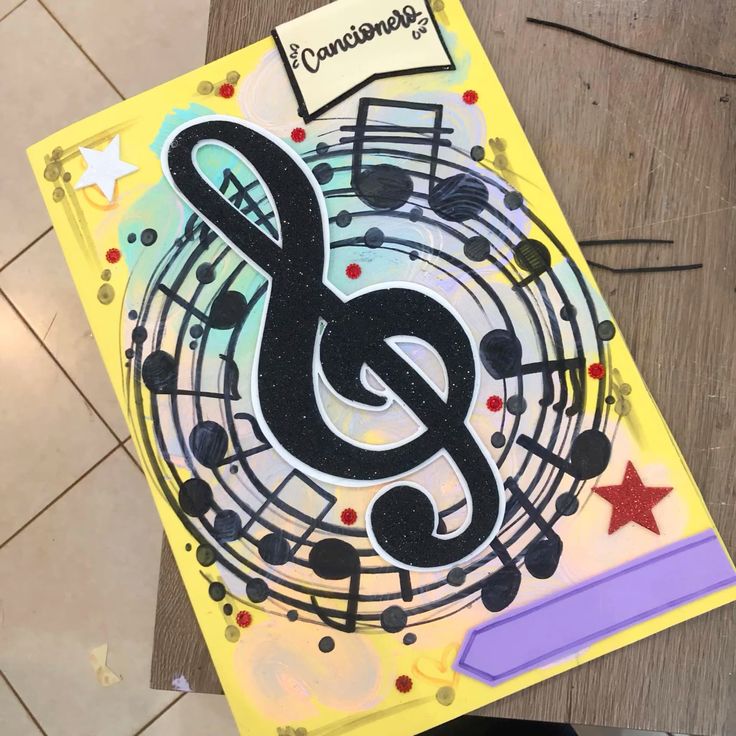
Printed programmes help audiences follow performances, identify participants and understand the order of events.
Create personalised covers for school concerts, choir performances and community celebrations using cardstock, layered lettering and cut decorative details. The inside pages can be printed separately and assembled with the finished covers.
Offer designs that accommodate the event title, school or choir name, performance date and venue.
You can also provide matching covers for different performance groups within the same organisation.
Before producing a batch, confirm the programme’s finished paper size, folding arrangement and binding method so the cover fits the printed pages correctly.
Have cardstock ready for your next project? These 27 Easy Cricut Projects Using Cardstock show what you can create.
18. Raffle Ticket Presentation Holders
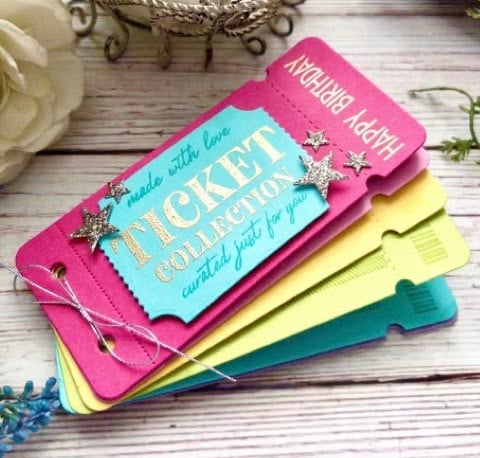
Fundraising organisers need a simple way to keep raffle tickets, stubs and related information organised during an event.
Create personalised ticket holders or collection envelopes using cardstock, with clearly labelled sections for unused tickets, sold tickets and ticket stubs. Add the organisation’s name, raffle title and event date using your Cricut.
Schools, clubs, community groups and charities may order these for their seasonal fundraising activities.
Offer matching sets for different collection points or sales teams, with enough space for the ticket information and organiser details.
Keep in mind that the holder is an organisational accessory, not an official raffle ticket or a replacement for any required record-keeping or legal documentation.
Curious about Infusible Ink projects? See these 25 Easy Cricut Projects Using Cricut Infusible Ink for ideas to try.
19. Pet Adoption Anniversary Keepsake Plaques
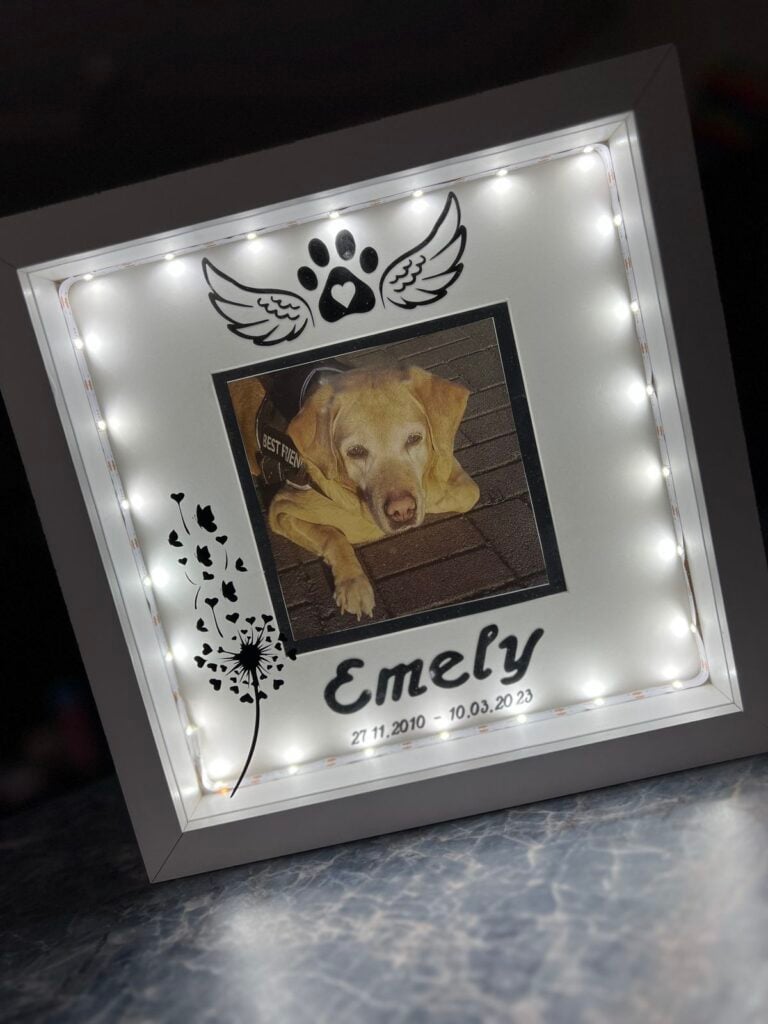
Pet owners often celebrate the date they welcomed an animal into their family, making an adoption anniversary a meaningful occasion for a personalised keepsake.
Create small display plaques featuring the pet’s name, adoption date and a short message such as “Our First Christmas Together.” Use your Cricut to cut the lettering from compatible adhesive vinyl and apply it to a purchased wooden or acrylic plaque.
Offer different layouts for dogs, cats and other household pets, with space for a photograph where the plaque design allows it.
Pet owners looking for a personal reminder of their animal’s adoption story are potential customers.
This is one of the more specialised Cricut projects to make and sell for Christmas because the personalisation connects the product to a specific family memory rather than relying entirely on seasonal decoration.
Vinyl opens up plenty of creative options. Start with these 23 Cricut Projects for Beginners Using Vinyl.
20. Pet-Sitter Instruction Folders
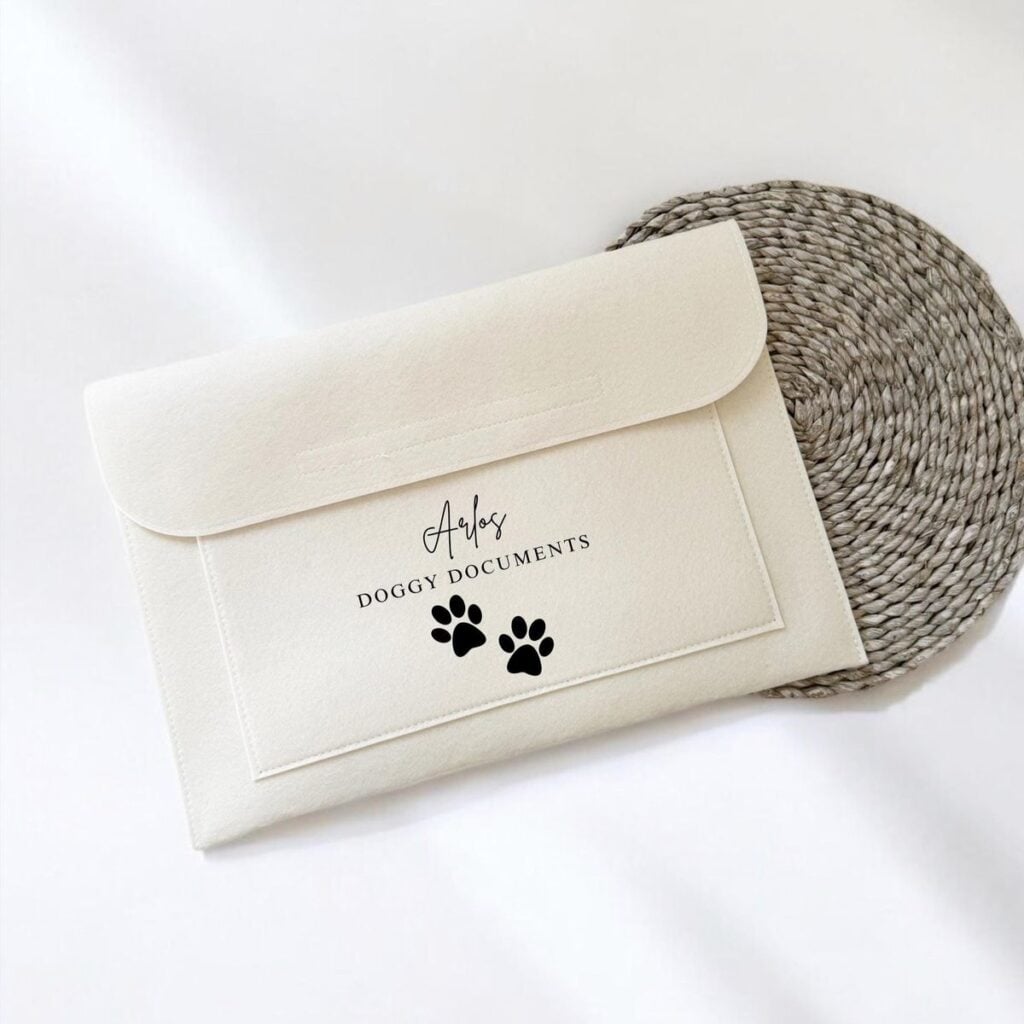
People travelling during the holidays may need to leave detailed care instructions with someone looking after their pets.
A personalised instruction folder gives owners one place to organise feeding schedules, daily routines, emergency contacts, medication instructions supplied by their veterinarian and important contact details.
Start with a suitable purchased folder and use your Cricut to add a title, pet’s name and labelled dividers.
You can include printed blank forms for owners to complete before handing the folder to a sitter. Market these to pet owners, professional pet sitters and boarding businesses.
Keep the layout easy to update, particularly for information such as feeding times and emergency contacts that may change.
Want to turn simple crafts into extra income? These 25 Easy Cricut Projects to Make and Sell for Extra Money may give you your next product idea.
21. Family Travel Document Organisers
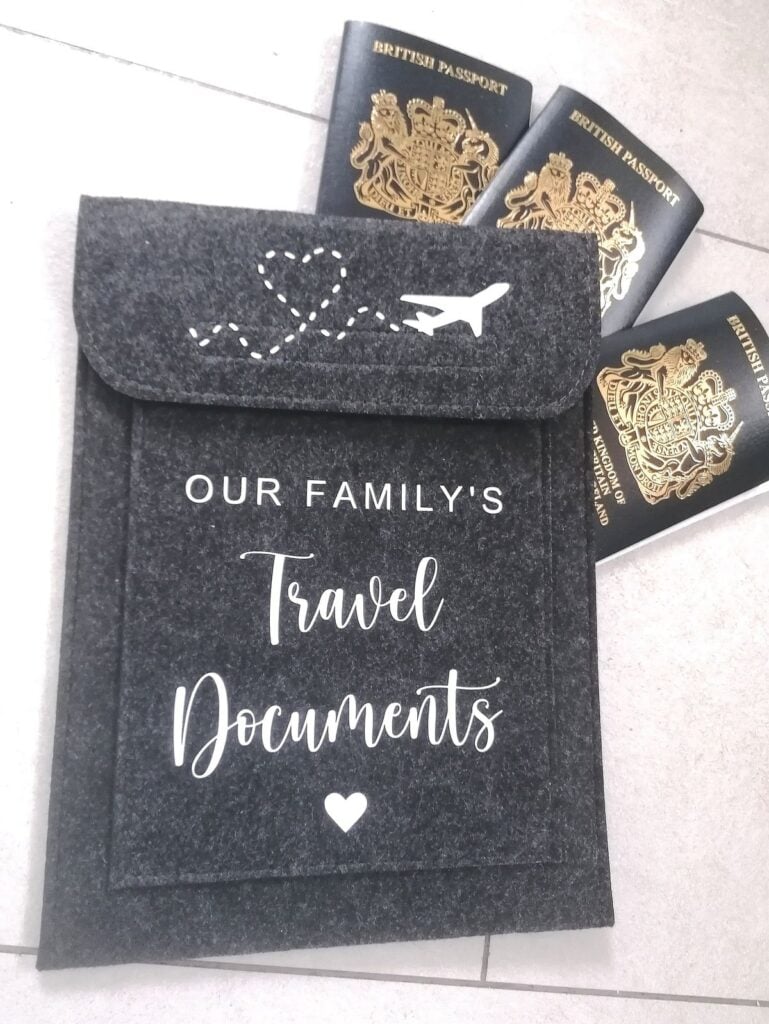
Families travelling to visit relatives during the holidays often have several documents and travel details to keep organised.
Create personalised document folders with separate pockets or labelled sections for travel confirmations, accommodation details, itineraries and other relevant paperwork.
Your Cricut can add names, destination details and decorative lettering to purchased travel organisers.
Offer different sizes based on the documents the organiser is designed to hold. Families, couples and frequent travellers may be interested in personalised versions, particularly when buying a practical gift for someone preparing for a trip.
Be clear about the dimensions and pocket arrangement, and avoid describing the product as a secure passport holder unless it has the appropriate construction and protection.
Simple projects can still appeal to buyers. Find inspiration in these 21 Simple Cricut Projects for Beginners That Actually Sell.
22. Family Memory-Book Covers
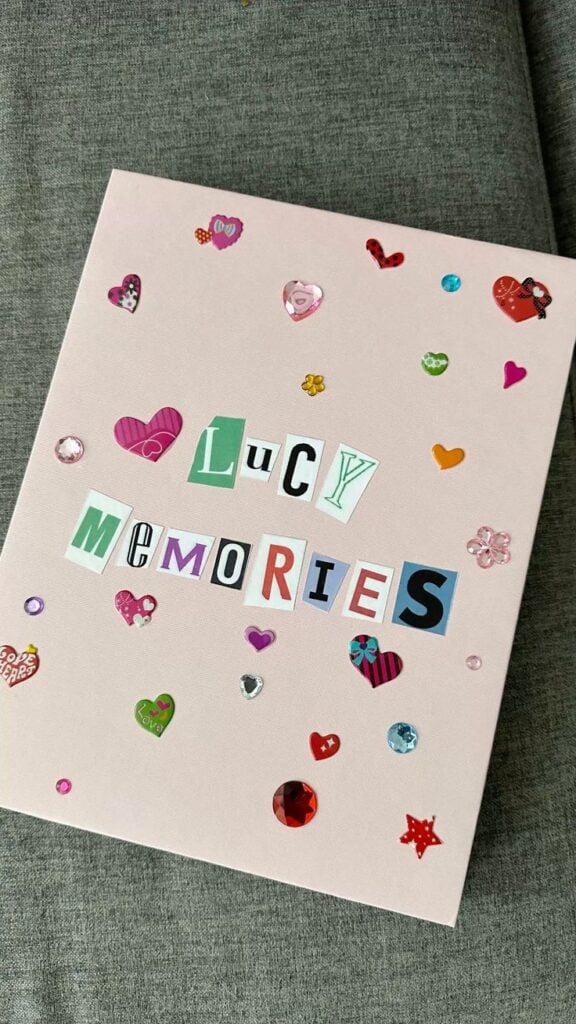
Photographs alone do not always capture the stories behind a family’s celebrations. A memory book gives relatives somewhere to collect photographs, handwritten notes, special messages and details of memorable events throughout the year.
Purchase a suitable blank scrapbook or album and use your Cricut to personalise its cover with the family name, year and a title.
You can offer different cover designs for family gatherings, annual traditions or a baby’s first holiday season.
Include matching section dividers as an optional addition to help customers organise photographs and written memories.
When listing the product, specify whether buyers receive a decorated blank album, a complete assembled scrapbook or just the personalised cover. This distinction also helps you calculate the correct selling price.
Just bought a Cricut and need an easy starting point? Try these 22 Easy Cricut Projects for Beginners You Can Make at Home.
23. Personalised Milestone Keepsake Boxes
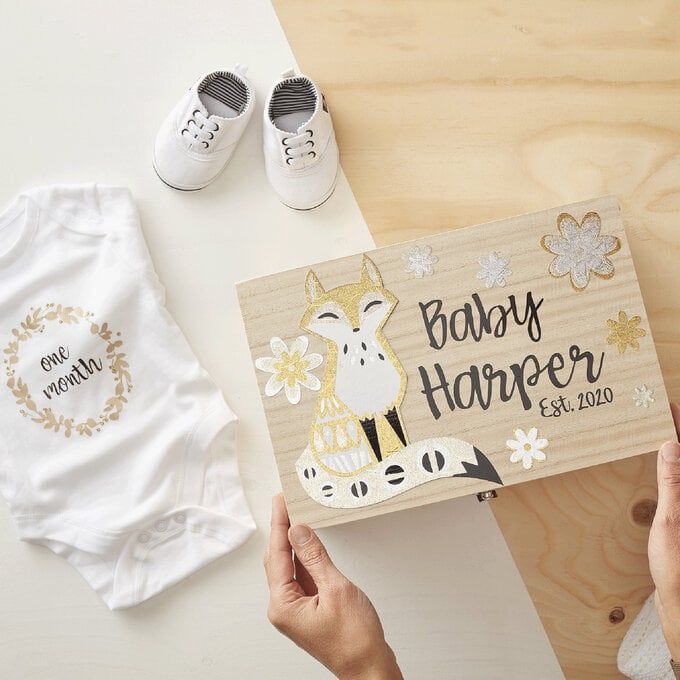
Important family milestones often come with small items that people want to preserve, such as a baby’s hospital bracelet, a first Christmas card, photographs or a special handwritten note.
Personalised keepsake boxes provide a place to store these items together.
Purchase suitable wooden, cardboard or other decorative boxes, then use your Cricut to add names, dates and milestone details.
You can create versions for a baby’s first Christmas, a couple’s first holiday season together or a family’s first Christmas in a new home.
Offer different box sizes depending on the items customers intend to keep. Check the box surface before applying vinyl, especially when it has a textured finish or protective coating, as this can affect adhesion.
Start with manageable designs before taking on bigger projects. These 19 Easy Cricut Projects for Beginners can help you get comfortable.
24. Friendship Memory-Card Sets
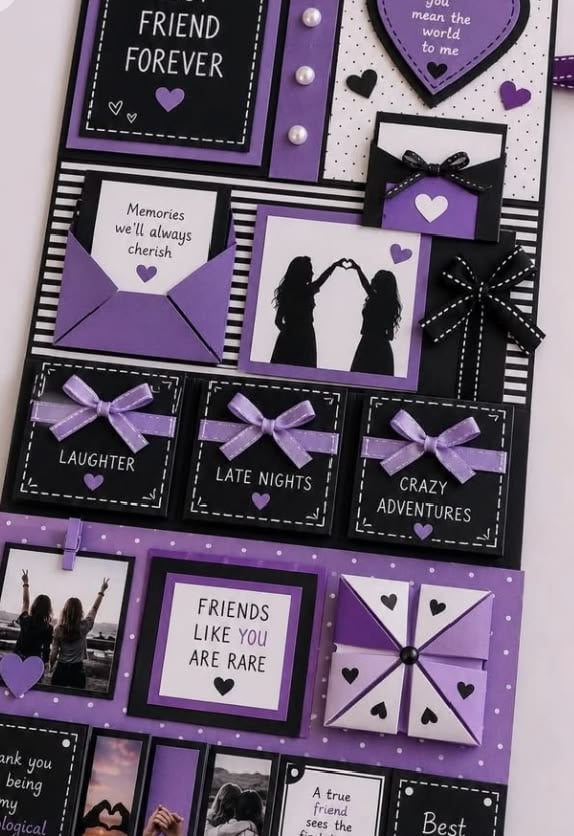
Close friends often have shared experiences, inside jokes and memorable moments worth celebrating.
Create a set of small cards with prompts that encourage friends to write about their favourite shared memory, a difficult moment they overcame together, something they appreciate about one another or an experience they hope to share in the coming year.
Use your Cricut to cut the cards into uniform shapes and create a coordinated cover or storage sleeve.
Package the collection as a friendship activity for gift exchanges, group gatherings or long-distance friends. Include enough cards for several people to participate, and leave adequate writing space for handwritten responses.
The value lies in the thoughtful prompts, so avoid filling the deck with repeated questions that produce similar answers.
Want to make gifts that feel personal? These 33 Cricut Projects for Beginners That Make Great Personalized Gifts offer thoughtful ideas.
25. Engraved Pet Christmas Keepsake Tags
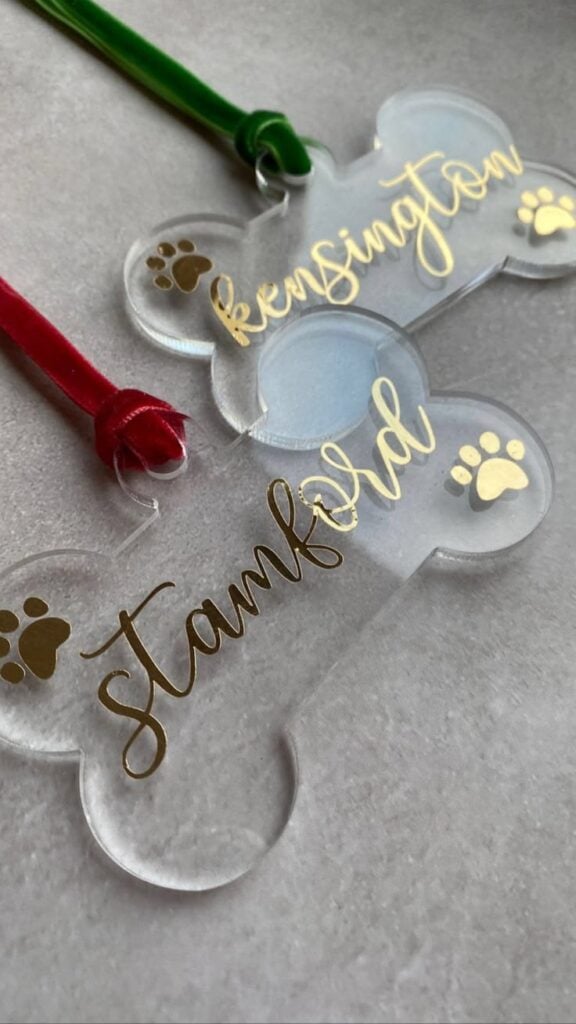
Pet owners may appreciate a small engraved tag commemorating their animal’s name and the year it spent its first Christmas with the family.
Use compatible engraving blanks and a Cricut Maker machine with the appropriate engraving tip to add the lettering.
The finished piece can be presented as a decorative keepsake rather than an ordinary identification accessory.
Offer different shapes and simple designs that leave enough room for readable names. Check the blank’s material compatibility and engraving requirements before production.
If you intend to sell the tag for everyday pet identification, pay particular attention to the strength of the attachment, legibility and suitability for regular wear.
An engraved decorative keepsake should not automatically be advertised as a safety-rated identification tag.
Keep little hands busy with these 35 Easy Cricut Projects for Kids.
26. Engraved Family Recipe Plaques
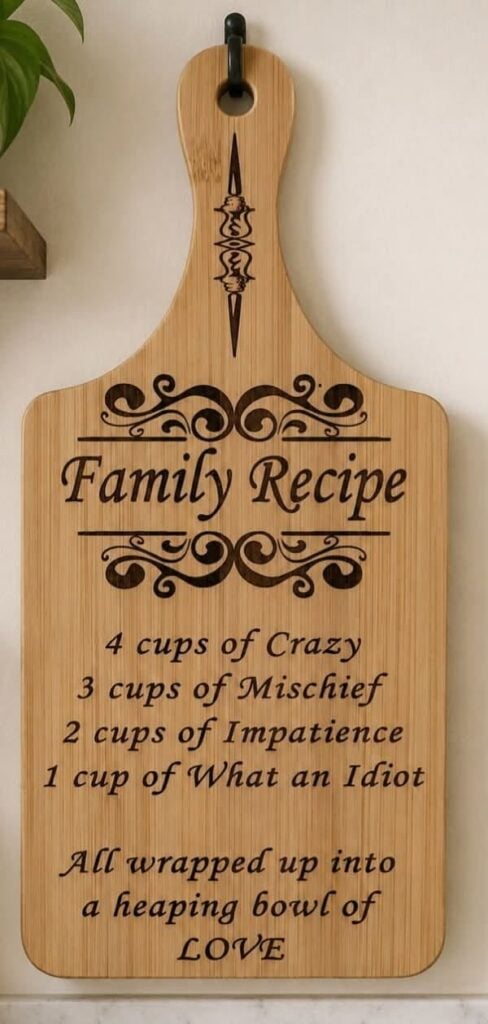
Some families have recipes associated with particular relatives, celebrations or long-standing traditions.
Turn the name of a treasured dish, a short family cooking message or a meaningful recipe title into a personalised display plaque.
Purchase a compatible engraving blank and use the Cricut Maker with its engraving tip to add the design.
Wood, acrylic and metal blanks do not all have the same engraving requirements, so check the manufacturer’s material guidance before choosing your supplies.
Keep the design relatively simple, particularly when working with longer recipe titles.
These plaques are intended for display and remembrance, not as food-preparation surfaces. They can be offered to families who want to celebrate a favourite recipe or preserve a connection to someone who passed it down.
Make the festive season more creative with these 31 Easy Cricut Projects for Christmas.
27. Foil-Accented Certificate Portfolios
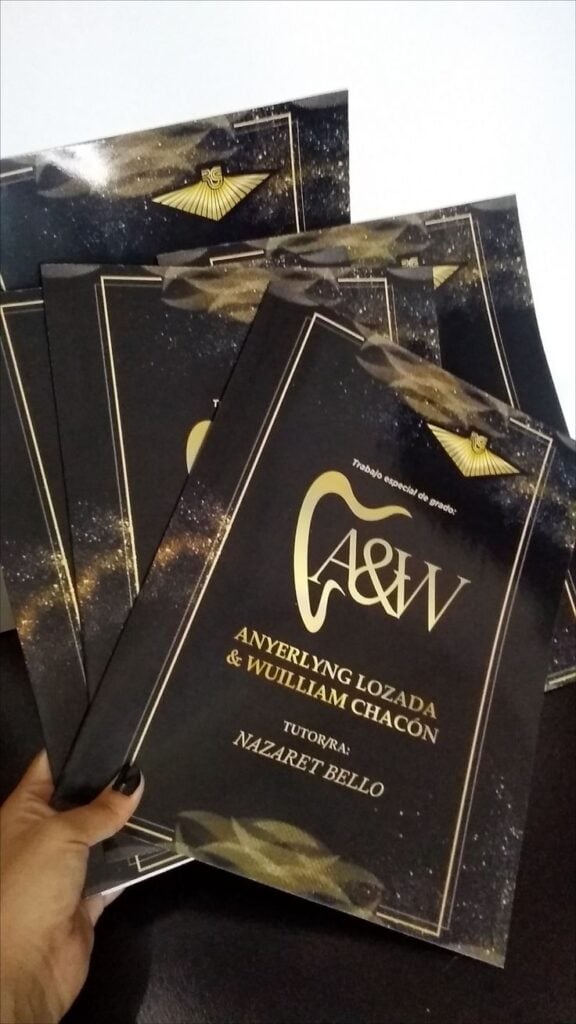
Awards and certificates often look more considered when presented in a coordinated folder rather than handed over as loose sheets.
Create presentation portfolios for workplace recognition, school achievements and community awards, using cardstock or suitable purchased folders.
A Cricut can cut the folder components and add metallic foil lettering or decorative borders using a compatible Foil Transfer Tool.
Offer space for the organisation’s name, recipient details and award title. You can also provide matching certificate covers for several recipients, helping businesses and schools maintain a consistent presentation.
Remember that the Foil Transfer Tool applies foil through pressure, not heat. Check the recommended materials and tool compatibility before promising a particular finish.
Need ideas for spooky-season crafting? These 33 Easy Cricut Projects for Halloween are a great place to start.
28. Layered Paper Shadow-Box Kits
Layered paper shadow boxes use several cut cardstock pieces arranged at different depths to create a dimensional scene.
For a seasonal design, you could create a winter village, a Christmas tree landscape or a family home surrounded by festive details. Your Cricut cuts the individual layers, while the depth between them creates the finished visual effect.
Sell either the completed framed artwork or a DIY kit containing the pre-cut layers, backing, suitable adhesive and assembly instructions.
For kits, number the layers or provide a simple placement diagram so customers can assemble the scene in the correct order.
Check that the design fits the purchased shadow-box frame and that the cardstock thickness allows the layers to sit comfortably without distorting the finished piece.
No heat press in your craft room? You can still make plenty with these 21 Cricut Projects for Beginners Without a Heat Press.
29. Removable Window Display Lettering Kits for Shops
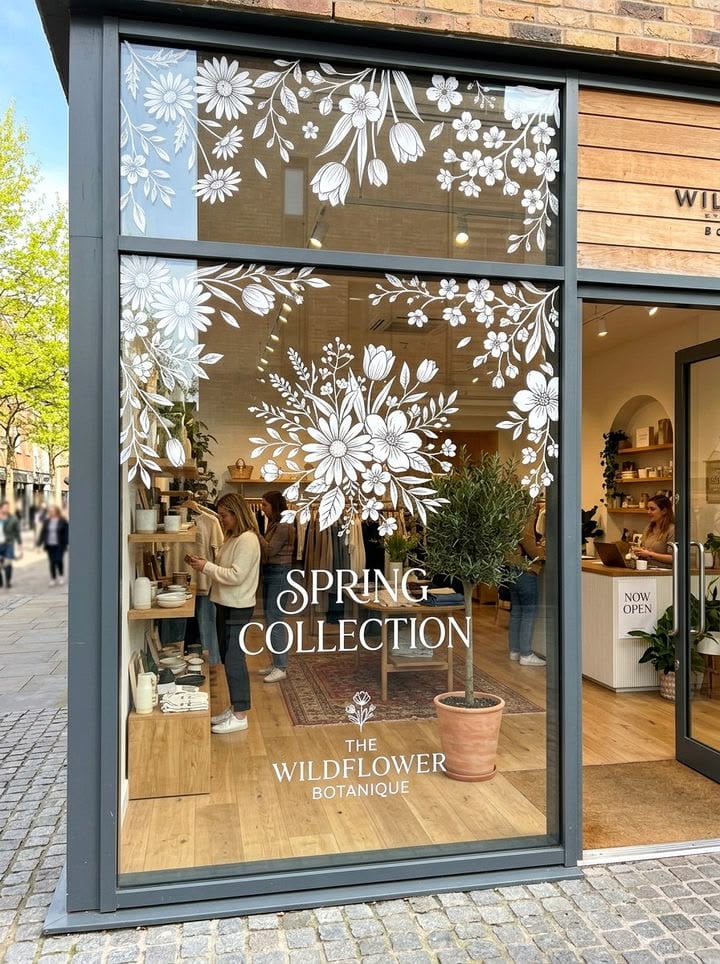
Retailers often change their window displays to reflect seasonal promotions, opening hours and special offers.
Prepare coordinated lettering kits featuring phrases such as seasonal opening information, promotional messages and decorative snowflakes.
Use your Cricut to cut the designs from vinyl specifically suited to the intended display surface and removal requirements.
Sell the lettering as a prepared set with application instructions, recommended placement and a clear indication of the finished dimensions.
Small shops, boutiques, salons and other local retailers are potential customers. One important distinction is that not every vinyl marketed as removable performs equally on every window surface.
Check the manufacturer’s application and removal guidance, and test a sample before accepting a large installation order.
Avoid promising residue-free removal without evidence from the specific material and surface combination.
30. Personalised Craft Workshop Kits for Groups
Schools, churches, community centres and workplace organisers sometimes need a prepared activity for several participants rather than individual craft supplies.
Create a workshop kit around one defined project, such as a layered cardstock decoration, personalised paper ornament or simple festive display.
Use your Cricut to cut the components in advance and divide them into individual participant packs.
Each pack should contain the correct number of pieces, the adhesive or other materials required, and straightforward assembly instructions.
Include a separate facilitator guide explaining preparation, assembly order and the estimated activity time, based on a completed test session.
Offer different quantities for small groups and larger workshops, making it clear whether tools such as scissors or glue are included.
These kits can be sold as complete group orders rather than individual crafts. Calculate the cost per participant, including cutting time, assembly, packaging and replacement materials, before quoting an organisation.
This makes the product easier for event organisers to budget for and helps you avoid underpricing a large order.
Stuck wondering what to make next? These 30 Cricut Projects to Make When You Don’t Know What to Make can spark your next idea.
How to Choose Christmas Cricut Products That Are Worth Selling
Not every attractive craft will make a worthwhile product for a Christmas business.
Before investing in materials or making several items, consider whether customers need the product, how long it takes to produce and whether the selling price can cover the actual costs.
- Identify the likely buyer: Be specific about who would purchase the item. A school may need activity kits in quantities, while an individual customer may want one personalised keepsake.
- Consider the buying occasion: Connect the product to a real use, such as a family gathering, workplace celebration, school performance or seasonal gift exchange. This helps you create products with a clear purpose.
- Calculate production time: Record how long it takes to design, cut, weed, assemble and package one finished item. Personalised orders may take longer than standard designs, especially when each name or detail is different.
- Check material availability: Confirm that the required blanks, vinyl, cardstock and other supplies can be purchased again. Depending on one difficult-to-source material can make it harder to fulfil additional orders.
- Test customisation and batch production: Make a sample before accepting multiple orders. Check whether the design can accommodate different names, quantities or business details without requiring a completely new design each time.
- Plan around Christmas deadlines: Allow time for production, customer approval, packaging and delivery. Set an order cut-off based on your actual capacity and shipping arrangements rather than accepting more orders than you can complete.
- Work out the selling price: Include materials, unusable offcuts, labour, packaging, allocated overheads and applicable marketplace or payment fees. Then compare the resulting price with similar products to assess whether customers are likely to consider it reasonable.
Important: A product is not automatically profitable because its materials are inexpensive. Your production time and selling expenses matter just as much. Make one complete sample, record its actual cost and calculate the price before producing stock.
Where to Sell Christmas Cricut Products
The right selling channel depends on the type of product you make, how customers prefer to order and whether you can manage custom requests or larger quantities.
- Christmas craft fairs: These events work well for ready-made products that shoppers can inspect and buy immediately. Bring small giftable items, sample designs and clearly displayed prices. Personalised orders can also be offered, but explain how customers can place an order and when to expect delivery.
- Etsy: This marketplace is useful for personalised gifts, made-to-order products and craft kits. Customers can search for specific items, so use clear product titles, accurate descriptions and photographs that show the finished product. State processing times and customisation options before buyers place an order.
- Facebook and Instagram: Social media gives you room to show how products look, demonstrate personalisation and share customer-approved examples. It can help attract local buyers and generate enquiries through comments or direct messages. Make ordering straightforward by providing prices, available options, payment details and estimated delivery times.
- Local businesses and organisations: Contact schools, churches, event planners, shops and companies that may need coordinated seasonal products. Offer relevant samples, such as branded packaging, event stationery, staff appreciation items or group activity kits. This channel can lead to larger orders, but confirm quantities, artwork approval, deadlines and payment terms before beginning production.
You do not need to sell through every channel at once. Choose the option that suits your products and available production time, then build a clear ordering process around it.
Conclusion
Turning a Cricut machine into a Christmas income stream starts with making products people have a genuine reason to buy.
The strongest ideas are not necessarily the most elaborate; they are the ones that combine a thoughtful design with a clear purpose and a price that makes sense for both the maker and the customer.
Use these Cricut projects to make and sell for Christmas as a starting point, then choose one or two ideas that match your skills and production capacity.
Create a sample, refine the design and see how customers respond before committing to a larger batch. Start making your Christmas collection early, and give buyers something worth remembering long after the celebrations are over.
Frequently Asked Questions
1. How do I calculate shipping costs for Christmas Cricut orders?
Weigh the completed, packaged product rather than estimating from the item alone. Include the box or mailer, protective materials and any additional packaging. Check carrier rates for the destination and package dimensions, then decide whether to charge shipping separately or include it in the product price.
2. What should I do if a Cricut design cuts incorrectly?
Pause production and check the material setting, blade condition, mat grip and material placement. Make a small test cut before using another full sheet. Also check that the material is suitable for your machine and that the blade is appropriate for the job.
3. How can I protect my Cricut products from damage during storage?
Store finished products in a clean, dry place away from direct sunlight, moisture and excessive heat. Keep paper items flat, separate layered pieces to prevent crushing and avoid stacking objects on delicate decorations. Follow the material manufacturer’s storage instructions, especially for vinyl and adhesive-backed products.
4. Can I offer digital Christmas designs alongside physical Cricut products?
Yes. You can create original digital files such as SVG cut files, printable gift tags or editable Christmas card templates. However, digital products require different preparation from physical crafts. Check that files open correctly in the software you advertise them for, include clear usage instructions and state which items are digital downloads rather than shipped products.
5. What should I do about a Christmas order that arrives late or damaged?
Have a clear customer service policy before accepting orders. Ask customers to contact you with photographs of damaged packaging or products, and keep dispatch records and tracking information. Check your delivery provider’s claims process and explain how you will handle eligible replacements, refunds or other resolutions. Avoid promising delivery dates that your shipping provider cannot guarantee.
6. How can I prevent mistakes with personalised Christmas orders?
Use an order form or written confirmation to collect names, dates, spellings, colours and other custom details. Send a digital proof for approval before cutting materials, particularly for large or expensive orders. Keep the customer’s approval on record so you have a clear reference during production.
7. How should I package Christmas Cricut products for delivery?
Choose packaging according to the product’s size, weight and fragility. Use rigid mailers for flat paper products, protective wrapping for delicate decorations and appropriately sized boxes for larger items. Secure loose components, protect personalised surfaces from scratches and test your packaging before sending valuable or breakable orders.