Cricut projects for beginners using vinyl can turn plain jars, storage boxes and signs into useful personalised items with the right materials and simple techniques.
A name on a lunch container, labels that make a jumble of craft supplies easier to sort, or a simple design on an otherwise plain gift box, adhesive vinyl can do more than decorate things.
The challenge is choosing projects where the design suits the item, the lettering is manageable to cut, and the vinyl will stick properly to the surface.
For beginners, that matters more than choosing the most impressive design. Tiny letters can be frustrating to weed, curved surfaces can make application harder, and the wrong type of vinyl may not hold up to everyday use.
These focus on practical things you can make while learning those skills, withCricut projects for beginners using vinylout starting with designs that demand more experience than you have.
Beginners interested in turning their crafting skills into extra income can explore these 21 Simple Cricut Projects for Beginners That Actually Sell for product ideas to consider before investing in materials.
What You Should Know as a Beginner Before Starting a Cricut Vinyl Project
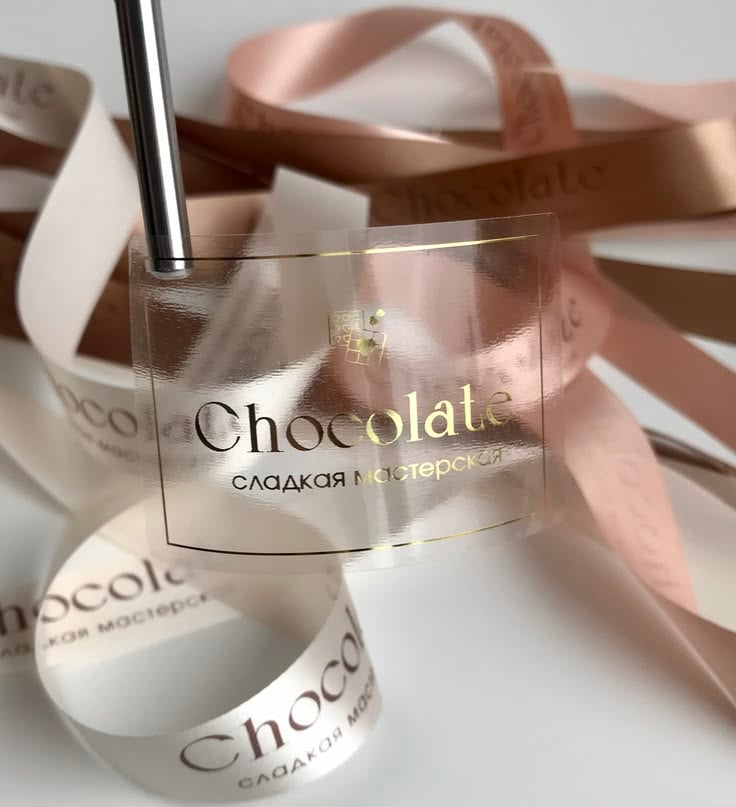
Before cutting your first design, understand that adhesive vinyl, the surface you apply it to, and the transfer method all affect the finished result. A few simple checks can save material and prevent frustration.
Permanent vs. removable vinyl: Removable vinyl is useful for temporary labels and decorations you may want to take off later. Permanent vinyl is generally chosen for longer-lasting designs on suitable surfaces. However, “permanent” does not automatically mean waterproof, dishwasher-safe, or suitable for every material.
When to use transfer tape: Transfer tape helps lift cut lettering and designs from the backing and move them onto a surface without losing their spacing. Choose a tape suited to your vinyl; intricate designs need careful handling, and some textured or specialty vinyl may require a different tack level.
Why vinyl may not stick: Dust, grease, moisture, textured surfaces and tight curves can make application difficult. Clean the surface using a method suitable for that material, let it dry completely, and test a small piece of vinyl before committing to the full design.
Check your Cricut machine’s compatibility: Cutting capabilities and material requirements vary by model. Smart Vinyl can be cut without a mat only on compatible machines and when the material meets the machine’s size and loading requirements. Check your model’s material guide before cutting.
Cricut Projects for Beginners Using Vinyl
Everyday organisation
1. Freezer Container Labels With Space for Dates
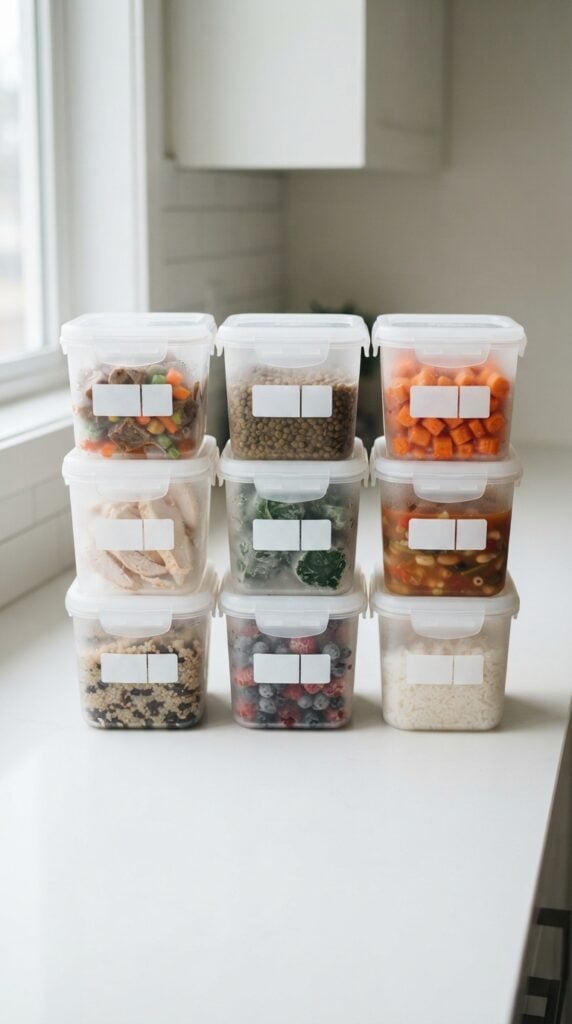
When several meals are stored in the freezer, it can be difficult to remember what each container holds or when it was prepared.
Cricut vinyl labels can help you identify the contents without opening every container. Create a label with space for the meal name and preparation date, such as Chicken Stew, 24 October. This makes it easier to check what you have before deciding what to use.
For this project, cut the meal name and date area from adhesive vinyl and apply the design to the outside of the container, not directly onto food.
Keep the lettering large enough to read at a glance, and leave enough room to write or update the date if you plan to use a dry-erase label system.
Ordinary permanent vinyl is not automatically suitable for repeated date changes, so choose a compatible writable label material if you want to reuse the same label.
Before making several labels, test one on the actual container. Freezer containers may develop condensation when removed, and some plastics are difficult for adhesive to grip.
Apply the vinyl to a clean, completely dry surface and follow the vinyl manufacturer’s instructions for setting time before use.
If the label starts peeling after freezing or washing, try a different compatible container surface or label material rather than cutting a whole new batch straight away.
2. Board-Game Box Spine Labels

When board games are stacked sideways on a shelf, their titles may be difficult to see, especially when several boxes have similar colours or designs. Cricut vinyl lettering can make each game easier to identify without having to pull every box out.
Measure the narrow side of the box where the label will go, then leave a little space around the lettering so it does not run into the edges.
Choose a clear font with thick enough strokes to remain readable from a short distance.
Long game titles may need smaller lettering, but avoid shrinking the text so much that it becomes difficult to read. You can use a short game name or an abbreviation if the full title will not fit.
Before cutting your vinyl, check whether the box already has a printed title, age recommendation or other information you want to preserve. Place your new label in an unused area rather than covering these details.
Test a small piece of removable vinyl on an inconspicuous part of the box first, particularly if it has a paper coating that could lift when the vinyl is removed.
3. Craft-Supply Drawer Labels by Material Type
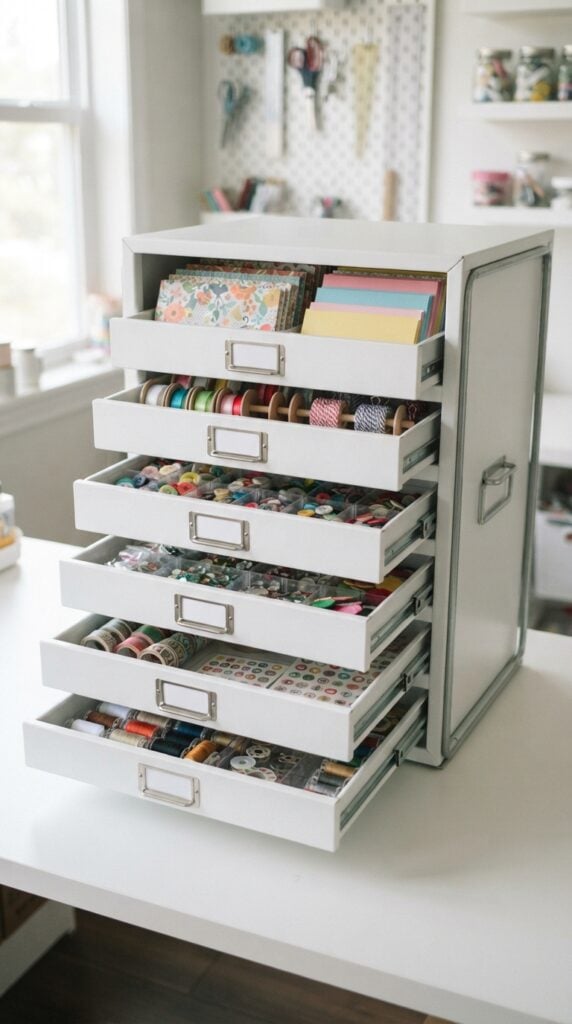
A drawer filled with beads, paintbrushes, paper scraps and cutting tools can quickly become difficult to manage when everything is mixed together.
Labels help give each supply a designated place, so you can find what you need and return it to the correct drawer after a project.
Start by grouping supplies according to how you use them. For example, separate Beads, Paintbrushes, Paper Scraps and Cutting Tools rather than labelling every drawer simply Craft Supplies.
If a drawer holds several small categories, you can label individual compartments instead. Measure the flat area available on each drawer front and size your design to fit without wrapping around the edges or interfering with handles.
For easy reading, use short words and simple lettering.
You could also add a small cut-vinyl symbol beside the word, such as a paintbrush for painting tools, provided the design is not so detailed that weeding becomes difficult.
Before applying the labels, remove dust, grease and residue from the drawer fronts, using a cleaning method suitable for the material, and allow them to dry completely.
Textured or rough surfaces may prevent the vinyl from adhering evenly, so test one label before cutting a complete set.
4. Moving-Box Labels for Room and Contents

Moving can become confusing when boxes are sealed and stacked, particularly when several people are unpacking at the same time. Cricut vinyl can help create clear labels showing both where a box belongs and what is inside it.
For example, a label could read KITCHEN, Plates and Mugs or BEDROOM, Bed Linen. This gives the person carrying the box useful information without requiring them to open it.
Use large room names so they can be spotted quickly, then place a shorter description of the contents underneath.
Different vinyl colours can help distinguish rooms, but keep the room name written out rather than relying on colour alone. Someone helping with the move may not know your colour system.
Cardboard needs special consideration. Adhesive vinyl may stick to some box surfaces, but removing it can tear the paper or leave residue.
Since moving boxes are often reused, you may prefer to write on paper labels or use removable labels designed for cardboard. If you want to use Cricut-cut vinyl, test a small piece on a spare section of the same type of box first.
For temporary labelling, another practical option is to apply the vinyl to a separate label card and attach the card to the box, rather than sticking the vinyl directly onto the cardboard.
5. Reusable Storage-Bin Labels With Replaceable Inserts
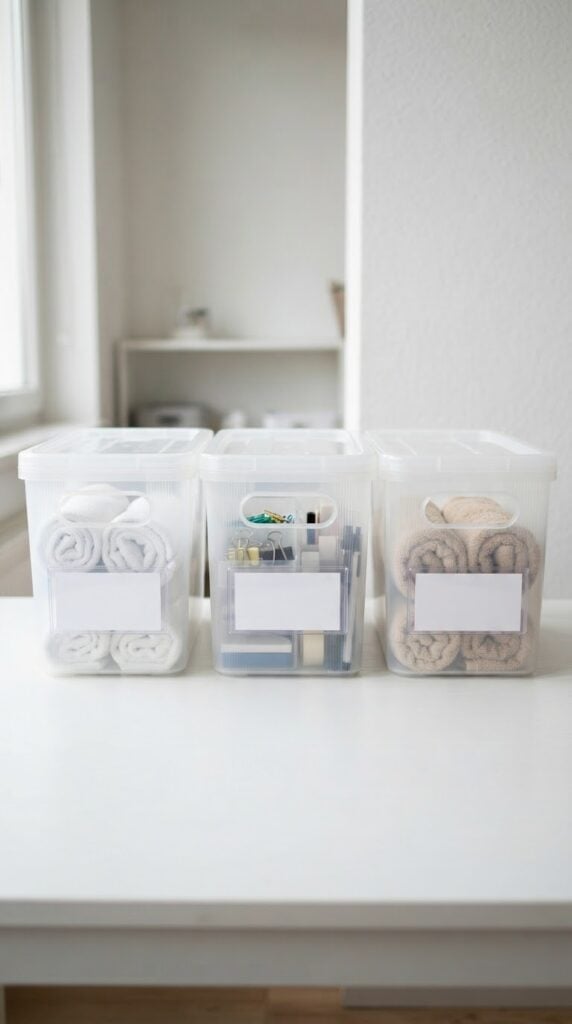
Storage bins are useful for organising items that change over time. A bin might hold baby clothes this year, toys next year and seasonal accessories later.
Applying permanent vinyl directly to each bin can make the system harder to update when its contents change.
A better design is to create a label holder with a flat insert that can be replaced. You could use a bin with a built-in label window or attach a suitable clear holder to the front.
Cut your vinyl lettering for a small insert card, then slide the card into the holder. When the contents change, remove the card and make a new one instead of peeling off the old lettering.
Measure the insert area before designing your label, and leave enough clearance for the card to slide in and out. Keep the wording specific enough to be useful: Winter Accessories tells you more than Clothes, while Small Craft Tools is clearer than Miscellaneous.
Remember that the vinyl lettering itself is not reusable; it is the replaceable card or insert that makes this system adaptable. This approach also lets you experiment with different fonts and layouts without repeatedly applying vinyl to the same bin.
6. Charging-Station Labels for Shared Devices
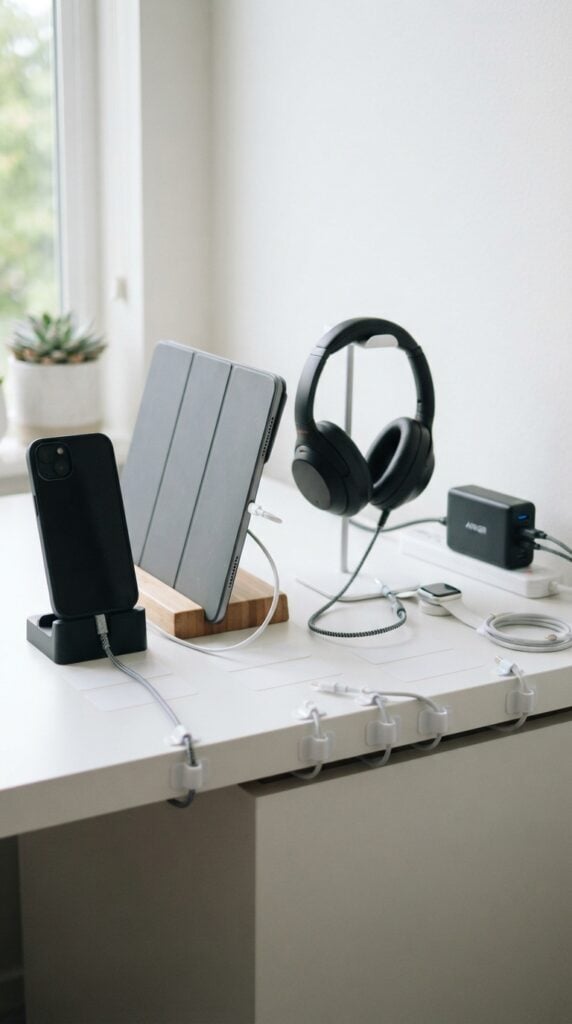
When several people share a charging station, cables and devices can easily end up in the wrong places. Labels such as Tablet, Phone, Headphones or individual names can help everyone return each item to its assigned spot.
This is particularly useful in a family charging area, a classroom or a shared office where devices may look alike.
Begin by deciding where each device will sit and which cable belongs to it. Then measure the flat surface available for the label, such as the front of a storage compartment or the outside of a cable organiser.
Keep the wording short enough to read quickly, and make sure the label does not interfere with placing or removing the device.
Choose a smooth, clean surface that is suitable for adhesive vinyl.
Avoid covering charging ports, ventilation openings, electrical safety information or any part of a charger that needs to release heat. It is usually better to label the station or cable organiser than to wrap vinyl around a cable or apply it directly to a power adapter.
Test the vinyl on the chosen surface first, especially if the station is made from textured plastic or has a coating that may not hold adhesive well.
For simple projects to practise at home while learning how to use a cutting machine, try these 22 Easy Cricut Projects for Beginners You Can Make at Home.
Personalised Gifts and Practical Accessories
7. Personalised Plant Pots With Simple Names
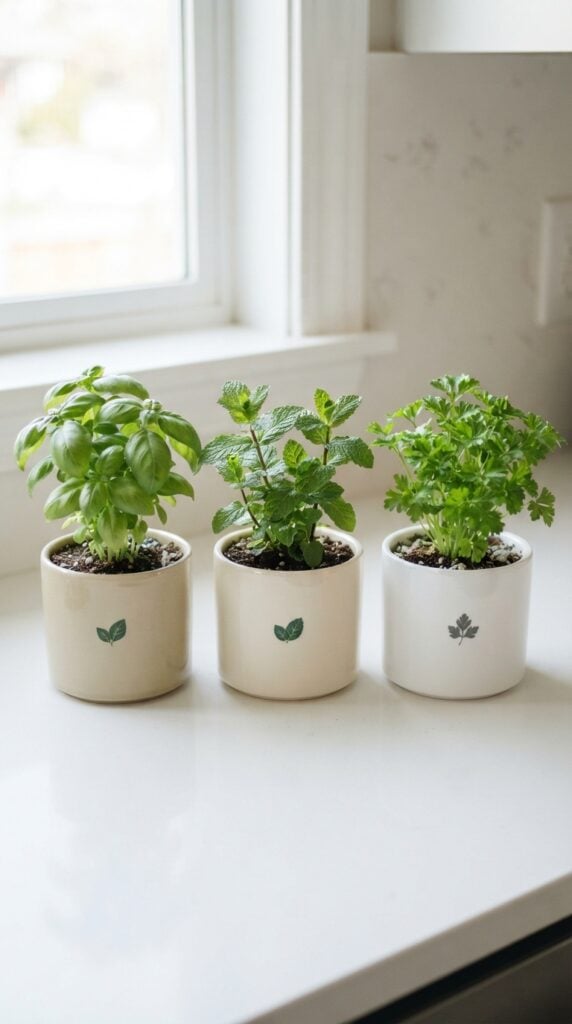
Buying several plants for a windowsill or garden can leave you guessing which pot contains basil, mint or parsley, especially when the plants are still small.
One useful option among these Cricut projects for beginners using vinyl is to add a plant name to each suitable pot. You could label a basil pot with BASIL or add a short name to a pot containing a plant grown from a cutting.
Measure the flat area available on the pot and choose lettering that fits without running too close to the rim.
Simple, bold letters are easier to weed than delicate fonts with tiny details, making this a good project for practising how to remove excess vinyl from around a design.
The pot’s surface matters more than its appearance. Smooth, glazed pots usually provide a better surface for adhesive vinyl than rough, porous terracotta, where the adhesive may struggle to make consistent contact.
Dust and moisture can also affect adhesion. Test a small piece of vinyl on the actual pot before cutting a full set of labels.
Keep in mind that frequent watering, outdoor exposure and handling may affect how long the design lasts.
8. Herb-Jar Labels for Kitchen Storage
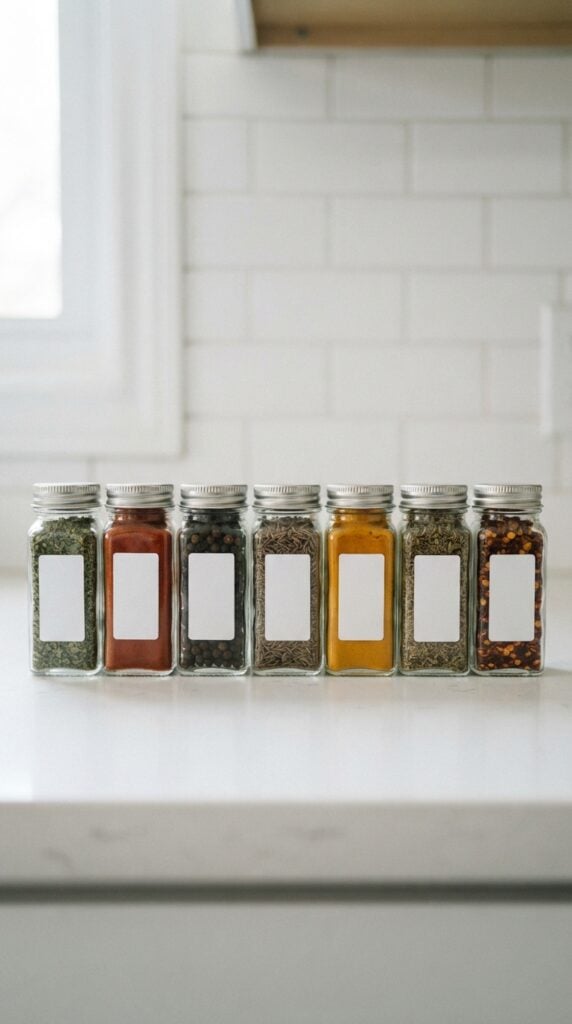
When dried herbs and seasonings are stored in similar jars, it is easy to confuse oregano with thyme or paprika with chilli powder.
Cricut vinyl labels can help you identify each jar without relying on memory or opening containers to check their contents.
For this project, use short, clear names such as CUMIN, THYME and PAPRIKA. Measure the front of each jar before designing the lettering, particularly if the jars are small or have curved sides.
If you store many herbs, consistent lettering and label placement will make the jars easier to scan when cooking.
Cut the words from adhesive vinyl and apply them to the outside of the jar, never where the label could contact the food. Before applying the design, wash the jar if necessary and allow it to dry completely.
The surface should be free of grease, dust and cleaning residue. Smooth glass generally works well for adhesive vinyl, but test your chosen vinyl on one jar first.
Consider how the jars will be cleaned, too. A label that holds well on a dry jar may not withstand repeated washing or soaking.
Unless the vinyl manufacturer specifically confirms that the material and application are suitable, remove the label before washing the jar rather than assuming it is dishwasher-safe.
9. Personalised Gift-Tin Labels
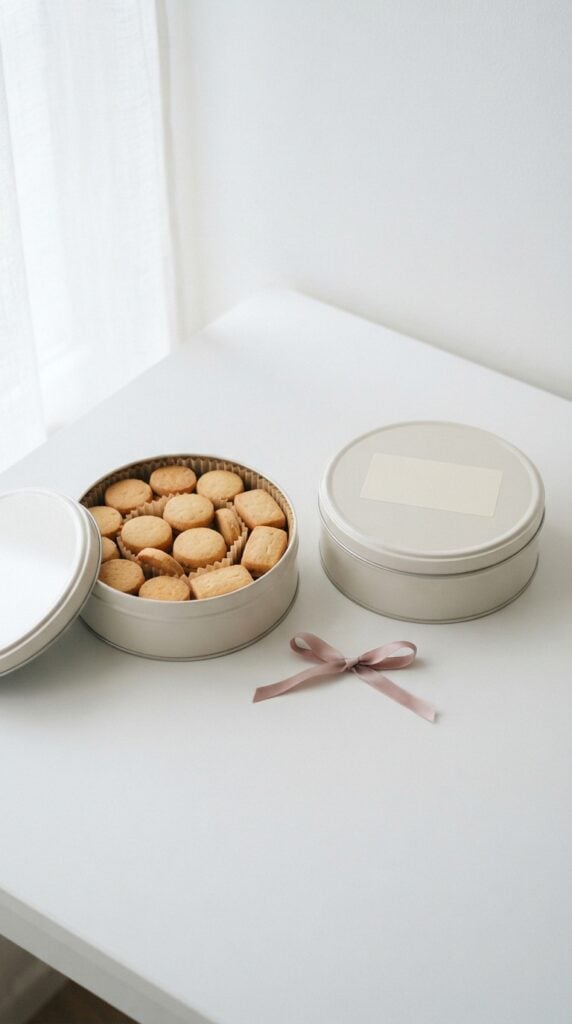
A plain metal tin can become a more personal gift with a name, a short message or a simple design.
For example, you could add For Mum to a birthday tin, Thank You to a small appreciation gift, or a recipient’s name to a tin filled with biscuits or other treats.
This is a useful project for practising design placement. Before cutting, measure the flat lid or side panel and decide where the lettering should sit.
A centred design often works well on a lid, while a name or short message may suit the side. Keep the design away from the rim if it could interfere with opening or closing the tin.
Curved tins require more care than flat surfaces. A wide design may wrinkle or lift when applied across a rounded section. For a first attempt, place the vinyl on a flatter part of the tin, such as the lid, rather than wrapping a long design around the entire circumference.
Clean and dry the metal first, then position the design carefully using transfer tape. Smooth it down gradually from the centre towards the edges to help reduce trapped air.
If the tin has a painted or delicate finish, test the vinyl in an inconspicuous area before applying the full design.
10. Travel-Toiletry Bottle Labels
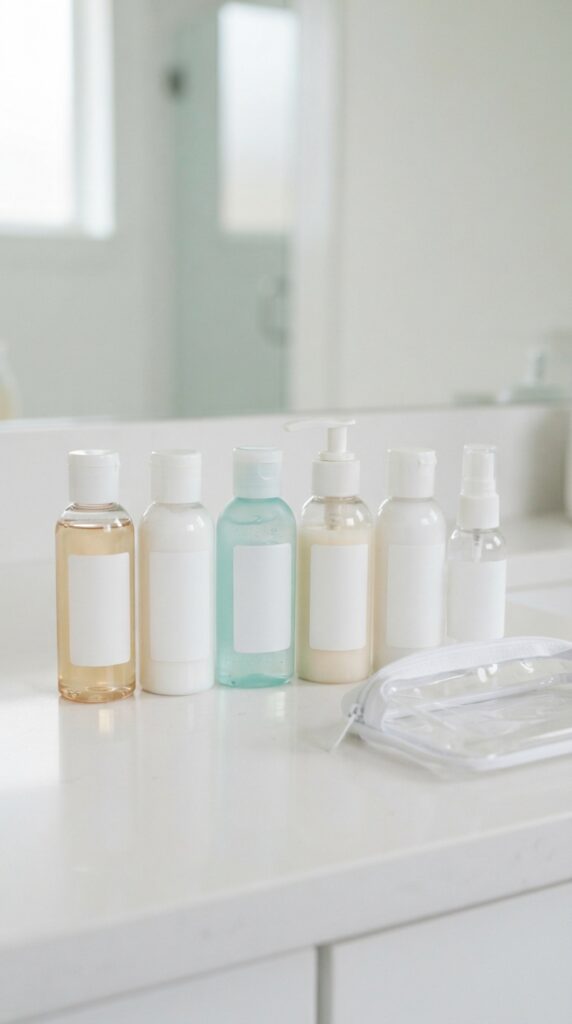
Refillable travel bottles can look almost identical when packed together.
Labelling them SHAMPOO, CONDITIONER and BODY WASH helps you identify the contents without opening each bottle. You can also use shorter labels if the bottles have limited space.
Choose a smooth, flat area on each bottle and measure it before designing your lettering. Small bottles need simple fonts and adequately sized letters; an elaborate script may look attractive on the screen but become difficult to weed or read once applied.
Leave the bottle’s cap, dispensing mechanism and flexible areas clear so the label does not interfere with use.
Because travel bottles are handled frequently and may become wet, test your vinyl on the actual bottle before preparing a complete set.
Adhesion can vary with the bottle’s plastic, surface texture and exposure to water, soap or oils. Allow the vinyl to adhere according to the manufacturer’s instructions, and check that the edges remain secure after ordinary handling.
Use these labels for toiletries, not as the sole means of identifying medicines or hazardous products.
Those products should remain in appropriate containers with their original identification and safety information intact. A decorative Cricut label is not a substitute for reliable product labelling.
11. Personalised Notebook Covers
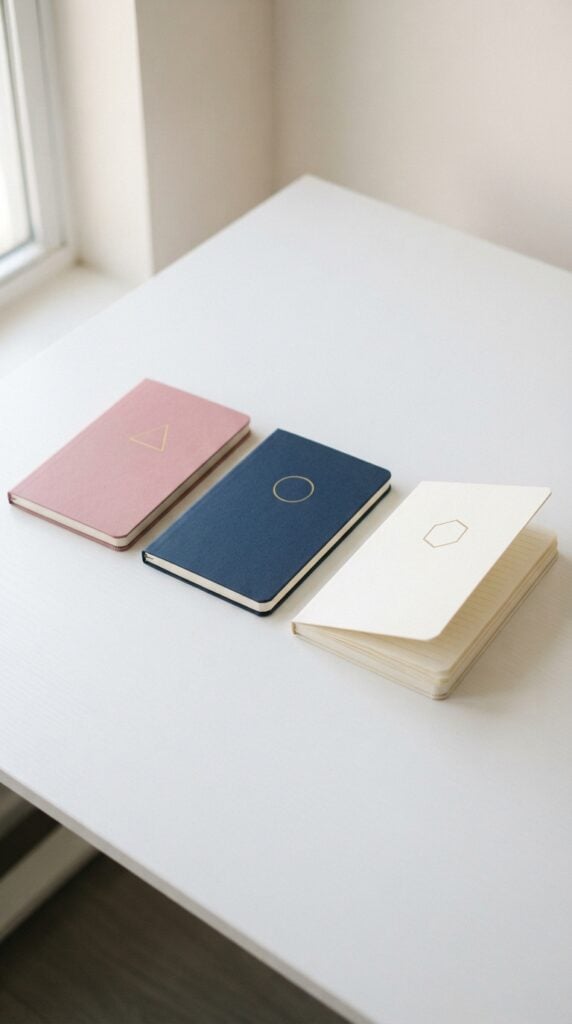
A notebook used for school, work, journalling or planning can be personalised with a name, subject or small original design.
For example, you could make a notebook labelled Biology Notes, Project Planner or My Reading Journal. This project is also a good way to practise applying lettering neatly without having to work with a complicated design.
Measure the front cover and position your design away from the spine and edges. The spine and areas near the binding bend whenever the notebook opens, so vinyl placed there may begin to lift or crease with repeated use.
For a simple first project, keep the design on the front cover and use a short phrase or name.
Check the cover material before cutting. Smooth, firm covers are generally easier to label than fabric-covered, heavily textured or soft-touch finishes.
Dust and oils can interfere with adhesion, while some coatings may be damaged when vinyl is removed.
Test a small piece in an inconspicuous area, especially if you want the notebook to remain in good condition. If the cover bends easily, choose a relatively small design and avoid placing it across areas that flex repeatedly.
12. Reusable Gift-Box Personalisation With Removable Vinyl
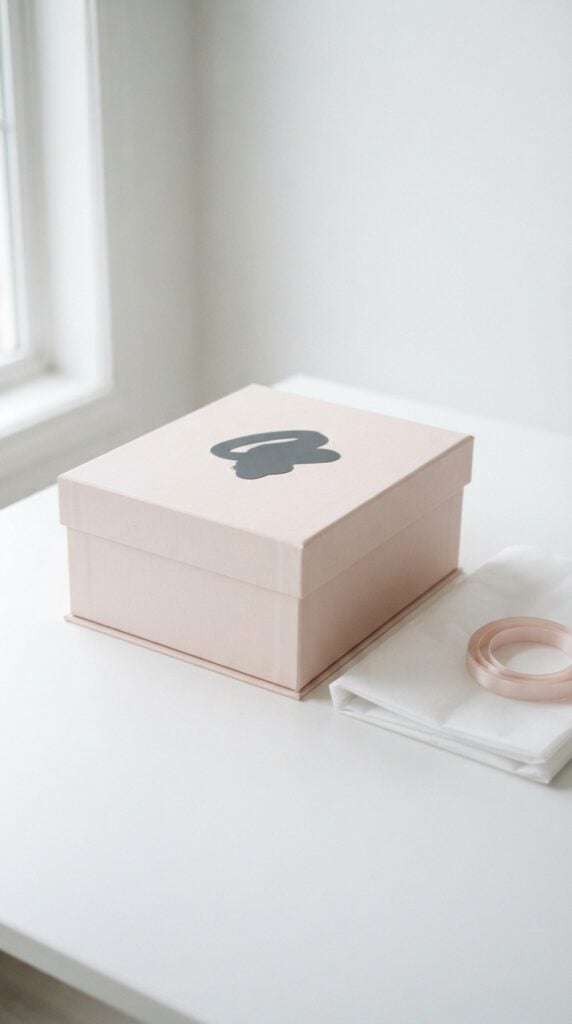
A rigid gift box can be personalised for a birthday, wedding, graduation or thank-you present without permanently changing its appearance.
For instance, add Happy Birthday, Ada to a plain box or use a small star design for a graduation gift. Removable vinyl may be a suitable option when you want to take the decoration off after the occasion.
Start by checking the box’s finish. A smooth, sturdy surface is generally easier to work with than textured paper, fabric or a delicate coating.
Measure the lid and make sure the design leaves enough space around the edges. A name or short message is often more manageable for a beginner than a large design with many small pieces.
Cut the design, weed away the excess vinyl and use transfer tape to position it on the box. Lower the design gradually and smooth it from the centre outward to reduce bubbles.
Before decorating the final box, test a small piece of removable vinyl on an inconspicuous area.
Removable does not mean risk-free: the adhesive may leave residue, lift printed paper or affect a delicate finish. If the box must be kept in its original condition, consider applying the vinyl to a separate card or tag instead.
13. Personalised Luggage Identification Panels
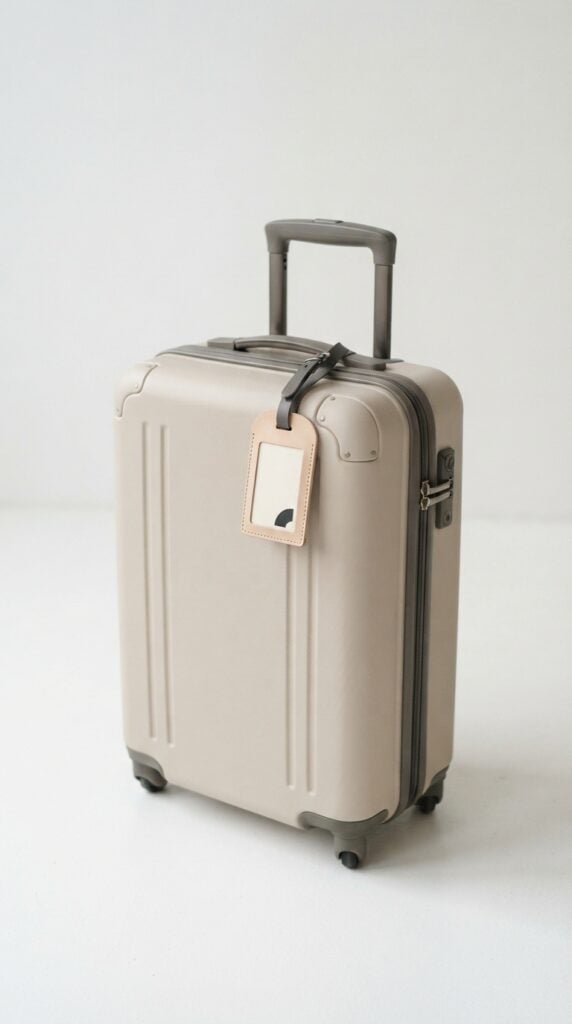
Suitcases and luggage tags can look alike on a baggage carousel, so a clear name or distinctive design can help you recognise your bag.
For this project, use Cricut vinyl to add a name, initials or a simple symbol to a suitable luggage tag or smooth identification panel.
Measure the available area before designing the label. Keep the lettering large enough to read and away from the edges, attachment holes and moving parts.
A simple combination of initials and a distinctive shape can be easier to recognise than a long decorative phrase.
Consider privacy before adding contact details. You do not need to display your full home address on the outside of your luggage.
A first name or initials may be enough to distinguish your bag, while contact information can be placed inside the luggage or in a more discreet identification method.
Luggage tags are rubbed, handled and exposed to changing weather conditions during travel. Test the vinyl on the actual material and check that the edges remain secure after handling.
Smooth plastic or coated surfaces may accept vinyl differently, so do not assume that a label that sticks well at home will remain intact throughout a trip.
For frequent travel, a purpose-made luggage tag may be more dependable than relying on adhesive vinyl alone.
14. Custom Tool-Case Labels for Home Projects
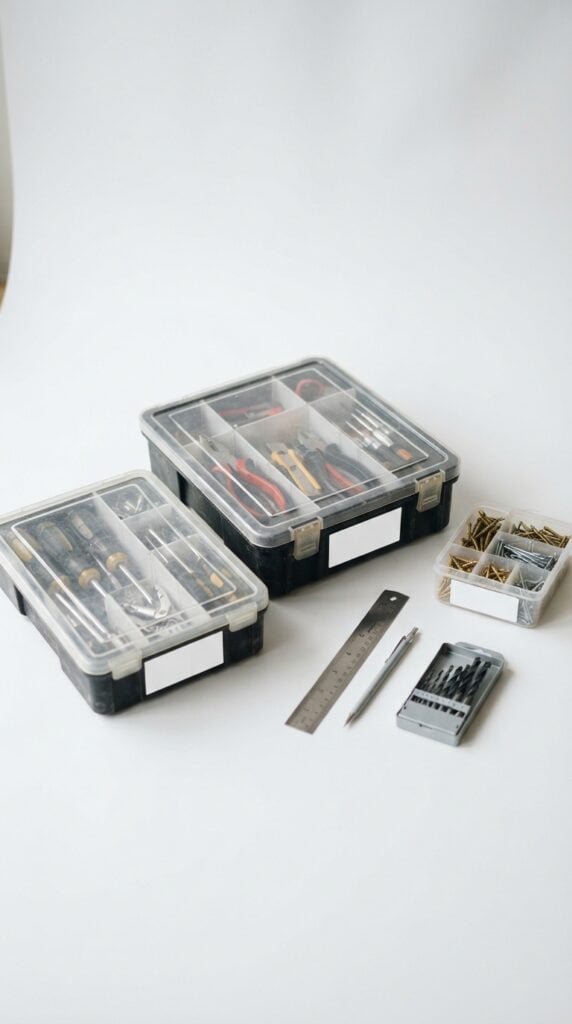
When measuring tools, screws, drill bits and small repair supplies are stored in similar cases, finding the right one can take longer than the job itself.
Cricut vinyl labels can help you organise your equipment by purpose. For example, mark one case MEASURING TOOLS, another SCREWS & FIXINGS, and a smaller organiser DRILL BITS.
Choose short, high-contrast wording that can be read quickly from a shelf or workbench. Measure the flat part of each case and leave room around the lettering.
If you have several cases of different sizes, create a consistent label style but adjust each design to fit its surface rather than forcing every label to the same dimensions.
Before applying the vinyl, wipe away dust, grease and workshop residue using a cleaning method suitable for the case material.
Allow the surface to dry completely. Smooth plastic cases are often easier to label than rough or heavily textured ones, but adhesion still depends on the particular material and vinyl. Test one label before cutting the rest.
Finally, keep labels away from clasps, hinges, handles and any manufacturer safety instructions.
A label should help you identify the contents, not prevent the case from closing securely or cover information you may need when using the tools.
If you want to start with manageable designs before tackling more involved creations, these 19 Easy Cricut Projects for Beginners offer more ideas to try.
Signs, Reminders and Small-Space Solutions
15. Pantry Shelf Labels for Dietary or Cooking Categories
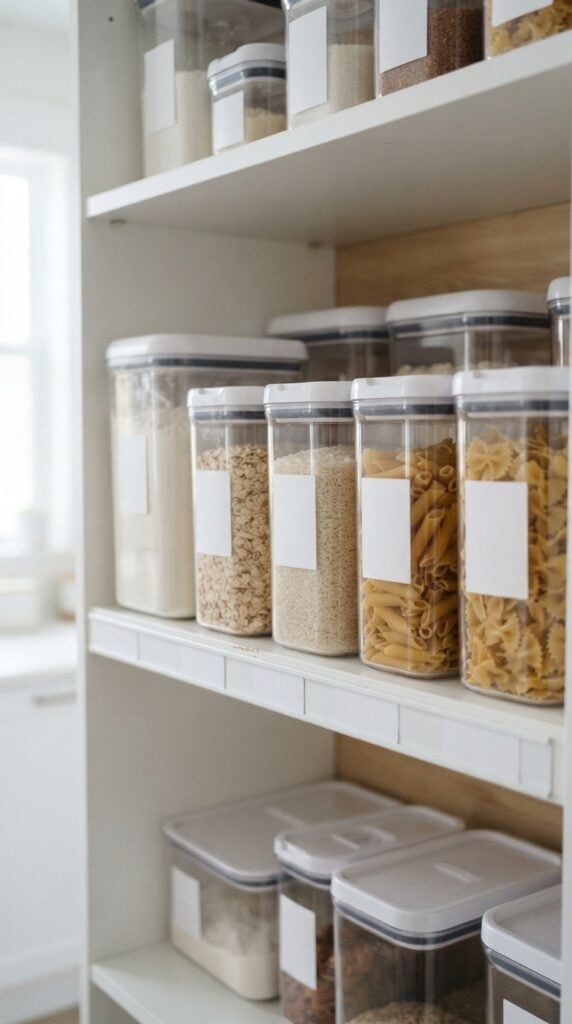
A pantry becomes harder to manage when baking ingredients, breakfast foods, snacks and everyday cooking supplies share the same shelves.
Vinyl labels can help household members return items to the right place and find what they need without searching through every container.
For example, label one shelf BAKING SUPPLIES, another BREAKFAST FOODS, and a third COOKING OILS & SEASONINGS.
These labels describe how the items are stored, rather than suggesting that every product on a shelf has the same ingredients or dietary properties. This makes them useful for shared kitchens where different people may put groceries away.
When creating these Cricut projects for beginners using vinyl, measure the flat front edge of the shelf or the storage bin before choosing your lettering size.
Keep the wording short enough to read from a normal standing position, and use strong contrast between the vinyl and the surface. Adhesive vinyl usually works best on a clean, dry, smooth surface; test a small section first if the shelf has a textured coating.
Be careful with allergy-related labels. A label such as GLUTEN-FREE or NUT-FREE should not be used simply because the shelf is intended for those products.
Verify the ingredients and relevant allergen information for the products being stored, and consider cross-contact risks where food is prepared or handled.
A category label can help organise the pantry, but it cannot establish that a food is safe for someone with an allergy.
16. Removable Event Direction Signs

Family gatherings, children’s classes, church events and community meetings often need simple directions to help guests find the right room.
Instead of making a permanent sign for a one-day event, you can cut vinyl arrows and short messages such as WELCOME, CLASSROOM → or REFRESHMENTS and apply them to suitable temporary sign surfaces.
Start by deciding where guests will see the sign. An arrow at a hallway entrance needs to be readable from a distance, while a small label on a table can use shorter lettering.
Measure the sign or display area before designing, and keep the message brief enough that people can understand it while walking past.
For a temporary event, removable adhesive vinyl is generally a better starting point than permanent vinyl.
Smooth, finished sign blanks and other compatible surfaces are easier to work with than rough wood, peeling paint or heavily textured walls.
Clean and dry the surface before application, and test the vinyl in an inconspicuous area, especially on painted walls or delicate finishes. Even removable vinyl can affect weak paint, fresh paint or sensitive coatings.
After the event, follow the vinyl manufacturer’s removal instructions and peel slowly rather than pulling sharply.
If you are decorating a wall, check that the paint has fully cured and test a small area before applying the full design.
When damage would be costly, attach the vinyl to a separate board or sign blank instead of applying it directly to the wall. Cricut also recommends matching the vinyl to the intended surface and testing before use.
17. Desk-Drawer Labels for a Shared Office
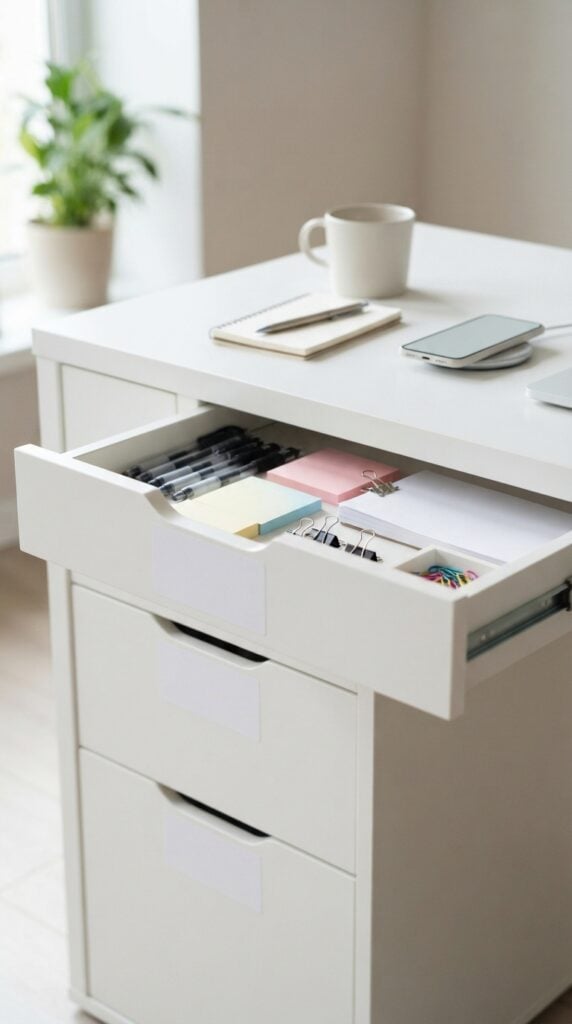
In a shared office, stationery and supplies can quickly become mixed up when several people use the same drawers.
Labels such as PENS & MARKERS, STICKY NOTES, PAPERWORK and SHARED SUPPLIES help everyone find items and return them to the correct place.
Before cutting the vinyl, open each drawer and measure the flat area where the label will sit. Leave enough space around the lettering so it does not run into the drawer handle or edge.
Short wording in a clear font is usually more useful than decorative script, particularly when the drawers are arranged side by side.
This is a practical project for learning how to size text in Cricut Design Space. Create one label first and check its actual size against the drawer before cutting the rest.
If the drawers are different widths, adjust each design to fit rather than assuming one size will work everywhere.
Choose removable vinyl if the office layout may change or different people may be assigned new storage areas.
Test it on the drawer finish before applying a full set, as removal can affect some coatings or leave residue. Apply the labels to a clean, dry surface and keep them clear of the drawer tracks and moving parts.
18. Laundry-Sorting Labels for Household Baskets
Laundry baskets are easier to use when everyone in the household knows where to put different items.
Labels such as TOWELS, DARK CLOTHES and DELICATES can make sorting clearer, particularly in a busy home where several people share the laundry area.
Choose categories that match the way laundry is actually washed in your household.
For instance, a DELICATES basket should be used for items that need a gentler washing process, rather than simply for clothing made from a particular colour.
The label is a reminder to check garment care instructions before washing, not a replacement for them.
Measure the available space on the basket before cutting your design. A short word in bold lettering is easier to read than a long phrase, especially when baskets are stored beside one another. Keep the vinyl away from handles, folding joints and areas that rub against other baskets.
The surface needs particular attention. Smooth, rigid plastic is often easier to label than woven fabric, flexible mesh or textured wicker.
If you want to try one of those materials, test a small piece first; the vinyl may not make consistent contact with an uneven surface, and a flexible basket can cause the edges to lift.
Apply the label to a clean, dry area and check it after ordinary handling before making the remaining labels.
19. A Simple Reusable Chore-Board Header
A chore board can help a family keep recurring tasks visible without writing the same headings every week.
You could use vinyl to create fixed headings such as DAILY TASKS, WEEKEND JOBS and WHO’S RESPONSIBLE?, then leave the changing chores and names on a writable section of the board.
The important design choice is to separate the permanent labels from the changeable information. Adhesive vinyl works well for fixed headings on a compatible, smooth board.
For the tasks themselves, use a suitable dry-erase surface with a compatible marker, or attach movable cards that can be updated as responsibilities change.
Measure the board and plan the layout before cutting. Leave enough space beneath each heading for writing or attaching cards, and use lettering that can be read from across the room. If the board has a coating, test the vinyl in a small area before applying the full design.
One detail beginners should know: ordinary permanent adhesive vinyl is not automatically a dry-erase writing surface.
Writing directly on it may not erase cleanly. If you want to write and wipe off tasks, use a surface specifically designed for dry-erase use or movable cards instead of relying on ordinary vinyl.
Cricut treats dry-erase vinyl as a distinct material, so check the product instructions when choosing materials.
20. Household Recycling Labels for Multiple Bins
When several waste bins sit together, clear labels can help household members separate paper, plastic, glass and general waste.
This is particularly useful when different types of waste are collected in separate containers or when children are learning where everyday packaging belongs.
Before cutting the labels, check the recycling instructions for your local council, waste collector or recycling facility. Accepted materials can vary by location, so a label that works for one household may give the wrong instructions in another.
Some programmes accept certain plastic containers but not plastic film, while others have specific requirements for glass, cartons or food-contaminated packaging.
Use wording that reflects the rules where the bins will be used. For example, label a bin PAPER & CARDBOARD — CHECK LOCAL RULES if the collection service has restrictions, or list the exact accepted materials when you have verified them.
Avoid putting a long list on a small bin; a clear category and a short supporting note are easier to read.
Measure the flat area on the front of each bin, then choose a font size and colour that stand out against the bin itself.
Clean and dry the surface before applying adhesive vinyl. If the bins are frequently washed, exposed outdoors or made from textured plastic, test the vinyl first and check the manufacturer’s care guidance.
Accurate wording matters here. Incorrect recycling instructions can lead people to place unsuitable items in a collection bin, potentially contaminating the load. Local recycling authorities are the best source for confirming what is accepted.
21. Small-Business Packaging Labels for Plain Boxes
Plain packaging can look more recognisable when it carries a small business name, a simple logo or a short thank-you message.
For example, a handmade jewellery seller might add a business name to the box lid, while a candle maker could place a short appreciation message on the outside of a suitable shipping box.
These Cricut projects for beginners using vinyl are a good opportunity to practise placing a design accurately. Measure the flat panel where the label will go, taking care not to measure across a fold or corner.
A design that looks correctly sized on the computer can become cramped when it is placed on a smaller box, so check the actual dimensions before cutting.
For the first attempt, use a short name or message rather than a complicated logo with very fine lines.
Choose vinyl that suits the box surface: smooth, coated packaging may accept adhesive vinyl more easily than rough, uncoated cardboard. Test the material first, since some surfaces can be damaged by adhesive or during removal.
If the box will be shipped, keep the shipping label, recipient address, postage information and any required handling markings unobstructed. Your decorative design should not compete with the information needed to deliver the parcel.
Also, keep packaging claims accurate. A thank-you label or business name is a design choice, but claims such as organic, non-toxic or waterproof should not be added unless they are properly supported. Vinyl personalises the packaging; it does not prove anything about the product inside.
22. Simple Price and Product Labels for Market Stalls
At a craft fair or local market, customers often want to identify an item and check its price without having to ask the seller.
Consistent labels can make a stall easier to browse, whether you are selling handmade cards, small craft items, accessories or gifts.
Create a simple layout that shows the product name and price clearly.
For example, a card display might use HANDMADE GREETING CARDS — ₦2,000 EACH, while a basket of small gifts might have one clearly visible price sign. Use your actual prices and make sure the wording matches what customers will receive.
Prioritise contrast and readable lettering over intricate designs. Thin scripts, tiny numbers and elaborate flourishes may look attractive on the screen but become difficult to read from the other side of a table.
Measure the label or sign area, choose a suitable font size, and preview the design at its intended physical size before cutting.
If several products have different prices, make the numbers easy to distinguish and place them close to the corresponding items.
For small items, a separate price card may be more practical than attaching vinyl directly to every product. If you change prices frequently, use removable labels or replaceable cards so you do not have to remake the entire display.
Before applying vinyl to a sign holder, box or display surface, check that the material is smooth enough for the adhesive and test a small piece.
A consistent design across the stall can help customers recognise your labels, but accurate prices and clear product information matter more than decorative lettering.
23. A Personalised Welcome or Room-Name Sign on a Ready-Made Blank
A ready-made sign blank lets you create a personalised sign without having to cut, sand or finish the base yourself.
You could make a bedroom sign with a child’s name, a WELCOME sign for a studio, or a simple room label for a shared workspace.
Start by measuring the space where the sign will be displayed. Then choose a blank that fits the wall, door or shelf without crowding the surrounding area.
A small sign usually needs a short name or phrase, while a wider blank can accommodate a longer message. Keep the wording and any decorative elements balanced so the design does not look squeezed towards one edge.
To centre the wording, use the blank’s measured width as your guide. In Cricut Design Space, position the text within a design area matching the dimensions of the sign, then check the left and right margins before cutting.
You can also place a temporary paper template on the blank to judge the layout before transferring the vinyl.
The surface finish is just as important as the design. Smooth, sealed wood, acrylic and other compatible blanks can be easier to label than rough timber or heavily textured surfaces.
Clean and dry the area first, and test a small piece of vinyl on an inconspicuous spot to check adhesion and whether removal could damage the finish.
For the first sign, keep the wording simple and use a font that is easy to weed. Once the design has been cut, remove the excess vinyl, use suitable transfer tape to position the letters, and smooth the design from the centre outward.
Peel the transfer tape away carefully at a low angle, pressing down any vinyl that begins to lift. These steps follow Cricut’s general vinyl application guidance.
A well-sized design on a suitable blank is more likely to look neat than a complicated design squeezed onto the wrong surface.
Start with a simple name or welcome message, then try more detailed lettering as your cutting and transfer skills improve.
Ready to explore products you could sell? Browse these 25 Easy Cricut Projects to Make and Sell for Extra Money for ideas to evaluate based on material costs, production time, and customer demand.
Which Vinyl Should You Buy for These Projects?
For Cricut projects for beginners using vinyl, start with the materials that match the projects you actually plan to make.
You do not need permanent vinyl, removable vinyl, several transfer tapes and every accessory before you can begin.
A basic selection of adhesive vinyl and a few useful tools will cover many of the labels and signs in this list.
1. Permanent Adhesive Vinyl
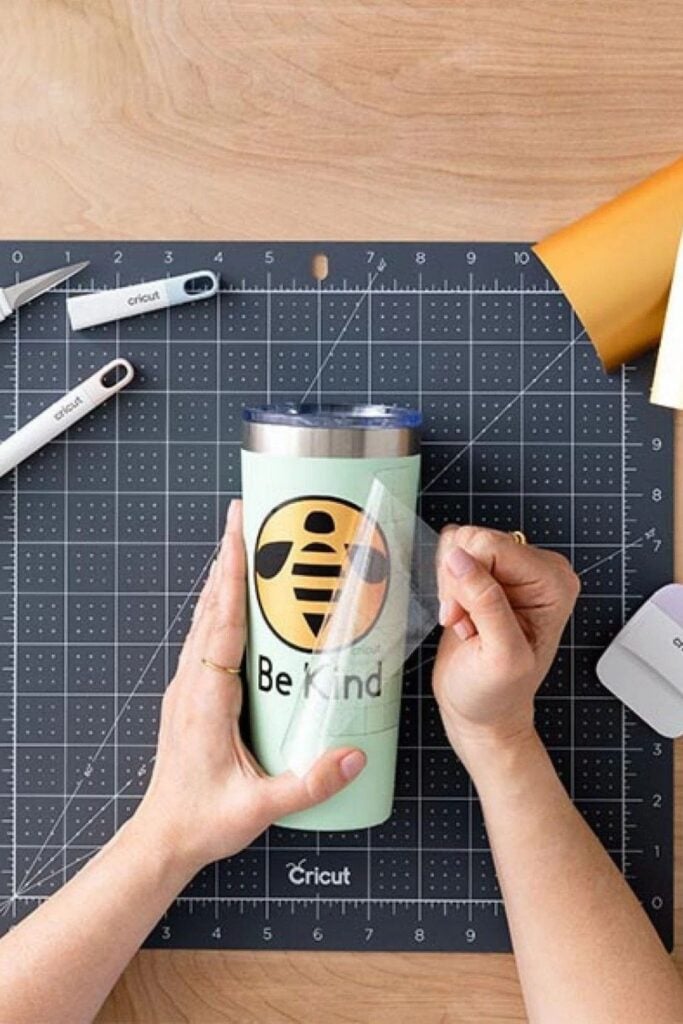
Photo credit: @ vaessen-creative
Best for: Suitable smooth surfaces where you want the design to stay in place for longer.
Consider it for herb-jar labels, tool-case labels, business packaging and personalised signs. For example, permanent vinyl can be a reasonable choice for lettering on a smooth, rigid storage box that will be handled regularly.
Permanent does not mean indestructible. Adhesion depends on the surface, preparation and product.
Check the manufacturer’s instructions before using it on items exposed to water, heat or frequent washing. Not every permanent vinyl is suitable for every surface or dishwasher use.
2. Removable Adhesive Vinyl
Best for: Temporary decorations and labels that may need to be changed.
This is worth considering for event direction signs, reusable gift-box decorations and office drawer labels when storage assignments may change.
Removable vinyl is designed to come off more easily than permanent vinyl, but it is not guaranteed to leave every surface undamaged.
Paint quality, curing time, surface coatings and the age of the finish can all affect removal. Test a small, hidden area first, especially on painted walls, printed paper or delicate boxes.
3. Transfer tape
Best for: Moving cut lettering and designs from the vinyl backing to the project surface without disturbing their spacing.
Transfer tape is particularly useful for phrases, names, arrows and designs containing several separate letters. Without it, moving each letter individually can make it difficult to keep the wording aligned.
Standard transfer tape works for many smooth vinyl types. StrongGrip transfer tape is intended for textured vinyl, such as certain shimmer and glitter materials.
It can grip ordinary vinyl too strongly, making the design difficult to release, so do not assume stronger tape is always better. Follow the instructions for your specific vinyl.
4. A weeding tool and scraper
Best for: Removing unwanted vinyl and pressing designs firmly into place.
A weeding hook helps lift the extra vinyl around and inside letters, leaving only the design you want. A scraper helps smooth the transfer tape against the cut vinyl and press the design onto the final surface.
These tools are helpful for small lettering, such as THYME on an herb jar or a name on a bedroom sign. You can begin with a basic weeding tool and a suitable scraper rather than buying a large tool bundle. Work carefully around tiny letters so you do not accidentally lift parts of the design.
5. Cutting mats, when required
Best for: Holding vinyl securely while a compatible Cricut machine cuts the design.
Many adhesive vinyl projects use a cutting mat. A StandardGrip mat is a common choice for ordinary adhesive vinyl, provided it is compatible with your machine and the material instructions.
Some Cricut machines can cut compatible Smart Vinyl without a mat, but this is not a feature of every machine or every vinyl sheet.
For example, Cricut lists matless Smart Vinyl cutting for specific machine models and requires minimum material lengths.
Short scraps may still need a mat. Check your machine’s supported materials before purchasing matless vinyl or deciding that you can skip the mat altogether.
How to Apply Adhesive Vinyl With a Cricut
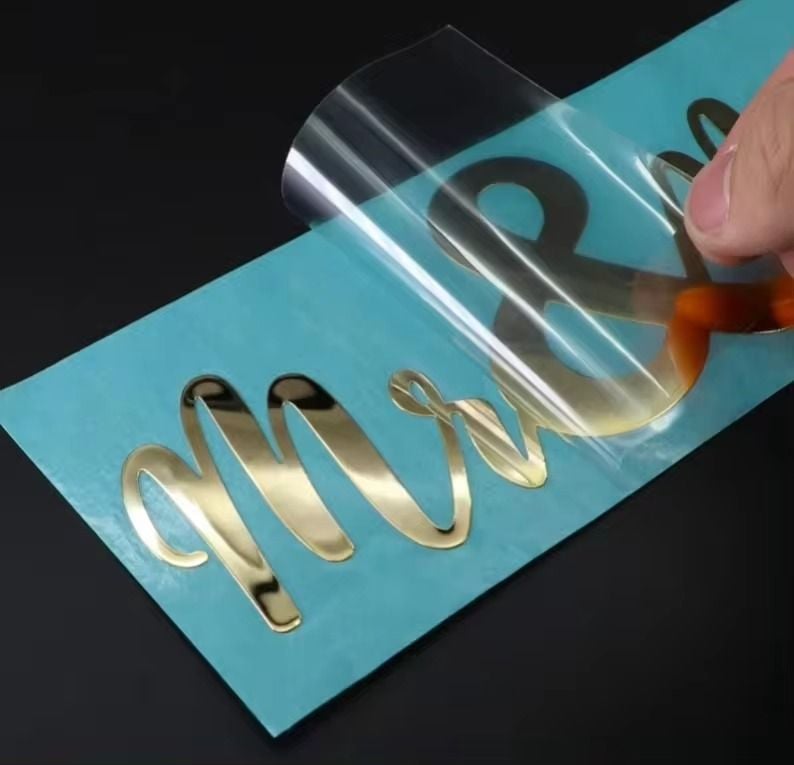
For your first project, try a simple word such as HERBS on a smooth storage jar or PENS on a plastic organiser. A short design lets you practise cutting, weeding and transferring the vinyl without wasting material on a complicated design.
Step 1: Prepare the design and check its size
Open Cricut Design Space and type your chosen word or upload a simple design. Resize it to fit the area where you plan to apply it.
For example, if the flat front of your storage container is 10 cm wide, leave enough room on both sides rather than making the design the full width. Check the final dimensions in Design Space before cutting.
For a first attempt, choose a font with clear, reasonably thick letters. Very thin lettering and tiny decorative details can be difficult to weed because the small pieces may lift along with the unwanted vinyl.
Step 2: Choose the correct material setting
Select the setting recommended for the exact adhesive vinyl you are using and make sure it is compatible with your Cricut machine.
Material names and available settings can vary by machine and software version, so do not assume one setting is correct for every vinyl.
If you are using an unfamiliar material or are unsure whether the setting is right, make a small test cut first. Check that the blade cuts through the vinyl but leaves its backing liner intact.
If the blade cuts too deeply through the liner or fails to cut the design cleanly, review the setting and make another test before cutting the full design. Cricut specifically recommends test cuts to verify material settings.
Step 3: Cut the vinyl and remove the excess
Load the vinyl according to your machine’s instructions, with the correct side facing the blade or mat as specified for that material. Start the cut and wait for the machine to finish before unloading it.
Next, use a weeding tool to remove the unwanted vinyl surrounding your design. For a word such as HERBS, remove the vinyl around the letters and the small pieces inside letters such as B and R, leaving the actual word attached to its backing liner.
Work slowly around small details. If part of a letter begins to lift, use your tool to hold it down while removing the surrounding vinyl.
Check the whole design before moving on; a tiny unwanted piece left behind can become noticeable once the design is applied.
Step 4: Apply transfer tape when the design needs it
Transfer tape helps move adhesive vinyl lettering and shapes onto the final surface while keeping their spacing.
Cut a piece large enough to cover the design, peel off its backing if it has one, and place it over the weeded vinyl.
Use a scraper to press the tape firmly over the design, working from the centre towards the edges. Then turn the design over and burnish the back as directed by the transfer tape instructions.
Carefully lift the transfer tape and vinyl away from the original backing liner. If the vinyl stays on the liner, lay it back down and press the tape again before trying to lift it.
Match the transfer tape to the vinyl: standard tape suits many types, while some textured finishes need stronger-grip tape.
Step 5: Prepare the surface
The surface should be clean and completely dry before you apply the design. Dust, grease and moisture can interfere with adhesion.
Check the care instructions for the item before choosing a cleaning method.
For suitable glass or plastic surfaces, Cricut recommends rubbing alcohol; however, check that the cleaner is safe for the item’s finish and test it first where necessary. Avoid applying vinyl to a damp surface or one with cleaning residue.
If you are labelling a jar, make sure the outside is dry. If you are decorating a painted sign, test the vinyl on a hidden area first, because even removable vinyl can affect some finishes.
Step 6: Position, transfer and inspect the design
Hold the design over the surface before sticking it down so you can check its position. For a centred label, compare the space on the left and right sides.
Once it is aligned, attach a small section of the design to the surface first, then gradually smooth the rest down with a scraper, working outward to reduce bubbles and creases.
Peel away the transfer tape slowly at a low, acute angle rather than pulling it straight up. If a letter or shape lifts with the tape, stop, lay the tape back down and press that section firmly onto the surface before peeling again.
Once the transfer tape is removed, inspect the edges and make sure all the letters have stayed in place.
Follow the vinyl manufacturer’s instructions for any recommended time before handling or washing the finished item. Do not assume that a successful transfer makes the item waterproof or dishwasher-safe.
Common Beginner Vinyl Mistakes That Waste Materials
Choosing lettering that is too small
Tiny letters and thin decorative fonts can be difficult to cut, weed and transfer. The blade may not separate every detail cleanly, and the smallest pieces can lift when you remove the excess vinyl.
What to do: Enlarge the wording, choose a simpler font or remove unnecessary decorative details. Check the design at its actual size before cutting instead of judging it only on the screen.
Using transfer tape that grips too strongly
If the transfer tape is too strong for the vinyl, it may be difficult to release the design onto the project surface. This is especially frustrating with delicate lettering.
What to do: Use standard transfer tape for vinyl types it supports, and choose StrongGrip only when the vinyl manufacturer’s instructions call for it, such as with certain textured finishes. If the design will not release, press it back down and burnish again rather than pulling harder.
Applying vinyl to a damp or unsuitable surface
Vinyl may lift when applied to a surface with moisture, dust or grease. Rough, porous or flexible materials can also make it harder for the adhesive to maintain contact.
What to do: Clean and dry the surface using a suitable method, then test a small piece of vinyl.
If the surface is heavily textured or the vinyl keeps lifting, choose a smoother compatible area rather than repeatedly pressing down a design that is unlikely to adhere well.
Assuming permanent vinyl is waterproof or dishwasher-safe
Permanent adhesive describes the adhesive’s intended durability; it does not guarantee that every vinyl will withstand soaking, heat, detergent or repeated washing. The surface underneath the vinyl also affects how well it holds.
What to do: Check the care guidance for the exact vinyl and the item.
For a jar or container that needs frequent washing, confirm that the complete application is suitable for that use. Otherwise, place the label on an area that does not need washing or choose another labelling method.
Cutting the full sheet before checking the settings
An incorrect setting can leave the vinyl incompletely cut or cut through its backing liner. Discovering the problem after cutting a large design wastes more material than checking first.
What to do: Use a small test cut when trying unfamiliar vinyl or when the usual setting is not producing a clean result. Inspect the cut and adjust the setting according to your machine and material instructions before proceeding with the full design.
The aim is not to get every step perfect on the first try. It is to understand why the vinyl cuts, transfers or adheres differently so you can make a useful adjustment before wasting more material.
Conclusion
Starting with vinyl is easier when you choose a simple project, measure carefully and match the material to the surface.
A storage label, personalised notebook or small welcome sign can help you practise the essential skills without using much vinyl.
As you gain confidence, try more detailed designs and different surfaces, testing the material before committing to a full project.
The goal is to learn which techniques work for the items you want to personalise, not to buy every tool or vinyl type at once.
Which of these Cricut projects for beginners using vinyl will you try first? Start with one that solves a small, everyday problem, gather the supplies you need and build your skills one project at a time.